


Aydınlatma metni yükleniyor…
ERP software helps an organisation manage core processes such as finance, procurement, inventory, sales, manufacturing, projects and human resources through shared data and business rules. The objective is not to force every department onto one screen; it is to let different teams use the same transaction and master data consistently.
An ERP project is not merely a software purchase. Process ownership, data sources, permissions, integrations, reporting definitions, training, transition and support must work together. A feature-rich product may still fail to improve daily operations when these responsibilities remain unclear.
What is ERP?
ERP means Enterprise Resource Planning. Oracle defines ERP as software used to manage daily activities such as accounting, procurement, project management, risk, compliance and supply chain operations. It also explains that collecting shared transactional data from several sources can reduce duplication and create a common source of truth (Oracle: What is ERP?).
ERP is more than one database. Interfaces, modules, workflows, permission rules, reports, integrations and operational services form the system. An organisation does not need every module at once; scope should follow real process and control needs.
Which processes and modules can ERP cover?
Finance and accounting
ERP can manage chart of accounts, customers and suppliers, receivables, payables, invoices, payments, expenses, budgets, costs and period close. Finance connects transactions from other modules to common accounting and reporting rules. Local regulatory and approval requirements need qualified review.
Procurement and supplier management
Requests, quotations, supplier selection, purchase orders, goods receipt, invoice matching and payment approval can form one flow. Digital approval only moves ambiguity onto a screen when authority limits, budgets and exceptions are not defined.
Inventory, warehouse and logistics
Product, unit, lot or serial, warehouse, location, movement, count, transfer, reservation and shipment records can be managed. Clarify whether “inventory” means physical, available, allocated or in-transit quantity.
Sales and orders
Quotation, order, pricing, discount, delivery, invoice and return can connect to customer and product records. External B2B portals and B2C stores may exchange data with ERP; assign systems of record for customer, price, inventory and order fields.
Manufacturing and planning
Bills of material, routing, work orders, material requirements, capacity, production confirmation, scrap and quality controls may live in ERP or connected manufacturing systems. Detailed execution may require a separate production-management layer; not every ERP provides the same depth.
Projects, maintenance and assets
Project budgets, tasks, resources, time and cost can be managed, as can maintenance plans, failures, spare parts and work orders for machines and assets. Module choice should follow the sector and operating model.
Human resources
Employee master data, organisation, leave, time, expenses, performance or payroll connections may be in scope. Personal data, access and retention require separate controls.
The Kumsal seven-layer ERP decision map
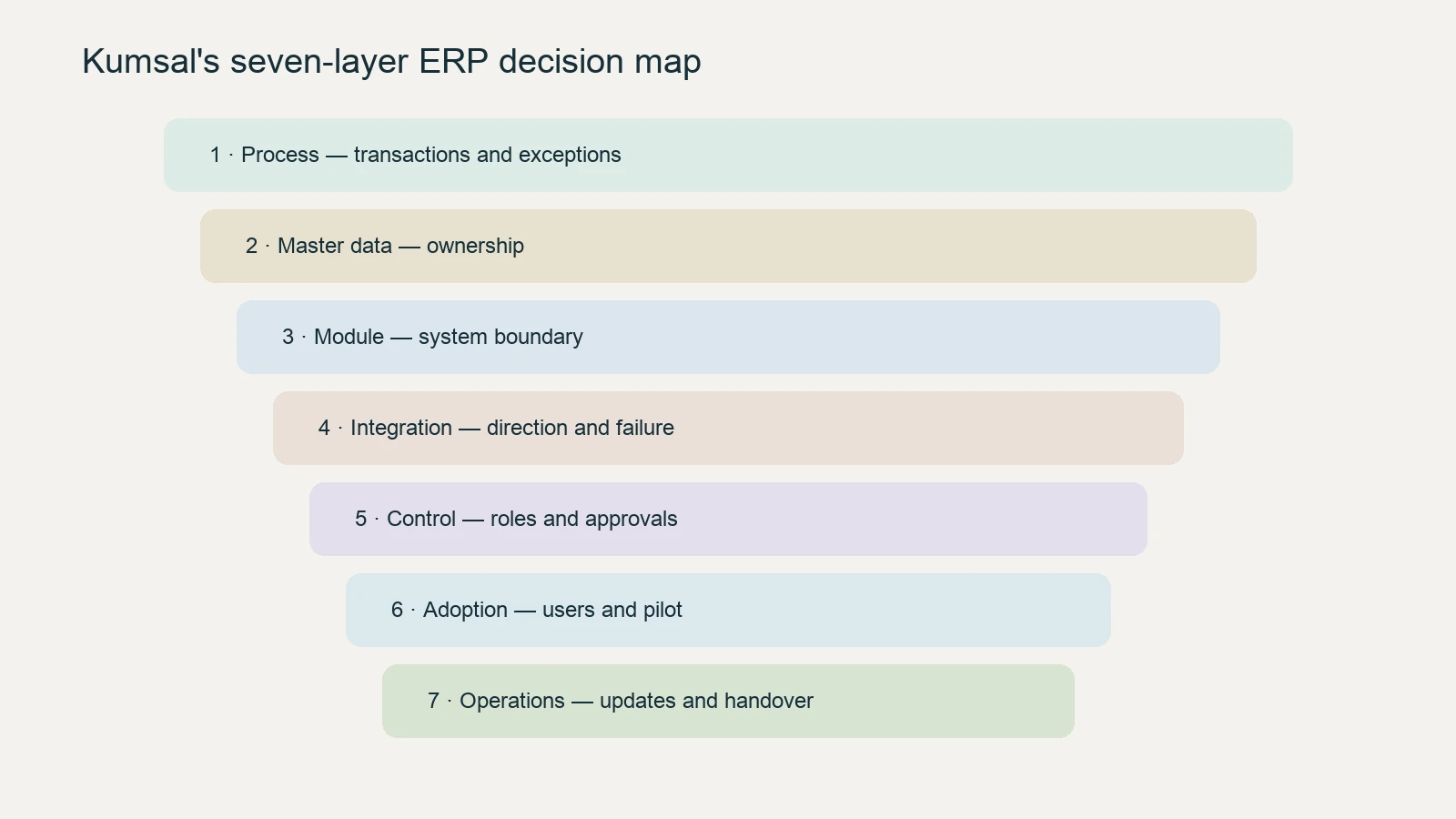
- Process: Which end-to-end transaction and exceptions will be managed?
- Master data: Who owns customer, product, supplier, account and employee records?
- Module: Which capability belongs in ERP and which remains in another system?
- Integration: Which data moves in which direction, when and under which failure rule?
- Control: How do roles, approvals, limits, audit trails and segregation of duties work?
- Adoption: How will users, training, pilot, support and change be managed?
- Operations: Who owns updates, backups, monitoring, incidents, documentation and handover?
This map records current state, target state, owner, exceptions and acceptance criteria before product selection. Feature lists become meaningful only after these decisions.
How should ERP integrations be planned?
ERP may connect with CRM, ecommerce, B2B portals, banks, payment providers, warehouses, carriers, manufacturing, analytics and document systems. The first question is not “is there an API?” but “which system owns this data?”.
Document fields, direction, trigger, frequency, identity matching, logging, retry, duplicate prevention and ownership for each integration. B2B and B2C can share an ERP, but pricing, permission, approval and payment rules must remain separate. Use the B2B versus B2C integration guide for the detailed comparison.
Cloud, on-premises or hybrid ERP
- Cloud ERP: May be operated as a provider-managed service. Review updates, scale, connectivity, data location, integration and exit terms.
- On-premises ERP: Infrastructure and operational control may stay with the organisation. Hardware, security, backup, skills and version-management obligations increase.
- Hybrid model: Modules or locations may use different delivery models. Clarify identity, synchronisation, version compatibility and support boundaries.
Claims that cloud is always cheaper or on-premises is always safer do not produce a sound decision. Evaluate risk, regulation, connectivity, existing systems, team and total cost of ownership together.
ERP implementation stages
- Map current processes, problems, exceptions and reports.
- Define the first scope, later phases and exclusions.
- Assign master-data owners and cleansing rules.
- Validate module, integration, permission and reporting design.
- Prototype and run user acceptance tests with realistic scenarios.
- Prepare migration, training, pilot, cutover and rollback plans.
- Establish support, monitoring, reconciliation and improvement after launch.
SAP's ERP implementation guidance highlights planning objectives, scope, teams, data and change management. Adapt the method to the selected product and organisation.
Questions to ask when selecting ERP
- Which processes will be standardised, and which remain different?
- Does the product support sector and country requirements?
- Where is the boundary between configuration and customisation?
- How can data be imported and exported?
- What are integration, user, storage and support costs?
- How are custom extensions protected during upgrades?
- How do permissions, audit trails, backup, incidents and continuity work?
- How are data, documentation and access handed over at contract end?
For ERP's relationship with external corporate channels, see the B2B software guide.
How should ERP cost be evaluated?
Comparing ERP options by licence or initial development price alone is misleading. A useful total-cost-of-ownership model includes discovery and process design, data cleansing, integrations, reporting, users and permissions, testing, training, cutover, maintenance, support, upgrades and possible exit costs. Extensive customisation may look like a close fit at first, yet increase testing and maintenance during every upgrade.
Every quotation should state its assumptions: companies and locations covered, active users, included modules and integrations, migration rehearsals, support hours and the method for pricing scope changes. This makes the difference between a low price and an incomplete scope visible.
Which indicators show ERP success?
Measurement does not end on the go-live date. Capture a baseline before the project and set targets by process. Indicators may include order-to-cash time, purchase-request approval time, inventory accuracy, on-time shipment, manual corrections, period-close duration, integration failure rate and user-support demand. The same set will not fit every organisation.
The point is not just to create a management dashboard. Measures should help distinguish whether a problem comes from process design, master data, training or an integration. Define an owner, data source, calculation, frequency and acceptance threshold for every key indicator before implementation begins.
Pre-go-live acceptance check
- Have critical end-to-end scenarios passed with realistic data?
- Have roles and permissions been tested for segregation of duties?
- Do opening balances, inventory and open orders reconcile with source systems?
- Can integration failures be monitored and safely reprocessed?
- Are cutover, rollback, support and decision owners clear?
- Are user guidance and operational handover complete?
This check does not claim that the system is perfect. It demonstrates that critical risks are known, accepted deviations are recorded and responsibility for live operations has been transferred.
Conclusion
ERP software is not about collecting many modules under one menu. It runs processes through shared data, permission and control rules. Sound selection clarifies process, data, integration, adoption and operational ownership before product demonstrations. Explore the web and mobile software library for related topics.