


Aydınlatma metni yükleniyor…
A website requirements document brings the purpose, audiences, pages, content, functionality, integrations, design expectations, and responsibilities of a project into one shared reference. It helps agencies quote against a comparable scope and reduces avoidable uncertainty. The document does not need technical language; it needs to explain the intended business outcome and what users should accomplish.
What Is a Website Requirements Document?
A website requirements document creates a common framework between your company and the delivery team. It turns broad requests such as “we need a modern website” into defined goals, audiences, pages, functions, responsibilities, and acceptance criteria.
A requirements document is not necessarily the same as a technical specification. The requirements document starts with business goals, user needs, and project scope. A technical specification describes systems, integrations, security controls, data flows, and acceptance conditions in greater detail. A concise brief may be enough for a small corporate website, while a platform involving accounts, payments, bookings, or data exchange will need more detailed technical requirements.
Start with the Business Goal
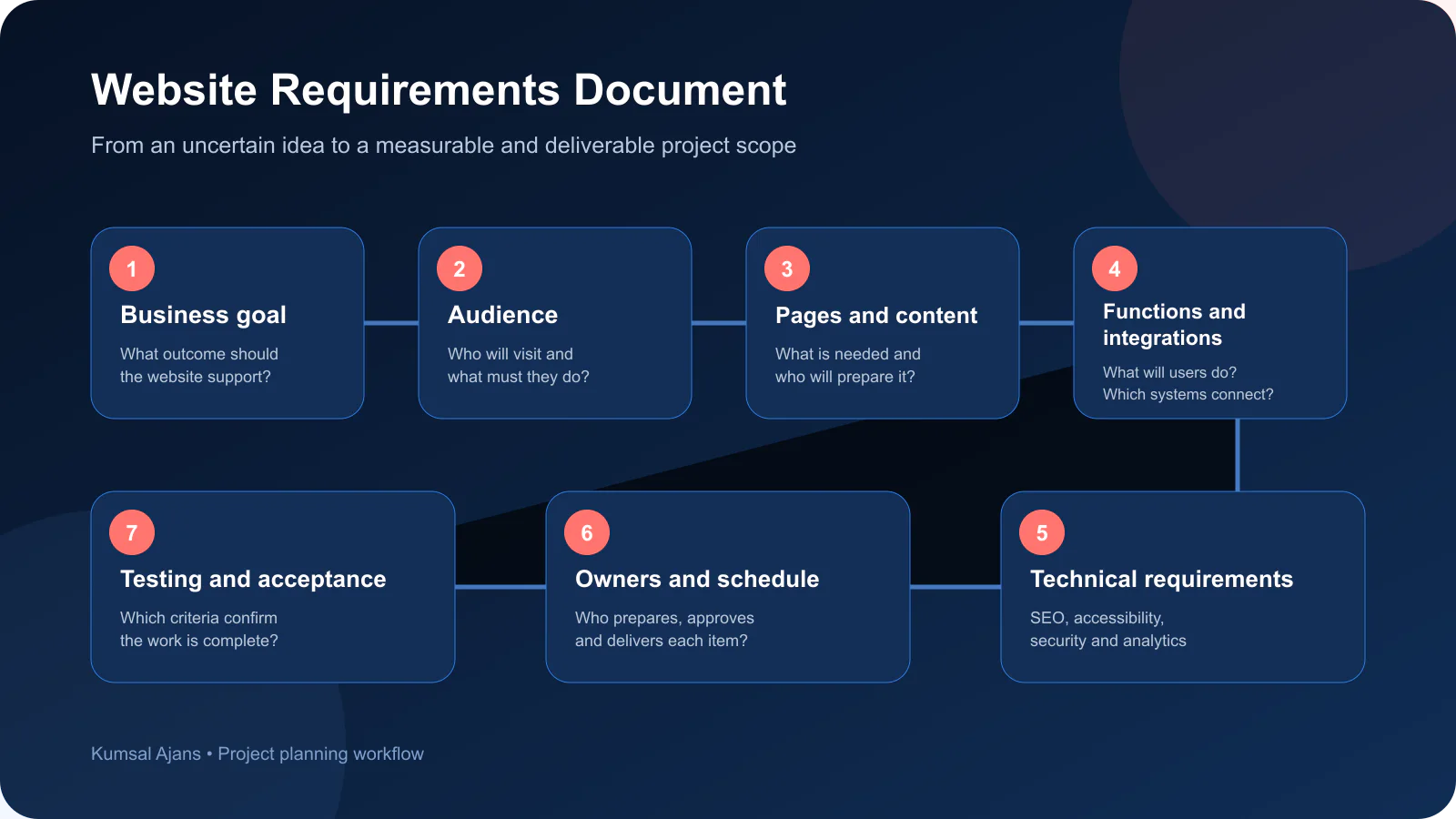
Define why the new website is needed before listing pages or design references. If the business purpose is unclear, deciding which features deserve time and budget becomes difficult.
Common goals include:
- Building trust in the brand
- Explaining products or services more clearly
- Generating qualified enquiries or proposal requests
- Supporting sales, bookings, or applications
- Giving customers, dealers, or business partners access to information
- Managing recruitment and career applications
- Resolving technical, content, or usability problems on an existing website
Define how success will be evaluated. Instead of asking only for “more traffic,” identify outcomes such as qualified submissions, completed bookings, product enquiries, or suitable sales leads. Google recommends building for users and helping people make informed decisions rather than producing pages primarily for search engines. (Google SEO Starter Guide)
Define the Audiences and Their Tasks
“Everyone is our audience” does not give a design or content team enough direction. List the main user groups and the task each group needs to complete.
Ask:
- Who will use the website?
- What need or question brings them to it?
- Which information must they find quickly?
- What action should they be able to complete?
- What evidence do they need before making a decision?
- Which devices are they likely to use?
- Do they have language or accessibility requirements?
A procurement manager may look for technical evidence, while an end customer may focus on pricing and support. One page structure may not serve both effectively.
Map the Pages and Content
List the pages you expect the website to contain, but do not stop at page names. Give each page a purpose, primary audience, and intended action.
A corporate website may include company, service, product, case study, resource, career, and contact sections. Add only pages that serve a defined user need.
Assign content responsibilities at the beginning:
- Who will prepare company, service, and product copy?
- Are photography, video, and catalogues available?
- Who will produce and approve translations?
- Will appropriate specialists provide legal copy?
- Which content from the current website will be retained, updated, or removed?
When replacing a website, list URLs that must be preserved and required redirects so users and search engines reach the correct new pages.
Describe Functions and Integrations Clearly
“The website needs a contact form” is rarely a complete requirement. Define who will use the form, which fields it needs, who receives the notification, where the data is stored, and what should happen when submission fails.
Apply the same level of clarity to:
- Search and filtering
- Multiple languages
- Accounts and user roles
- Payments, bookings, or applications
- CRM and ERP connections
- Mapping, shipping, email, or messaging services
- Analytics and advertising measurement
- File uploads or document generation
For integrations, identify which system sends, receives, updates, and protects each type of data. These decisions affect planning, estimates, and testing.
Explain the Brand and Design Direction
Sharing websites you like can be useful, but links alone do not explain your expectations. State what you like or dislike about each example: content hierarchy, navigation, typography, colour, motion, imagery, or overall brand character.
Provide logos, brand guidelines, colours, fonts, and approved assets. If the visual identity is undefined, include that work in the scope.
At Kumsal Ajans, initial discussions are coordinated by the project manager, while the art director evaluates the visual direction. Design and development teams review user experience and technical feasibility. In a team of approximately 17 people, clear responsibilities help specialists work towards the same outcome. You can also review what a web design agency covers when assigning these responsibilities.
Include SEO, Accessibility, and Security from the Start
SEO, accessibility, and security should not be treated as checks added only after development is complete. The brief should state the relevant goals, scope, and responsibilities.
SEO requirements may cover crawlable links, title and description controls, sitemaps, redirects, image alternatives, structured data, and measurement. Google Search Essentials highlights crawlable links and helpful, people-first content. (Google Search Essentials)
Accessibility requirements may include a target standard, keyboard operation, contrast, form labels, text alternatives, and testing. W3C recommends setting objectives, assigning responsibilities, and checking accessibility throughout delivery. (W3C Planning and Managing Web Accessibility)
Security requirements may cover user roles, personal data flows, backups, restoration, maintenance, updates, and ownership of technical access. For more complex web applications, OWASP ASVS can help teams describe security verification requirements in a structured way. (OWASP ASVS)
Clarify Budget, Timing, and Responsibilities
A budget range helps the delivery team recommend which features belong in the first release and which can move to a later phase. Withholding a range does not necessarily produce a lower quote; it can result in proposals based on completely different assumptions and scopes.
State the desired launch date and its dependencies. Copy, translations, assets, integrations, and approvals all affect the schedule.
Identify who contributes and consolidates feedback and who gives final approval. This reduces conflicting requests and repeated work.
Website Requirements Checklist
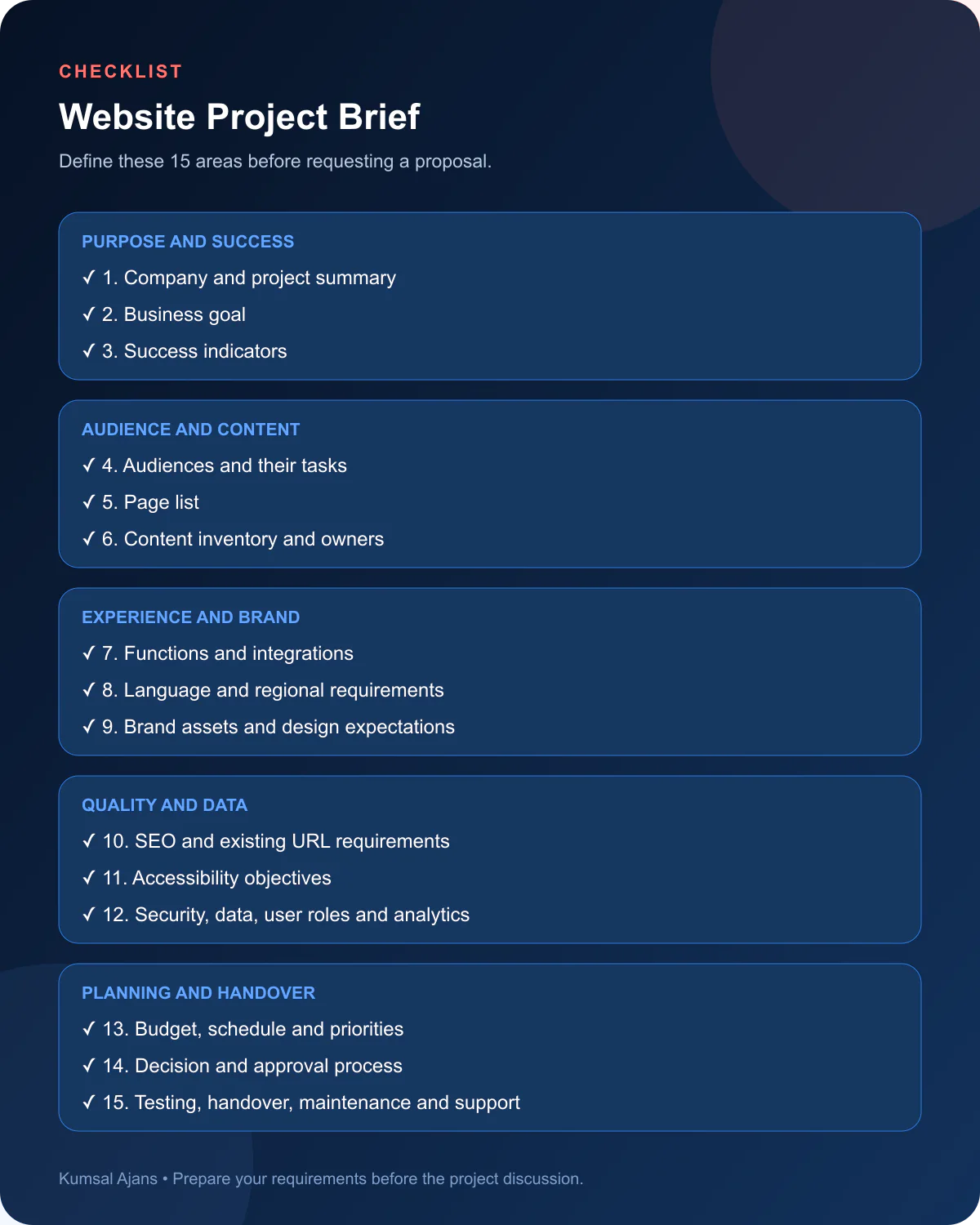
Before sending the document to an agency, check that it covers:
- Company and project summary
- Business goal
- Success indicators
- Audiences and their tasks
- Page list
- Content inventory and owners
- Functions and integrations
- Languages and regional requirements
- Brand assets and design expectations
- SEO and existing URL requirements
- Accessibility objectives
- Security, data, and user roles
- Analytics accounts and access ownership
- Budget, schedule, priorities, and approval process
- Testing, handover, maintenance, and support responsibilities
Initial materials may include vector logos, brand guidelines, copy, media, page lists, and approved translations. For website, DNS, hosting, analytics, or service access, create agency-specific accounts with limited and revocable permissions instead of sharing primary passwords.
What Problems Does an Incomplete Brief Create?
Three issues are common in Kumsal Ajans projects that begin with missing information. The first is scope expansion. When pages, features, and integrations are not defined early, new requests appear during delivery and affect the schedule and resource plan.
The second is delayed creative direction. If brand information, final copy, and imagery are unavailable, the art director and design team may need to explore more alternatives. Layouts produced with placeholder content can require significant adjustment when real content arrives.
The third is a prolonged approval process. When decision-makers are not identified, teams may receive contradictory feedback, leading to repeated work across design, content, and development.
In one anonymised corporate website project, the client supplied its audiences, competitors, services, pages, design examples, brand assets, and most content before work began. The project manager structured the scope quickly, the art director established the creative direction, and development planning began early. The first design presentation closely matched expectations, revisions remained small, and the project finished within the planned schedule without scope changes.
Conclusion
A requirements document makes company goals visible, establishes priorities, and provides a reference for decisions. You do not need every technical detail: a clear description of the goal, users, content, functions, responsibilities, and constraints is enough to begin discovery. Kumsal Ajans can then translate it into a web design service, content, and a project-specific web platform scope.