


Aydınlatma metni yükleniyor…
Creating a corporate presentation for an industrial or B2B company involves much more than designing a few impressive slides. Procurement managers, technical specialists, executives and finance teams may review the same document with very different questions in mind. While one reader evaluates technical suitability, another focuses on cost, implementation time, risk or the supplier’s credibility. A pitch deck or tender document must therefore do more than contain information: it should help multiple stakeholders make and validate a decision.
A well-designed document does not exaggerate a company’s capabilities. It makes genuine capabilities easier to understand. It brings technical data, references, methodology and commercial terms into a coherent narrative so readers can quickly see what the company offers, how it will deliver and why it can be trusted.
What is the difference between a corporate presentation and a tender document?
A corporate presentation generally introduces the company, its value proposition, products or services and selected credentials. It can be adapted for sales meetings, investor discussions, distributor events or partnership negotiations. A tender document responds to a defined specification and must address verifiable requirements such as compliance, technical scope, delivery model, responsibilities and commercial conditions.
The two documents can share a visual language, but they should not have identical information architectures. A pitch deck is selective and narrative-led. A tender response requires completeness, traceability and a visible relationship between each requirement, answer and supporting item. A shared design system can maintain consistency across colour, typography, charts, tables and page layouts, while content modules are reordered according to the document’s purpose.
Content hierarchy should follow the decision-maker’s questions
A presentation does not have to begin with the company’s history. Start by establishing the reader’s context: the operational need, the proposed approach and the expected business outcome. Company information can then serve as evidence that the organisation has the capacity to deliver. This structure is particularly useful when several suppliers appear to offer similar technical specifications.
Headings should communicate more than a section label. A result-oriented heading such as “How we reduce production-line interruptions” is easier to scan than “Our products.” The W3C guidance on writing accessible content similarly explains how informative headings and subheadings help readers understand structure and locate relevant information.
Recommended core narrative sequence
- The customer’s requirement, operational context or tender objective
- The proposed solution and a clear value proposition
- Technical scope and product or service components
- Implementation methodology, work plan and responsibilities
- Relevant references and verifiable evidence
- Commercial framework, assumptions, exclusions and next step
Each page should carry one primary message, with supporting details clearly connected to it. Lengthy technical explanations can move to an appendix when they interrupt the main narrative. Critical compliance information, however, should not exist only in an appendix. Summarise it beside the applicable requirement and point readers to the detailed evidence.
How can tender document production be standardised?
Preparation should begin with a requirements inventory, not in presentation software. Map every specification item to an owner, required response format, evidence source and approval status. APMP’s proposal-writing approach also recommends using a compliance matrix to track requirements and review the response against them. The APMP Bid and Proposal Writing guide provides a useful framework for customer-focused writing and compliance control.
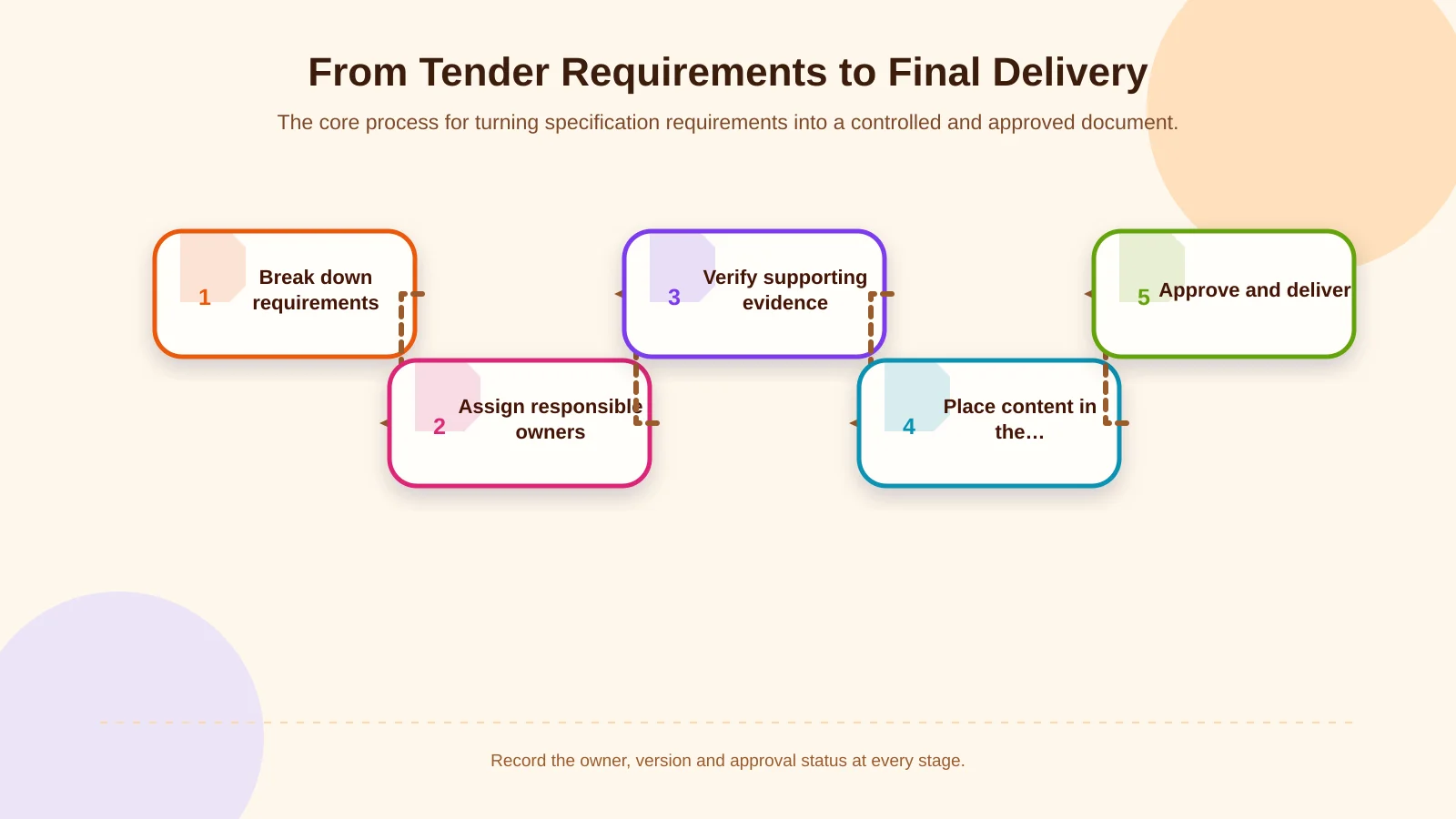
Five stages from requirement to approved document
First, separate the specification into individual requirements and identify submission rules. Next, assign ownership across sales, engineering, legal, finance and management. Verify supporting evidence before approved information enters the correct template module. Finally, review figures, links, page numbers, appendices, filename and version together. Recording ownership, status and approval at every stage reduces last-minute copying errors and the reuse of outdated claims.
When specifications, certificates and product variants are reused across many channels, a controlled source of product information becomes valuable. The principles in this guide to product information management can also support more sustainable proposal content by separating governed data from channel-specific presentation.
How should technical and commercial content work together?
Technical accuracy and commercial clarity are not competing goals. A strong presentation provides the summary required for a decision, followed by enough detail for specialists to verify it. Content can be layered accordingly: a result in the heading, an approach in the short explanation, evidence in a chart or table and detailed conditions in a note or appendix.
Content modules that give technical data meaning
- A use case and outcome instead of an isolated feature list
- Measurement conditions, units and data date alongside each figure
- Responsible parties and handover points within process diagrams
- Sector, scope, delivered work and outcome in each reference
- Included items, options, exclusions and validity in pricing tables
A large capacity figure alone is not meaningful. Readers need to know the product, line, shift pattern or test conditions to which it applies. Likewise, “turnkey” remains ambiguous unless responsibilities for commissioning, training, site preparation, transport and maintenance are defined.
Manually copying prices, inventory, delivery dates or product data from ERP and operational systems creates a freshness risk. For frequently repeated proposals, teams can consider controlled data transfer, a web-based quotation interface or an ERP-connected content flow. Approval logic is equally important when commercial values can change. The guide to B2B order approval workflows offers a useful model for governing roles, limits and exceptions.
Which rules belong in visual design standards?
A corporate design system is not merely a rule for logo placement. It should define the page grid, spacing, heading levels, body text, colour roles, icon style, photography, tables and chart conventions. These standards make sections created by different teams feel like parts of the same document and help reviewers distinguish emphasis from decoration.
Readability and accessibility
Text size, line length and contrast become especially important on meeting-room displays, projectors and low-quality printouts. W3C defines a minimum contrast ratio of 4.5:1 for normal text and 3:1 for large text. Colour should not be the only way to communicate status, compliance or risk; use a label, icon, pattern or another secondary indicator. The technical criteria are explained in the W3C guidance on minimum contrast.
Accessibility in digital documents extends beyond colour. Give every slide a descriptive title, add alternative text to meaningful images and check the reading order of objects. Microsoft’s guide to accessible PowerPoint presentations also recommends using the accessibility checker and arranging slide objects in a logical reading sequence.
Tables, charts and technical diagrams
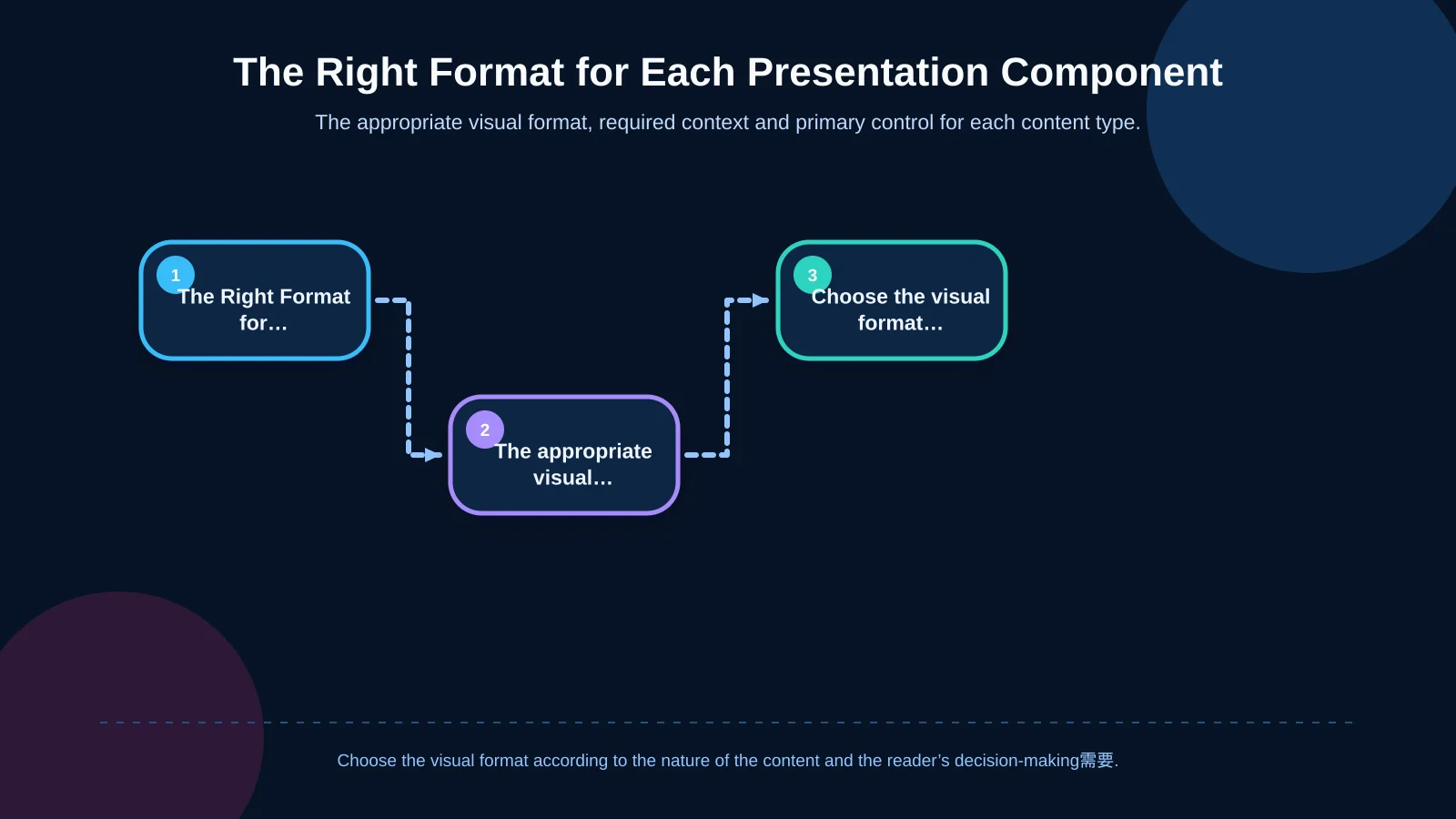
Use tables for comparison, charts for trends or proportions and process diagrams for steps and dependencies. Turning every dataset into a chart does not automatically improve comprehension. Dense, multi-column tables may need two layers: a decision-focused summary and a detailed technical view. Charts should display the axis, measurement unit, period and data source. Decorative three-dimensional effects should be avoided when they make values harder to compare.
| Content | Suitable format | Required context | Control |
|---|---|---|---|
| Technical specification | Table | Unit and conditions | Comparability |
| Performance data | Chart | Period and source | Axis accuracy |
| Workflow | Process diagram | Roles and handover points | Step sequence |
| Commercial scope | Layered table | Included and excluded items | Figure approval |
How should a sustainable template system be built?
A template should be a controlled but flexible component set, not simply a locked file. Define repeatable layouts for covers, agendas, section dividers, text, products, case studies, processes, timelines, teams, pricing and closing pages. Each layout should include a short note describing its intended use and recommended content limit.
Keep the master template separate from project copies. Establish a filename convention covering customer, project, language, version and date. Store approved company facts, certificates and references in a central content library. Teams can then use current, approved modules instead of copying pages from old presentations.
Template governance checkpoints
- A named template owner and defined update permissions
- Approval owners for brand, technical and commercial information
- Mandatory and optional page types
- Version history and the latest review date
- Separate quality checks for presentation, PDF and print outputs
Test the system under real working conditions. Sales should be able to assemble a proposal quickly, engineering should be able to add a legible technical diagram, and management should be able to identify significant changes. If the system is too rigid, teams will bypass it; if it is too permissive, visual and editorial consistency will disappear.
Pre-publication and delivery quality-control checklist
Final review is not limited to proofreading. Compliance with the specification, freshness of evidence, approval of commercial figures and technical usability must be checked separately. Where possible, assign a reviewer who is neither the primary content owner nor the person who assembled the final file.
- Does the file show the correct customer, project and tender name?
- Has every mandatory requirement been answered and linked to evidence?
- Are price, currency, tax, delivery time and validity date consistent?
- Do charts include units, periods and sources?
- Is confidential information restricted to the intended audience?
- Do links, appendices, page numbers and the contents page work?
- Are fonts, images and layers displayed correctly in the PDF?
- Does the filename and version follow the company standard?
Common corporate presentation design mistakes
One of the most common mistakes is combining pages from old presentations and expecting them to form a coherent story. This increases repetition, contradiction and outdated-information risk. Another is treating technical density as proof of expertise. Data without priority, context or interpretation makes the decision-maker’s work harder.
Filling every empty space, using too many colours, replacing technical evidence with stock photography and giving every heading equal visual weight also weaken hierarchy. Design is not there to decorate the content. Its job is to reveal priority, support comparison and reinforce confidence.
How can you plan your presentation system with Kumsal Agency?
Kumsal Agency approaches corporate presentations for industrial and B2B companies as communication systems aligned with real sales, proposal and tender processes—not as one-off aesthetic files. Through Digital Brand Consulting, audience needs, brand direction, experience principles and content architecture are shaped through a research-led approach. In the Art Director-led Digital Design process, an original creative concept is translated into templates, charts, digital identity components and, where useful, motion design.
Web design, custom web development or ERP-connected data flows can also be incorporated when the operating model requires them. The result can be more than an attractive presentation: it can become a manageable system that uses current information, works across teams and adapts to different proposal scenarios.
Plan the content hierarchy, visual standards and sustainable template system for your corporate presentation or tender document with Kumsal Agency. Contact the team to discuss the right structure for your process.