


Aydınlatma metni yükleniyor…
For manufacturers, distributors and wholesalers using SAP, Logo or Mikro ERP, dealer ordering is more than a sales channel. It brings customer accounts, products, prices, discounts, inventory, orders, shipments, invoices and payments into one operational lifecycle. As order volume grows, processes based on phone calls, email and spreadsheets can lead to duplicate records, incorrect prices, outdated stock information and delayed status updates. An ERP-integrated B2B dealer order portal turns this fragmented workflow into a controlled, secure and measurable digital operation.
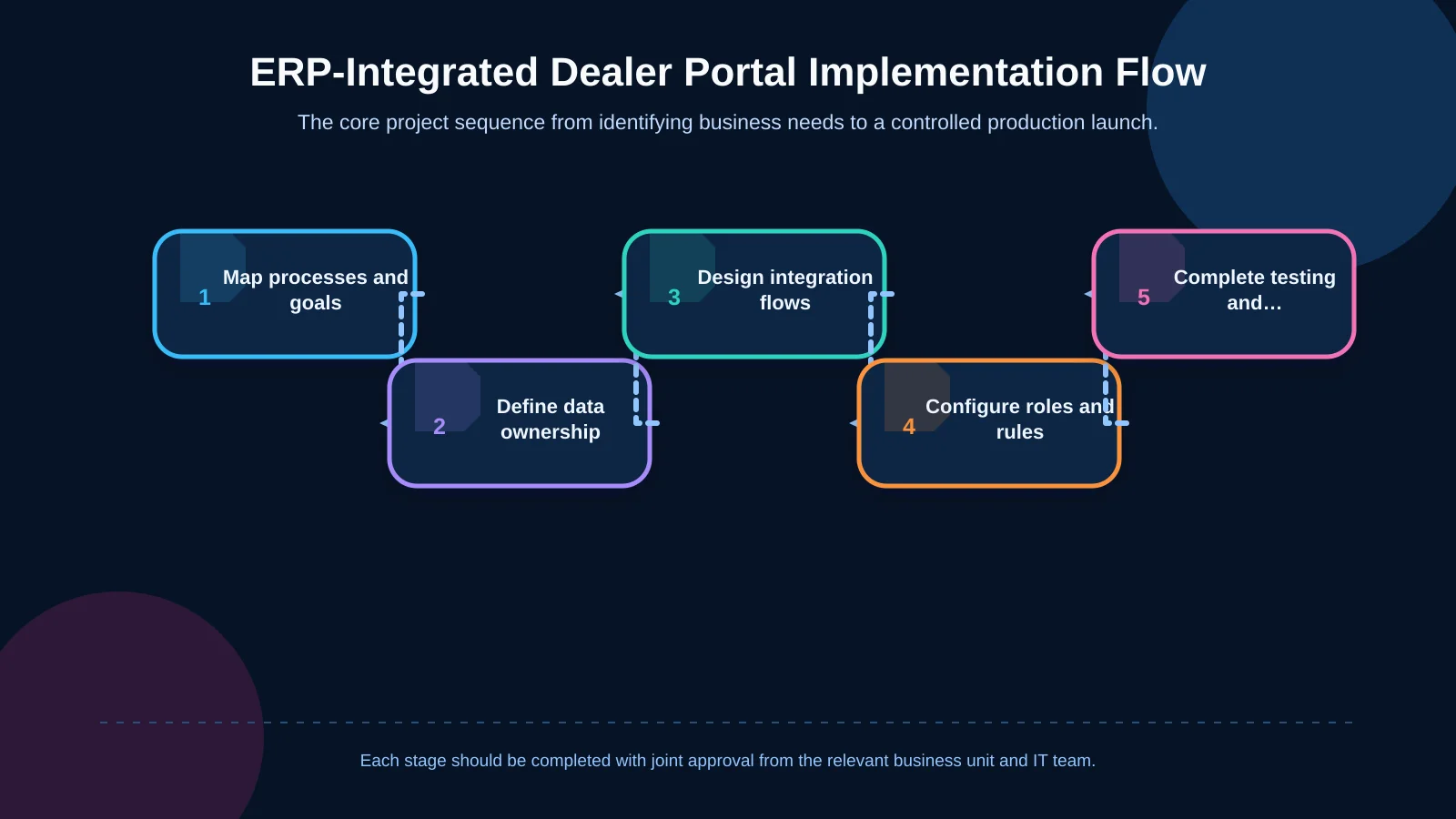
A successful implementation involves much more than connecting a ready-made interface to an ERP system. The project must first establish how the organisation actually operates, which system owns each type of data, what different users are allowed to do, how commercial rules work and which exceptions require human intervention. Only then should the portal–ERP data flows, error handling, auditability and user experience be designed. This guide explains how to structure that work without promising unverified product- or version-specific capabilities for SAP, Logo or Mikro.
What is an ERP-integrated B2B dealer portal?
An ERP-integrated dealer portal is a web application where authorised dealers can view the products, prices and availability relevant to them, place orders and follow what happens after submission. The portal manages the user experience, while the ERP usually remains the primary source for customer accounts, product records, pricing, inventory and commercial documents. This is not universal, however: the authoritative system for every data group must be agreed at the start of the project.
The integration method depends on the ERP product, version, licence and deployment model. SAP Business One Service Layer, for example, exposes business objects through HTTP and OData, and SAP publishes an official Service Layer API reference for OData v4. Mikro provides MikroAPI documentation describing available endpoints. For Logo, the appropriate approach should be selected only after confirming the installed product, version, licensing, supported services and support conditions. The ERP brand alone is therefore not enough to determine the architecture.
Define the scope before implementation
The first deliverable should not be a list of screens. It should be a clear picture of the current order lifecycle. Sales, finance, logistics, dealer operations and IT teams need to document how a dealer is created, which products that dealer can access, when prices change, when an order becomes binding, who can approve an exception and where shipment information originates.
Set business goals and success measures
“Build a dealer portal” is not a measurable objective. More useful goals include reducing manual order-entry time, preventing invalid product codes, lowering pricing disputes, shortening approval delays or allowing dealers to retrieve documents without contacting support. Suitable indicators may include the percentage of orders received through the portal, the number of records transferred successfully to the ERP, average order-processing time and the time required to resolve integration failures.
These measures should have owners and baseline values. Without a baseline, a technically successful launch may still fail to demonstrate operational value. It is also worth separating adoption metrics from integration health: a low portal order rate is a different problem from a high ERP rejection rate and requires a different response.
Clarify data ownership
For every field or data group, define the system of record, transfer direction, update frequency and expected behaviour when a service is unavailable. Customer details and credit limits may flow from the ERP to the portal, while a requested delivery-address change may require approval. An order can originate in the portal, pass to the ERP and then return with an ERP document number and acceptance result. Allowing the portal to create a second, independent version of price or stock data usually produces serious inconsistencies over time.
- Which system owns dealer accounts, users and delivery addresses?
- How will product, variant, unit and case-pack codes be matched?
- When and where are prices, discounts, taxes and currencies calculated?
- Does the displayed stock represent physical, available or sellable quantity?
- Which ERP records determine portal statuses for orders, shipments and invoices?
Choose an integration architecture that fits the operation
Where possible, the portal should use vendor-supported services, business objects or approved integration layers instead of writing directly and without control to the ERP database. There is no single correct technology for every implementation. The SAP product and version, the Logo deployment, the Mikro version, infrastructure constraints and required transactions all need to be assessed together.
A dedicated integration layer should separate the portal interface from ERP access. Authentication, field mapping, queue management, retries, logging and version-related changes can then be managed centrally. Operations requiring immediate confirmation, such as final price validation, may run synchronously. Large catalogue updates, document transfers and non-urgent status changes may be scheduled or queue-based. Making every request real time can create performance and availability risks; transferring everything in batches can leave users working with stale information.
Build resilient and traceable data flows
Each order submission should carry a unique request or idempotency key. If a network interruption causes the portal to retry, that key helps prevent the same order from being created twice in the ERP. Failed operations must not disappear. They should enter a visible error queue, technical failures should be distinguished from business-rule rejections, and authorised teams should be able to investigate and retry them safely.
The dealer also needs meaningful feedback. A generic “an error occurred” message does not reveal whether the order was received, is awaiting validation or requires corrective action. Portal states should reflect the real processing stage without exposing unnecessary technical detail.
A field-mapping specification should remain a living project document. For each field, record the portal name, ERP field, data type, requirement status, transformation rule and example. Leading zeros in product codes, different units of measure, currency precision, tax handling and company or accounting-period separation may appear minor, yet they can cause complete order rejection if left untested.
Design product, pricing and stock experiences
A dealer should see only the products, brands, sales organisations or catalogues for which it is authorised. Product records may include the commercial name, dealer-specific code, sales unit, case quantity, minimum order quantity and relevant technical documents. Search, filters, favourites and reorder-from-history functions can materially reduce ordering time in a large catalogue.
Displaying a list price is rarely sufficient in B2B commerce. Contract prices, quantity breaks, campaigns, currency, payment terms and authorised manual concessions may all apply to the same line. Their priority and conflict behaviour must be explicit and explainable. A dedicated decision model such as the one described in the guide to special pricing and discount rules in dealer portals can prevent rules from becoming hidden across screens and integrations. If the ERP accepts a different amount from the value shown in the basket, the system should not silently alter the order. The difference should be presented to the user or routed for approval.
Stock labels also need precise definitions. “In stock” may depend on the warehouse, existing reservations, open orders and allocation policies. If showing an exact quantity is commercially inappropriate, controlled labels such as available, limited availability or ask for lead time may be preferable. When the ERP cannot be reached, the portal should display the last update time rather than presenting old data as current.
Support quick order, bulk upload and approvals
Frequent buyers should not have to browse the catalogue for every repeat order. Quick entry by product code and quantity can provide a faster route. For large orders, Excel or CSV upload should include a downloadable template, column mapping, line-level validation and a review screen before submission. A single invalid row should not cause an unexplained rejection of the entire file. The portal should identify the affected product code, quantity, unit or format clearly. The B2B bulk-ordering guide explores these design considerations in greater depth.
Not every order has to become a final ERP document immediately. The buyer’s authority, total order value, payment term, credit exposure, discount level or exceptional products may trigger an approval workflow. Requester, approver and ERP-submission responsibilities should be separated. Delegation, rejection reasons, escalation and time-out rules must be defined, while approval history should be retained as a tamper-resistant audit trail.
| Data | Typical system of record | Typical direction | Control point |
|---|---|---|---|
| Customer accounts and permissions | ERP / identity system | ERP → Portal | Account status and role |
| Products and inventory | ERP | ERP → Portal | Warehouse and freshness |
| Prices and discounts | ERP / rules layer | Bidirectional validation | Priority and currency |
| Orders | Portal + ERP | Portal → ERP | Duplicate prevention and acceptance |
| Shipments and documents | ERP / logistics | ERP → Portal | Line, status and access |
Provide visibility from order to delivery
The portal’s value does not end when an order reaches the ERP. Dealers should be able to see whether an order has been received, approved, partially prepared, shipped or closed. Portal statuses should be a dealer-friendly interpretation of events across ERP and logistics systems, not a direct copy of internal technical codes.
Partial shipments require visibility at line and quantity level, not only at order-header level. Dispatch notes, invoices and related documents may be available for authorised download, but each file must be associated with the correct dealer account and order. If carrier integration is included, tracking numbers and delivery events can be shown separately. Further lifecycle considerations are covered in the B2B order-tracking portal guide.
Separate roles, permissions and organisations
The dealer company, branch, user and role should be distinct entities. A buyer may create an order, a manager may approve it, and a finance user may view balances and invoices without being able to change pricing. If an internal support user acts on behalf of a dealer, that action should be clearly labelled and recorded with the real operator’s identity.
Security involves more than placing a password on the login screen. The scope should consider multi-factor authentication, secure session management, least-privilege access, encryption in transit, protected secret storage and tested backups. The service account connecting the portal to the ERP should have permission only for required operations. Retention periods, access logs and incident-response ownership should also be defined for personal and commercially sensitive data.
Test failure paths before launch
Testing must cover more than one successful order. Scenarios should include an invalid product, blocked customer account, insufficient stock, price change, connection loss, duplicate submission, partial shipment and unauthorised document access. If an ERP test environment is unavailable, the team needs a controlled validation method that does not put production data at risk.
- Validate units and field mappings with representative business data.
- Test positive and negative permission scenarios for every role.
- Measure large catalogues, bulk orders and concurrent-user loads.
- Verify queue behaviour during ERP downtime and after reconnection.
- Obtain user-acceptance approval from finance, sales and logistics.
A pilot with a limited dealer group makes it possible to observe real ordering behaviour in a controlled setting. Support channels, incident priorities and response targets should be agreed before the pilot begins. After launch, teams should monitor transfer success rates, queue length, delayed transactions and API response times. ERP, portal and integration-layer updates should be followed by proportionate regression testing.
Treat the portal as a sustainable business application
An ERP-integrated portal is not a fixed website delivered once and forgotten. New dealer types, warehouses, pricing models and approval requirements will continue to change its operating model. The architecture therefore needs clear extension points, and the scope document, data dictionary, integration contracts, permission matrix and operating procedures are as important as the software itself.
Kumsal Agency is an Istanbul-based digital agency that develops custom web applications around business processes, user roles, data and integration requirements. It combines ERP and SAP consulting with web development, mobile applications, e-commerce and enterprise resource planning capabilities. The objective is not to impose a standard product, but to build a secure, robust and maintainable B2B dealer portal architecture around the organisation’s actual way of working.
Contact Kumsal Agency to plan the scope, integration flows and user roles for a dealer order portal connected to your SAP, Logo or Mikro ERP environment.