


Aydınlatma metni yükleniyor…
SVG (Scalable Vector Graphics) is an XML-based web standard for describing two-dimensional vector graphics. Shape-led assets such as logos, icons, diagrams and simple illustrations can remain crisp across different display sizes, while colours and selected properties can be controlled with CSS.
That does not mean SVG is always faster or that every image should be converted to SVG. A complex drawing can become heavy through excessive path points, filters or embedded raster data. A photograph may be better delivered as AVIF, WebP or JPEG. The correct decision depends on the visual structure, embedding method, accessibility requirement, security model and measured output size.
What exactly is SVG?
The W3C SVG 2 specification defines SVG as an XML-based language for describing two-dimensional vector and mixed vector/raster graphics. Rectangles, circles, lines, paths, text, colours, transforms and filters can be represented as structured elements rather than a fixed grid of pixels.
This structure has three practical consequences:
- Geometric artwork can scale without being tied to one pixel resolution.
- Text-based files can be compared in version control and, where appropriate, styled or controlled through CSS and JavaScript.
- An SVG document may contain text, links, external references or scripts, so it should not automatically be treated like an inert PNG file.
SVG is used for more than logos and icons. Product diagrams, process maps, charts, interface symbols, badges and explanatory motion can also be appropriate uses.
How does SVG differ from PNG, JPEG and WebP?
Vector and raster formats solve different problems. Raster images store pixels; SVG primarily stores shapes and coordinates.
| Need | Usually suitable format | Reason |
|---|---|---|
| Logo, icon or simple symbol | SVG | Crisp scaling and controllable colour |
| Photograph or textured scene | AVIF, WebP or JPEG | More efficient representation of complex pixel detail |
| Raster image with transparency | WebP or PNG | Pixel detail and alpha transparency |
| Simple diagram or chart | SVG | Scalable lines and text, with options for accessible descriptions |
| Social/OG image | WebP, JPEG or PNG | Broad platform support and a fixed canvas |
An SVG is not automatically smaller. A simple icon made of a few paths may be efficient; an illustration with thousands of points or an embedded bitmap may be larger than an equivalent WebP. Compare the optimised byte size and visual result rather than relying on the extension.
How should SVG be embedded in a website?
The embedding method changes styling, caching, accessibility and security behaviour.
External file through img
This is often the simplest choice for a non-interactive logo, illustration or icon:

The browser processes the file as an image subresource. The SVG 2 processing-mode rules restrict features such as scripting and interaction when SVG is used through img. The file can also be cached. Page-level CSS, however, cannot directly select every internal path in the external file.
Inline SVG in HTML
If individual parts must change colour, state or behaviour with a component, the markup can be placed directly in HTML:
Inline use provides more styling control, but repeating substantial markup can increase HTML size. Interactive graphics also need keyboard, visible-focus and accessible-name testing.
CSS background
A decorative graphic that conveys no information may be a CSS background. Content or functional images should not be moved into the background when doing so removes their text alternative or meaning.
object or iframe
These can be appropriate for an SVG that operates as its own interactive document. Permissions, focus order, loading and external resources become more complex, so they are unnecessary for a simple logo or icon.
Why do viewBox, width and height matter?
The viewBox defines an SVG’s internal coordinate system and visible area. The MDN viewBox reference describes its four values as min-x, min-y, width and height. The browser maps that coordinate space to the area occupied by the SVG.
A responsive SVG commonly combines the correct viewBox with CSS such as max-width: 100% and height: auto. Width and height values that express the correct aspect ratio also help the page reserve space before the image loads. A mismatched ratio can stretch or crop the artwork.
Check the following:
- Does the
viewBoxcontain the complete drawing? - Does its aspect ratio match the design area?
- Are width and height available in the HTML output?
- Do fine lines and labels remain legible on a narrow mobile screen?
- Is the default
preserveAspectRatiobehaviour suitable?
The Kumsal Agency SVG Decision Card
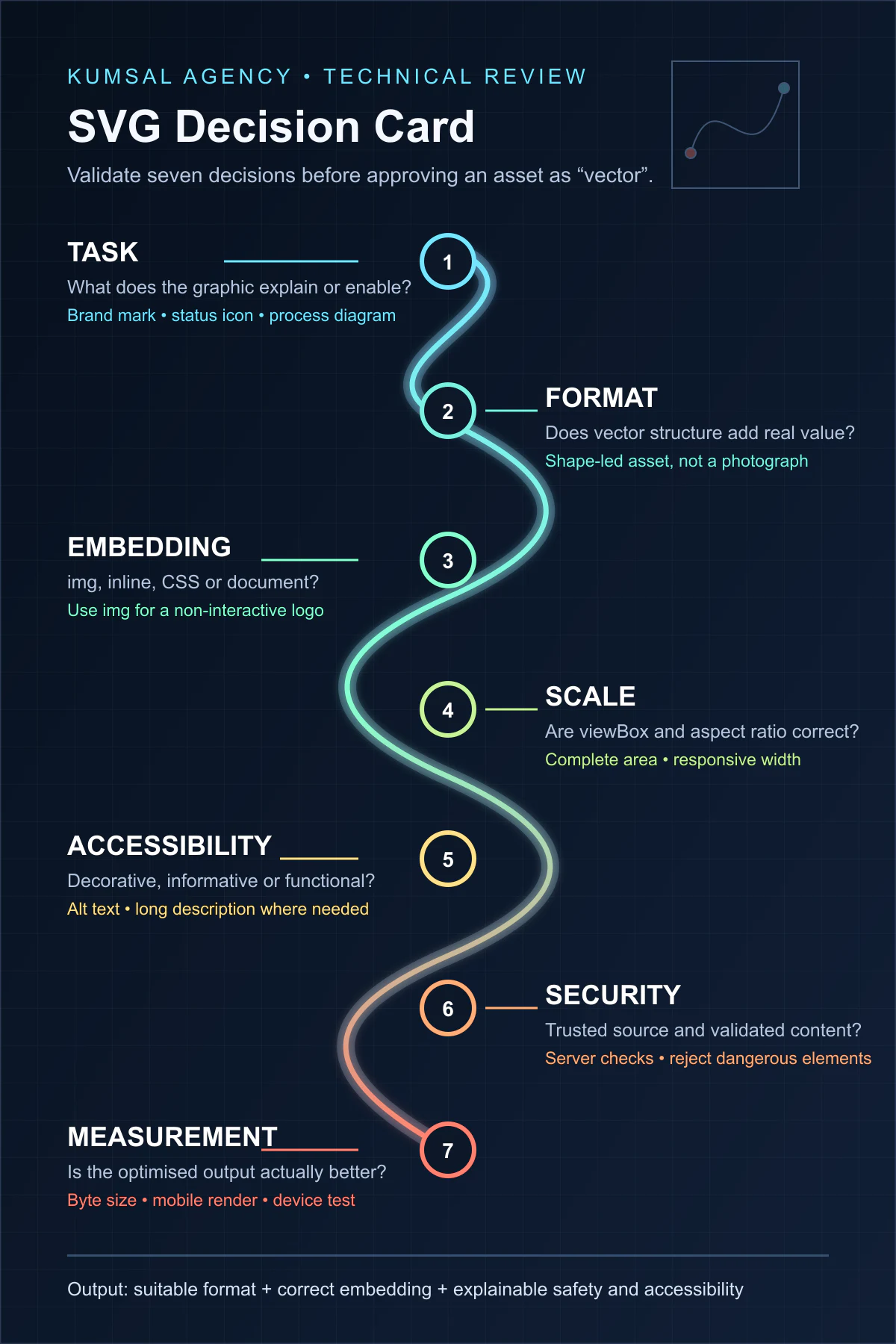
Instead of approving an SVG merely because it is a vector asset, record seven decisions on one card:
| Field | Question | Example decision |
|---|---|---|
| Task | What does the graphic explain or enable? | Brand mark, status icon, process diagram |
| Format | Does vector structure provide a real advantage? | Shape-led asset rather than a photograph |
| Embedding | img, inline, CSS or document? | img for a non-interactive logo |
| Scale | Are viewBox and aspect ratio correct? | 0 0 160 48 with responsive width |
| Accessibility | Decorative, informative or functional? | Short alt text for an informative image |
| Security | Is the source trusted and content validated? | Approved file with server-side controls |
| Measurement | Is the optimised output actually better? | Byte size, rendering and device tests |
The card reduces mismatched assumptions between design and development. It also leaves an explainable reason for choosing SVG later in the project.
How should SVG be optimised?
The purpose of optimisation is not only to reduce bytes; it is to remove unnecessary data while retaining appearance and function.
- Remove unused layers, metadata and definitions exported by the design tool.
- Reduce excessive path precision while checking that fine detail is intact.
- Consolidate repeated styles where this does not harm maintainability.
- Consider serving large embedded raster content as a separate suitable image format.
- Remove unused filters, masks, symbols and font definitions.
- If appearance depends on a font, evaluate that dependency alongside the accessibility and search consequences of converting text to paths.
- Confirm that the optimiser has not removed IDs,
viewBoxvalues or accessibility elements required by the implementation.
Automated SVG optimisation is useful, but the output should still pass visual comparison, mobile review and target-browser testing.
How can SVG be made accessible?
Implementation depends on the graphic’s role:
- Give an informative SVG used through
imgconcise alt text that provides the same meaning. - Use
alt=""for a purely decorative image or otherwise remove it from the accessibility tree. - Name a functional icon by its action� such as “Search” or “Menu”� rather than by its appearance.
- Provide a detailed text explanation for a complex chart or diagram in addition to a short alternative.
- For inline SVG, test the appropriate role, accessible name and any
aria-labelledbyoraria-describedbyrelationship. - Do not rely on colour alone; test contrast, focus and keyboard operation where interaction exists.
The W3C WAI complex-images guide recommends a short description plus a long description that communicates essential relationships and data for complex images. Text existing inside an SVG does not by itself prove that this requirement is met; test the resulting accessibility output.
Is SVG secure?
An internally produced, reviewed SVG served as a static image does not have the same risk profile as an SVG uploaded by an unknown user. SVG can contain scripts, event attributes, links, foreignObject and external-resource references. Checking only the extension or supplied MIME type is therefore insufficient.
The OWASP File Upload Cheat Sheet recommends layered controls including an allowlist of required extensions, type and content validation, generated filenames, size limits, authorised uploaders and, where possible, storage outside the webroot. If users may upload SVG, apply a trusted sanitisation or reconstruction process appropriate to the business requirement and reject dangerous elements and references on the server.
“We render it through img, so the upload is safe” is incomplete reasoning. Consider whether the same file can be opened directly, downloaded, served with another content type or reused inline elsewhere.
Does SVG directly improve SEO?
Using SVG is not a direct ranking guarantee. The correct format may support clarity, transfer size, responsive presentation and accessibility. A heavy or broken SVG, missing dimensions, meaningless alternative text or critical information that is not available in the surrounding content can undermine the page instead.
What matters is whether the graphic supports the page’s task, is connected to useful surrounding text, has an appropriate text alternative and loads quickly and stably within the complete page. For the broader process, see our web design process and quality guide.
A 12-point SVG pre-publication checklist
- Is the visual genuinely suitable for a vector format?
- Has the optimised SVG been compared with a raster option for size and quality?
- Are its source and usage rights known?
- Does the
viewBoxcontain the complete artwork? - Are the aspect ratio and width/height values correct?
- Does the embedding method fit the styling and functional requirement?
- Has the graphic been classified as decorative, informative or functional?
- Does its alt text or long description perform the required task?
- Have keyboard, focus and contrast been tested for interactive use?
- Have external resources, scripts, event attributes and unnecessary metadata been reviewed?
- Has the output been visually checked at mobile widths and in target browsers?
- Have MIME type, broken-file handling, caching and delivery been checked?
Conclusion
SVG is a strong format for logos, icons, diagrams and simple illustrations. Its value comes not only from scaling, but also from its ability to work with styling, accessibility and component systems when implemented correctly. It is not an automatic choice for complex photographs, and a poorly optimised or uncontrolled SVG can introduce performance and security problems.
Define the visual task, compare SVG with an appropriate raster alternative, choose the embedding method, and review accessibility, security, file size and mobile rendering together. To plan a corporate visual and component system as part of a complete project, review our web design service.