


Aydınlatma metni yükleniyor…
In heavy industry and manufacturing, recording an order involves far more than entering a product and quantity. Customer-specific prices, technical specifications, promised dates, production capacity, raw-material availability, quality checks, packaging and shipment plans all belong to the same commercial and operational process. When this information is scattered across email, phone calls, spreadsheets and departmental applications, customers struggle to obtain reliable answers and internal teams lose their shared view of the order.
An ERP-connected B2B portal and production tracking system brings this fragmented traffic into one digital structure. Dealers or corporate buyers can place and monitor orders; sales teams can manage commercial terms; and production, warehouse and shipping teams can update their responsibilities. Management can follow progress, delays and exceptions through shared indicators. The objective is not to replace the ERP, but to turn internal data into secure, role-specific experiences for employees and customers.
Why should B2B portals and production tracking be planned together?
A portal that only provides an order form can lose visibility as soon as the order reaches the ERP. Conversely, production tracking designed without the customer and sales context may display operational records without explaining what they mean commercially. Planning both capabilities together preserves the relationships among the sales order, order lines, production orders, lots or serial numbers, shipments and documents.
The international ISA-95 approach to enterprise and control-system integration addresses information exchange between business processes and manufacturing operations through defined layers and shared models. Its practical implication for a portal project is that every data domain needs an identified source and owner. Credit exposure and contract prices may come from the ERP, production events from a manufacturing system, and delivery events from warehouse or logistics applications.
A well-designed architecture does not expose these technical boundaries to users. It translates them into understandable states such as “awaiting approval,” “in production,” “in quality inspection,” “partially shipped” or “delivered.” For a closer examination of buyer-facing status, shipment and document design, see How to Plan a B2B Order-Tracking Portal.
End-to-end digital flow from order to delivery
One overall status is rarely enough for a manufacturing order. Some lines may be supplied from inventory, others may require production, and separate quantities may ship on different dates. The workflow should therefore be modelled at order-header, line, quantity and delivery-schedule level.
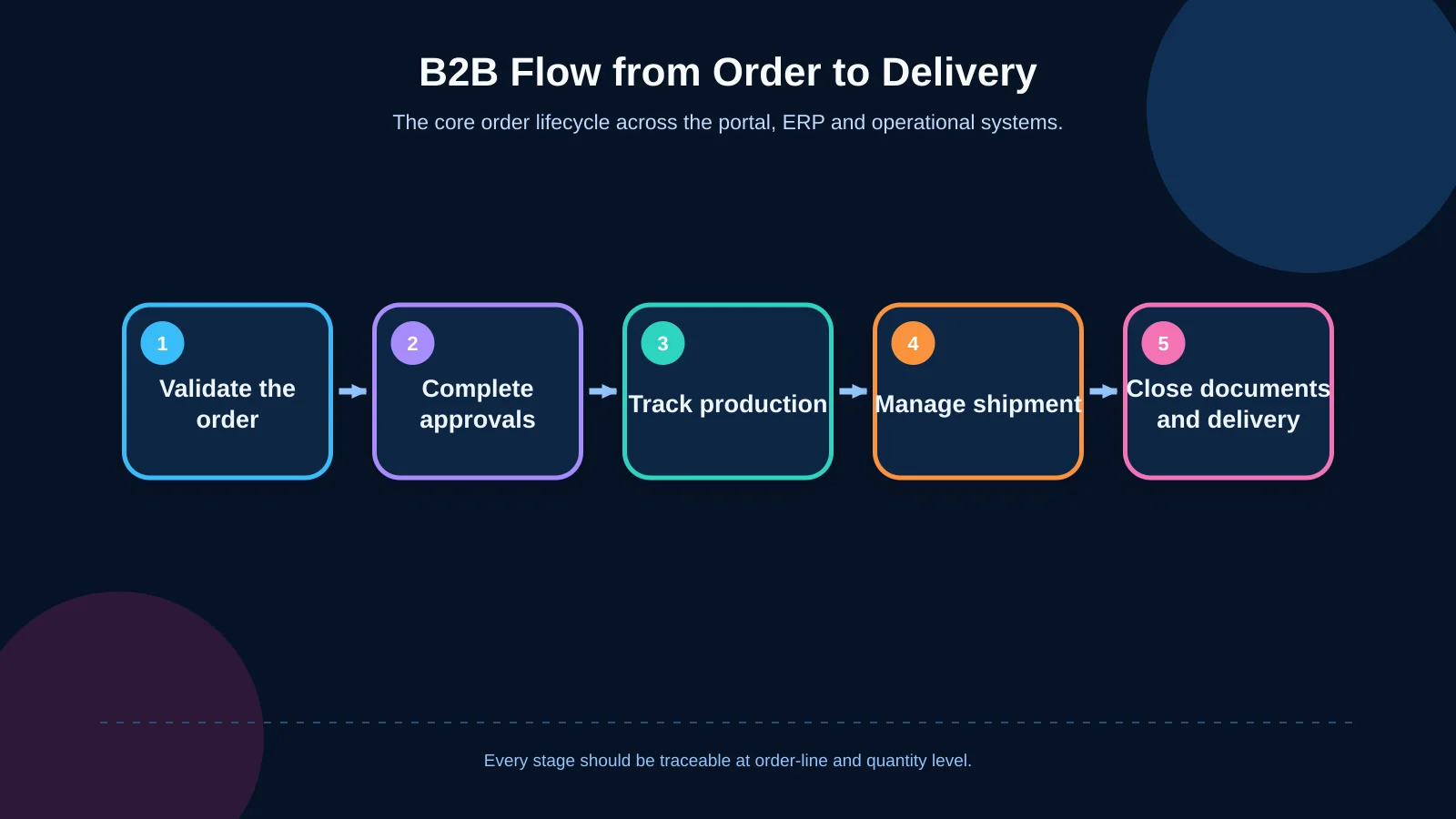
1. Order creation and validation
The portal should obtain the buyer’s authorised product range, pricing, payment terms, delivery addresses and order limits from the ERP or another designated master-data source. Rules such as minimum quantities, packaging multiples, technical compatibility and mandatory documentation should be checked before submission. Clear line-level messages allow the buyer to correct a problem immediately instead of sending an invalid record through several departments.
2. Commercial and operational approval
Requests involving non-standard discounts, payment terms, quantities, delivery dates or technical specifications can be directed automatically to the relevant approval workflow. Role, amount, customer group, product family and delegation rules should be evaluated together. Every decision should retain its outcome, explanation, owner and timestamp. How to Build a B2B Order Approval Workflow provides a more detailed framework for limits, delegation and exceptions.
3. Production plan and actual progress
Once an order is accepted, its lines should be linked to the relevant production orders. Customers generally do not need raw machine or work-centre signals. They need reliable milestones with clear business meaning. The events that produce states such as “planned,” “awaiting material,” “production started,” “quality inspection” and “completed” must be agreed in advance. Planned progress should also remain distinguishable from confirmed execution.
4. Inventory, picking and partial shipment
The manufactured or allocated quantity may differ from the quantity ordered. The portal should distinguish what is available, reserved, picked, shipped and outstanding. It should also record whether the customer accepts partial shipment, whether completed quantities should be consolidated, and when the remainder is expected. For operational teams, barcode, lot, serial and offline requirements may also affect the design; these are explored in How to Plan a Warehouse Mobile App.
5. Documents, delivery and closure
Dispatch notes, invoices, quality certificates, analysis reports, packing lists and certificates of origin should be associated with the correct order and shipment. An authorised user must be able to download the current document securely without seeing another company’s records. The process reaches an auditable closure after proof of delivery, shortages, objections and other unresolved exceptions have been recorded and assigned.
Data ownership and the status model in ERP integration
The first integration question should not be “Which API will we use?” but “Which system is the authoritative source for each piece of information?” Customer accounts, credit limits, prices, products and official sales orders may remain under ERP ownership. Actual production data may originate in a manufacturing execution system or another operational application. The portal can own identity, permissions, notifications, explanations and customer interactions.
For every data object, the project should define the owner system, unique key, update direction, frequency and failure behaviour. Safe retry and idempotency controls are needed so a temporary interruption does not create the same order twice. Failed transactions should enter a visible exception queue with rules for retrying, correcting and assigning responsibility.
- Use persistent relationship keys for sales orders, lines, production orders and shipments.
- Store planned, requested and confirmed dates in separate fields.
- Record the source, time, previous value and reason for every significant status change.
- Handle cancellations, revisions and quantity changes through explicit exception rules.
- Apply a customer-visibility policy separately from internal operational access.
This model makes integration more than a connection that transports data. Every status shown in the portal becomes explainable, traceable and reconcilable with its responsible system.
Role-based visibility and the management dashboard
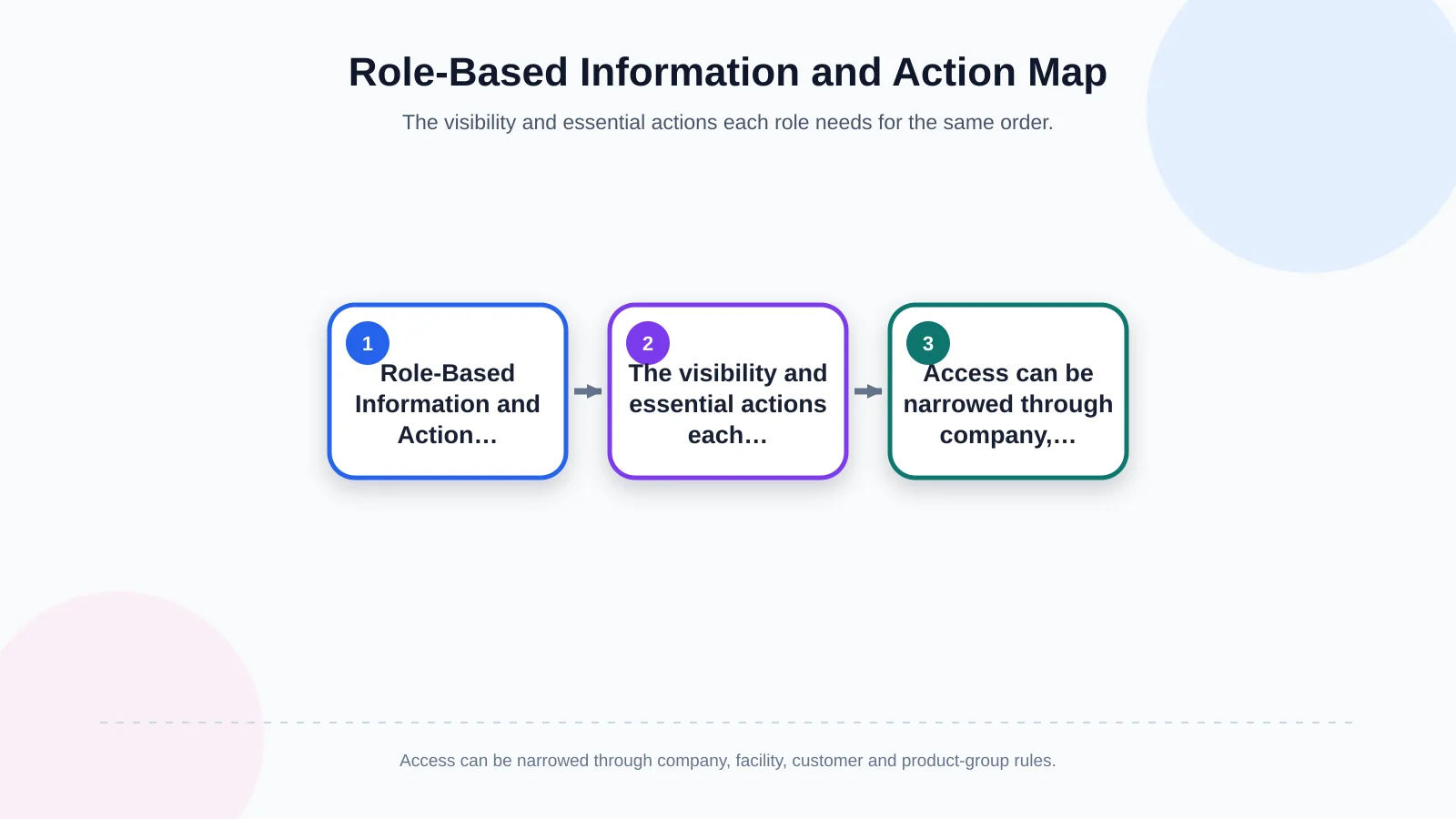
The same order means different things to different users. A dealer’s purchasing team needs prices, confirmed dates and documents. Sales representatives need customer requests and commercial exceptions. Production planners need capacity and material implications; warehouse teams need quantities and tasks; finance teams need credit exposure and payment terms. Management needs to identify bottlenecks without becoming lost in transaction detail.
Authorisation should extend beyond hiding menu items. The system must determine which company, site, order, price field, document type and action each user can access. Role-based permissions can be narrowed by customer, region, product group or organisational unit. Delegations need start and end dates, while critical actions may require step-up authentication or a second approval.
The management dashboard should also be more than a transaction list. Orders awaiting approval, delayed production stages, integration failures, partial shipments, missing documents and changes to customer commitments can appear in separate work queues. Each queue should show the responsible person, waiting time, priority and expected next action. Dashboards become operationally useful when users can move from a summary indicator to the affected order and its history.
| Role | Information needed | Primary action | Critical control |
|---|---|---|---|
| Dealer / customer | Price, delivery date, documents | Order and track | Own company data only |
| Sales | Requests and exceptions | Approve and communicate | Commercial authority |
| Production / warehouse | Quantities and tasks | Update status and prepare | Facility scope |
| Management | Bottlenecks and delays | Prioritise | Audit trail |
Traceability, document management and customer visibility
Traceability is not merely a timeline on a screen. It is the ability to demonstrate how a product relates to an order, manufacturing lot, quality record and shipment. The GS1 Global Traceability Standard describes an end-to-end approach to identifying traceable objects, capturing events and sharing data. In portal design, that perspective can become event records answering what happened, where and when it happened, and why it occurred.
Not every internal state should be visible to the customer. Operator notes, cost data, sensitive quality-investigation details and information belonging to other customers must remain restricted. Confirmed delivery dates, completed quantities, shipment identifiers and exceptions requiring customer action should be clear. The visibility policy must balance commercial transparency with confidentiality and operational security.
Version, validity date and access scope are essential in document management. Sharing an obsolete quality certificate with a new shipment—or presenting a draft invoice as final—can cause serious operational problems. The system should retain each document’s source, version, status and relationship to the relevant order, lot or shipment.
Security and audit requirements
A manufacturing portal is a controlled point of contact between external users and enterprise systems. Authentication, multi-factor authentication, session protection, role-based access, encrypted communication, logging and backup should therefore be included in the initial scope. Direct, unrestricted access to production systems should be avoided in favour of intermediary services, validated data contracts and appropriate network separation.
NIST’s guidance on operational technology security considers security controls alongside OT requirements such as performance, reliability and safety. An update or access model suitable for an ordinary business application should not automatically be applied to a production environment. Integration points require risk assessment, least-privilege access, segmentation, monitoring and controlled change procedures.
- Apply strong authentication to privileged, critical and administrative accounts.
- Write permission, price, bank-detail and significant status changes to an audit trail.
- Inspect uploads for permitted type, size, malicious content and access scope.
- Limit integration accounts to the data and operations they genuinely require.
- Test restoration procedures regularly instead of treating backup creation as sufficient.
How should the project scope be planned?
A successful project maps the existing workflow before screens are designed. Workshops and real order examples should establish where orders originate, who validates them, how they enter the ERP, and where production and shipping information is created. The project must model both the intended route and exceptions such as rejection, delay, revision, incomplete production, connection failure and partial shipment.
Instead of covering every possibility in the first release, the team can select a measurable core flow. A pilot might begin with one customer group, facility or product family and validate ordering, approval, production status, shipment and document visibility. User feedback, data quality and integration failures can then guide subsequent phases.
The scope should bring together roles, screens, data fields, business rules, integrations, error scenarios, security requirements and acceptance criteria. Success is not simply launching the portal. It should be measured through fewer manual status enquiries, visible data discrepancies, shorter processing times, controlled exceptions and customers’ ability to find reliable information without calling the sales team.
What does a custom architecture provide over an off-the-shelf package?
Pricing, manufacturing methods, quality documents, lead-time calculations and shipping rules vary considerably across heavy-industry businesses. An off-the-shelf package can provide a quick start for standard order scenarios. If it conflicts with the organisation’s ERP data model, permission structure or exceptions, however, teams may continue relying on spreadsheets and manual controls around it.
Custom B2B portal development is more than applying brand colours to an interface. It means designing processes, data ownership, user roles, integration contracts and management responsibilities around the organisation. A sustainable system depends on documented rules, traceable changes, manageable permissions and an architecture that can expand to additional facilities or customer groups.
Kumsal Agency develops custom web software by considering the operational realities, user roles, data sources and integration needs of heavy-industry and manufacturing companies together. The agency combines brand and user experience with robust software infrastructure, data security and sustainable management. Contact Kumsal Agency to analyse your workflow from order through production and shipment, and to plan the scope of a B2B portal and production tracking system aligned with your ERP.