


Aydınlatma metni yükleniyor…
When leave requests arrive by email, expense receipts sit in separate folders and assigned-asset records are maintained in uncertain spreadsheet versions, the problem is not limited to lost time. It also becomes difficult to determine who owns a request, why a decision was made and where the current record can be found. A corporate intranet and digital HR portal can turn these fragmented activities into central workflows shared by employees, managers, HR, finance, operations and IT.
An effective portal, however, is more than a collection of standard forms on one screen. Its design must reflect the organisation’s structure, authority boundaries, delegation rules, exceptions, document policies and existing systems. This is where custom web software differs from adopting the fixed operating model of an off-the-shelf product: the portal can represent the company’s actual processes in a consistent, manageable and auditable environment.
What is a corporate intranet and digital HR portal?
A corporate intranet is a private digital workplace where employees access announcements, documents, applications and internal services according to their permissions. A digital HR portal manages requests and operations connected to the employee experience. When the two are designed together, employees gain a single entry point for submitting leave, recording expenses, viewing equipment assigned to them and tracking request status.
Managers can review work routed to them by priority, deadline or value. HR can manage leave policies, finance can perform expense controls, and operations can monitor equipment movements. IT supports the user lifecycle, access permissions, integrations and security controls. The portal therefore becomes more than an employee-facing interface: it is an enterprise application through which different departments work with a shared process and data model.
Why are fragmented methods unsustainable?
Email, spreadsheets and printed forms may appear sufficient at low transaction volumes. As an organisation grows, however, the same methods create duplicate records, version confusion and delays. An employee may email an expense form, the manager’s response may remain in another thread, and finance may download the attachment and save it again elsewhere. The process can move forward without ever producing one complete, authoritative record.
A central portal gives every request a unique identity and status. The requester, current approver, decision time, supporting documents and next action remain connected throughout the same lifecycle. Employees have less need to ask repeatedly for updates, while process owners can see pending work and bottlenecks. The goal is not simply to digitise a form; it is to manage the request from initiation to closure.
How should leave, expense and assigned-asset modules be designed?
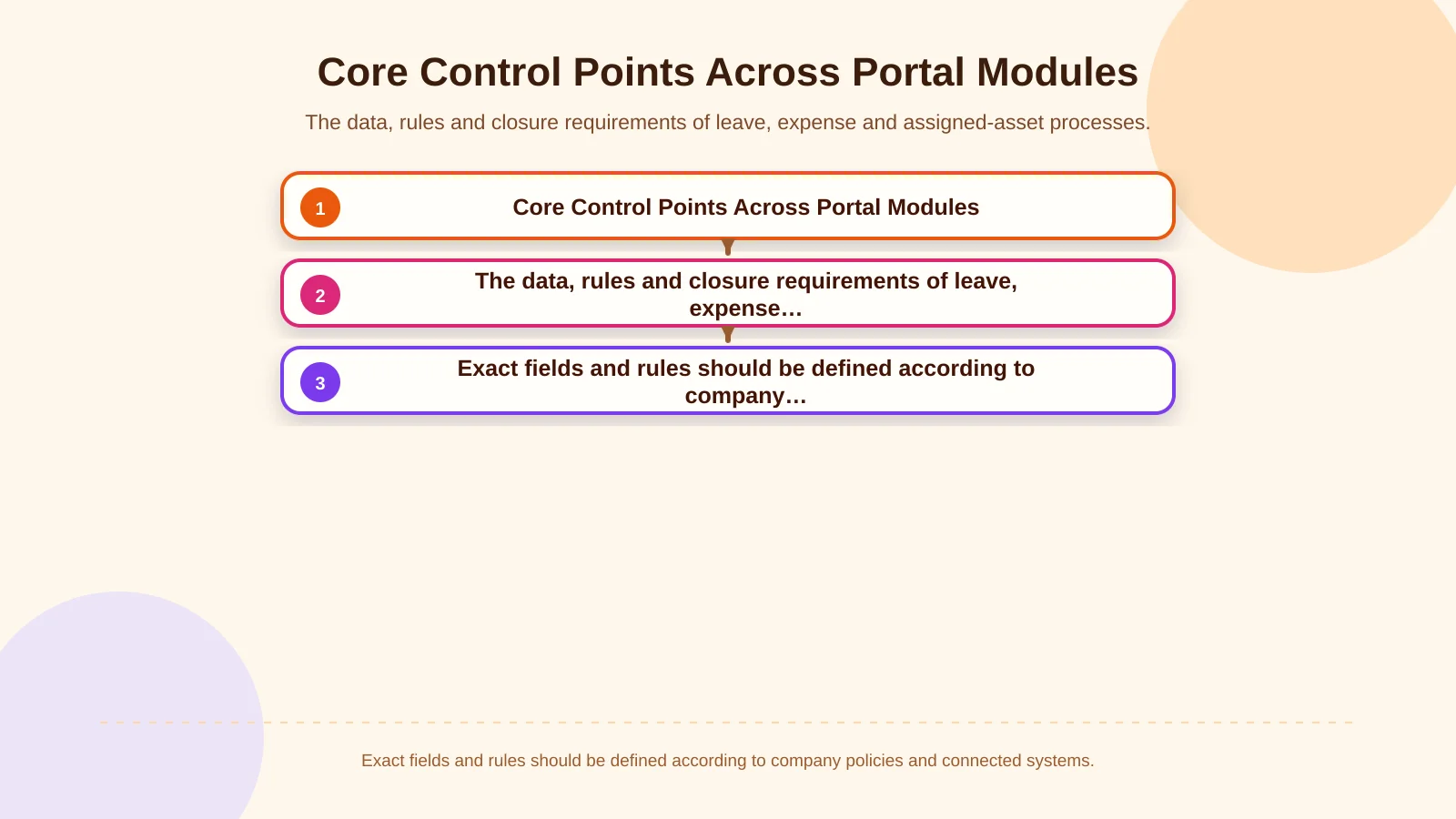
| Module | Core data | Primary control | Closure |
|---|---|---|---|
| Leave | Type, dates, balance | Overlap, entitlement, evidence | Approval and balance transfer |
| Expense | Amount, category, receipt | Limit, policy, cost centre | Finance review and accounting |
| Assigned assets | Asset, serial number, employee | Handover, condition, permission | Return or transfer record |
Leave management
A leave module should account for leave type, entitlement, available balance, overlapping dates, public holidays, team capacity and required evidence. Employees should see an up-to-date balance before applying, while managers should be able to review the request alongside the team calendar. Unpaid, medical or extended leave may each require a different approval route.
The relationship with payroll, ERP or an HR information system must also be explicit. The organisation should identify which system is authoritative for balances, when approved leave will be transferred and how failed transfers will be handled. Without these decisions, the portal may show an approval that has not been accepted by the downstream system.
Expense management
An expense record may contain the date, category, currency, amount, cost centre, project and document requirement. Its real value comes from validating those details against company policy. Limits for undocumented spending, daily accommodation allowances, exchange-rate dates and additional finance approval for selected categories should become explicit business rules.
Employees should be able to attach receipts or invoices, managers should assess the business justification, and finance should complete document and accounting-code checks before posting. If a record is rejected or returned for correction, its earlier version should remain available. Preserving revisions prevents the audit trail from being replaced by only the latest edited values.
Assigned-asset management
This module connects employees with assets such as laptops, phones, access cards, vehicles, equipment and software licences. Asset codes, serial numbers, delivery dates, condition, handover documents and return details can be maintained in a shared record. Initial delivery, replacement, temporary assignment, repair and return should be treated as distinct movements rather than simple changes to one status field.
Linking these records to onboarding and offboarding makes incomplete handovers more visible. Responsibility between the portal and the ERP or asset-management platform must still be defined. The portal may manage requests and approvals while the master inventory remains in another system.
How does a multi-stage approval workflow operate?
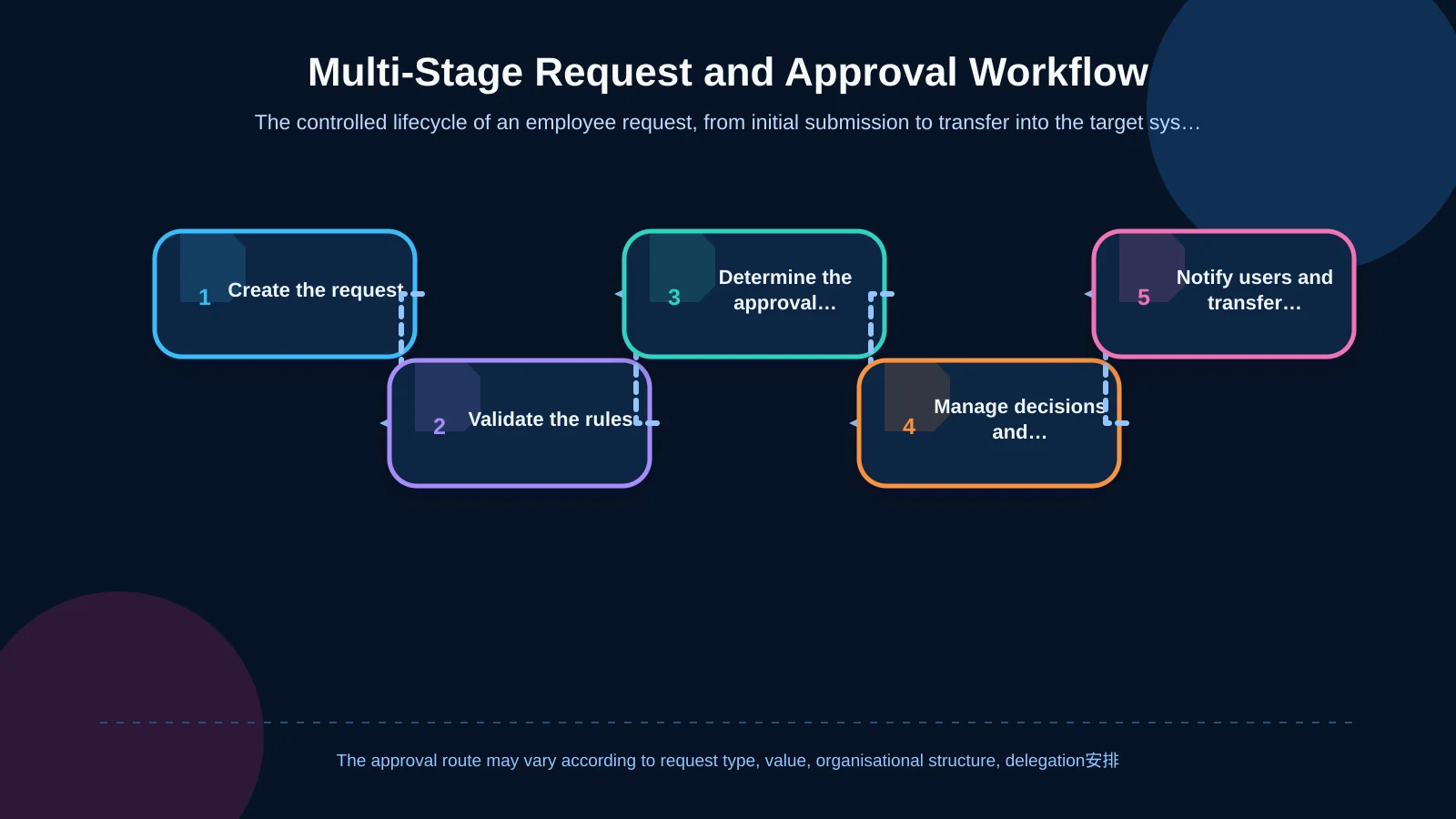
A sound approval workflow is not a sequence of emails sent after a form is submitted. The portal first validates the request type and content. It then calculates the appropriate route using conditions such as organisational unit, value, cost centre, location or project. Following the manager’s decision, HR, finance, operations or senior management steps can be activated when required.
Not every request should follow the same route. A low-value expense might require only a line manager’s decision, whereas a record above a threshold may also need finance or executive approval. If a manager is absent, an authorised delegate can step in, but users must not approve their own requests. When the system encounters an unresolved exception, it should place the record in an authorised review queue instead of allowing it to progress silently. The same principles appear in B2B order approval workflows involving authority, limits and exceptions.
Once a decision is complete, the relevant user is informed, any required transfer to a target system is attempted and the transaction is closed only when its completion criteria are met. A notification is not the process itself. The portal’s task list and request record should remain authoritative, while email or other channels direct users back to that record.
Why are roles, permissions and segregation of duties critical?
Authorisation should extend beyond broad labels such as “employee” and “manager.” The portal must determine which action a user may perform, on which records and within which organisational scope. A manager may see the leave requests of their own team but not another department’s records. Finance may need access to expense evidence without being able to open confidential medical-leave documents.
The OWASP Authorization Cheat Sheet recommends granting only the permissions required for a user’s work and validating access to functions or objects on every request. Role-based permissions can therefore be combined with contextual conditions such as company, department, location, record ownership, amount and workflow status.
Segregation of duties should also be built into the process model. Request creation, approval, accounting and permission administration may need to be assigned to different people. The organisation should define how permissions change after a transfer, role change or departure, and periodically review access that is no longer used.
What should document management and the audit trail provide?
A medical report, expense receipt or asset handover form should not be treated as an isolated attachment. The system should record which transaction it belongs to, who uploaded it, when it was added, which version is current and who can access it. File type and size validation, malware scanning, retention periods and deletion rules should all be considered within the project scope.
An audit trail should capture who created a record, which field changed, what decision was made and the outcome, together with reliable timestamps. NIST SP 800-171 Rev. 3 addresses elements such as event type, time, source, outcome and associated identities, as well as protection of audit information from unauthorised access, modification and deletion.
Retaining every detail indefinitely is not automatically safer. Audit scope, retention, viewing permissions and personal-data content should be aligned with the organisation’s requirements. Records should support troubleshooting, internal control and investigations without unnecessarily multiplying sensitive information.
How should ERP and enterprise-system integration be planned?
The portal may exchange data with ERP, payroll, HR information, directory, accounting and asset-management systems. The first question is not simply which platforms to connect, but which platform is authoritative for each data domain. Employee and organisational information may originate in one system, an expense posting may belong in ERP, and the approval lifecycle may remain in the portal.
Field mappings, identity keys, transfer direction, timing and failure scenarios should be documented. If an integration fails, the interface must not show a misleading “completed” status. The transaction should enter a retryable error queue with clear ownership. Idempotency keys and reconciliation controls can help prevent duplicate records. Similar field-mapping and exception-management considerations are explained in Kumsal Agency’s guide to planning website–CRM integration from form submission to sales follow-up.
How should data security and sustainable infrastructure be addressed?
HR portals process identity, leave, financial-document and asset data that require appropriate protection. Security should therefore influence discovery, architecture and development rather than appear as a final checklist. Depending on risk and scope, controls may include secure session management, strong authentication, server-side authorisation, encrypted communications, backups, security updates and monitored event records.
Turkey’s Personal Data Protection Authority states that data controllers must take the necessary technical and administrative measures to prevent unlawful processing and access and to safeguard personal data. It also emphasises that measures should be appropriate to the controller’s structure, activities and risks. Portal planning should consequently consider the data inventory, access policies, retention and disposal approach, and operational responsibilities together.
Sustainability is not determined by the technology stack alone. Modular architecture, documented business rules, automated tests, observable integrations and controlled releases help the portal remain manageable when leave types, approval limits or connected systems change.
Which stages lead to a successful portal project?
The project begins by examining current processes through stakeholder interviews, sample forms and real scenarios. Discovery should cover delegation, rejection, correction, cancellation, duplicates and integration failures as well as the normal path. Roles, data fields, business rules, notifications, reports and integration boundaries can then be consolidated into a shared scope.
Once priority modules are agreed, user experience and technical architecture should be designed together. Employees need a fast way to submit requests, while approvers need to distinguish urgent, ageing or exceptional tasks. Testing must include invalid and unauthorised actions, not only ideal scenarios. Pilot feedback can refine the workflows before wider release, after which ownership of support, monitoring and ongoing development should remain clear.
The right solution reflects real operations, not a fixed template
A corporate intranet and digital HR portal should do more than display leave, expenses, assigned assets and approvals in one place. When designed well, it turns every request into a governed lifecycle, makes responsibility visible, connects documents to their business records and supports data integrity across enterprise systems.
Kumsal Agency is an Istanbul-based digital agency that develops custom web software by considering business processes, user roles, data requirements and integrations together. Instead of presenting one standard HR product as a universal answer, it defines a portal around the organisation’s operating model, security needs and development roadmap.
Contact Kumsal Agency to analyse your leave, expense, assigned-asset and approval processes and plan an intranet and digital HR portal that reflects how your organisation actually works.