


Aydınlatma metni yükleniyor…
Looking for an average mobile app cost is understandable, but a single figure rarely produces a reliable budget. Two apps may have the same number of screens while carrying completely different workloads. One may simply display content; the other may manage permissions, offline transactions, payments and an ERP connection. Although they look similar at first, their discovery, design, development, testing and operational requirements are not.
A more dependable approach is to divide the product into feature groups, then assess the scope, dependencies and acceptance criteria of each group. The feature-based worksheet in this guide is not a fixed price list. It is a planning tool for start-ups, SMEs, enterprise decision-makers, product managers and technical teams that need to make the real work visible before requesting proposals.
Why can’t mobile app cost be explained with one figure?
A mobile product budget covers far more than coding time. User research, business rules, interface design, iOS and Android behaviour, backend development, an administration panel, integrations, security controls and store-release preparation can all be part of the same project. Every decision left ambiguous creates a greater risk of rework during development.
For example, “users will log in” is not enough information for an estimate. Will they use email and password, social login or corporate single sign-on? Is multi-factor authentication required? Must an administrator approve new accounts? Likewise, “the app will send notifications” may involve audience targeting, scheduling, preference management, deep links and delivery tracking.
The useful unit for cost discussions is therefore not the screen but the testable user flow. When each flow has a defined trigger, successful outcome, error states, authorised role and data source, proposals become easier to compare. A static information screen and a visually similar ordering screen governed by stock, pricing and permission rules are not equivalent pieces of work.
How do you prepare a feature-based mobile app budget?
Budget planning should begin with the business outcome and the tasks users need to complete—not with a preferred technology. The team can then select the workflows required for the first release and record each workflow’s data, device, integration and security dependencies. Testing, store submission and live-service responsibilities should be added before the scope is used to request quotations.
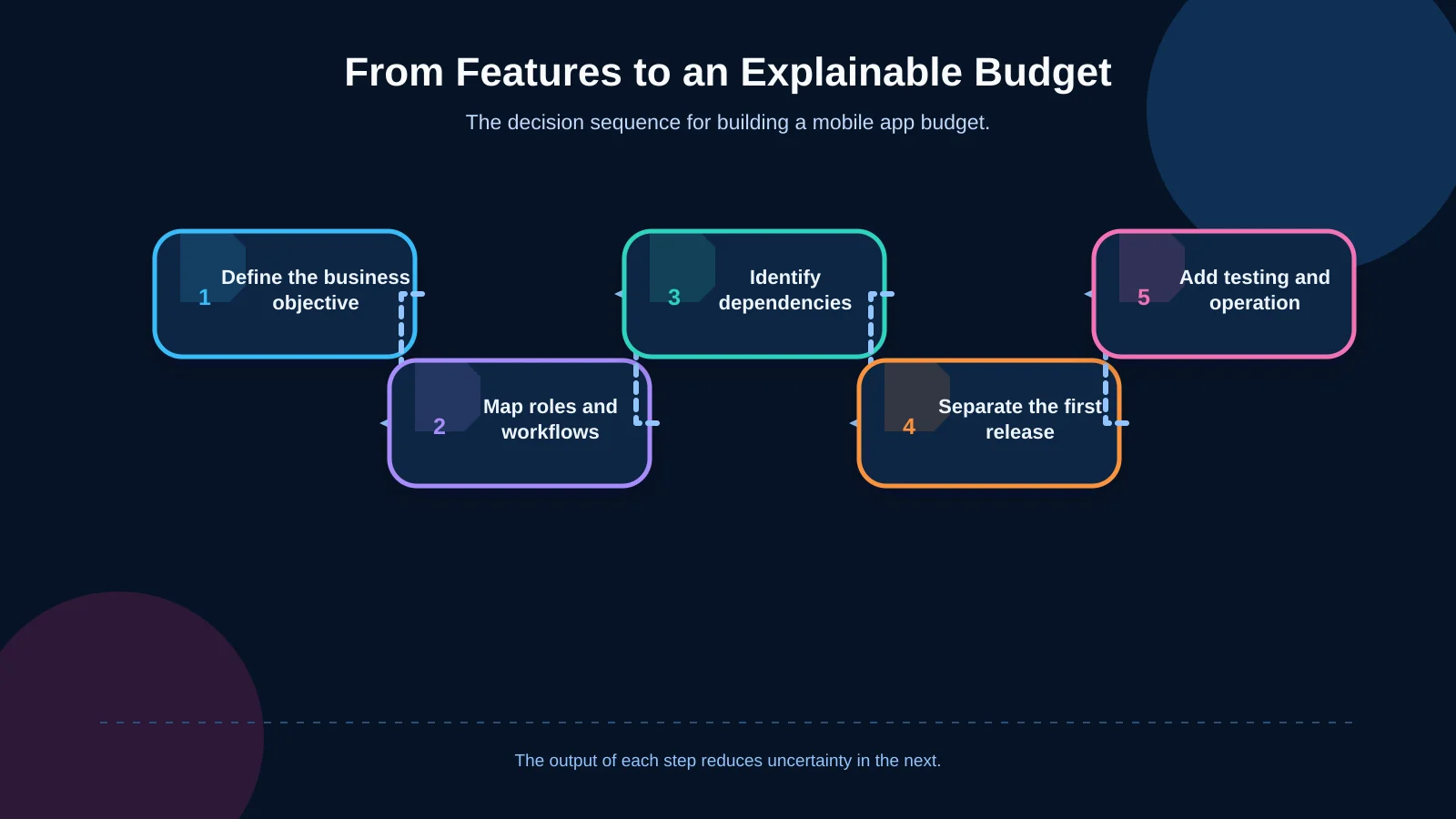
1. Define the business objective and success criteria
State the problem the app will solve in one sentence. A measurable objective—such as reducing order-entry time, transferring field records to the ERP on the same day or enabling customers to manage their own appointments—helps remove features that do not support the intended outcome. Downloads alone are rarely sufficient. Completed tasks, error-free transactions, repeat usage and reduced operating time are usually more informative.
2. Map user roles and workflows
Separate the data and actions available to customers, employees, field teams, dealers and administrators. A new role may require more than a few additional screens: it can introduce authorisation rules, filtered data, notifications, administration tools and new test scenarios. Approval, escalation and handover relationships between roles also affect the budget.
3. Identify technical dependencies
Cameras, barcode scanners, location services, biometrics, Bluetooth, file storage and background processes require device-specific interaction. Payment providers, maps, CRM platforms and ERP systems create external dependencies. API documentation, sandbox availability, field-mapping rules, rate limits and error behaviour can substantially change the integration effort.
4. Separate the first release from later phases
Not every requested feature must be included at launch. Capabilities needed to deliver the core user value and operate safely belong in the first release; unvalidated conveniences may move to later phases. An MVP should not merely reduce the initial budget. It should create the smallest credible product with which the team can test its riskiest assumptions.
5. Add testing, release and operation
A completed feature is not automatically ready for production. Testing should cover supported devices, screen sizes, operating-system versions, weak networks, denied permissions and returning from the background. Google’s core app quality guidelines show why functionality, usability, accessibility and behaviour across device conditions must be considered together.
Feature-based mobile app budget worksheet
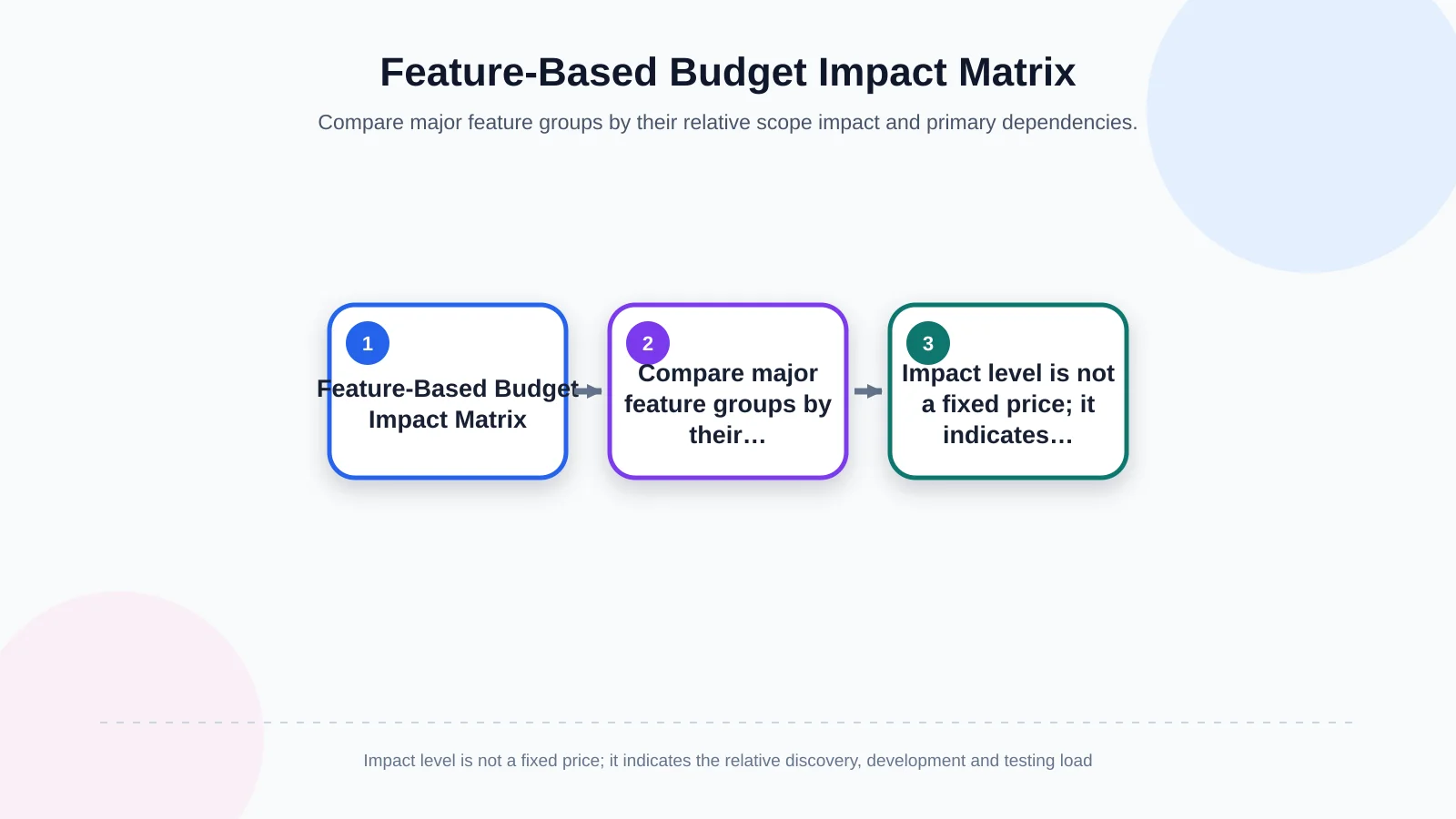
The groups below can become separate rows in a request for proposal. For every row, record whether it belongs to the first release, a later phase or is out of scope. Add the responsible data source, acceptance criteria and known dependencies. “Low”, “medium” and “high” describe relative scope impact—not a guaranteed price.
| Feature group | Relative impact | Primary dependency | Often missed in the budget |
|---|---|---|---|
| Accounts and roles | Low–High | Identity and permission model | Approval and access testing |
| Payments and subscriptions | Medium–High | Provider and store policies | Refunds, failures and reconciliation |
| Device capabilities | Medium | Permissions and hardware | Real-device testing |
| Offline operation | High | Local data and synchronisation | Conflicts and retries |
| Admin panel and ERP/API | Medium–High | External-system quality | Mapping, outages and monitoring |
Product discovery, UX and interface design — baseline budget
- Requirements analysis, user research and definition of business rules
- User journeys, information architecture and a clickable prototype
- A brand-specific interface system, accessibility and adaptive layouts
- Empty, loading, success, error and permission-denied states
A ready-made visual template may accelerate screen production, but it does not solve complex tasks or define the brand experience. The number of unique workflows, the revision process and the extent of prototype testing determine the design workload.
Accounts, roles and authorisation — low to high impact
- Basic registration, password recovery and profile management
- Social login, corporate SSO or multi-factor authentication
- Multiple roles such as customer, dealer, employee and administrator
- Detailed permissions at role, action and data-field level
A single role with standard registration may remain relatively contained. Corporate identity systems, approval chains and verification for sensitive actions expand both backend development and security testing.
Screens and business workflows — medium impact
- Lists, search, filters and detail views
- Multi-step forms, saved drafts and document uploads
- Status transitions such as approval, cancellation, refund or reassignment
- Error correction, retries and transaction history
Screen count alone is misleading. Document business rules, validation requirements, exceptional paths and recovery behaviour for every flow. These details expose complexity that a list of screen names cannot.
Notifications, messaging and scheduling — low to high impact
- Basic push notifications and an in-app notification centre
- User segments, preference controls and scheduled delivery
- Deep links that open the relevant record
- Two-way messaging, read status and media attachments
A one-way transaction alert is not the same feature as real-time chat. Message storage, moderation, offline delivery, read receipts and media processing require additional data structures and infrastructure.
Payments and subscriptions — medium to high impact
- Payment-provider integration and a secure payment journey
- Refunds, cancellations, failed transactions and reconciliation
- Recurring payments, subscriptions or in-app purchases
- Invoices, promotions, coupons and multi-currency rules
Selling digital content or in-app functionality may be subject to store policies. Apple’s App Review Guidelines address safety, performance, business, design and legal requirements separately. The product type and distribution model should therefore be evaluated before estimating delivery.
Maps, location, camera and barcodes — medium impact
- Distinguishing address display from live location tracking
- Routing, geofencing and location-history requirements
- Image capture, compression, upload and quality checks
- Barcode types, serial or lot validation and external scanner support
Device permissions, battery use, poor lighting, unreadable codes and interrupted connections increase the test scope. Warehouse products should also define locations, serial or lot rules, transaction ownership and ERP reconciliation rather than treating scanning as an isolated feature.
Offline operation and data synchronisation — high impact
- Data that users may view or change without connectivity
- Local storage, transaction queues and safe retry behaviour
- Conflict rules when two users modify the same record
- Visibility of incomplete synchronisation for users and administrators
“It must work offline” is not a single requirement. Specify which tasks can be completed, how long data remains on the device and which system wins when connectivity returns. These choices materially affect the architecture, user experience, security model and test scenarios.
Administration panel, API and ERP integrations — medium to high impact
- Management of content, users, roles, records and transactions
- Reporting, exports and audit logs
- A secure mobile API and server-side business rules
- ERP, CRM, payment, mapping and other third-party connections
The mobile interface is often only the visible part of a larger system. A project-specific mobile application development service should therefore consider the API, administration panel and operating model together. Integration estimates must cover data mapping, authentication, rate limits, outages, idempotent retries, monitoring and representative test data.
Security, testing and release — mandatory baseline
- Secure data storage, encrypted transport and session management
- Authorisation checks, masking of sensitive records and logging
- Functional, integration, device, performance and regression tests
- Store assets, privacy disclosures, versioning and release monitoring
Security is not just a penetration test performed at the end. The OWASP Mobile Application Security Verification Standard treats storage, cryptography, authentication, network communication, platform interaction, code quality, resilience and privacy as distinct verification areas. Controls appropriate to the product’s risk level should be budgeted from discovery onward.
Post-launch support and sustainable operation — recurring budget
- Error monitoring, crash reporting and performance tracking
- Operating-system, device and dependency updates
- Security patches, backups and incident response
- Minor improvements, user feedback and subsequent releases
The first release begins the live-product period; it does not end the project. A support agreement should define response targets, priority levels, included work, release frequency and responsibility for third-party services. Hosting, mapping usage, message delivery, store memberships and other variable charges should be presented separately from development fees.
How does React Native affect the budget?
React Native can provide a substantially shared codebase for iOS and Android, reducing duplication across business rules, interface components and team organisation. However, shared code does not automatically mean half the cost.
Cameras, Bluetooth, background location, payments, notifications and manufacturer-specific hardware may still require platform-specific work. Store submissions, device testing and operating-system behaviour must also be validated separately. The choice should reflect feature requirements, performance targets, team expertise and the long-term maintenance plan. Kumsal Agency’s React Native mobile app approach combines shared delivery with project-specific backend, integration and operational planning.
What should you ask when comparing proposals?
Before comparing totals, confirm that the proposals cover the same product. If one includes only the mobile interface while another includes the API, administration panel, testing and release support, the difference reflects scope—not necessarily team efficiency.
- Are discovery, UX/UI design, development and project management included?
- Are both iOS and Android builds and supported devices clearly specified?
- Who develops the API and administration panel, and who owns the source code?
- Are integration sandboxes, data mapping and failure scenarios defined?
- What evidence will demonstrate that security and quality controls were completed?
- Who handles store submission, rejection fixes and developer accounts?
- Are warranty, maintenance, support and new feature development separated?
- Who pays third-party licences and usage-based charges?
A scope document that reduces budget uncertainty
A useful proposal document records the user role, trigger, primary path, error states, data source, integrations, design status and acceptance criteria for every feature. It also states exclusions explicitly. This makes it easier to decide whether a later request is a defect, an incomplete delivery or a genuinely new feature.
High-risk items may justify a short discovery or technical validation phase. A legacy ERP with limited documentation, specialist hardware, intensive offline use or unusually high transaction volumes should not be estimated from assumptions alone. A focused prototype can validate feasibility and reveal integration constraints before the full commitment. The team can then update the scope, architecture options, risks and phased roadmap.
Build a mobile app budget for your project
An explainable mobile app budget does not come from a market average. It comes from making user roles, tasks, business rules, interface states and technical dependencies visible. A feature-based worksheet helps separate launch essentials from later phases, expose genuine differences between proposals and plan recurring costs from the outset.
Kumsal Agency is an Istanbul-based digital agency that develops hybrid mobile products for iOS and Android with React Native. It evaluates the business idea, user needs and technical requirements together, combining brand-led user experience with custom web software, administration panels, ERP and API integrations, data security, testing and a sustainable operating plan.
Share your required features, user roles and integrations with Kumsal Agency. Together, you can clarify the scope and create a project-specific mobile app budget that explains why each item is included. Contact Kumsal Agency to begin the scope discussion.