


Aydınlatma metni yükleniyor…
A corporate website transfers data through many touchpoints, from contact forms and account screens to dealer portals and third-party integrations. Protecting this traffic involves much more than displaying a padlock in the browser. The digital certificate commonly called an SSL certificate, the use of HTTPS and a modern TLS configuration must be planned together. Domain coverage, private-key protection, secure HTTP redirects, restrictions on obsolete protocols and renewal monitoring are all parts of the same security chain.
Website security is therefore not a one-off task completed on launch day. It is a technical lifecycle that begins with requirements analysis and continues through development, integration, testing, monitoring and maintenance. The objective is not merely to encrypt a connection. It is to build a sustainable infrastructure that directs users to the intended server, protects data integrity and can be reliably managed by the responsible teams.
What do SSL certificates, HTTPS and TLS mean?
Although “SSL certificate” remains the familiar industry term, modern web connections use TLS. SSL is the historical predecessor of TLS, and its name has persisted in everyday language. A digital certificate uses the signature of a trusted certificate authority to verify the relationship between a domain name and a server’s public key. The browser checks the certificate’s validity period, domain-name match and chain of trust.
HTTPS is HTTP communication carried over TLS. TLS is designed to encrypt data between a client and server, detect whether information has been altered in transit and authenticate the server to which the client connects. According to RFC 8446, TLS 1.3 is designed to protect client-server communication against eavesdropping, tampering and message forgery. Its technical scope is defined in the IETF’s TLS 1.3 standard.
These technologies perform related but distinct functions. The certificate provides a basis for identity verification, TLS establishes the protected communication channel, and HTTPS carries web traffic through that channel. The presence of one does not prove that every other security control has been configured correctly.
What does TLS 1.3 offer a corporate website?
TLS 1.3 removes older, weaker cryptographic options from the protocol’s core design. Its remaining symmetric cipher suites rely on AEAD algorithms, which combine encryption with integrity protection. Static RSA and static Diffie–Hellman key exchanges have been removed, while public-key exchanges that provide forward secrecy are used instead. This is intended to make previously recorded sessions harder to decrypt even if a long-term private key is compromised in the future.
The protocol also simplifies connection establishment, allowing a secure session to be created with fewer round trips under suitable conditions. This can help reduce latency for corporate websites serving users across different regions. Actual performance, however, does not depend on the TLS version alone. Server location, CDN architecture, caching, page weight and application design must also be assessed.
TLS 1.3 includes a 0-RTT capability that allows returning clients to send certain data earlier. RFC 8446 warns that this early data can be exposed to replay attacks. It should not be enabled as a default acceleration measure for payments, form submissions, sign-ins or record-changing requests whose repetition could have consequences. Any decision to use it must be paired with application-level replay protection and a clear understanding of which requests are safe.
How should you choose the right certificate?
The first question is how many domains and subdomains need protection. A single-domain certificate covers a specified name, a multi-domain certificate can include several names, and a wildcard certificate may cover subdomains at a particular level. Wildcards can simplify operations, but sharing the same private key across many systems increases the impact of a compromise. Certificate scope should be decided alongside the system inventory, hosting architecture and key-management policy.
DV, OV and EV describe the extent to which the certificate authority verifies the applicant. They do not automatically make the encryption stronger or the web application more secure. Corporate teams should consider brand-verification expectations, procurement policies, automation options, certificate lifetime and operational cost rather than treating validation level as a substitute for technical security.
Certificate-selection checks
- Confirm that the certificate covers the root domain and every subdomain actually in use.
- Generate and store the private key in a protected environment, restrict access and avoid distributing it to developer devices.
- Configure the server to present the complete chain, including the necessary intermediate certificates.
- Automate renewal and define monitoring, notifications and accountable owners for failures.
- Document certificate revocation, key replacement and emergency-response procedures in advance.
Automation mechanisms such as ACME can simplify domain-control validation, certificate requests, renewals and revocation. The general process is described in Let’s Encrypt’s explanation of certificate automation. Automation still needs independent monitoring. Teams should verify expiration dates, domain coverage, renewal results and whether the renewed certificate is actually being served.
An HTTPS migration involves more than installing a certificate
After certificate installation, every HTTP address should redirect permanently to its corresponding HTTPS address. Redirect chains should be minimised, and one canonical version should be selected for www and non-www hostnames. Canonical tags, XML sitemaps, robots directives, analytics tools, advertising destinations and callback URLs registered with external services must also be updated to HTTPS.
Mixed content occurs when an HTTPS page requests JavaScript, CSS, fonts, images or iframes over HTTP. Browsers may upgrade or block these resources; blocking a critical script can break a form, menu or checkout flow. MDN’s transport-layer security guidance explains mixed-content risks and the role of HSTS. Pre-launch checks should scan hard-coded URLs, CMS content and third-party components—not just the resources visible on the homepage.
Enable HSTS in controlled stages
The Strict-Transport-Security header instructs browsers to connect to a domain only through HTTPS for a defined period. This helps protect future visits against attempts to downgrade the connection to HTTP. Enabling includeSubDomains or preload without preparation can make subdomains that lack HTTPS inaccessible. Inventory every subdomain first, begin with a short duration, verify fallback plans and increase the policy only after monitoring the results.
Protect forms and integrations end to end
HTTPS protects transport between the browser and the server where TLS terminates; it does not guarantee how the application processes the data afterwards. Form input must be validated on the server, unnecessary personal data should not be collected, authorisation must be enforced, and sensitive values must not be written openly to logs. CSRF, XSS, SQL injection, malicious uploads and automated bot traffic require separate application-layer controls.
Data sent from forms to CRM, ERP, email, payment or marketing platforms must also travel over protected connections. Applications should validate API certificates, keep access credentials out of source repositories, apply least privilege and monitor failed transfers without exposing sensitive data. For a closer look at ownership, field mapping, exceptions and feedback across this data path, see How to Plan Website–CRM Integration: From Form to Sales Follow-up.
Where website activity continues into ordering, fulfilment or document exchange, security must also reflect roles and operational visibility. The principles described in How to Plan a B2B Order-Tracking Portal can help teams consider status access, document permissions, exceptions and buyer visibility across connected corporate systems.
| Control | What is verified? | Risk if overlooked | When to check |
|---|---|---|---|
| Certificate | Domain, chain and validity period | Browser warning | Installation and renewal |
| Redirects | HTTP → HTTPS in one step | Insecure initial request | Every release |
| TLS configuration | Protocol versions and cipher suites | Support for weak protocols | After configuration changes |
| Mixed content | All subresources use HTTPS | Blocked or broken resources | After content updates |
| Forms and APIs | Destination, validation and authorisation | Data exposure | Development and regression testing |
Pre-launch HTTPS and TLS checklist
- Verify the certificate’s domain coverage, validity dates and complete trust chain.
- Enable TLS 1.3; retain TLS 1.2 where compatibility analysis requires it, and disable obsolete versions.
- Ensure HTTP-to-HTTPS redirects complete in one step and preserve paths and query parameters.
- Scan for mixed content, insecure form targets and hard-coded HTTP addresses.
- Review HSTS, other security headers, and Secure, HttpOnly and appropriate SameSite cookie attributes.
- Test pages, forms, uploads and integrations in representative desktop and mobile browsers.
- Run a renewal rehearsal and define monitoring, alerts, escalation routes and responsible owners.
Testing should extend beyond the homepage. Include legacy campaign URLs, language versions, administration panels, API endpoints, subdomains and assets delivered through a CDN. If TLS terminates at a load balancer or CDN, verify how the connection continues to the origin. A system that appears secure externally should not leave internal transport unprotected or unauthenticated.
Redirect behaviour should also be checked for unusual paths, encoded characters and query strings. Form confirmation pages, webhook callbacks and authentication return URLs deserve particular attention because an unnoticed protocol mismatch can interrupt a business process even when ordinary content pages appear healthy.
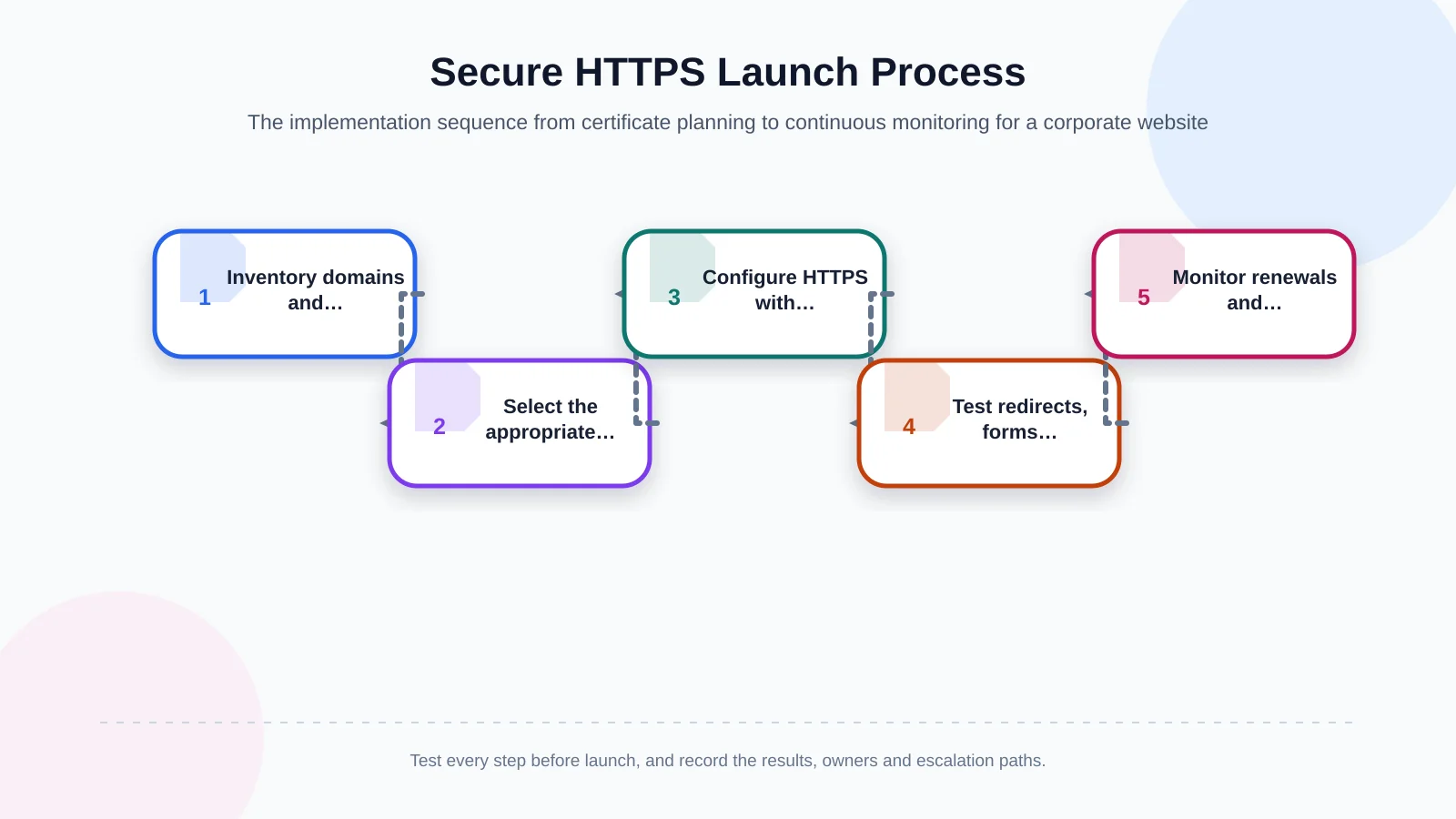
Certificate lifecycle management and continuous maintenance
An expired certificate can make a functioning website appear inaccessible or unsafe. Renewal should never depend solely on one person’s calendar reminder. Combine automatic renewal, independent expiration monitoring and alerts through more than one communication channel. After renewal, confirm that relevant services have reloaded and are presenting the new certificate rather than an older cached or locally configured copy.
Ownership of domain, DNS provider, CDN, hosting and certificate-authority accounts should be documented at organisational level. Role-based access, multi-factor authentication and recovery procedures reduce the risk of losing control during staff or supplier changes. Unused subdomains, obsolete certificates and abandoned DNS records should be reviewed and removed through an authorised process.
Maintenance also requires change awareness. A new subdomain, CDN migration, hosting move or third-party service can alter certificate coverage and TLS termination. Security checks should therefore be included in release and infrastructure-change procedures, not reserved for annual audits or incidents.
An SSL certificate alone does not make a website secure
A valid certificate does not prove that a site is free from malicious code, that software vulnerabilities are patched or that data-processing practices meet regulatory obligations. Attackers can obtain valid certificates for domains they control. User trust should not depend on the padlock alone; it must be supported by secure development, update management, access controls, backups, log monitoring and incident-response procedures.
Security decisions should be made as early as information architecture and interface decisions in a corporate web project. Requirements analysis should establish which forms collect data, which systems receive it, where TLS terminates and who owns ongoing maintenance. Early decisions reduce risky retrofits and make security acceptance criteria easier to test.
How do you plan a secure, sustainable web infrastructure?
A robust approach brings certificate coverage, TLS 1.3 support, secure redirects, mixed-content remediation, protected forms and automated renewal into one plan. Requirements should be verified across representative browsers and devices, while domain, DNS and deployment responsibilities are recorded. This turns transport security from an invisible server setting into a measurable part of brand reputation, user experience and operational continuity.
Kumsal Agency is an Istanbul-based digital agency that plans corporate web design and custom web software around brand goals, user experience, integrations, performance, manageability and data security. Its project approach can include requirements analysis, technical development, form and integration security, cross-browser testing, launch controls and a software infrastructure aligned with modern security standards.
To assess your corporate website’s HTTPS, certificate and TLS configuration within the wider project scope—and plan an infrastructure that is secure, fast and manageable—contact Kumsal Agency.