


Aydınlatma metni yükleniyor…
When planning a corporate website, e-commerce platform, custom web application or mobile app, one question appears repeatedly: what is the difference between a UI designer and a UX designer? Because both roles contribute to the same screens, the boundary can initially seem unclear. In practice, UX design determines the structure and journey through which users achieve their goals, while UI design creates the visual and interactive language that makes that journey understandable.
UX addresses user needs, information architecture, task flows and usability. UI governs colour, typography, spacing, components, visual hierarchy, interface states and motion. Neither discipline replaces the other. When they work together, they create a distinctive, coherent and maintainable digital product that helps users complete meaningful tasks while supporting the brand’s commercial objectives.
What are UI and UX design?
What does UX design cover?
UX, or user experience design, considers the complete relationship between a person and a product. It examines who the user is, what they need to accomplish, which information they seek, how they make decisions and where they may encounter difficulty. A UX designer turns business goals, user expectations, content requirements and technical constraints into a shared definition of the problem.
This work involves much more than drawing screens. The ISO 9241-210 standard recommends applying human-centred design principles and activities throughout the lifecycle of interactive systems. UX is therefore not completed in a single workshop at the beginning of a project. It continues through research, design, evaluation, delivery and improvement. The broader framework is available in ISO’s guidance on human-centred design for interactive systems.
Typical UX responsibilities include:
- Understanding needs through user and stakeholder interviews
- Reviewing competitors, the existing product and available analytics
- Defining personas, scenarios and key contexts of use
- Creating sitemaps, information architecture and user flows
- Producing wireframes and low-fidelity prototypes
- Testing assumptions through usability studies
- Turning findings into product priorities and improvement decisions
What does UI design cover?
UI, or user interface design, shapes the visual and interactive surface through which people use a product. Page layouts, colour systems, typography, icons, buttons, forms, cards and navigation components all fall within its scope. Yet a UI designer’s job is not simply to make screens attractive. The interface must communicate what matters, which elements are interactive and how the system responds after an action.
UI work defines default, hover, focus, loading, error, success, empty and disabled states. It also establishes how components behave across different screen sizes. A design system allows the same principles to extend to new pages and features without introducing unnecessary inconsistency. The Interaction Design Foundation similarly describes UI design in terms of the look, layout and interactive elements of software and device interfaces; its overview of user interface design provides further context.
Key differences between UI and UX designers
Reducing the distinction to “UX makes it easy to use, while UI makes it look good” misses much of the real work. A UX designer asks whether the team has identified the right problem and designed an appropriate journey. A UI designer transforms that journey into an interface that is perceivable, consistent, accessible and aligned with the brand. Decisions made in either discipline continually affect the other.
UX questions include: “Why is the user here?”, “Which task must they complete?”, “What information should appear, and in what order?” and “Where does the journey break down?” UI questions include: “Is the primary action prominent enough?”, “Are components consistent?”, “Are error and success states clear?” and “How should the interface respond across devices?”
The deliverables also differ. UX outputs commonly include research notes, a problem definition, sitemap, user flows, wireframes, prototypes and test findings. UI outputs include high-fidelity screens, component libraries, design tokens, responsive rules, interaction specifications and visual details for development handoff. In a smaller team, one person may perform both roles. What matters is not the job title but whether both areas of responsibility have been deliberately included.
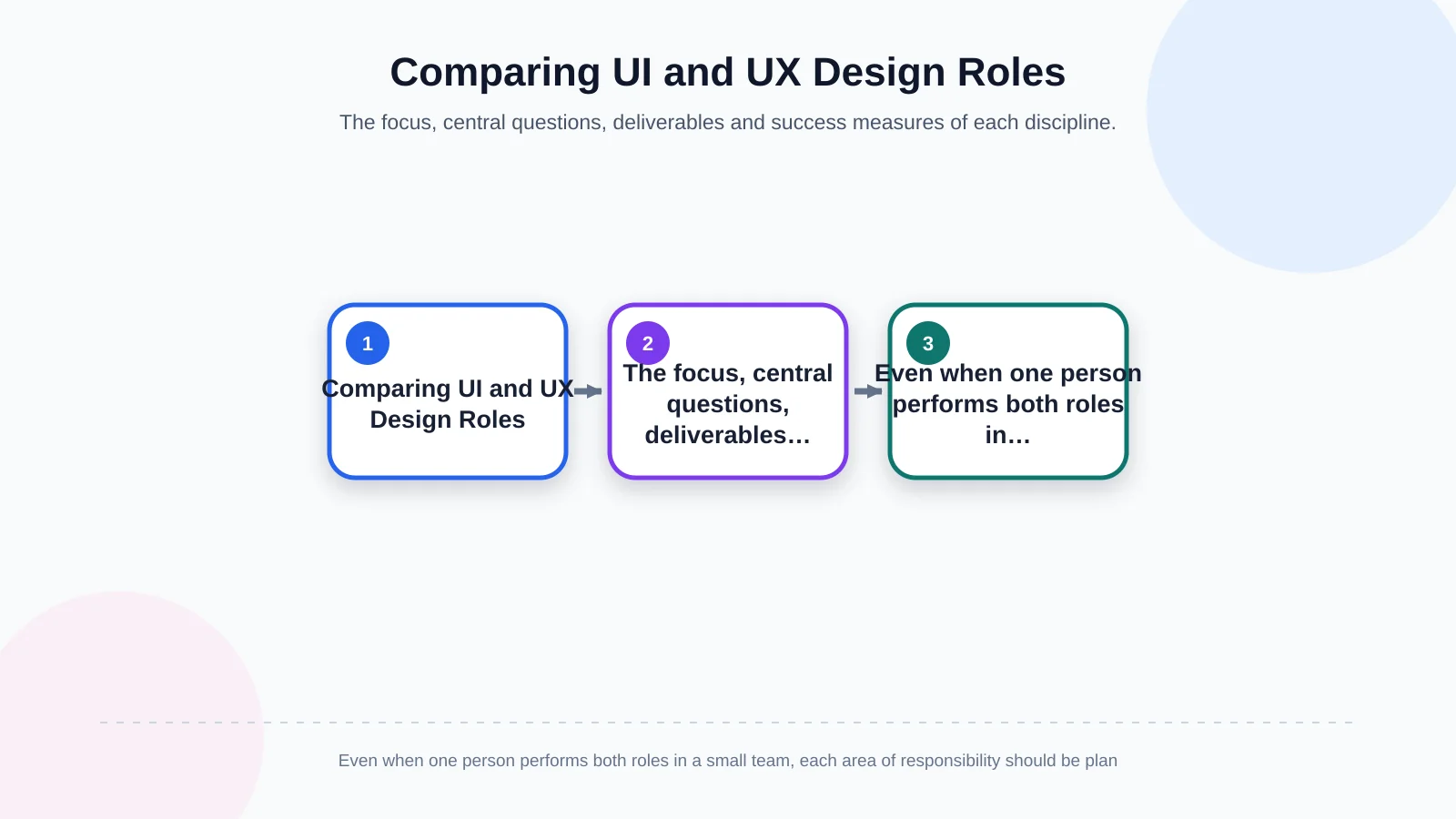
| Comparison | UX designer | UI designer |
|---|---|---|
| Primary focus | Needs, structure and task flows | Visual language and interaction |
| Central question | How does the user achieve their goal? | How does the interface communicate the journey? |
| Main deliverables | Flows, wireframes and test findings | Screens, components and interface states |
| Measure of success | Users complete tasks with clarity | The experience is consistent and perceivable |
How do UI and UX work together in the digital product process?
A healthy product process is a repeating learning cycle, not a linear exchange of files. UX and UI specialists should collaborate with the product owner, content team and developers from an early stage. This brings user needs, brand objectives and technical feasibility together while decisions are being made, rather than after the design has been declared complete.
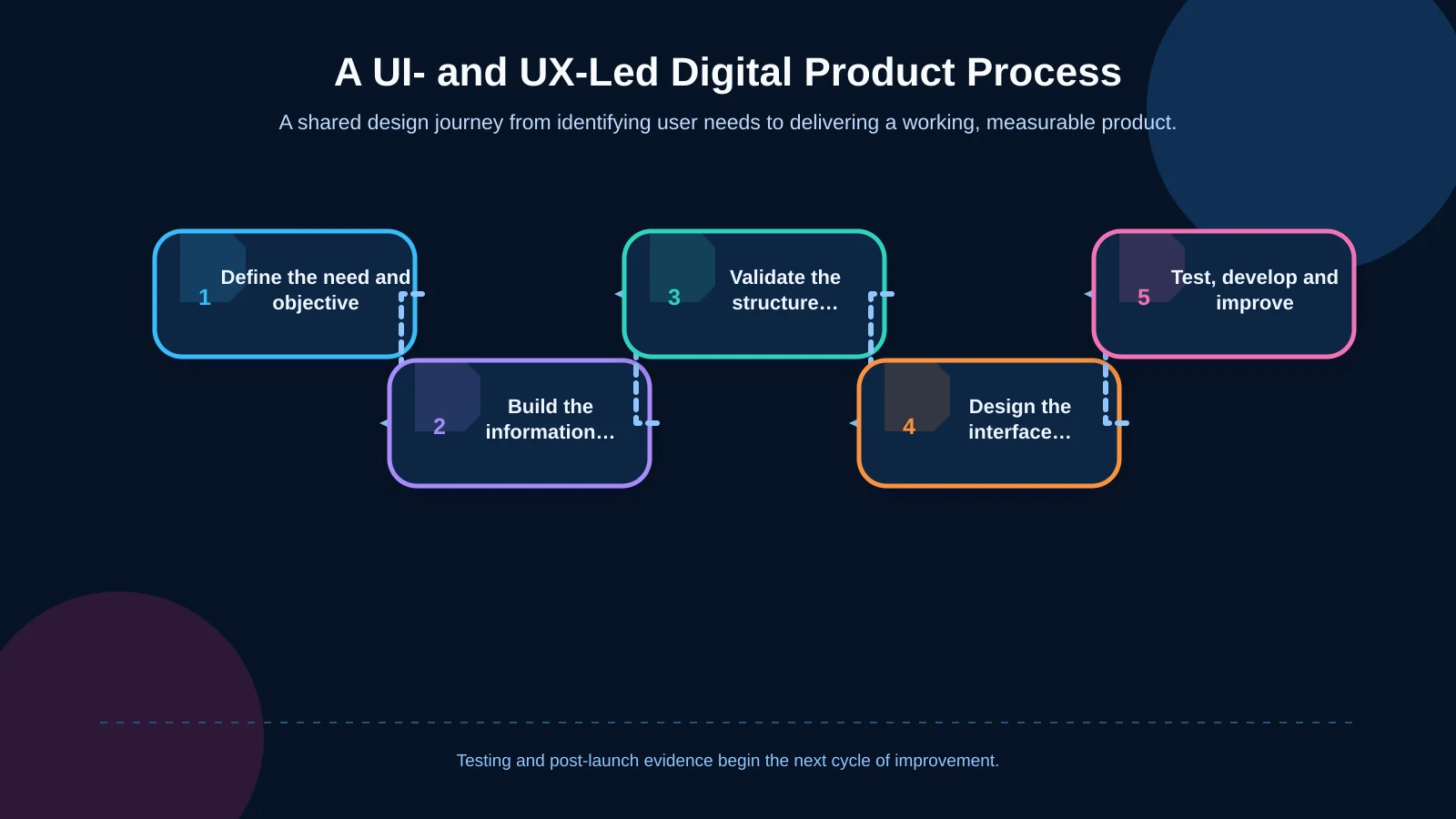
1. Discovery and goal definition
The team first defines the problem the product must solve, its intended users, business goals, content sources, technical integrations and measures of success. The UX designer clarifies research questions and priority tasks. The UI designer reviews the existing brand system, visual assets and digital touchpoints. The project owner provides direction on priorities, budget, scope and decision-making authority.
2. Information architecture and user flows
Content and functionality are organised into meaningful groups, and the team plans menus, page hierarchy and transitions between screens. For an e-commerce project, this may cover product discovery, filtering, product details, basket and checkout. In custom software, it could include role-based access, data entry, approval and reporting. The aim is to make the next step predictable while reducing unnecessary decisions.
3. Wireframes, interface design and prototypes
The UX designer uses low-fidelity wireframes to make content priority and functional placement visible before substantial effort is invested in visual polish. The UI designer then turns the approved structure into high-fidelity screens using colour, typography, visual hierarchy and a reusable component system. Critical interactions are represented in a clickable prototype.
At this stage, Art Director leadership can ensure that the interface expresses the brand’s specific character instead of merely following general design trends. Close collaboration also exposes practical issues early: an elegant visual concept may require a different content model, while a technically simple component may fail to communicate the intended hierarchy.
4. Testing, development and iteration
Prototypes are evaluated through realistic tasks. The team observes where users pause, choose the wrong option or require additional explanation. W3C notes that involving users early and throughout a project helps teams understand accessibility barriers in real contexts of use. Its guidance on involving users in web projects discusses scenarios, workflows and prototype evaluation.
Once validated, the design moves into development. Designers should review the implementation throughout the build rather than checking it only at the end. After launch, analytics, search behaviour, support requests and direct feedback feed the next improvement cycle. The result is a product that can respond to evidence instead of remaining frozen at its launch state.
UI and UX responsibilities by project type
Corporate websites
For a corporate website, the UX designer plans how different visitor groups reach services, projects, company information and contact channels. Page hierarchy, content order and conversion paths are defined around genuine visitor questions. The UI designer translates the corporate identity into a digital system, establishing visual rhythm, components, motion and mobile behaviour.
The balance is important. A visually ambitious homepage cannot compensate for unclear service descriptions or confusing navigation. Equally, a logical sitemap can still feel generic or difficult to scan if typography, spacing and interaction feedback are inconsistent.
E-commerce platforms
In e-commerce, UX work prioritises friction within product discovery, filtering, comparison, stock visibility, account creation, basket and checkout. UI design addresses product-card legibility, campaign hierarchy, price presentation, form states and reassuring feedback. Visual appeal should strengthen the buying experience without allowing decorative elements to obscure product information or primary actions.
The roles also intersect around exceptions. Out-of-stock items, failed payments, invalid promotion codes and incomplete addresses require both a sensible recovery journey and clear interface feedback. Designing only the ideal path leaves customers unsupported at the moments when confidence matters most.
Custom web software and mobile applications
In custom software, user roles, data-heavy screens, permissions, approval processes and exception states expand the UX scope. Mobile products must also account for touch targets, device permissions, interrupted connections and operating-system conventions. The UI designer translates complex activity into consistent components, while the UX designer ensures that tasks can be completed in the clearest practical sequence.
When iOS and Android development is planned with React Native, shared experience principles can support consistency and efficient delivery. Platform expectations should still be considered where they affect navigation, permissions, accessibility or familiar patterns of behaviour.
What happens when UI and UX scope is poorly defined?
Starting immediately with high-fidelity screens can hide unresolved content and journey problems beneath a polished visual layer. If user goals remain undefined, attractive pages may still produce ineffective navigation, forms or checkout flows. Conversely, implementing a sound journey without a coherent design system can create inconsistent components, maintenance-heavy screens and a weakened brand experience.
Common consequences of unclear roles include repeated revisions, missing interface states, weak mobile behaviour, incomplete developer handoff and decisions driven primarily by personal taste. These issues increase cost because the team discovers fundamental questions after detailed design or development has already begun.
A practical remedy is to document each role’s responsibilities, deliverables, approval owners and collaboration points at the start. Scope should identify who owns research, content structure, flows, responsive rules, component states, prototypes, testing, implementation review and post-launch measurement. This still allows collaboration without leaving essential work unassigned.
How to choose the right UI and UX team
When assessing an agency or product team, final screens alone provide limited evidence. Ask how the team defines problems, turns research findings into decisions and collaborates with developers. A useful portfolio should demonstrate not only visual quality but also information architecture, mobile behaviour, accessibility considerations, realistic usage scenarios and outcomes after launch.
A proposal or project plan should clearly cover:
- The scope of discovery and user research
- Sitemap, flow and wireframe deliverables
- The number of unique screens and components
- Responsive behaviour across relevant screen sizes
- The approach to prototyping and usability testing
- The scope of animation and micro-interactions
- How approved designs will be handed over to developers
- Responsibilities during development, quality assurance and after launch
The strongest arrangement keeps strategy, UX, UI and software connected. A design decision can change technical cost; an integration decision can alter a user journey; and a content decision can affect both information architecture and visual hierarchy. Teams should be able to explain these trade-offs rather than treating each discipline as an isolated stage.
How does Kumsal Agency approach UI, UX and software delivery?
As an Istanbul-based digital agency, Kumsal Agency brings digital strategy, research-led brand consulting, Art Director-led creative design and software development into one connected process. The objective is not merely to create attractive screens, but to develop fast, understandable, manageable and secure products around genuine user needs and business goals.
Depending on the project, discovery, information architecture, user flows, custom interface design, responsive behaviour, interaction design and advanced animation can be planned together. Delivery may then extend into custom web software, an e-commerce platform or React Native mobile development for iOS and Android. Keeping these capabilities connected reduces the loss of context as UX decisions become visual designs and the UI system becomes a working product.
UI and UX are complementary, not interchangeable
A UX designer investigates which need users have, the context in which it arises and the journey through which it should be met. A UI designer turns that journey into an interface that is visible, understandable, consistent and specific to the brand. A strong digital product is neither a well-researched experience with an inadequate visual language nor an impressive set of screens that makes essential tasks difficult.
It emerges from shared decisions, clearly assigned responsibilities and continuous validation. To plan the user experience, interface design and technical development of your website or digital product as one coherent scope, contact Kumsal Agency.