


Aydınlatma metni yükleniyor…
Web design is not limited to choosing colours, placing images, or arranging sections on a page. It is the process of turning an organisation’s objectives, user needs, content structure, and intended actions into a coherent digital experience. Visual structure and user experience sit at the centre of web design. Custom functions, integrations, and dynamic systems move the project into web software development.
A good website should do more than look polished. It needs to be understandable, usable, responsive, accessible, fast, and manageable. Visitors should be able to find the right information and complete their tasks. The organisation should be able to update content, receive enquiries, and develop the system as its needs evolve.
This guide explains what web design includes, how it differs from web software, which stages a professional project should cover, and which decisions a business should make before requesting a proposal.
What is web design?
Web design is the planning of a website’s information architecture, page layouts, visual language, user journeys, and interactions according to its audience and business purpose. It includes aesthetics, but it also determines how people understand and use the website.
A web design project should answer questions such as:
- Who is the website for?
- What information or function does the visitor need?
- What is the primary action the organisation wants the visitor to take?
- Which pages and content types are required?
- How should navigation and page hierarchy work?
- How should the experience adapt across mobile, tablet, and desktop devices?
- How should the brand be reflected through colour, typography, imagery, and interface components?
- Are forms, membership, multilingual content, or integrations required?
- Who will manage the website after launch, and how?
Starting with a homepage mock-up before answering these questions can create avoidable scope changes and revisions later. Our website requirements document guide can help you record the project’s users, content, functions, integrations, and ownership expectations before design begins.
What is the difference between web design, web development, and web software?
These areas often work together, but they do not describe the same responsibility.
| Area | Primary focus | Typical work |
|---|---|---|
| Web design | Visual structure and user experience | Page hierarchy, wireframes, interface design, typography, colour, components, responsive behaviour |
| Front-end development | Turning approved designs into a working browser interface | Semantic HTML, CSS, interactions, responsive implementation, accessible interface behaviour |
| Web software | Custom functions, integrations, and dynamic systems | Membership, roles and permissions, payments, CRM connections, custom workflows, reporting, API integrations |
Even a corporate information website requires more than static visual files. It needs manageable pages, working forms, responsive behaviour, and an administration interface. However, not every project needs membership, payments, or a complex integration. Design and software scope should be defined together according to the actual business requirement.
What problem should a good website solve?
A good website should first solve a shared problem for the organisation and its users. Objectives such as “make it modern” or “make it similar to a competitor” are not specific enough to guide a project.
A corporate website may need to achieve one or more of the following goals:
- Help prospective customers understand the right service
- Collect qualified proposal requests
- Make products, technical documents, or projects easy to find
- Provide accurate information for international markets in multiple languages
- Allow dealers, members, or employees to complete defined tasks
- Record support or service requests
- Enable the organisation’s team to manage content independently
Once the goal is clear, it becomes easier to define the page list, content responsibilities, primary call to action, and required functions. Every page should have a reason to exist and a clear next step for its intended user.
What are the foundations of web design?
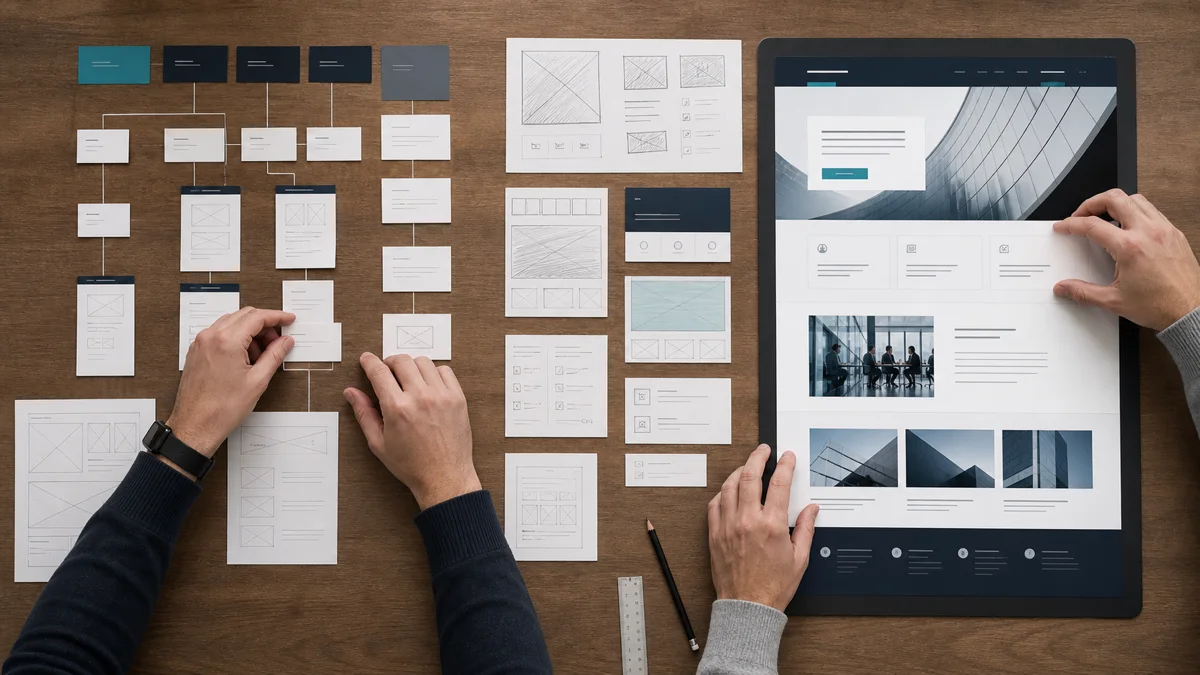
Information architecture
Information architecture organises pages, content types, and navigation so that users can understand them. A company’s internal organisation chart is not necessarily the structure visitors expect. Menu labels and page hierarchy should reflect the information users seek, not only the names of internal departments.
User experience
User experience concerns how clearly and efficiently a person can complete a task. Requesting a proposal, finding a product document, switching language, or reaching contact information should not require unnecessary steps.
User interface
The user interface includes colours, typography, spacing, buttons, cards, forms, and other visual components. These choices should do more than attract attention: they should make content priorities and available actions understandable. Components serving the same purpose should remain consistent throughout the website.
Responsive design
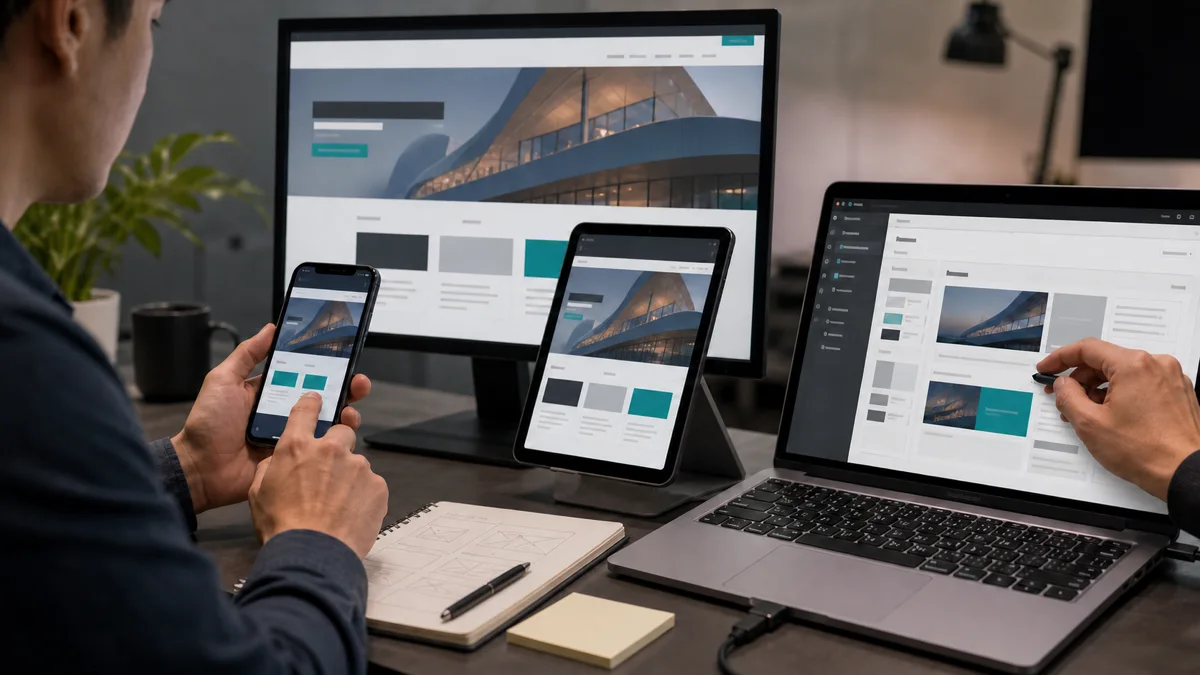
Responsive design means more than shrinking a desktop page. Content order, navigation, buttons, tables, forms, and images must remain usable across different screen sizes. A successful desktop layout is not sufficient if a critical call to action disappears or a form cannot be completed on mobile.
Accessibility
Colour contrast, readable text, visible keyboard focus, form labels, understandable error messages, and image alternatives are all design considerations. The W3C Web Content Accessibility Guidelines organise accessibility around four principles: perceivable, operable, understandable, and robust. Automated tools can support testing, but they cannot identify every barrier. Keyboard navigation and real task flows also require review.
Content
Design should not be separated from real content. Heading lengths, product specifications, service explanations, tables, documents, legal copy, and translated versions can all change a page’s structure. An interface approved with placeholder copy may break or create unnecessary space when the final content arrives.
Performance and technical structure
Image quality needs to be balanced with file weight. Oversized images, uncontrolled animation, excessive third-party scripts, and unnecessarily complex components can slow a page down. Google’s page experience guidance recommends considering mobile usability, secure delivery, visibility of the main content, and Core Web Vitals together rather than reducing experience to a single score. A strong laboratory score does not guarantee search rankings; the primary purpose of performance work is to improve the experience for users.
How does the Kumsal Ajans web design process work?
Kumsal Ajans delivers corporate website projects through six main stages:
Analysis → Design → Software → Testing → Launch → Support
This is more than a project calendar. Each stage establishes the approved information and decisions required by the next one.
1. Analysis
The analysis stage covers the purpose of the project, intended users, required pages and content, languages, forms, integrations, administration needs, and technical boundaries.
The expected outputs should include at least:
- Project objective and primary conversion
- Target user groups
- Required pages and content types
- Languages
- Forms and functional requirements
- Integrations
- Content and approval responsibilities
- Handover and support expectations
If the client will prepare the content, the schedule should also show when text, images, documents, and legal copy will be available. Delayed content can extend both design completion and the launch date.
2. Design
The analysis is translated into page hierarchy, user journeys, content priorities, and a visual system. A homepage should not present every piece of company information with equal weight. It should help the visitor recognise their need and move to the relevant service, information, or action.
For corporate websites developed from the ground up, Kumsal Ajans uses an original design and coding approach created for the brand. Instead of inserting content into a ready-made theme, the structure is created around the organisation’s objectives and approved scope.
How do design revisions work?
Design revisions are unlimited until design approval in Kumsal Ajans corporate web projects. This does not mean the approval stage is left undefined. Feedback should be consolidated and submitted clearly and promptly by the client’s authorised decision-maker.
After design approval, requests that change the approved structure or project scope are treated as additional development. This separates a design-stage revision from a new requirement introduced later.
3. Software development
The approved design is transformed into a working, manageable system. Front-end development implements responsive layouts, interactions, and accessibility behaviour. Administration and project-specific functions are then developed according to scope.
The standard content-management capabilities of Kumsal Panel for corporate websites are:
- Content management
- Page management
- Image management
Membership, e-commerce, third-party integrations, and custom modules are not standard in every project. They are developed when they form part of the approved requirements. This prevents unused modules from being included simply because they exist in an off-the-shelf package.
The choice between an existing platform and a custom approach should not be made on initial price alone. Our guide to off-the-shelf platforms and custom web software explains how customisation, integrations, data ownership, performance, and future growth affect that decision.
4. Testing
A website is not ready to launch merely because it opens in a browser. The exact test scope depends on the project, but it should address areas such as:
- Mobile and tablet layouts
- Current browsers
- Navigation, buttons, and links
- Form submissions and email notifications
- Administration-panel operations
- Language switching and linked translations
- Membership, payments, or other project-specific functions
- Third-party integrations
- Image delivery and baseline performance
- SSL and access security
- Headings, metadata, canonical URLs, and technical settings affecting indexation
- Keyboard use, visible focus, form labels, and readability
Recording test outcomes in a checklist or project log makes it clear which issues have been resolved and which functions have been accepted.
5. Launch and handover
Files and the database are backed up before launch, and a rollback plan is prepared when required. Forms, links, SSL, mobile layouts, language switching, administration functions, and project-specific integrations are checked again in the live environment.
Depending on project scope, domain, hosting, DNS, source code, database, administration-panel, GA4, and Google Search Console access is either handed over to the client or transferred to accounts created in the client’s name. Our website handover checklist covers the wider acceptance process.
6. Support
Corporate websites developed from the ground up by Kumsal Ajans include six months of free technical support following launch or final delivery. This support covers faults within the delivered and approved scope.
New features, modules, integrations, changes in scope, and redesign work are not part of free fault support. Regular updates, security checks, backups, performance monitoring, and operational supervision are planned separately as ongoing maintenance. Our guide to free support and ongoing maintenance explains this boundary in more detail.
What should be considered in multilingual web design?
A multilingual website is not created simply by adding another language to the navigation. Each page needs the correct translated counterpart, a natural slug for that language, current content, and accurate language switching. If a translation is not ready, users should not be redirected to an unrelated page.
Menus, forms, automated emails, text embedded in images, and legal content need to be reviewed separately for every language. Kumsal Panel can support a multilingual structure when it forms part of the project requirements. Managing linked content and monitoring translation status remain part of the content and project workflow. Our multilingual website planning guide covers URL and language-mapping decisions.
An anonymised redesign example
In an anonymised Kumsal Ajans project, the existing website was not compatible with mobile devices, loaded slowly, and made content difficult to manage. The organisation and project identity remain confidential. The team reviewed the existing problems and redesigned the interface, mobile experience, and management structure.
The revised system addressed the identified mobile compatibility, usability, performance, and manageability issues. No measured speed, traffic, or conversion percentage is available for publication, so the example does not claim a quantified increase. Its purpose is to demonstrate why a redesign can involve more than a visual change.
What determines web design cost and project duration?
A single fixed price or duration can be misleading because web design scope varies significantly. Common factors include:
- Number of pages and content types
- Number of unique layouts and depth of design work
- Whether final content is available
- Languages and localisation requirements
- Membership, e-commerce, or custom modules
- CRM, ERP, payment, or other integrations
- Data migration
- User roles and permissions
- Security and performance requirements
- Testing and acceptance scope
- Training, documentation, and maintenance expectations
Every provider should receive the same requirements summary before proposals are compared. Evaluation should cover more than initial cost: deliverables, responsibilities, ownership of code and accounts, support boundaries, and likely future development should also be considered.
What should you ask a web design agency?
Instead of evaluating an agency only through portfolio images or price, ask questions such as:
- How are project goals and user needs analysed?
- How are design and software scope separated?
- How do design approval and revisions work?
- Does the project use a ready-made theme or an original design and coding approach?
- Who prepares the content and imagery?
- How are mobile usability, accessibility, performance, and basic technical SEO checked?
- How are forms and integrations tested?
- Which administration features are standard, and which require additional scope?
- Who owns the source code, data, and service accounts?
- How are fault support, ongoing maintenance, and new development separated after launch?
The answers should be reflected in the proposal and contract. Vague descriptions can result in the client and provider expecting different deliverables after design has already been approved.
A short web design checklist
Before requesting a proposal or redesigning an existing website, confirm the following:
- [ ] The primary purpose of the website is defined.
- [ ] Target user groups are identified.
- [ ] Required pages and content types are listed.
- [ ] Primary and secondary calls to action are selected.
- [ ] Content and approval owners are assigned.
- [ ] Language, form, and integration requirements are documented.
- [ ] Required administration tasks are defined.
- [ ] Mobile, accessibility, and performance expectations are recorded.
- [ ] Testing and acceptance criteria are agreed.
- [ ] Ownership of code, data, and accounts is clear.
- [ ] Free support, maintenance, and new development are separated.
Conclusion
Web design is not limited to producing an attractive page. It combines business goals and user needs with content, visual structure, interaction, software, testing, and sustainable management decisions.
Kumsal Ajans projects follow analysis, design, software, testing, launch, and support stages. Corporate website projects include unlimited design revisions until design approval; requests that change the approved structure or scope are treated as additional development. Content, page, and image management form the standard foundation of Kumsal Panel, while membership, e-commerce, integrations, and custom modules are developed according to project requirements.
You can use the proposal form as the primary route to define the scope of a website designed for your brand, or request a meeting as a secondary step to discuss your requirements.