


Aydınlatma metni yükleniyor…
Corporate catalogue design is about far more than arranging products or services across a sequence of pages. A well-planned catalogue explains who the brand is, how it responds to customer needs and why buyers should consider its offer. It can support sales conversations, give dealers a dependable reference and help corporate buyers compare options with greater confidence.
For that reason, the process should not begin with page layouts. It should begin with the audience, business objective, usage scenarios, product or service architecture, available content and future update requirements. Copy, data, photography, graphics and brand identity can then be brought together within one coherent communication system. The result is not merely attractive; it is clear, usable and capable of supporting sales.
Why is corporate catalogue design a strategic project?
A catalogue is often one of the most substantial touchpoints between a company and its customers. It may be handed out at an exhibition, presented during a sales meeting, emailed as a PDF or downloaded from a website. In every setting, readers want to locate the right category, understand its value, compare alternatives and identify the next step.
If the catalogue does not meet these expectations, even a strong portfolio can appear confusing or disconnected. Overcrowded pages hide important features, while layouts dominated by large images may omit the information required for a purchasing decision. Strategic catalogue design balances brand perception with information access, creativity with consistency, and persuasive language with technical accuracy.
The project also exposes the organisation’s underlying data discipline. Inconsistent product names, changing units of measurement, outdated photographs or conflicting service descriptions quickly become visible during production. When product data must be distributed across several channels, a structured approach to product information management across websites, catalogues and marketplaces can help teams reuse verified content consistently.
Start the catalogue project with goals and audience analysis
Begin by defining who the catalogue is for and which business objective it must support. End customers may prioritise benefits, ease of use and visual explanation. Dealers may need stock codes, variants, ordering information and commercial classifications. Technical procurement specialists may look for capacity, materials, certificates or compatibility, while senior decision-makers may focus on operational or financial outcomes.
If one catalogue must serve several audiences, organise information in layers. The first layer can communicate a concise value proposition and key benefits. The next can introduce product or service families, with specifications and detailed evidence available deeper in the document. This allows readers who are scanning quickly to understand the main message without preventing specialists from finding the detail they need.
Define realistic usage scenarios
Establish whether a sales representative will present the catalogue, a buyer will review it independently, or it will primarily be sent by email, downloaded or distributed at events. These scenarios influence the format, page count, density and navigation. A catalogue used in meetings needs strong section dividers and easy page references; an interactive PDF may require linked contents, bookmarks and descriptive calls to action.
- Identify primary and secondary audiences.
- Define the sales or communication stage the catalogue will support.
- List the questions readers need the document to answer.
- Assess print, PDF and web requirements separately.
- Connect success to an observable outcome such as an enquiry, meeting, download or quotation request.
How should content architecture and product hierarchy be structured?
People commonly scan long content through headings rather than reading every word. Nielsen Norman Group’s eye-tracking review of text-scanning patterns highlights the value of meaningful subheadings, concise sections and lists. The same principle supports clearer navigation in both printed and digital catalogues.
Prepare the catalogue framework before writing individual pages. It may include the cover, brand introduction, solution approach, category pages, product or service details, case studies, technical appendices and contact information. Give each page type a clear question to answer. A category page might answer “What options are available?”, a detail page “Is this suitable for my requirements?” and the final section “How do I proceed?”
Do not classify products solely according to the company’s internal structure. Consider how customers search: by application, industry, performance level, material, capacity or problem. A service catalogue might instead follow stages such as strategy, design, implementation and support, with deliverables and expected outcomes explained at each point.
Create a repeatable product or service template
Comparison becomes difficult when every detail page uses a different structure. A reusable product template can present the name, short value proposition, benefits, specifications, applications, options, imagery and call to action in a consistent order. For services, the equivalent fields may cover the need, approach, scope, deliverables and process.
- Use headings and summaries that immediately explain the offer.
- Separate customer benefits visually from technical specifications.
- Apply consistent terminology to dimensions, materials and capacity.
- Use tables and icons only when they genuinely improve comparison.
- Include product codes, versions and update dates in the underlying data model.
Turn brand identity into a readable visual system
A corporate catalogue is not created simply by placing a logo and brand colours on each page. Typography, grid, spacing, photographic direction, iconography, graphics and heading hierarchy must operate as one system. The goal is not to make every spread look like a separate poster, but to create enough flexibility for different content types while preserving a recognisable brand experience.
A grid provides consistency without forcing every page to look identical. Category openers may use bolder imagery, product pages may carry more detailed information, and case studies may adopt a more narrative rhythm. Shared alignment, type styles and components keep that variation controlled.
Kumsal Agency approaches this work by combining research-led digital brand consultancy with Art Director-led creative concepts, digital identity and design. Connecting catalogue decisions to the brand’s wider visual direction helps photography, campaigns, sales material and digital products feel like parts of the same experience.
Make readability and accessibility design requirements
Small type, weak contrast and long passages placed over photographs reduce a catalogue’s effectiveness. Accessibility deserves additional consideration in digital editions. The W3C’s guidance on accessible images recommends appropriate text alternatives for informative images while treating purely decorative imagery differently. Logical reading order, descriptive links and essential information available as text are also important in PDF and web formats.
Colour should never be the only indicator of a category, condition or performance level. Support it with headings, icons, patterns or text labels. In technical tables, row and column relationships should be easy to follow, and notes should remain close to the data they explain. Printed proofs and tests on different screens help validate colour, scale and typography under real viewing conditions.
Plan photography and visual production alongside the catalogue
Images should communicate more than a product’s appearance. They can clarify scale, material, context of use and perceived quality. Instead of combining unrelated photographs from different periods, prepare a production list. Define the required angles, backgrounds, lighting, detail shots, application scenes and scale references before the shoot begins.
Where photography cannot explain the subject sufficiently, consider diagrams, three-dimensional visualisations, infographics or short animations. Services, invisible processes and complex product structures often become clearer through staged diagrams and usage scenarios.
Kumsal Agency’s Art Director-led production approach covers creative concepts, photography, video, animation and visual content. Planning these assets together can establish a shared visual language across the catalogue, campaigns, website and e-commerce experience while reducing duplicated production work.
Manage print and digital catalogues from the same source
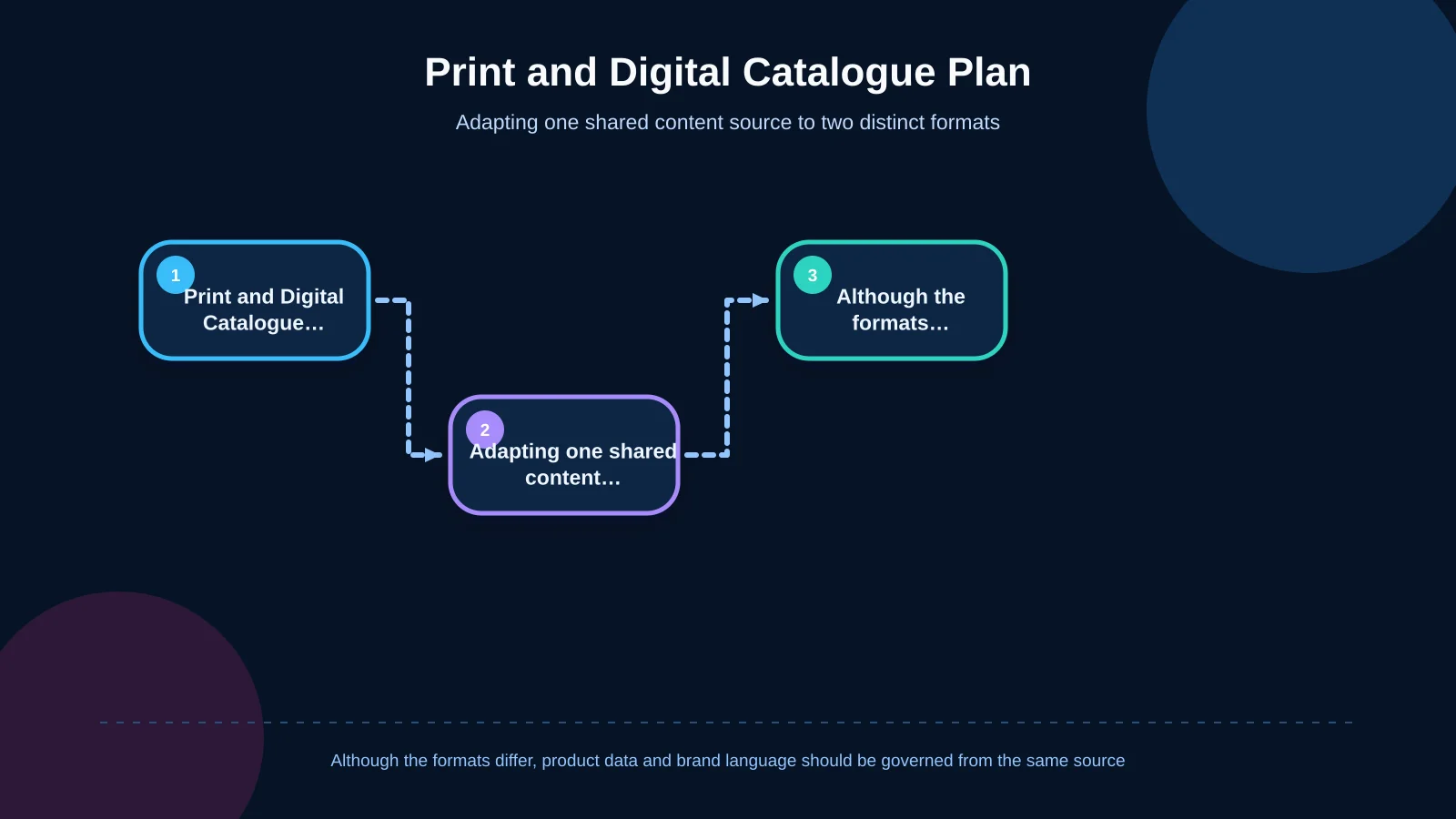
Printed catalogues offer tactility, sustained attention and a lasting presence in face-to-face sales. Digital catalogues provide rapid distribution, clickable navigation and easier updates. Rather than exporting both formats indiscriminately from one design file, treat them as purpose-built editions supported by the same governed content source.
For print, confirm dimensions, paper, binding, colour management, image resolution, bleed and proofing requirements with the printer. Adobe’s guide to printing InDesign documents and books covers checks involving page setup, marks and bleed, graphics, colour management and advanced print settings.
For digital delivery, test file size, mobile readability, links, bookmarks and searchable text. If catalogue content will also appear on a website or e-commerce platform, develop a model that reuses the same approved product names, category logic, descriptions and assets. A shared source reduces manual comparisons between channels whenever information changes.
| Checkpoint | Printed catalogue | Digital catalogue |
|---|---|---|
| Use | Meetings, exhibitions, dealers | Email, web, mobile |
| Technical preparation | Bleed, colour, binding | File size, links, bookmarks |
| Readability | Paper and proof testing | Screen and mobile testing |
| Updates | A new print run is required | The versioned file is updated |
How does the corporate catalogue design process work?
A reliable process makes pre-design decisions visible and divides approval into manageable stages. Scope should be estimated through content volume, product variety, data quality, production needs, languages, print specifications and digital requirements—not page count alone.
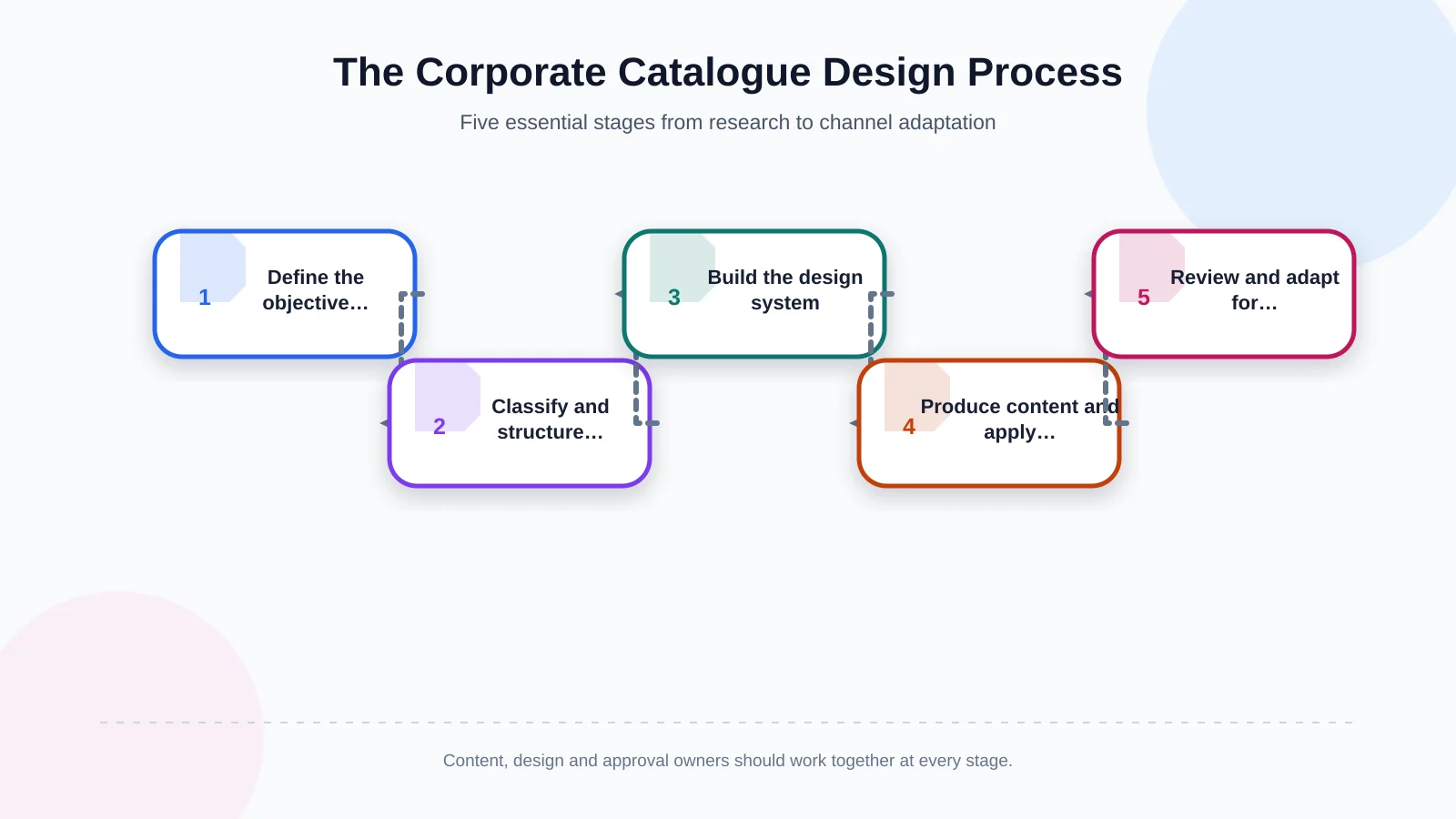
1. Research and scope
Review brand objectives, audiences, competitor presentations, existing material and sales-team needs. Agree on formats, deliverables, content owners, approval responsibilities and the business outcome the catalogue should support.
2. Content inventory and information architecture
Gather copy, product data, images and documents in one inventory. Mark missing or outdated items, then define categories, page flow and reusable content fields. Assign ownership so unanswered questions do not reach the final layout stage.
3. Creative concept and design system
Develop a visual direction from the brand strategy. Agree on typography, colour, grid, photography and representative page types before expanding the system. Testing realistic content at this point prevents an attractive concept from failing on dense technical pages.
4. Content production and page application
Edit copy, verify product information and complete the required photography or visual production. Apply approved templates throughout the catalogue, handling genuine exceptions without weakening the overall system.
5. Quality control, output and channel adaptation
Review language, data, links, image quality and page consistency separately. Assess print proofs and prepare the PDF, web or e-commerce adaptation according to the requirements of each channel.
What should be checked before the catalogue is published?
Final review involves more than proofreading. Marketing, sales, product management, design and, where necessary, legal teams should verify their areas of responsibility. Maintain one authorised master and manage comments through a versioned process instead of allowing corrections to become scattered across email threads.
- Are product names, codes, dimensions and technical values current?
- Are category names and terms consistent throughout?
- Does scanning the headings reveal a logical catalogue journey?
- Do photographs show the correct products and variants?
- Do contact details, links and calls to action work?
- Have bleed, colour, resolution and binding allowances been checked?
- Is digital text selectable and readable on mobile screens?
- Are image rights and mandatory legal notices complete?
Conclusion: Treat the catalogue as a living communication system
Effective corporate catalogue design brings research, brand identity, content architecture, product data, creative design and production into one managed system. It helps customers reach relevant information faster, enables sales teams to communicate more consistently and makes content easier to adapt for digital channels.
The work does not end at publication. Assign a content owner and update schedule for product changes, new services, revised certifications and user feedback. The catalogue can then evolve from a one-off file into a sustainable resource within the brand’s sales and communication ecosystem.
To plan your corporate catalogue around your brand language, content structure and real usage scenarios, contact Kumsal Agency.