


Aydınlatma metni yükleniyor…
E-signature integration involves much more than displaying a document and asking a user to click “Sign”. Before a contract, quotation, purchase form or corporate approval document enters the signing stage, the correct version must be prepared, routed to authorised signatories in the correct order and recorded in an auditable way. Once signing is complete, a successful response from the signing service is not enough. Document integrity, the signature value, certificate status, trust chain and any trusted time evidence must be evaluated against the organisation’s validation policy.
A corporate e-signature integration should therefore be designed as an end-to-end workflow spanning documents, users, roles, signing order, statuses, exceptions, validation and archiving. If operations, legal, sales, procurement and IT requirements are not brought together in one model, the result may work technically while failing to reflect how the organisation actually operates.
Why is e-signature integration a workflow project?
Who signs a document matters, but so do the conditions that make it eligible for signing. A quotation might first require review by a sales manager, trigger finance approval above a defined value and only then be released to the account manager and customer. A purchase agreement may need to remain unavailable to the company signatory until legal review has been completed.
These rules should be modelled before connecting to an e-signature provider. Integration code cannot resolve uncertainty about the document source, signatory roles, signing sequence, delegation rules, deadlines, rejection behaviour or cancellation authority. Purpose-built custom web development can bring these requirements together through a user interface, workflow engine, integrations and operational management screens.
How should a document be prepared before signing begins?
The first control point is the version approved for signature. Customer details, prices, payment terms and authorised-party information may be transferred from an ERP, CRM or document management system into a template. Missing fields, inconsistent currencies and outdated customer records should nevertheless be identified before the document is released. For dynamically generated documents, the exact template version must also be recorded.
The system can assign a unique identifier to the file and calculate a cryptographic digest, or hash, that is linked to the transaction record. This makes it possible to verify that the document shown to the user matches the document sent to the signing service and later archived. Once the signing workflow has opened, the content should be immutable. If a revision is required, the active workflow should be cancelled and a new document version and transaction created.
How should signatory roles and permissions be modelled?
Defining participants directly by email address may appear convenient, but it becomes fragile when responsibilities change or an employee is absent, delegated or moved within the organisation. Roles such as procurement owner, legal reviewer, authorised company signatory and customer representative should be defined instead. The actual user should be resolved at runtime from current organisational and authorisation data.
Role-based access control must cover more than signing. It should determine who may prepare a document, start or cancel a workflow, resend a notification, inspect a validation report and access an archived record. A least-privilege approach is essential: being a technical administrator should not automatically grant permission to read every contract. For sensitive documents, task execution, content access and audit-log access can be governed separately.
How do you choose between sequential and parallel signing?
In a sequential workflow, the second signatory cannot act until the preceding step has completed successfully. This model is appropriate when a later participant must see an earlier decision, the chain of representation must be preserved, or internal approval must finish before an external party signs. The system should verify each completion condition, open the next task and notify the authorised participant.
Parallel signing allows independent participants to receive invitations at the same time. For a board document requiring every member’s signature, the workflow closes only after all mandatory signatories have completed their tasks. If a defined number of signatures is sufficient, the quorum, role distribution and effect of a rejection must be explicit. Hybrid workflows are also possible: departmental representatives may sign in parallel before a company officer provides the final signature.
The choice should not be based on speed alone. Legal and operational context, representation rules, dependencies between signatories and rejection scenarios all affect the appropriate design. A faster workflow is not useful if it bypasses an approval dependency or makes responsibility unclear.
What are the stages of an end-to-end e-signature workflow?
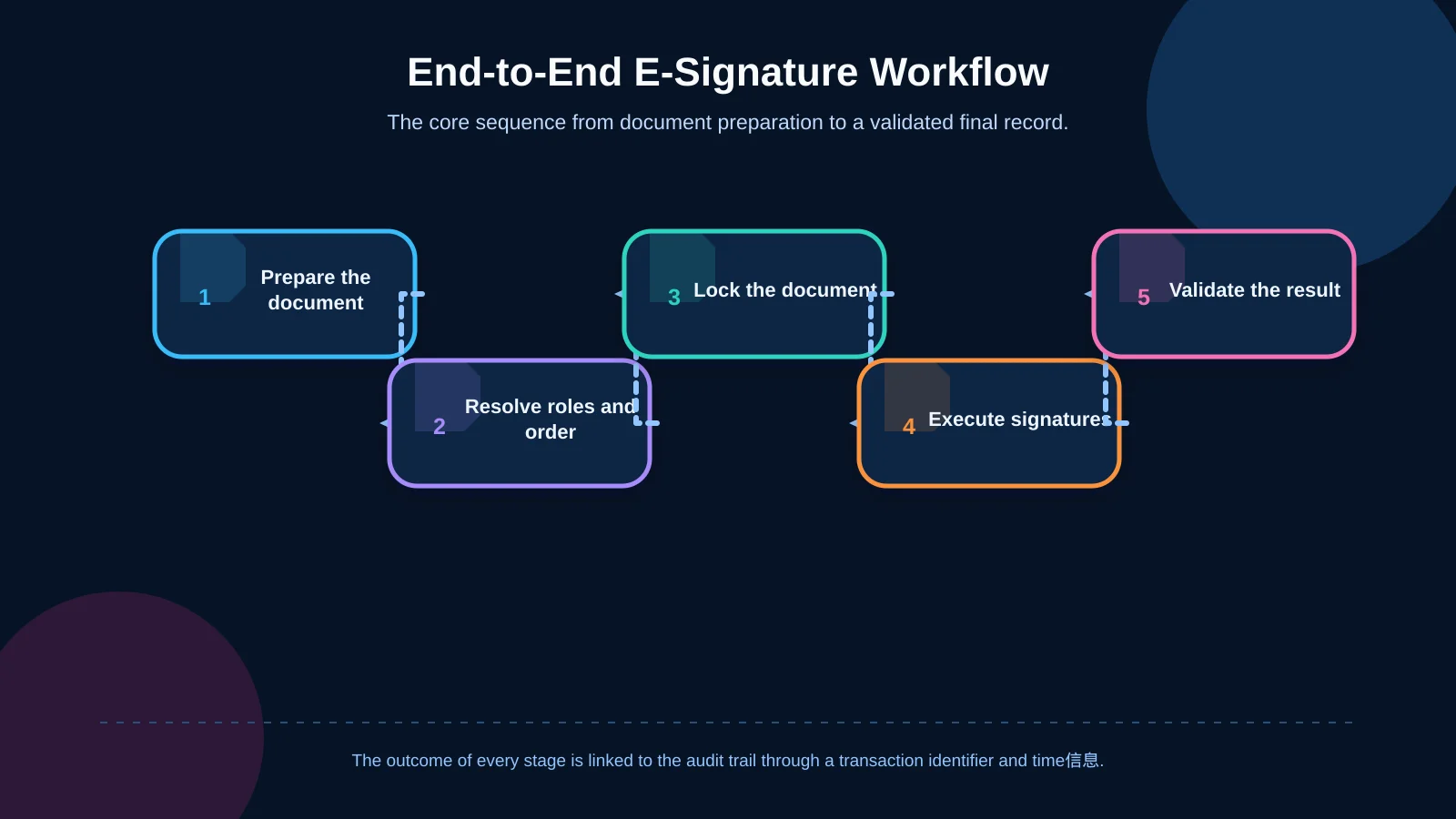
A reliable workflow needs machine-readable entry, transition and completion conditions. A broad state such as “in progress” provides little operational value. More precise states—including document preparation, awaiting signature, under validation, exception review and completed—make responsibilities and permitted actions clearer.
- The document is generated from an approved template and current corporate data.
- Signatory roles, sequence rules, delegation conditions and access rights are resolved.
- The document is locked, while its transaction identifier and integrity value are recorded.
- Sequential, parallel or hybrid signing tasks are executed.
- The returned signed data is subjected to technical validation.
- The final document, validation outcome and audit records are stored together according to policy.
If ERP or CRM connectivity is required, system ownership must also be established. Commercial contract data may originate in the ERP, the customer relationship may be managed in the CRM, and the e-signature workflow may remain the system of record for signing status. Field mappings, error responses, ownership boundaries and retry behaviour should be documented rather than inferred during implementation.
How are the document and electronic signature validated?
Validation does not end when the signing service reports success. The system should first confirm the relationship between the signed data and the expected document, including cryptographic integrity. It should then assess the signature format, identification of the signatory certificate, certificate chain, validity period, revocation information and the validation policy applied. The result should not be reduced to one true-or-false field: the decision, supporting data and reason should be reportable.
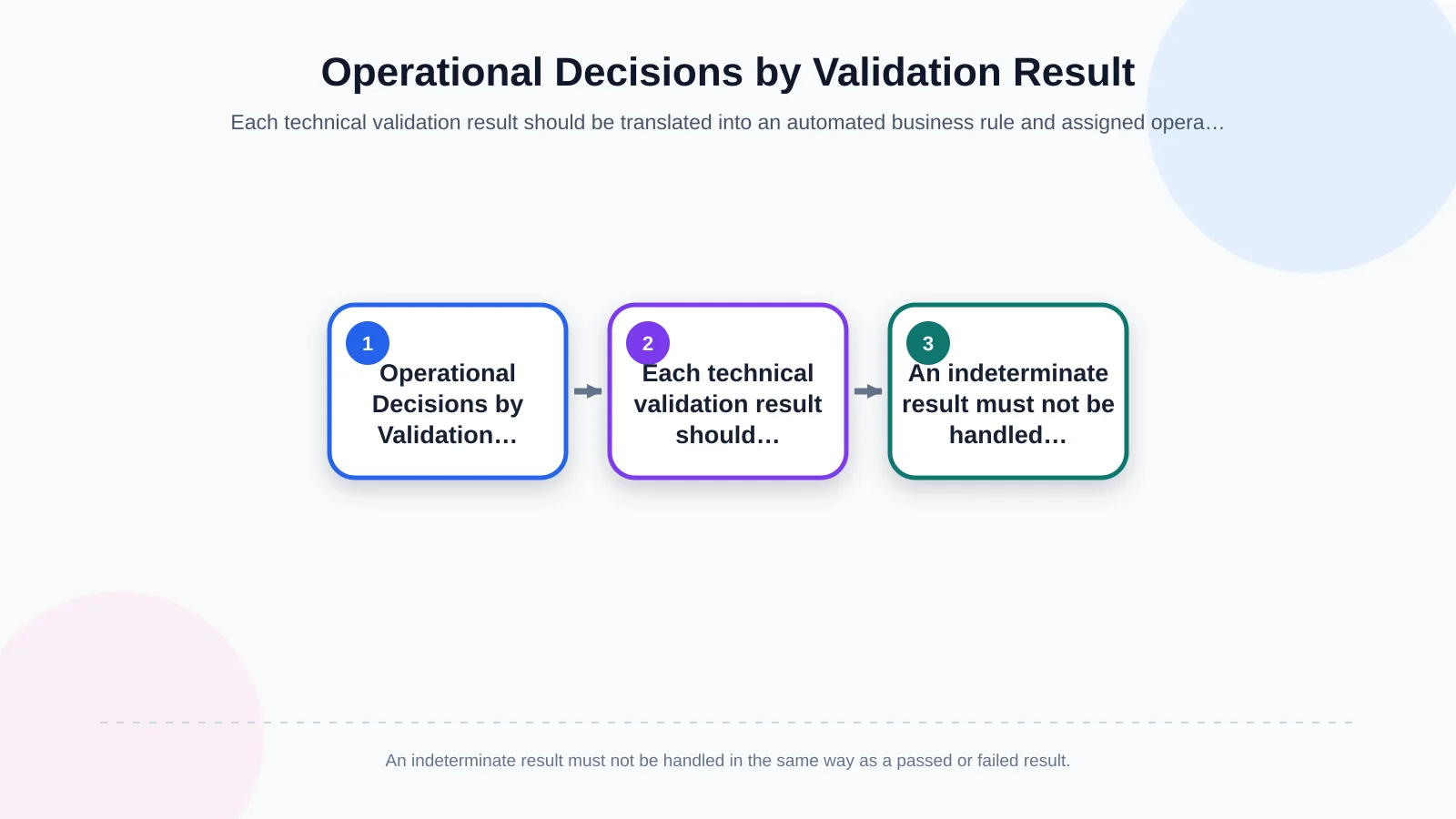
ETSI EN 319 102-1 describes an approach in which an overall electronic-signature validation result may be expressed as TOTAL-PASSED, TOTAL-FAILED or INDETERMINATE. This distinction is operationally important. A failed result can indicate that invalidity has been established, whereas an indeterminate result may point to missing validation data, an unavailable service or another condition requiring investigation.
For implementations in Türkiye, organisations should also consider the Information and Communication Technologies Authority’s e-signature guidance. It discusses checks such as whether a certificate is qualified, its validity and revocation status, and applicable usage restrictions. The appropriate signature format, provider and validation policy should still be selected with legal and information-security teams for the organisation’s specific use case.
| Result | Meaning | System action | Operational response |
|---|---|---|---|
| Passed | Required checks passed | Complete the workflow | Release the final record |
| Failed | Invalidity was established | Prevent completion | Investigate the reason |
| Indeterminate | No definitive decision could be produced | Move to the review queue | Investigate missing data |
| Technical error | Validation could not run | Apply a safe retry | Monitor the service and record |
Why should time information be evaluated separately?
An application server’s log time is not the same as trusted evidence of time. Server time supports operational records, while a time stamp may be used within a separate trust-service context to demonstrate that particular data existed before a given time. Consequently, “signature time”, “time received by the system”, “validation time” and, where applicable, “time-stamp time” should be stored as separate fields with their sources identified.
For international or European Union-related processes, the current consolidated text of the eIDAS Regulation can also be reviewed for requirements concerning the validation of qualified electronic signatures. However, using a component that conforms to a technical standard does not by itself demonstrate that every legal obligation of the organisation has been satisfied.
How should status and exception management work?
Real workflows include rejections, expired invitations, unusable certificates, requested document changes and temporary failures at external services. Each exception should have a user-facing explanation, a distinct system state, an accountable team and a defined set of permitted next actions. Otherwise, staff may resort to email or spreadsheets, breaking the audit trail.
After a temporary network failure, blindly repeating the same request can create duplicate transactions. Requests should carry a unique transaction or idempotency key, and the integration should support checking the previous outcome before retrying safely. A definitive rejection, a technical error and an indeterminate validation result must remain separate. An indeterminate result should not be marked complete automatically; it should enter a review queue with enough context for an authorised user to investigate.
What should audit trails and secure archiving cover?
An audit record should show who performed an action, when it occurred, which role and authority were used, which document version was affected, and the states before and after the event. Document creation, viewing, downloading, invitation delivery, receipt of signing results, validation, rejection, cancellation and archive access should be recorded with correlated identifiers. Logs should be protected against silent alteration, and access to them should itself be monitored.
The final evidence package may contain more than a signed PDF. The retention relationship between the original document, signed data, validation report, relevant time evidence and workflow records should be defined. Retention periods, access roles, backups, restore testing and secure deletion must follow the organisation’s data classification. Personal and commercial data should not be copied unnecessarily, and appropriate security controls should protect it both in transit and at rest.
How do you define the scope of an e-signature integration project?
Analysis becomes more concrete when teams map one representative document from creation to archive. They should identify its source, field owners, revision rules, signatory roles, sequence dependencies, completion conditions and exceptions. The provider’s technical capabilities, supported formats, test environment, error model and validation outputs can then be evaluated against this map.
The project can be divided into a user portal, administration interface, role and permission model, workflow engine, notifications, API connections, validation service, audit trail and archive. Acceptance tests should cover not only the successful path but also rejection, timeout, service interruption, altered documents, failed or indeterminate validation and safe retries.
Kumsal Agency treats an e-signature connection as part of custom software designed around the organisation’s actual operations, with strong software architecture, data security and customer privacy as core priorities. To assess your document and approval process—including signatory roles, sequence rules, validation stages, exceptions and corporate-system connections—contact Kumsal Agency about a project-specific e-signature integration.