


Aydınlatma metni yükleniyor…
In a SaaS product, sign-up is not the outcome; it is the point at which a user begins looking for value. Real activation does not happen simply because someone verifies an email address or signs in. It happens when the user achieves the first meaningful result that confirms why they chose the product. That result might be inviting a colleague to a workspace, generating a reliable report, connecting a data source or successfully running a workflow.
An effective SaaS onboarding experience should not force every new user through the same product tour. It should account for the user’s objective, role, permissions and available data while separating essential setup from preferences that can wait. This helps users reach value without unnecessary friction and gives product teams a measurable view of where—and why—accounts abandon the journey.
How should the first-value moment be defined?
The first-value moment is the event at which a user experiences the product’s core benefit in a concrete way. It should not be an easy-to-count screen view that mainly benefits internal reporting. It must represent an outcome connected to the user’s goal.
For example, creating an empty project in a project-management platform may not prove much. Assigning a task and confirming that another team member can see it provides stronger evidence of value. In a reporting product, connecting a data source is only a setup milestone; viewing the first trustworthy report may be the true activation event.
Ask: “What result would make this user believe that the product can solve their problem?” Then map the minimum events required to produce that result and track each one independently. First value does not have to be identical for every customer. An administrator, an operator and a read-only stakeholder may each require a different activation event.
Sign-up, activation and adoption are different stages
Sign-up means that an account has technically been created. Activation means that the user has experienced the defined first value. Adoption means that the product has become part of the customer’s recurring way of working. Combining all three into one metric can hide the reason rising registration numbers fail to produce sustained usage. Product teams should measure these stages through separate events and time windows.
How do you build the journey from sign-up to first value?
Start with the job the user must complete, not with a sequence of screens. For every step, define its purpose, required input, success condition, possible failure and next state. Nielsen Norman Group’s discussion of onboarding tutorials and contextual help explains why lengthy, disconnected instruction can interrupt the user’s task and why assistance is more useful when it appears in context. Instead of presenting features one after another, create a short chain of tasks that advances the user’s own objective.
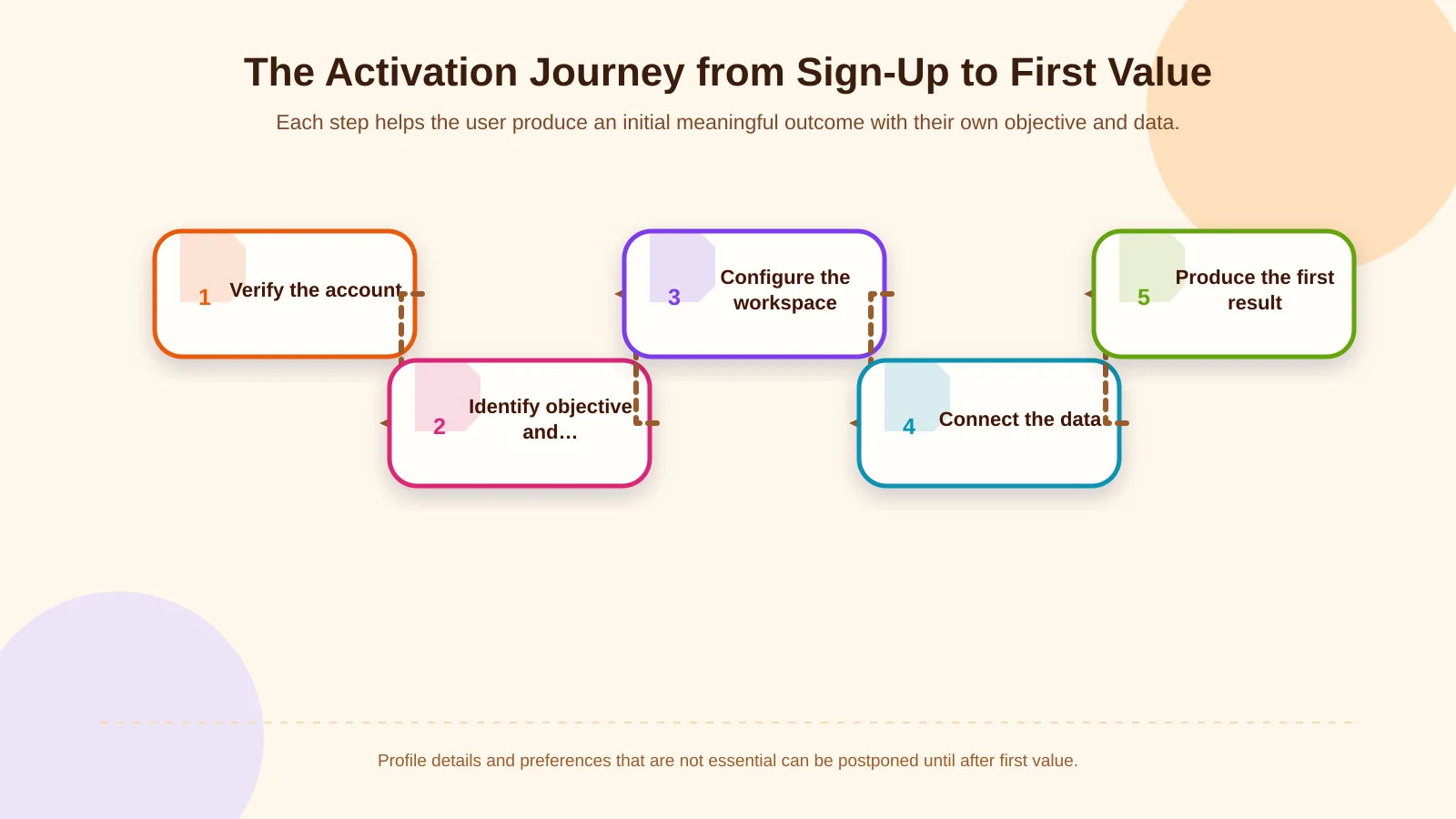
1. Verify the account securely and with minimal friction
Ask only for information needed to create and protect the account. Depending on risk and customer type, verification may use email, a one-time sign-in link or enterprise single sign-on. Make password requirements visible before submission and provide clear recovery paths for expired links, previously used invitations and email addresses associated with existing accounts.
2. Learn the user’s objective and role early
Use a question such as “What would you like to accomplish?” to personalise the next steps, not merely to collect marketing data. Account owners, administrators, operational users and viewers perform different jobs. Their sample content, permission requests and first-value targets should reflect those differences. Users should also be able to change roles later when authorised, while permission changes are recorded for audit purposes.
3. Configure the workspace with the minimum required data
Challenge every requested field. Is a company name, workspace name or team size genuinely necessary before value can be produced? Billing details, comprehensive profiles and visual preferences can usually wait if they do not affect activation. Generate safe defaults where practical and let authorised users revise them later.
4. Connect real data or offer a representative starting point
Many B2B SaaS products cannot demonstrate value until data arrives from a CRM, ERP, file store or analytics platform. Design the entire integration lifecycle: authorisation, field mapping, initial synchronisation, processing states, error messages and safe retries. If the user cannot connect a production system yet, provide representative sample data or a controlled file-upload path so the product can still be evaluated.
Custom integration requirements should be treated as part of the product workflow, not as an isolated technical task. Kumsal Agency’s custom web development service plans user roles, data, integrations, interfaces and administrative controls around the business process they support.
5. Help the user complete one meaningful job
Do not leave the user on an empty dashboard after setup. Offer one role-appropriate primary task, such as “Create your first report,” “Import your first customer” or “Assign a task to a teammate.” The system should confirm that input was accepted and show whether processing is pending, complete or requires action. A completion screen should reveal the benefit produced and recommend a logical next step instead of offering a celebration with no operational meaning.
How do roles and permissions change SaaS onboarding?
In B2B software, the person who registers may not have permission to complete every setup task. An operator may not possess an integration key, while a procurement user may be unable to invite colleagues. The flow should not present missing authority as user error. It should allow the person to request assistance, send a secure invitation or assign the step to an account administrator without losing progress.
Apply least privilege so each person receives only the access required for their work. The OWASP Authorization Cheat Sheet recommends denying access by default and validating permissions on every request. Hiding a button is not an adequate security control: authorisation must be enforced server-side, and role changes and critical actions should enter an audit log.
Invitations and multi-user setup
Define who may invite users, which roles they may assign, when invitation links expire and how an invitation sent to the wrong address can be revoked. Invitees should complete registration without losing the account or workspace context. When setup depends on several people, preserve progress at account level so every participant does not have to repeat the same steps.
How can required onboarding steps be simplified?
Apply one test to every field and screen: “Is this necessary to reach first value now?” If not, remove it, populate it automatically or postpone it. Progressive disclosure can keep essential options visible while revealing advanced settings when they become relevant. However, important security, contractual or data-processing consent must not be concealed merely to shorten the flow.
- Give each screen one dominant task and an obvious next action.
- Do not request known information again; reuse invitation or integration context.
- Save progress so users can return without restarting.
- Design empty states with examples and actions that begin real work.
- Clearly label optional steps and explain the effect of skipping them.
Mobile readiness means more than shrinking a desktop layout. Test long forms, verification codes, file uploads, validation and error correction across relevant screen sizes and input methods. Keyboard access, focus order, readable status messaging and adequate target sizes should be verified as part of the core journey.
How should progress, errors and recovery states be designed?
A progress indicator should show completed work and remaining obligations rather than an unexplained percentage. Users need to understand why they are waiting, whether processing continues in the background and what action—if any—is expected from them. Data imports and integrations should distinguish between “processing,” “partially complete,” “action required” and “failed.”
An error message should explain what happened, what data was affected and how to recover. Preserve all successfully completed steps; one connection failure should not restart the entire setup. Retried background jobs must avoid duplicate records, while support staff should be able to inspect technical details in an appropriately protected administration panel.
Use notifications according to task and timing
Email and in-product notifications are useful when they remind someone about an unfinished task or report another participant’s action. Avoid sending every user the same generic sequence. Adapt communication to role, current progress and recent activity. Notification links should return users directly to the relevant step, not to a generic dashboard where they must find the task again.
Which metrics measure SaaS activation success?
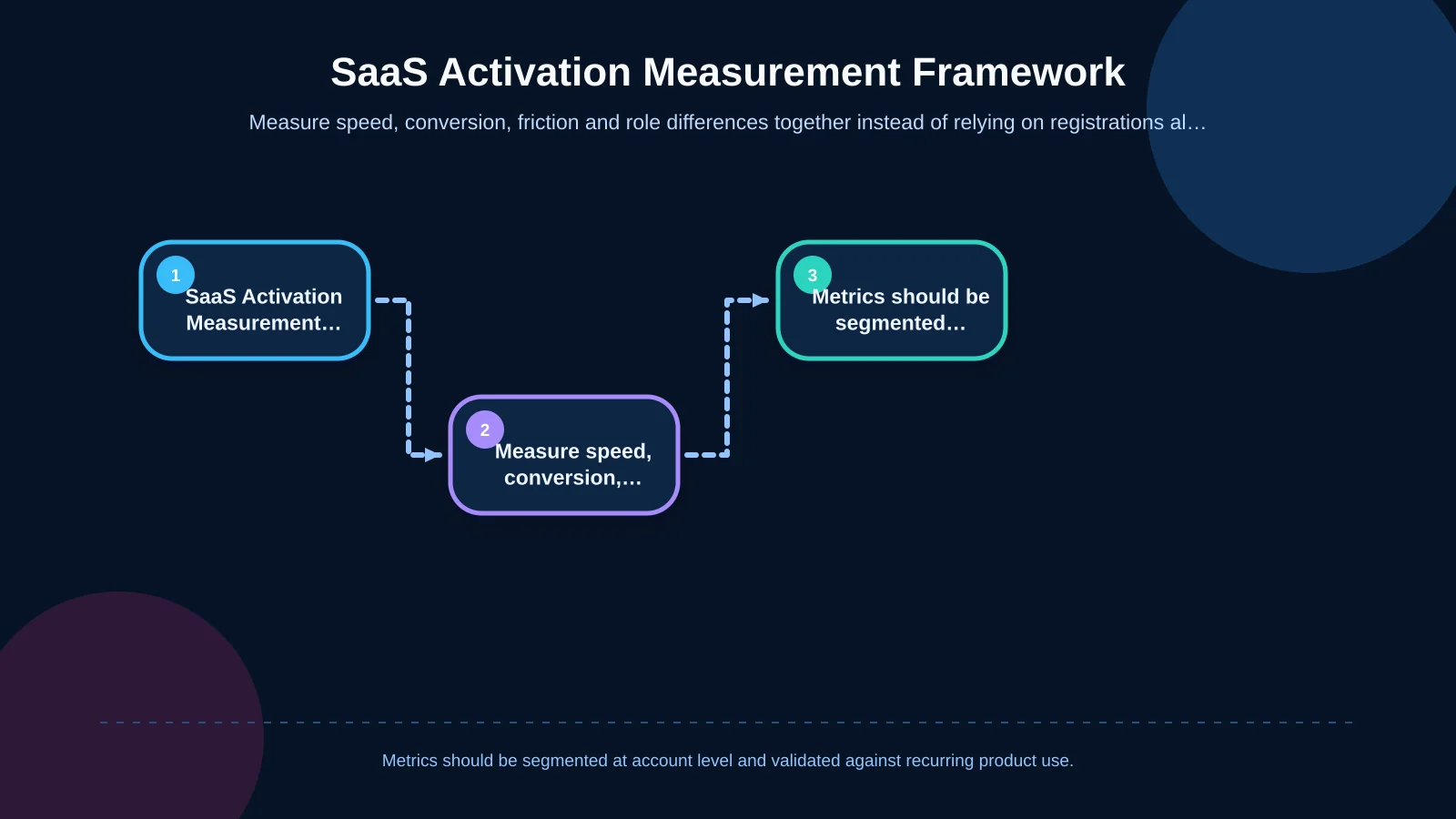
Measurement begins with a precise technical definition of the first-value event. Document the event name, triggering condition, user and account identifiers, timestamp, role, plan and relevant data source. Google’s GA4 event documentation explains that custom events can be created when recommended events do not cover a requirement and that parameters can provide additional context. Sensitive or personally identifiable information should not be sent indiscriminately to analytics platforms.
- Activation rate: The percentage of eligible new accounts reaching first value within a defined period.
- Time to first value: The time between sign-up or first login and the activation event.
- Step conversion: The proportion of accounts entering and completing each required step.
- Abandonment and error rates: The stages where exits or technical failures concentrate.
- Role-based success: Activation performance for administrators, operators and invited users.
A funnel report shows where behaviour changes but rarely explains why. Combine it with support requests, error logs, short user interviews and privacy-conscious session evidence. Also test whether the activation event predicts recurring usage, expansion or renewal. An event that is easy to complete but unrelated to durable value is a poor optimisation target.
| Metric | What it reveals | Primary segment |
|---|---|---|
| Activation rate | Share of accounts reaching first value | Role and plan |
| Time to first value | Speed of reaching the outcome | Acquisition channel |
| Step conversion | Bottlenecks and abandonment points | Flow version |
| Error rate | Technical friction | Integration type |
How should onboarding experiments be run?
Test one measurable hypothesis at a time. For example, offering sample data may reduce time to first value for accounts waiting for integration access. Before launching a test, define the primary metric, guardrail metrics, eligible audience and evaluation period. Do not weaken security controls, mandatory consent or data integrity to increase conversion.
Why do administration and sustainable operations matter?
Once released, onboarding becomes a system that product, operations and support teams must run. An administration panel should reveal account progress, role and invitation status, integration health, failure reasons and required intervention. Authorised teams may need to retry failed jobs safely, but they should not complete critical actions on a user’s behalf without a traceable record.
Manage interface copy, sample content, notification templates and help links with version control where practical. Flow changes must not silently break analytics; results from old and new versions should remain comparable. Performance budgets, accessibility reviews, automated tests, security testing and post-release monitoring all belong in the delivery scope.
Practical SaaS onboarding checklist
- Is first value defined as a concrete user outcome?
- Are goals, permissions and required steps separated by role?
- Can the team justify why every mandatory field is required now?
- Is sample data or another starting route available when integration is unavailable?
- Are invitation, waiting, partial-success and retry states designed?
- Have mobile use, keyboard access, performance and error feedback been tested?
- Are activation and intermediate events measured at user and account level?
- Can support and operations inspect progress securely?
- Are post-launch ownership, alerts, maintenance and improvement cycles defined?
Design the route to first value around real user work
Successful SaaS onboarding is more than a collection of welcome screens. First-value definitions, roles, permissions, required data, integration dependencies, state management, measurement and live operations must work as one coherent system. The objective is not to expose every feature. It is to move each user towards a meaningful result through the shortest route that remains clear, secure and sustainable.
To plan your SaaS activation journey around user roles, essential integrations and measurable success milestones, contact Kumsal Agency.