


Aydınlatma metni yükleniyor…
A mobile ad’s success cannot be measured by clicks alone. If users cannot reach the in-app product, campaign, content or action they saw in the ad, the journey breaks before it has properly begun. Moving a user from an ad to the right screen requires coordinated planning across campaign management, mobile product, web, application development and analytics teams.
This challenge is often reduced to “let’s add a deep link.” In practice, the outcome may change according to the user’s operating system, whether the app is installed, their authentication status, the availability of the target content and the application in which the link was opened. A reliable plan defines fallbacks and failure behaviour as carefully as the ideal route.
Match the advertising promise to the destination screen
Start with the promise made by the ad, not the link technology. An ad for a particular product should open its product detail screen. A category promotion should lead to a relevant filtered list, a membership offer to the appropriate registration step, and an appointment ad to the correct service or location selection. Sending every user to the home screen removes the campaign context and forces them to search again.
For each ad group, the campaign inventory should record the destination type, content identifier, required parameters and suitable fallback page. A logical destination such as product/4582 might map to a product detail route in the app and the same product’s page on the web. Marketing owns the campaign definition, the product team owns the destination experience, and the development team owns the route’s data contract.
What should the destination contract contain?
- Campaign and ad group identifiers
- Destination screen type and content identifier
- Permitted parameters and data formats
- Authentication or membership requirements
- A safe destination when content cannot be found
- Web, app store and in-app fallbacks
- Expected view and conversion events
This contract separates the public advertising URL from an app’s changing internal screen structure. If the product scope is still being defined, destination routes, user flows and acceptance criteria can be planned as part of the broader mobile application development process.
The decision flow from click to the right screen
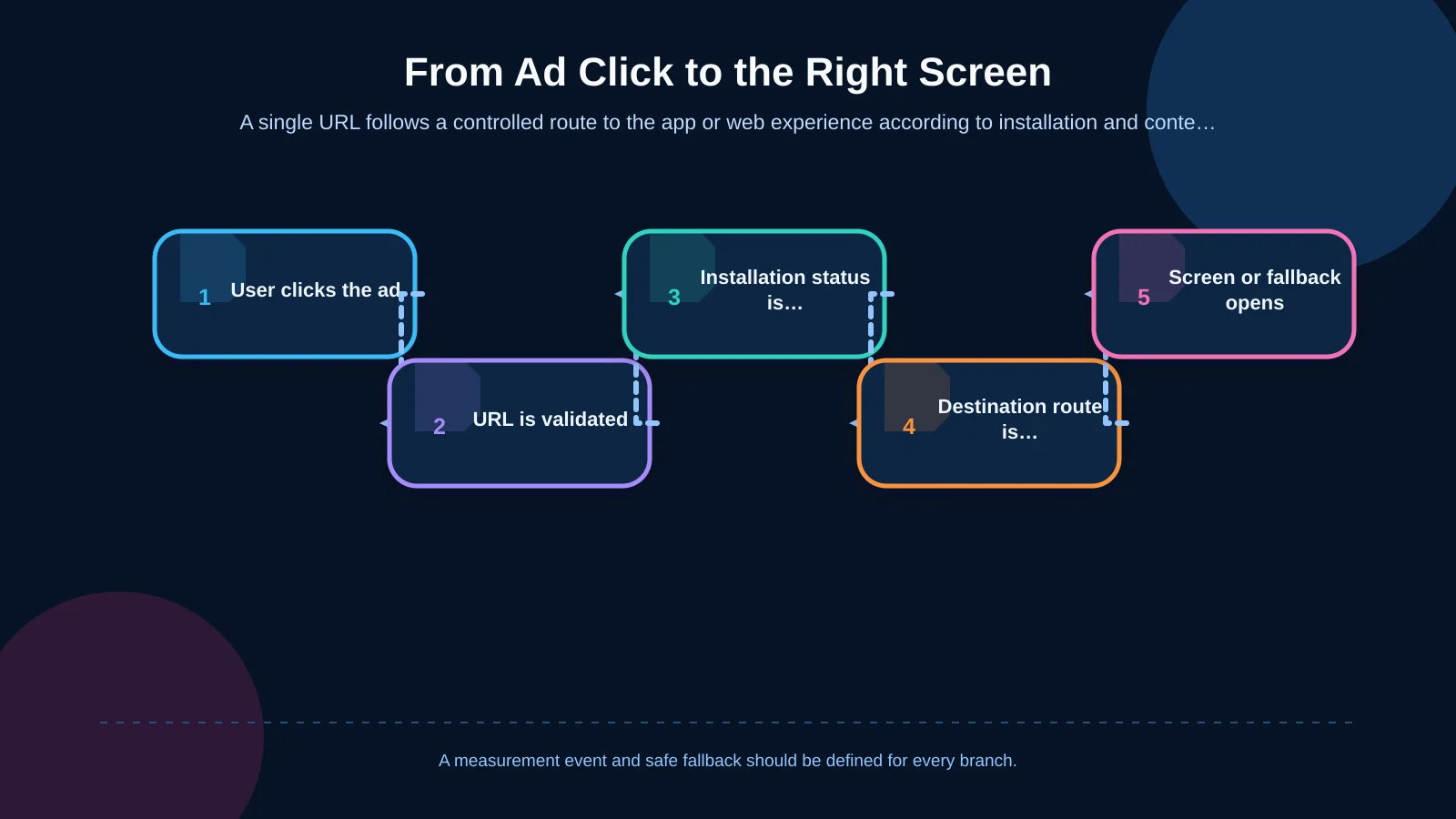
Each click may begin with one URL, but its destination branches according to device conditions. First, the system checks whether the link comes from a verified domain and matches a supported route. If the app is installed, the operating system can pass the link to it. The app then validates the path, retrieves any necessary data and opens the intended screen. If the app is unavailable, the mobile website or app store becomes the fallback.
App-store redirection deserves particular care. Sending users directly to a store may encourage installation, but it can also sever the connection with the advertised content. When a usable product or campaign page exists on the mobile web, presenting it first is often more consistent. An installation prompt can then appear within the same context.
Remembering the original advertising destination after installation and opening it on first launch is known as deferred deep linking. This is not an automatic continuation of standard Universal Link or App Link behaviour. The advertising network, measurement provider, privacy permissions and first-launch logic must be evaluated together. Do not design a campaign around post-install continuity unless the selected technology and consent model genuinely support it.
How should iOS Universal Links be handled?
On iOS, Universal Links associate standard HTTP or HTTPS addresses with content in an app. According to Apple’s Universal Links documentation, the corresponding web page can open in the browser when the app is not installed. The relationship requires an apple-app-site-association file on the domain, the Associated Domains entitlement in the app and routing code that handles the incoming link.
If several subdomains are used, verify each configuration separately. The app must do more than recognise a path: it should validate parameter formats and confirm that the destination represents an allowed action. Sensitive transactions must not be completed solely because a URL contains a particular parameter. User authorisation and the current server-side state should be checked again.
Do not restrict iOS testing to Safari. Social media apps, embedded web views, email clients and real advertising placements may behave differently. Context-dependent behaviour, including navigation involving the same domain, should be covered by tests on physical devices.
How should Android App Links be handled?
Android App Links establish a verified relationship between a web domain and an Android application. The Android developer documentation explains the required intent filters in the app manifest and the assetlinks.json file published on the web server. Successful verification allows the app to handle supported URLs directly, while the same web address can provide a fallback when the app is not installed.
The release certificate’s SHA-256 fingerprint, domain, scheme and path scope must agree. A setup that works with a test key may fail in the store-signed release. Redirects, differences between www and the root domain, or an inaccessible association file can also break verification. Testing must therefore cover DNS, HTTPS, the web server and store signing as well as application code.
Using React Native does not remove these operating-system requirements. A shared JavaScript routing layer may serve iOS and Android, but domain association, manifests, entitlements, application lifecycle handling and version-specific tests remain platform-specific. Kumsal Agency plans the shared product journey and these native requirements together within its mobile application work.
How should fallbacks be selected when the app is not installed?
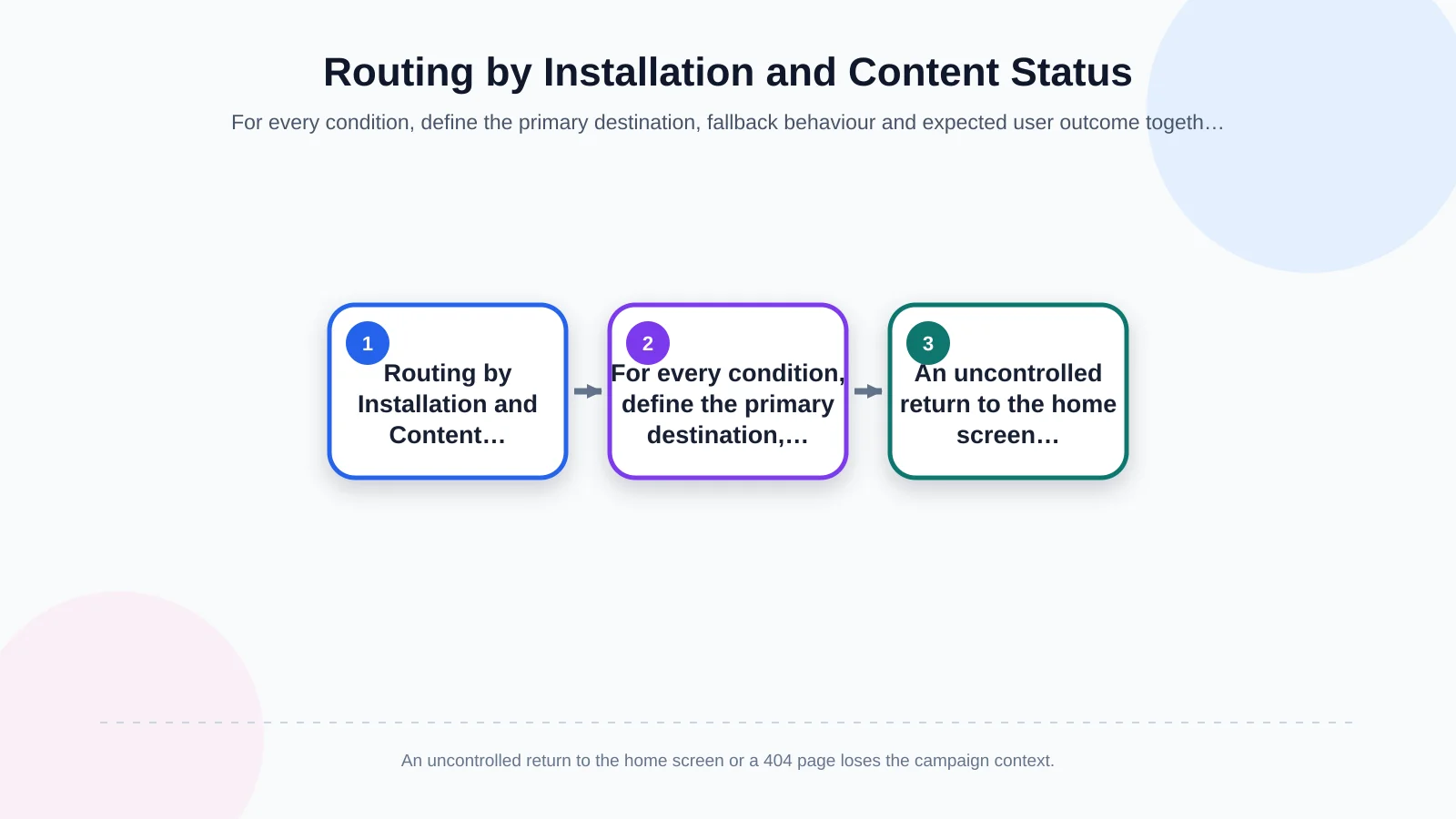
A fallback is not a random page shown after failure; it is a designed branch of the journey. If a product can be purchased on the web, open its product page. If an action is available only in the app, use an explanatory landing page connected to the correct store. If a campaign has ended, show current alternatives. If content has been removed, direct the user to the relevant category. A blank screen, generic 404 page or unexplained app home screen is not a useful fallback.
Matching destinations and fallbacks to each situation
The plan must account for content and authentication status as well as installation. Even with the app installed, a product may have been removed, a campaign may have expired or the user may lack permission. Each condition needs an explanatory state with a sensible onward route.
- App installed, content active: Open the relevant screen directly.
- App installed, authentication required: Return to the original destination after sign-in.
- App installed, content unavailable: Open a related category or explanatory error screen.
- App not installed, web equivalent available: Show the same content on the mobile website.
- App not installed, app-only action: Preserve context on an intermediate page before directing the user to the correct store.
A shared URL structure may require custom web software and an API-backed management layer. Content identifiers, campaign status and fallback rules can then be updated without waiting for a new app release. For suitable B2B or service journeys, a Progressive Web App may also provide an installable web experience, although it should not be treated as a universal substitute for native app capabilities.
| Situation | Primary destination | Fallback behaviour | Check |
|---|---|---|---|
| Installed, content active | Relevant app screen | Category screen | Screen displayed |
| Installed, authentication required | Sign-in, then original destination | Safe explanatory message | Destination retained |
| Installed, content unavailable | Alternative content | Explanatory error | No blank screen |
| Not installed, web available | Mobile web content | App-store prompt | Context retained |
| Not installed, no web equivalent | Correct app store | Information page | Device matched |
How should the measurement chain be built?
Measuring an ad click does not prove that the user reached the intended app screen. The measurement chain should distinguish at least the ad click, link resolution, application opening, destination view and completed action. This makes it possible to identify the technical or experiential loss behind high click volume but low destination-screen views.
Campaign parameters should use consistent names across the website, advertising platform and app analytics. Google’s guidance on app key event attribution describes a framework for campaign parameters used with Universal Links and Android App Links. Attribution windows and reporting logic still vary by platform, so no single dashboard should automatically be treated as the complete truth.
A shared dictionary for measurement events
- ad_click: The click recorded by the advertising platform
- link_received: The app or web router receives the link
- route_resolved: Parameters are validated and matched to a screen
- target_viewed: The intended screen is successfully displayed
- conversion_completed: The purchase, registration, appointment or other defined action is completed
- fallback_used: A web, store or alternative-screen fallback is activated
Do not expose personal or device data in the URL. Email addresses, telephone numbers, access tokens and other personal information should be replaced where appropriate with short-lived references resolved securely by the server. Legal, information-security and marketing teams should jointly review analytics consent, retention periods and the fields transferred to advertising platforms.
How should failure scenarios and acceptance tests be prepared?
Before launch, build a matrix covering device, operating system, app version, installation status, authentication status and advertising source. Tests must prove not only that a link opens the app, but also that it carries valid data, displays the right screen and produces each analytics event once.
Older app versions may not recognise a new route type. Instead of crashing, the app should return to a supported screen or explain that an update is required. Define expected behaviour for expired campaigns, out-of-stock products, invalid identifiers, malformed parameters, lost connectivity and API timeouts.
- Clean installation and reinstallation on iOS and Android
- Links received while the app is closed, in the background or active
- Authenticated and unauthenticated users
- Valid, invalid, missing and modified parameters
- Active, expired and removed campaigns
- Mobile-web, app-store and alternative-screen fallbacks
- Social apps, browsers, email clients and real ad clicks
- Event order, duplicate prevention and campaign-context retention
Ownership and sustainable operation
Assign ownership of the link catalogue, campaign launch approval, association files and live-incident monitoring before release. Closing destinations after campaigns end, rechecking verification after domain or certificate changes, and retaining backward-compatible routes in new app versions should become routine operational tasks.
A controlled management panel can update destinations, validity dates and fallbacks independently of app releases. Server-side routing rules must never bypass the application’s authorisation and security checks. Every change should be versioned, attributed to an authorised person and supported by a rollback method.
Project deliverables for an ad-to-app journey
A practical engagement can deliver a screen and URL catalogue, iOS and Android domain associations, web fallback pages, an analytics event dictionary, an acceptance-test matrix and documented operational responsibilities. In e-commerce, supplying product, category, basket and campaign data to both web and app experiences from consistent sources reduces the risk of continuing to advertise outdated prices or unavailable stock.
Kumsal Agency treats ad routing as the intersection of campaign goals, user needs and mobile product experience—not merely as a technical link. React Native development for iOS and Android, custom web software, e-commerce experiences, digital strategy, integrations and technical testing can be planned around one coherent customer journey.
To plan the journey from an ad to the right in-app screen, including fallbacks, measurement and integration requirements, contact Kumsal Agency.