


Aydınlatma metni yükleniyor…
An intranet is a private digital workplace and information environment for an organisation's employees and authorised users. It can bring together announcements, policies, documents, people information, forms, workflows and access to internal applications. While the internet is publicly accessible, an intranet restricts access through identity and permission controls.
Its value is not simply that files sit in one place. A well-planned intranet helps people find current information, complete common tasks and identify who owns a process. Without a defined purpose, content owners and access rules, however, it can become another store of outdated documents.
What Is an Intranet Used For?
Organisations use intranets to reduce repeated information searches and coordination work. Common uses include:
- Publishing company announcements and important dates
- Providing current policies, procedures, forms and templates
- Organising onboarding and HR information
- Creating department and project areas
- Starting leave, purchasing, support or approval requests
- Finding colleagues, roles and expertise
- Providing a single route to frequently used business applications
- Managing training, knowledge articles and recurring questions
Not every function belongs in the first release. Starting with a limited, high-value pilot makes scope and adoption easier to manage. Microsoft's intranet planning guidance similarly recommends identifying business priorities, audiences, stakeholders and a pilot scenario early. (Microsoft Learn: plan an intranet)
Intranet vs Internet, Extranet and Employee Portal
| Environment | Primary users | Access | Typical purpose |
|---|---|---|---|
| Public website | Customers and the public | Usually open | Information, marketing, sales or applications |
| Intranet | Employees and internal teams | Restricted by identity and role | Internal information, communication and tasks |
| Extranet | Suppliers, partners or customers | Controlled access for selected external users | Sharing documents and processes with external parties |
| Employee portal | Employees | Business account or application sign-in | Payroll, leave and employee self-service |
These concepts can overlap. An intranet may contain an employee portal and department sites. When external stakeholders need access, define this as a separate extranet requirement rather than simply widening internal permissions. A broader environment that presents many applications and content groups through one entry point may also use a portal software model.
Which Modules Can an Intranet Include?
Choose modules from employee tasks, not from a generic feature catalogue.
- Home and news: priority announcements, changes and deadlines.
- Document centre: current policies, procedures, templates and version details.
- Search: discovery across pages, documents, people and topics.
- People directory: team, role, contact and expertise information.
- Department areas: content, owners and processes for each function.
- Forms and workflows: requests, approvals, notifications and status tracking.
- Knowledge base: support articles, training and recurring questions.
- Application access: links or integrations based on user permissions.
- Feedback: routes for reporting content problems, suggestions and support needs.
For every module, record the target user, information or data owner, access level, review frequency and success indicator. A technically functional feature can still fail when nobody owns it.
What Are the Benefits of an Intranet?
- Creates a shared reference point for current organisational information.
- Can reduce confusion between competing copies of documents and templates.
- Makes it easier to communicate changes to the relevant audience.
- Organises the information and links needed by new employees.
- Can turn recurring requests and approvals into visible workflows.
- Makes information ownership and departmental responsibilities clearer.
These are not automatic outcomes. Adoption may remain low when content is stale, search is weak or the intranet is disconnected from everyday work. Benefits should therefore be tied to specific user tasks and measurable project objectives.
Limitations and Risks
- Outdated and contradictory information accumulates without content owners.
- Overly broad permissions increase exposure risk.
- Complex navigation and classification make information harder to find.
- Launching every feature at once increases training and adoption effort.
- Disconnected applications can force repeated sign-ins and duplicate work.
- Page views alone do not show whether employees completed their task.
How to Build an Intranet Requirements Matrix
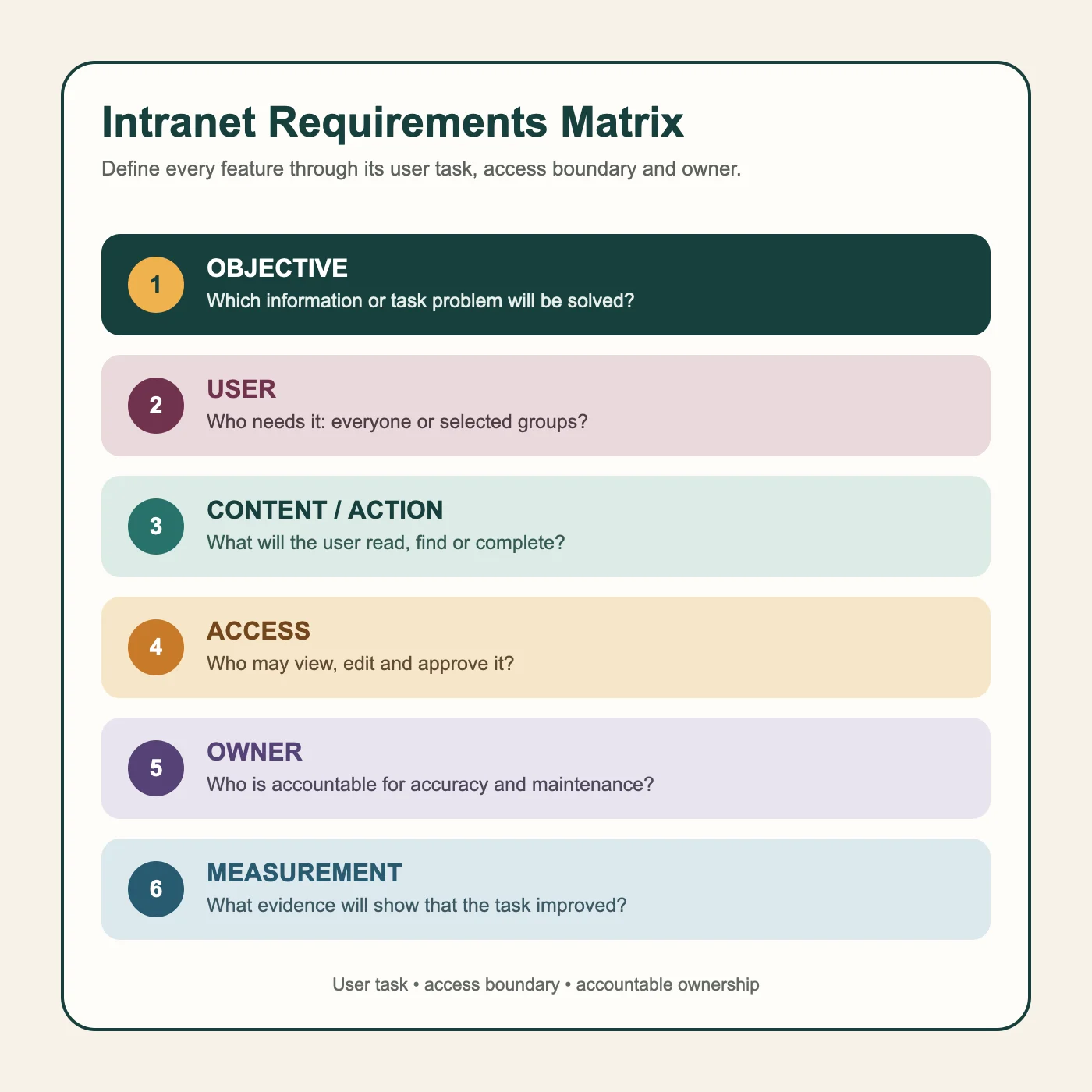
Record every proposed requirement across six fields:
- Objective: Which information or task problem will be solved?
- User: Who needs it—everyone or selected groups?
- Content or action: What will the user read, find or complete?
- Access: Who may view, edit and approve it?
- Owner: Who is accountable for accuracy and maintenance?
- Measurement: What evidence will show that the task improved?
“Make leave easier” is too broad. A useful requirement identifies the employee group, leave types, manager approval task, HR data owner, permission boundary and an indicator such as completion time or error rate.
How Should Access, Security and Governance Be Planned?
An intranet is internal, but not every employee needs access to every item. Permissions may depend on role, department, location, assignment or project. Administrative rights should be limited to what the task requires and updated as people join, change roles or leave.
Governance is broader than technical access. Microsoft's intranet governance guidance brings together vision, information architecture, content management, security, roles, training, feedback and measurement. (Microsoft Learn: intranet governance) Assigning a business owner and content owner to each major area makes maintenance responsibilities visible.
A minimum checklist should cover identity, role-based access, limited administrative permissions, information classification, content approval and archiving, activity records, backup and recovery, and scheduled access/content reviews.
Ready-Made Platform, Customisation or Custom Development?
A ready-made platform may deliver standard news, documents, search and team areas more quickly. It can also reduce integration work when it already fits the organisation's identity and office ecosystem. Custom workflows, legacy-system connections, distinct audiences or specialised interface needs may require configuration or development.
Custom development should not be chosen only because it appears more flexible. Development, security, testing, maintenance, integration and product ownership must be considered together. When assessing a supplier, use an evidence-based technical capability checklist.
How to Start an Intranet Project
- Define the problem: research the information and tasks employees struggle with most.
- Identify stakeholders: include the business owner, IT, HR, communications, content owners and user representatives.
- Audit existing content: separate material to migrate, update, archive or remove.
- Select a pilot: choose a valuable scenario with manageable boundaries.
- Plan information architecture: define navigation, page types, metadata, search and ownership.
- Define access and integrations: document identities, roles, data sources and responsibility boundaries.
- Test with users: observe whether the pilot group can complete real tasks.
- Prepare training and support: create different guidance for end users and content owners.
- Roll out in stages: extend the scope using evidence from the pilot.
How Should Intranet Success Be Measured?
Page views are insufficient on their own. Measurement should reflect the selected employee task:
- Information-finding and task-completion success
- Repeated or zero-result searches
- Number of stale or ownerless content items
- Form and approval completion times
- Recurring questions sent to support teams
- Active use across the intended audience groups
- User feedback and satisfaction trends
Change is difficult to interpret without a baseline. Capture an appropriate reference—such as current time, errors or support demand—before the pilot and state the limits of the measurement.
Questions to Ask Before Requesting Proposals
- Which employee tasks belong in the first release?
- Which identity and role-management system will be used?
- Where will document, people and application data come from?
- Which content and permission boundaries must search respect?
- How will content ownership, approval and archiving work?
- Which integrations are part of the first release and which are later?
- Who controls source code, data, accounts and administrative access?
- What do testing, training, maintenance and support include?
- Which tasks and indicators will be used to evaluate success?
Conclusion
An intranet is more than a private place for internal files. It produces value when it is built around real employee tasks, appropriate access boundaries, accountable content ownership and sustainable governance.
The strongest starting point is not to launch every possible feature. Select a valuable problem, create a requirements matrix, validate the pilot with users and expand in stages using what the organisation learns.