


Aydınlatma metni yükleniyor…
Building a QR code mobile app involves much more than displaying a scannable square on a user’s screen. For event tickets, sports club memberships, facility access and subscription entitlements, the real challenge is determining whether the represented right is valid at that specific moment. A static QR code can be copied with a screenshot, a valid ticket can be scanned twice, or an expired membership can be presented by someone else. QR should therefore be treated as a way to carry data into a verification process—not as a security control on its own.
A dependable solution brings together the customer-facing mobile app, staff scanning devices, a server-side verification service, an administration panel and auditable transaction records. When its rules reflect real operational conditions, the system can shorten entry times, reduce subjective decisions at the gate and make suspicious activity traceable.
How does a QR code ticketing and membership system work?
After signing in to the mobile app, a user can view their tickets or membership entitlements. The app displays a QR code for the selected right. A staff member scans it using an authorised verification app, which sends a limited reference or signed payload to the verification service. The service then returns a clear result such as “valid,” “already used,” “expired” or “wrong entry point.”
The QR code does not need to expose the holder’s name, telephone number, membership number or full ticket details. It can contain a hard-to-guess reference, a signed data package or a short-lived verification value. The server matches that value against the ticket record, usage state, permitted time window, event, gate and user rules. Information presented by the mobile client should never be trusted without validation.
The ticket-holder experience and staff verification tools may be separated by roles within one product or delivered as two applications. A React Native approach can support coordinated iOS and Android development while preserving shared product logic. Organisations considering this model can explore Kumsal Agency’s approach to mobile application development.
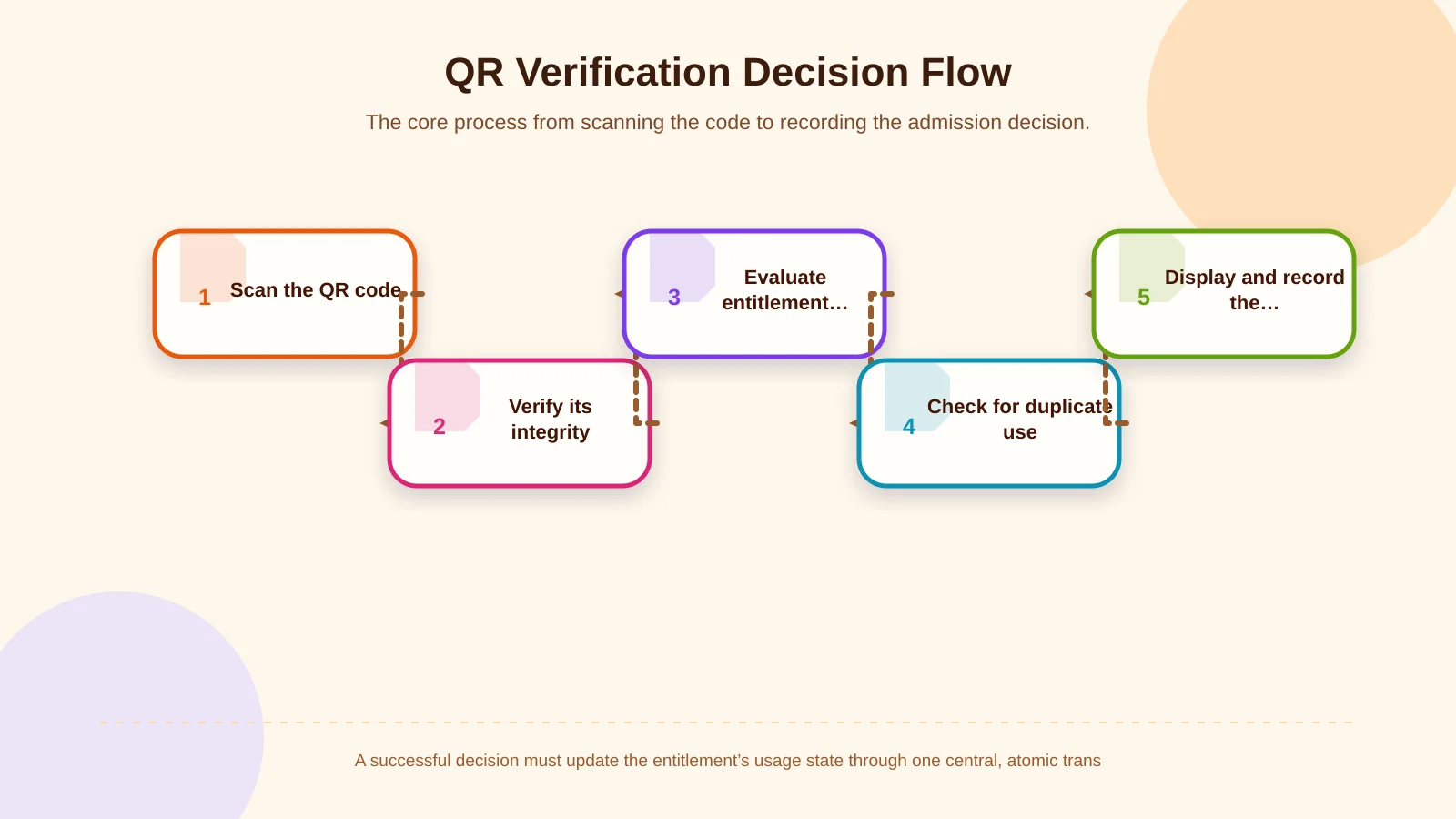
Core steps in the QR verification flow
A secure, traceable admission process should follow a defined decision sequence:
- Scan: The staff app reads the reference or signed payload carried by the QR code.
- Integrity check: The system confirms that the code was created by an expected issuer and has not been altered.
- Entitlement check: It evaluates status, permitted time, location, usage allowance and any link to a user or device.
- Replay check: It determines whether the same right has already been consumed or is being scanned concurrently elsewhere.
- Decision and record: The result is shown clearly, while the time, gate, device, operator and reason are written to an audit record.
A successful response should do more than turn the screen green. It must update the entitlement atomically. If the same code reaches two nearby gates almost simultaneously, only the first successful transaction should be accepted; the next request should receive an “already used” result. This keeps the business rule central and consistent regardless of the interface or device.
Static, dynamic and time-limited QR code options
Static QR codes
A static QR code continuously displays the same content. It is simple to generate and scan, but it is more exposed to screenshots, printed copies and unauthorised sharing. Server-side usage checks can stop a single-entry ticket from being consumed twice. However, the person presenting the copy first may still gain entry, leaving the legitimate holder unable to use the ticket.
Dynamic or time-limited QR codes
A dynamic QR code refreshes at defined intervals and remains valid only for a short window. Its payload may include time data, a unique value and a cryptographic signature. This reduces the likelihood that an old screenshot will be accepted. NIST describes transaction freshness mechanisms, including nonces and time-based values, as safeguards against replay attacks; the same principle can inform QR verification architecture. Further technical context is available in the NIST digital identity guidelines.
Dynamic codes are not automatically the correct choice for every project. Device clock drift, weak connectivity, battery use and server load during peak entry periods must be considered. An excessively short refresh interval can frustrate legitimate users, while a long interval increases the opportunity for copying. The duration should reflect admission volumes, operational conditions and the organisation’s accepted risk.
Which controls reduce fraud and unauthorised use?
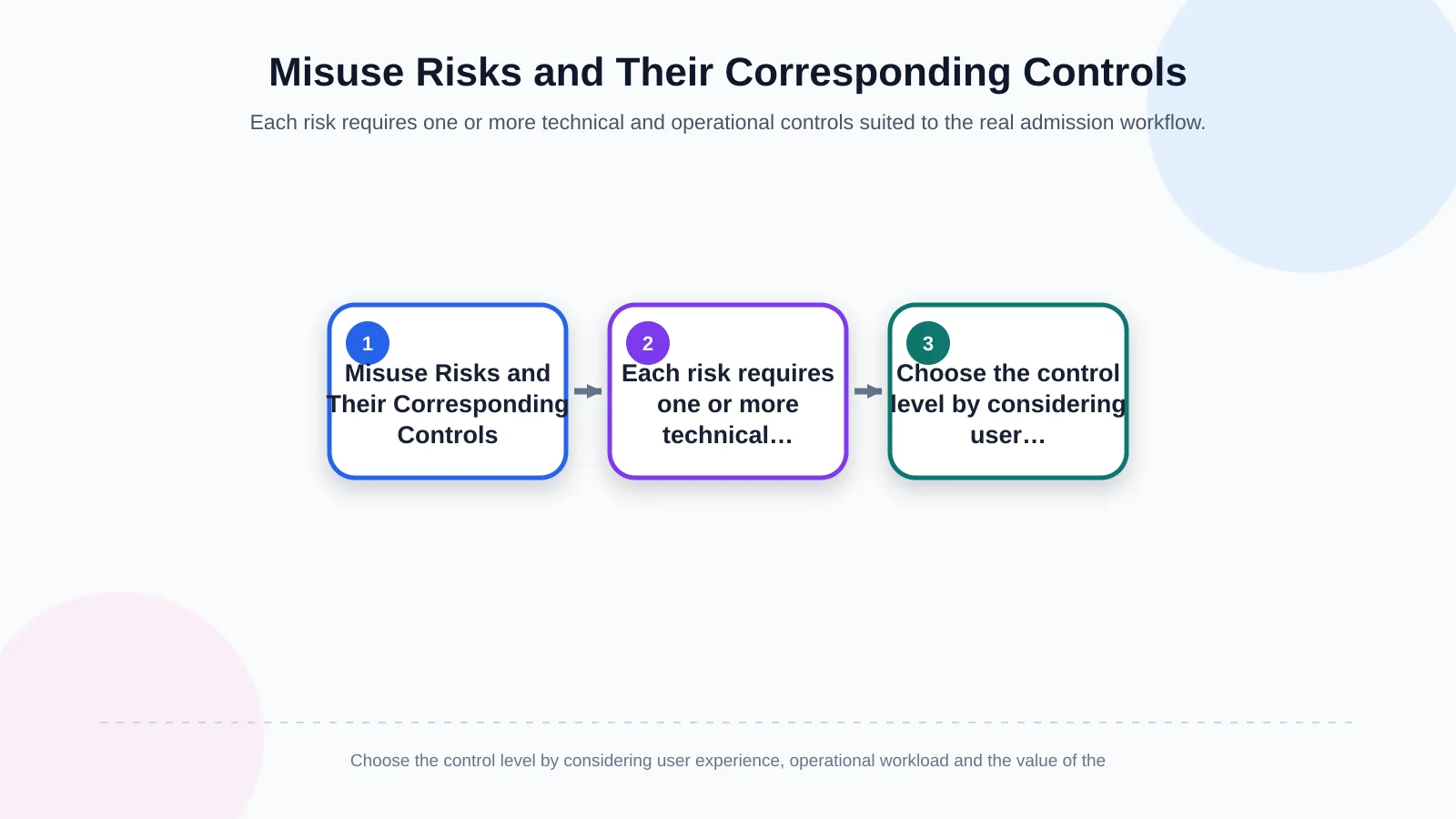
Misuse takes several forms: sharing a screenshot, presenting one ticket at different gates, using a cancelled record, transferring a personal membership or imitating the official scanning app. Each threat needs a matching technical or operational control.
- Screenshots: Combine short-lived dynamic codes with server-side time validation and, where useful, moving visual elements around the code.
- Duplicate use: Consume the entitlement centrally after the first accepted scan and handle concurrent requests as one atomic transaction.
- Expired rights: Evaluate start and end times against the trusted server clock rather than the user’s device.
- Unauthorised transfers: Depending on risk, link the right to an account or device and support staff photo checks or additional identity verification.
- Fraudulent verification clients: Require staff roles, registered devices, secure sessions and revocable authorisation.
Local storage, network communication, authentication and resistance to application tampering also belong within the security scope. The OWASP Mobile Application Security Verification Standard provides control areas for assessing iOS and Android applications, including storage, cryptography, authentication, network communication and platform interaction.
No measure guarantees absolute protection. Device binding can discourage screenshot sharing but creates support work when users replace their phones. Displaying a member photograph can make transfers harder while expanding personal-data processing. The appropriate design balances the value of the entitlement, user friction, privacy and operational workload.
| Risk | Primary control | Additional safeguard | Audit data |
|---|---|---|---|
| Screenshot sharing | Time-limited dynamic code | Server time and signature validation | Code validity window |
| Duplicate use | Consume the right after first admission | Concurrent transaction lock | Gate and device |
| Expired entitlement | Validity-period check | Trusted server clock | Rejection reason |
| Unauthorised transfer | Account or device binding | Risk-based identity check | User and session |
| Fraudulent staff device | Device registration and role | Remote authorisation revocation | Operator and device |
How should offline QR verification be planned?
Connectivity can fail at stadiums, exhibition halls, car parks or basement entrances. A system designed exclusively for online operation may create queues at precisely the busiest moment. Yet allowing every decision to be made offline makes it difficult to distribute recent cancellations and usage information across multiple gates.
In a controlled offline model, each authorised device receives only the minimum verification data it needs, under an authority limited by event, gate and time. The app checks the QR signature and local rules, then writes the result to an encrypted queue. When connectivity returns, transactions are submitted to the server with a sequence number and unique transaction ID. The server must process retries idempotently and resolve conflicts according to documented rules.
The risk of one ticket being accepted offline at two gates may not disappear completely. High-value tickets can remain online-only; devices can receive gate-specific lists; the offline window can be restricted; or conflicting transactions can generate a manual review. Staff should also see whether a decision was made online or offline rather than receiving an unexplained success or failure state.
Connection-resilient experiences also require careful interface and synchronisation decisions. The related guide to PWAs in B2B field operations and customer portals discusses broader planning considerations for workflows that may encounter unreliable networks.
Administration panels and user roles
An administration panel is essential if operations teams are to manage routine changes without relying on developers. Authorised users should be able to configure events, membership packages, validity periods, entry points, usage allowances and exception rules. That does not mean every operator should be able to view or change every record.
A central administrator may oversee the entire organisation, while an event manager accesses only their event, a gate supervisor manages assigned entrances, and an auditor receives read-only access. Refunds, ticket reactivation, manual admission and device authorisation should have separate permissions. OWASP recommends reauthentication after suspicious activity and before sensitive actions; this principle can be applied to high-impact administration tasks, as explained in the OWASP Authentication Cheat Sheet.
Every administrative action should record who changed which item, when the change occurred, and the previous and new values. Access and retention policies should prevent unauthorised viewing or alteration of those logs.
Integrations and data ownership
Ticket sales may live in an e-commerce platform, membership data in a CRM or ERP, and payment records with another provider. The project must identify the authoritative system for each data domain. How quickly should a ticket become inactive after a refund? How does a renewed membership reach the app? If an integration is unavailable, should verification use the last known state or stop the transaction? These decisions belong in the integration contract.
APIs should not be designed only for successful responses. Timeouts, duplicate messages, mapping errors, partial outages, retry policies and reconciliation must all have defined behaviour. The verification service also needs idempotency controls so a delayed response or staff retry cannot consume the same entitlement twice.
Privacy, retention and secure architecture
A QR code should carry no unnecessary personal data. If a random reference can support verification, names, email addresses and phone numbers should remain outside the code. Communication between clients and servers should be encrypted, access tokens stored securely and session lifetimes adjusted to the role’s risk. Sessions on lost staff devices must be remotely revocable.
Scan records help operations and fraud investigations, but they do not justify indefinite collection. The organisation should define why each field is retained, who can access it, when it will be deleted and how user requests will be handled. Aggregated reporting that does not directly reveal an individual’s identity may be sufficient for attendance and capacity analysis.
Which questions define the project scope?
Good scoping establishes business rules before screens. Teams should document ticket and membership types, single- or multi-use rights, entry and exit behaviour, locations, anticipated peak scan volume, staff roles and existing systems.
- Will the QR code be static, time-limited or refreshed whenever it is displayed?
- Is the entitlement linked to a person, account, device or ticket alone?
- How will refunds, transfers, guest admission and manual approval work?
- Which rights may be accepted while devices are offline?
- Which system makes the final decision during concurrent scans?
- How are staff devices registered and revoked if lost?
- Which events should create an alert, report or manual-review case?
Acceptance tests should be derived directly from these rules. Separate scenarios should cover the first valid scan, a second scan, an expired membership, the wrong gate, a cancelled right, a broken signature, clock drift, an offline queue and synchronisation conflicts. Load testing should measure the complete interval between scanning and the staff member seeing a decision—not merely API response time.
Planning a tailored solution with Kumsal Agency
A QR ticketing or membership product requires mobile interfaces, custom web software, verification services, administration tools and integrations to work as one operational system. Istanbul-based Kumsal Agency evaluates the business idea, user needs and technical requirements together, developing React Native applications for iOS and Android alongside custom web infrastructure shaped by user roles, data models and integration needs.
The same QR model will not suit both a one-day concert ticket and an annual club membership. Their rules for transfer, offline use, identity checks and data retention differ. The first step is therefore to define the entitlement lifecycle, threats, operational exceptions and measurable acceptance criteria before selecting the technology.
To analyse ticketing, membership, verification rules, roles, offline operation and existing-system integrations as one scope, contact Kumsal Agency to plan a tailored mobile application and administration platform.