


Aydınlatma metni yükleniyor…
Using OCR to read invoices, purchase orders, delivery notes and similar documents can significantly reduce manual data entry. Yet sending OCR output directly to an ERP system does not create reliable automation by itself. Text may be recognised correctly but assigned to the wrong field, converted into an unsuitable format or found to conflict with existing business records.
The more useful question is therefore not “Is the OCR accurate?” but “Under which conditions can each field be accepted automatically?” An effective workflow does not make employees inspect every document from beginning to end. It processes low-risk fields automatically and presents uncertain, inconsistent or financially significant fields for human review alongside their source regions on the document.
This risk-based approach creates a measurable balance between automation and operational control. Human attention is reserved for exceptions that require judgement rather than repetitive checks.
Why is OCR output not enough on its own?
OCR converts characters in an image into machine-readable text. Document processing goes further: it identifies the document type, extracts fields, normalises values, applies business rules and matches the results with records in the destination system.
For example, OCR may read “12,500.00” correctly at character level while the extraction model incorrectly classifies it as the subtotal, taxable amount or grand total. A supplier name may be legible but fail to match the approved vendor record in the ERP. A date may also be valid in isolation while belonging to a closed accounting period.
An OCR confidence score is therefore an important signal, not a complete decision rule. The workflow must also consider whether the field is mandatory, its financial or operational impact, its relationship with other values and the consequence of creating a record in the target system.
How should fields requiring human review be identified?
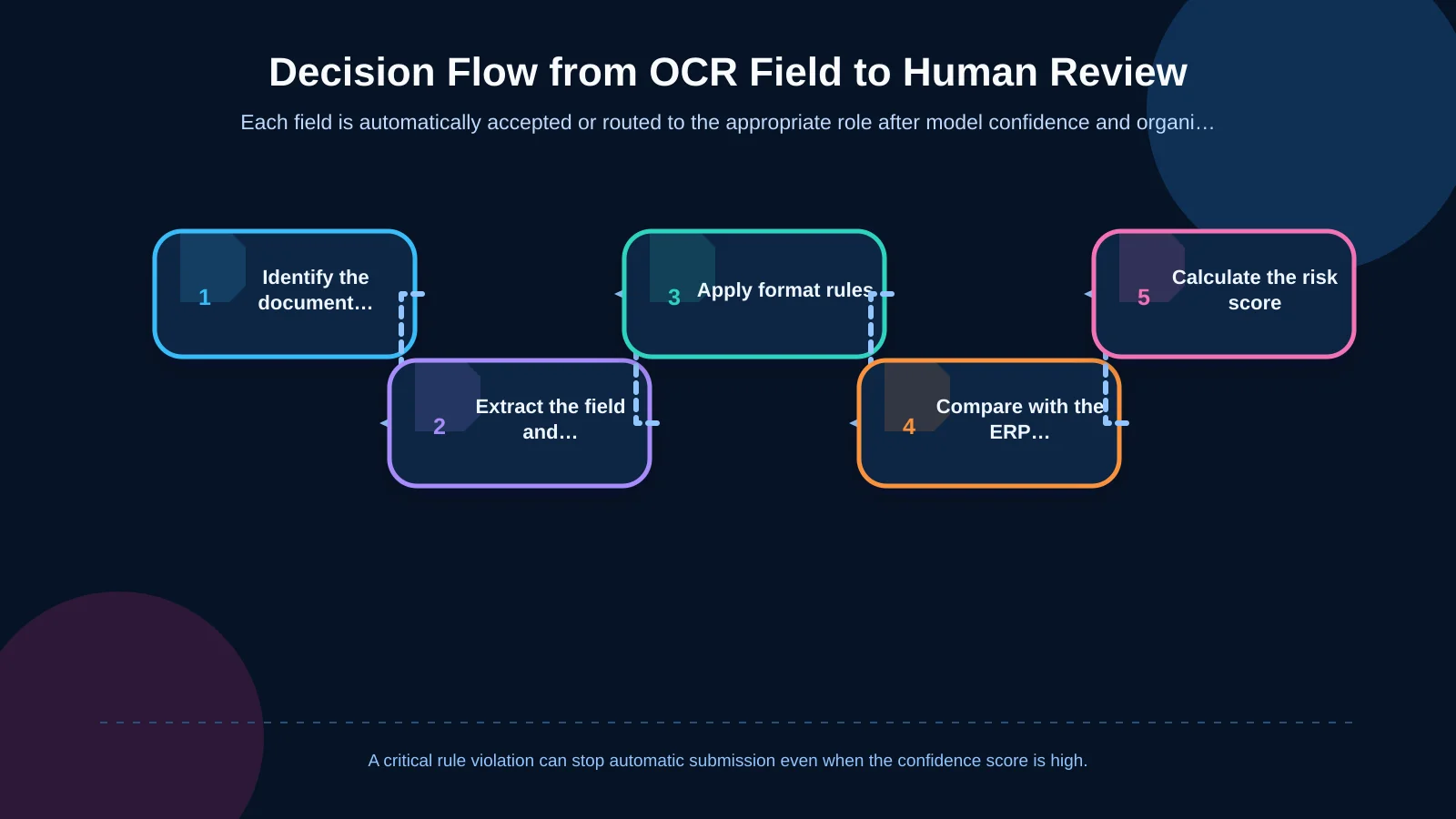
The decision process begins with document classification because invoices, purchase orders and delivery notes have different fields, rules and risks. After classification, the system stores each extracted value, its confidence score and its coordinates on the source page. It then applies format, presence, calculation and master-data checks.
These signals can be combined into a field-level risk score. Low-risk fields below the review threshold are accepted automatically. Medium-risk fields are shown to an authorised user for verification. A document that violates a critical rule or cannot be interpreted reliably enters an exception queue. Reliable values on the same document remain intact instead of being entered again.
1. Low OCR confidence score
OCR services usually return a confidence value for an extracted word or field. Amazon Textract’s official best practices recommend setting minimum confidence thresholds according to the application’s sensitivity to errors, then filtering results below that threshold or subjecting them to greater human scrutiny.
Field-specific thresholds are safer than one universal threshold. A minor error in a description may have limited impact, whereas an incorrect IBAN, tax number, currency or grand total can affect payment and accounting. Critical fields should consequently require higher confidence before automatic acceptance.
Scores should not be assumed to mean the same thing across providers or model versions. Thresholds must be validated against the organisation’s own representative documents and adjusted by monitoring false acceptance and unnecessary review rates.
2. Missing or unexpected fields
A field that was not extracted is not necessarily blank on the document. Poor image quality, a new supplier template, a cropped page or an unusual layout may have caused the model to miss it. Each document class should have a mandatory-field schema. An invoice should not proceed automatically when its invoice number, issue date, supplier details or grand total is unavailable.
Conversely, every empty field is not an error. A purchase order number may be mandatory for one supplier and optional for another. The system should distinguish among “not present,” “present but unreadable” and “not expected in this scenario.” These states require different actions and should not be collapsed into a generic missing-data warning.
3. Format and data-type mismatch
Human review may be required when an extracted value does not match its expected data type. Deterministic rules can test tax-number length, calendar validity, IBAN structure and currency codes. An ambiguous date such as “01/02/26,” however, requires document context and an agreed organisational policy.
The original OCR value should remain available after normalisation. Reviewers need to see how “1.250,50” was converted into a number and which locale rule was applied. When a user corrects it, both the original and final values should remain in the audit trail.
4. Calculation and cross-field inconsistencies
On invoices, quantity multiplied by unit price can be compared with the line total. The relationships among subtotal, discount, tax and grand total can be checked with configurable tolerances. A rounding difference may be acceptable, while a large unexplained difference should send the related fields for review.
Delivery-note quantities can be compared with goods received, while purchase-order line totals can be reconciled with the document total. The objective is not simply to flag failed arithmetic. The interface should indicate which connected field is the most likely source of the discrepancy so the reviewer can resolve it quickly.
5. Failure to match ERP and master data
Extracted suppliers, product codes, order numbers, tax rates and warehouse identifiers should be compared with approved records. Failure to find an exact match is not always an OCR error; it may indicate a new supplier, a legacy product code or an alternative legal-name spelling.
If one strong candidate exists, the system can suggest it. If several similar records exist, a user should select the correct one. If there is no candidate, a separate exception path may initiate master-data creation, reject the document or assign it to an authorised role. Data ownership, validation and error feedback should be planned as part of the organisation’s actual enterprise resource planning processes.
6. Field criticality and transaction impact
Two fields with identical confidence scores may carry very different risks. An incorrect payment account, grand total or tax identifier can have an immediate financial consequence. An error in a reference note may have much less impact.
A useful risk score therefore combines model confidence, field criticality, rule-violation type, document value and match quality. A medium-confidence grand total on a high-value invoice may deserve stricter treatment than the same score on a low-value document that fully matches historical records.
How should field-level risk rules be designed?
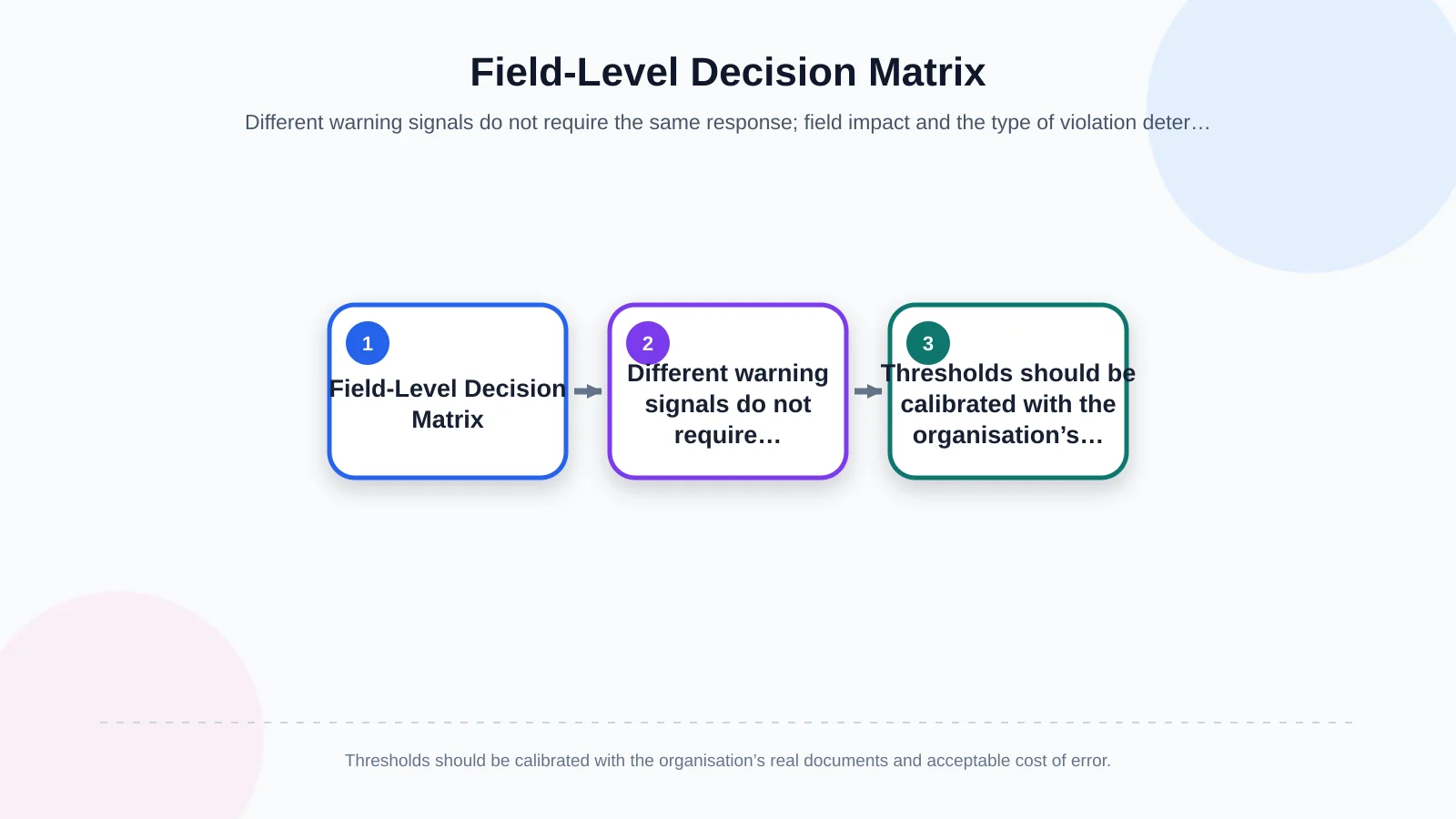
Each field can lead to one of three outcomes: automatic acceptance, human verification or document-level blocking. A decision table should record the field, document class, mandatory status, confidence threshold, format rule, cross-check, ERP match requirement and responsible role.
An invoice number, for example, may be accepted automatically when it has high confidence, follows the expected format and is unique for that supplier. If a duplicate exists, processing must stop even when the OCR score is high. Likewise, a mathematical discrepancy in the grand total cannot be solved by increasing the confidence score; its source must be checked against the document.
The Google Cloud Document AI evaluation guidance explains that raising a confidence threshold generally increases precision while reducing recall because fewer predictions are accepted. Organisations should measure this trade-off with labelled test documents and define separate decision boundaries according to the cost of error for each field and document type.
| Control result | Example situation | Decision | Responsible party |
|---|---|---|---|
| Rules satisfied | High confidence and exact match | Accept automatically | System |
| Ambiguous field | Low confidence or two ERP candidates | Verify field | Operations |
| Business rule violation | Totals do not reconcile | Hold document | Finance |
| Missing master data | Supplier not found | Start exception process | Authorised team |
What should a document preview and correction screen include?
A review screen should display more than a list of extracted fields. The source document and extracted value should appear side by side, with the relevant page region highlighted. Reviewers should be able to see the OCR value, proposed normalised value and reason for the warning without searching through the entire document.
Microsoft’s document analysis guidance highlights the value of grounding extracted results in the original page and coordinates for traceability and efficient verification. This connection is particularly useful for multi-page invoices and long line-item tables.
- Use colour, icons and plain-language reasons to distinguish risky fields.
- Show the original value, transformed value and suggested ERP record together.
- Support keyboard navigation and rapid approval between fields.
- Allow users to change only the fields permitted by their role.
- Display unresolved critical warnings before submission.
Such an interface is best treated as a purpose-built web development solution shaped around the organisation’s documents, roles and exception processes, rather than as a generic OCR dashboard.
How should role-based approval and exception workflows work?
Sending every warning to the same person creates a bottleneck. Operations staff may correct unreadable values, purchasing teams may resolve order matches, and finance teams may approve tax and total amounts. Documents above a defined monetary limit may require managerial approval.
Queues should be filterable by document class, company, risk level, last action time and responsible role. Delegation, reassignment and service-level rules are also necessary. Each exception should use a reportable reason code such as “corrected,” “document rejected,” “master-data request opened” or “rescan requested.” Free-text notes can add context but should not replace structured reason codes.
Which checks should run before ERP submission?
Human approval does not mean unconditional ERP submission. Before transfer, the system should repeat schema validation, mandatory-field checks, duplicate-document queries, open-period checks and master-data identifier validation.
A successful API response must be separated from a successful business outcome. The ERP record number, processing status and error description should be written back to the document workflow. A unique transaction key should prevent duplicate records when a timeout makes the original result uncertain.
Failed transfers should remain in an integration queue rather than returning to OCR. Authorised users can then correct or retry the submission in a controlled way without repeating extraction or losing the approved data.
Why are audit trails and data security part of the workflow?
The system should record who uploaded the document, which model version processed it, the original extracted value, applied rules, user corrections and final ERP result. This evidence explains why a field passed automatically or entered review.
Document images may contain commercial and personal data. Access should be restricted by role and company scope, with appropriate protection during transfer and storage. Retention, backup, masking and deletion policies should reflect document type and applicable obligations. If corrections will be reused for model development, that purpose must be governed separately; production data should not be copied into training environments without controls.
How should thresholds and rules be improved?
Initial thresholds are measurable hypotheses, not final answers. A pilot should include different supplier templates, scan qualities, languages and transaction values. Teams should monitor field-level automatic acceptance, false acceptance, human correction and average review time.
If too many fields enter review, the threshold should not be relaxed immediately. The underlying cause may be poor image quality, incorrect classification, a weak extraction model or an unnecessarily strict business rule. Frequent correction of high-confidence fields can reveal a new template or faulty matching logic.
Reporting corrections by supplier, document class and reason exposes the best improvement opportunities. New model and rule versions should first be tested on a controlled sample and compared with the previous version before wider release.
How should a risk-based OCR project be planned?
Begin by collecting representative documents, creating a field dictionary and identifying destination records in the ERP. Then define the error impact, validation rule, approval role and acceptance criterion for every field. Technology choices should follow these operational decisions.
Kumsal Agency positions OCR not as a standalone promise of accuracy but as one component of an integrated business system covering document previews, role-based controls, data validation, ERP integration and exception management. This allows organisations to focus human attention on genuinely risky decisions instead of manually checking every value.
To plan an OCR validation and human-review workflow around your document types, user roles and existing ERP processes, contact Kumsal Agency.