


Aydınlatma metni yükleniyor…
Web software is a digital solution that lets people do more than read information in a browser. Users can enter and update data, complete tasks according to their permissions, follow a workflow and exchange information with other systems. Customer portals, dealer ordering systems, booking platforms, service-management tools and custom reporting panels are common examples.
A website may run on a software platform, but not every website is a full web application. A corporate website usually presents content and encourages an enquiry. A web application is more likely to involve accounts, permissions, business rules, transaction records, integrations and continuing operational responsibility. That distinction affects scope, cost, testing and post-launch maintenance.
The right starting point is therefore not “Which programming language should we use?” It is “Who needs to complete which task, with what data, under what conditions?” Technology should follow the answer.
What does web software do?
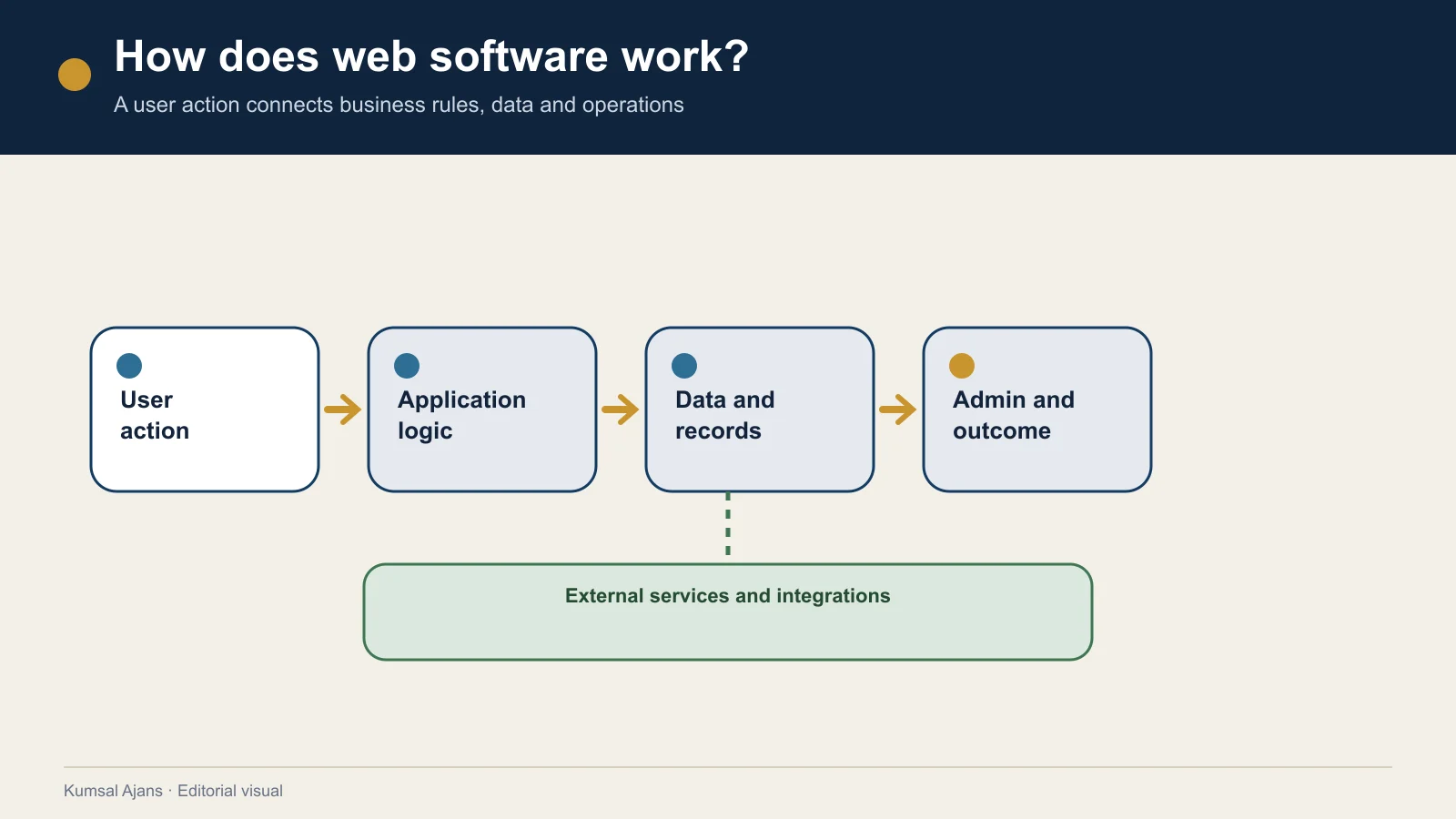
Web software makes a business process accessible, manageable and measurable through a browser. It can store user actions, expose the right information to each role and send or receive data from connected services.
A web software solution may allow an organisation to:
- give customers, dealers, employees or suppliers separate accounts,
- manage quotations, orders, bookings, applications or service records,
- keep documents, prices, stock, tasks or process status in one place,
- let teams work on shared data with different permissions,
- connect ERP, CRM, payment, shipping, email, messaging or mapping services,
- provide filtered reports and operational dashboards,
- turn repeated manual work into a controlled workflow.
Not every process needs complete automation. In some cases, the most useful improvement is making a fragmented email-and-spreadsheet process visible in one system. Success should be measured by whether users can complete the required task reliably, not by the number of features delivered.
What is the difference between a website and web software?
The boundary is not absolute. A corporate website can have content management, multiple languages and enquiry forms. A web application can look visually simple while enforcing complex permission and data rules behind the interface.
Use the following questions to understand where a project sits:
| Area | Website emphasis | Web application emphasis |
|---|---|---|
| User | Mainly an anonymous visitor | An account holder with a role and permissions |
| Main task | Read, evaluate and enquire | Create, approve, order, track or manage |
| Data | Primarily published content | User and transaction data |
| Rules | Limited conditional behaviour | Rules that vary by role, state and workflow |
| Integrations | Analytics or simple form delivery | ERP, CRM, payments and operational systems |
| Testing | Pages, links and forms | Roles, data, errors, integrations and acceptance scenarios |
| Operation | Content and technical upkeep | Monitoring, support, security and release management |
A project can contain both sets of characteristics. The goal is not to force a label onto it; the goal is to describe the real responsibilities in the brief and proposal. For a content-led website, begin with the website requirements document guide. If user roles, workflows and data rules dominate, a more detailed software requirements document is appropriate.
Common types of web software
Classifying web software by business task is usually more helpful than listing programming languages.
Customer and partner portals
These systems let customers, dealers, suppliers or members access documents, orders, requests, payments or status information through an account. The data and actions available to each role must be defined separately.
B2B and B2C transaction platforms
B2B solutions may focus on dealer terms, account-specific price lists, bulk orders and account balances. B2C systems place more emphasis on consumer experience, payment and fulfilment. A platform supporting both models needs clear rules for price, stock, tax, permissions and integrations.
Booking, appointment and application systems
These manage availability, capacity, time slots, approvals, cancellations and notifications. Displaying a calendar is only the visible layer; conflicts, payment failures, waiting lists and notification errors also need defined behaviour.
Workflow and operations software
These tools track tasks, service cases, production steps, approvals, documents or field operations. The project should improve the underlying process rather than merely reproduce every inefficient manual step on a screen.
Marketplace and listing platforms
These connect multiple sellers, providers or listing owners with users. Roles, commissions, moderation, payment distribution, search and dispute handling can add substantial scope.
Management and reporting dashboards
Dashboards combine data from different sources and support decisions for defined roles. Their value does not come from displaying many charts; users also need to know the source, freshness and failure state of the data.
Off-the-shelf platform or custom web software?
An established platform can be the sensible option when it covers most of the requirement without forcing critical workflows to change. Custom software becomes relevant when the project depends on organisation-specific rules, multiple roles, significant integrations or a product that must evolve in controlled stages.
Do not compare only the initial implementation cost. Consider:
- how much of the requirement is met through configuration,
- how customisations are affected by platform updates,
- licence and third-party usage charges,
- data export and account ownership,
- integration limits,
- future users, markets, languages or business models,
- responsibility for maintenance and change,
- assets delivered if another team takes over.
“Custom” is not automatically better, and “off-the-shelf” is not automatically cheaper over the full operating period. The appropriate option is the one that meets the requirement with manageable long-term responsibility.
How does a web software project progress?
1. Define the business outcome and user tasks
State what the software should change for the organisation. Then describe the tasks each user group must start and complete. Replace “We need a portal” with a testable statement such as “A dealer must view its current price list, place an order and track fulfilment.”
2. Examine the current process and data
Map the present steps, spreadsheets, documents, services and owners. Scope cannot be reliable until the source, quality, ownership and retention needs of existing data are understood.
3. Decide the first-release scope
Select the workflows that produce the essential user outcome. Legal, security and integration dependencies should not be treated as optional merely to make the first release look smaller. Give every critical feature an acceptance criterion.
4. Design experience, interface and technical behaviour together
Screens should account for tasks, errors, empty states, permissions, devices and accessibility—not visual preference alone. W3C provides resources for managing accessibility responsibilities throughout design and development (W3C WAI resources).
5. Develop modules and integrations in controlled stages
For every connected service, record which system sends and receives which data, how a failure is reported, who provides test access and who owns usage charges.
6. Test and complete user acceptance
Testing is not limited to confirming that pages open. It should cover authorised and unauthorised users, valid and invalid data, integration failures, notifications, backups and recovery in proportion to project risk. OWASP ASVS provides an open basis for verifying technical security controls and defining security requirements during procurement (OWASP ASVS).
7. Confirm launch, handover and operating responsibility
Before launch, prepare access, backups, data migration, service changes, production checks and a rollback method. After launch, distinguish defect correction, warranty, planned maintenance, security updates, monitoring and new development.
The NIST Secure Software Development Framework treats secure development as a set of practices spanning preparation, protection, secure production and responses to vulnerabilities in released software—not as one final check (NIST SSDF). Security and maintainability should therefore be defined during scope, not added as vague post-launch promises.
What affects web software cost?
Cost is not determined by screen count or a programming language alone. Scope and expertise are affected by:
- user groups, roles and permission detail,
- the number of workflows and business rules,
- custom screens and reusable components,
- the data model and migration of existing records,
- the number and reliability of integrations,
- payment, personal-data or critical-operation risk,
- expected traffic and performance,
- testing, documentation and training,
- launch, warranty, maintenance and support.
Give every supplier the same requirements if you want comparable proposals. A lower total can represent a smaller scope rather than a more efficient solution.
To assess technical promises through evidence, delivery outputs and responsibility boundaries, use the web software company technical capability checklist.
Ten questions to answer before starting
- Can the business problem be stated in one sentence?
- Are user groups and their tasks documented?
- Have current data, documents and systems been listed?
- Is the first release separated from later phases?
- Does every critical function have an acceptance criterion?
- Are integration directions and owners clear?
- Is the security, accessibility and performance scope proportionate to risk?
- Are testing, deployment and rollback defined?
- Is ownership of code, data, accounts and documentation clear?
- Are warranty, maintenance, support and new development separated?
If several answers remain unclear, comparing technologies or prices is premature. Kumsal Agency’s web development service provides a starting point for scoping business goals, user flows, data and integrations together.
To move through the decision in order, first clarify the difference between a website and a web application; then compare off-the-shelf and custom web software and define the first-release MVP scope. Use the web software requirements document guide to specify delivery, the web software cost guide to assess budget, the integration planning guide for connected systems and the security and maintenance operations guide for live-service ownership.
Conclusion
A web software project is not simply a list of ideas converted into code. It is the coordinated design of business outcomes, user tasks, data, integrations, risks and operating responsibilities. The most useful first decision is not the most fashionable technology; it is the user outcome that the first release must deliver reliably.
Once that foundation is clear, the cluster’s decision guides can address platform versus custom development, MVP scope, requirements, budget, integrations, security and maintenance without repeating the same generic explanation.