


Aydınlatma metni yükleniyor…
For a B2B company with a broad product range, a digital catalogue is more than a gallery of product images. Dealers, distributors, procurement teams and technical decision-makers arrive with different questions. One visitor may search by product code, while another needs to narrow the range by operating pressure, material, dimensions, industry or application. An effective B2B product website brings these research behaviours together within one clear, dependable structure.
The project should therefore begin with more than interface design. Product data, category relationships, filterable specifications, document currency and content-management responsibilities must be planned together. The objective is both to help visitors reach the right product quickly and to give the company a sustainable way to maintain its catalogue.
Why is a B2B digital catalogue different from a corporate website?
A conventional corporate website usually explains the company, its capabilities and its services. A B2B digital catalogue helps users complete specific tasks: finding a suitable product, comparing alternatives, confirming technical details and obtaining the correct document. These tasks become increasingly complex as the catalogue grows. Adding dozens of categories and hundreds of attributes to loosely organised menus can make information difficult to reach even when it is technically available.
Catalogue architecture must balance product discovery with the corporate narrative. The brand’s language and visual identity build confidence, while taxonomy, search and filters form the functional backbone. An Art Director-led, brand-specific design approach can turn the dense technical data common to industrial catalogues into a readable visual hierarchy. Kumsal Agency’s Fosroc web design project illustrates how this approach can be applied.
Product taxonomy is the foundation of an effective catalogue
Taxonomy is the relational structure used to define products by category, subcategory, series, model, application and technical attribute. It extends far beyond deciding menu labels. A product may belong to one family while also relating to several industries or applications. If these relationships are not modelled in advance, content teams may recreate the same item in multiple sections, allowing descriptions and specifications to diverge over time.
Separate categories from attributes
Not every technical value should become a category. “Stainless steel” may be a material filter rather than a product family, “IP67” a protection rating and “food production” an application. Adding every distinction to the category tree creates deep, difficult navigation. Stable product families should be represented by categories; characteristics that change during selection should generally become filters.
Define required and optional fields for each product type. Product code, name, summary and primary image may be shared fields, while flow rate, voltage or temperature range may apply only to relevant families. When product information must be managed centrally across several channels, the principles in What Is PIM? Managing Product Information Across Websites, Catalogues and Marketplaces can help clarify the roles of PIM, ERP, DAM and catalogue platforms.
Connect customer language with internal terminology
Stock groups used in an ERP do not always reflect how customers search. Research should capture the terms used by dealers, sales teams, technical support staff and customers. Synonyms, former product codes, industry abbreviations and model names can be added to a controlled search dictionary. The catalogue can then respond to real user language instead of requiring exact database terminology.
How should fast filtering and search be designed?
Filters reduce hundreds of products to a manageable set that matches the user’s needs. Simply providing many filters, however, does not create a good experience. Filters should adapt to the selected category, use understandable labels and update results without unnecessary delay. Baymard Institute’s research on product lists and filtering demonstrates why list design, sorting and filters need to be considered as one product-finding system.
Keep priority filters visible
Expose the three to five criteria that most strongly influence the first decision, then place secondary options in expandable groups. In a pump catalogue, application, flow rate and pressure may deserve priority, while connection standard can sit at a lower level. Numeric specifications need appropriate units and usable ranges; text values may require multi-select controls. Active filters should appear clearly above the results and remain removable one at a time.
Result counts also matter. A user should be able to see whether a choice will meaningfully narrow the list, and unavailable combinations should not lead to unexplained empty states. On mobile, filters need a compact interface that preserves selected values and makes applying or clearing them obvious.
Search must understand product codes and technical terms
B2B users often know a code before they know the formal product name. Search should support exact and partial codes, series names, technical terminology and approved synonyms. Typo tolerance can help with descriptive queries, but it must not create misleading matches between similar technical codes. Results can indicate whether the match came from a name, code, specification or former identifier.
When no result is found, the interface should offer useful recovery options rather than a blank page. It might suggest a corrected term, a broader product family or a route to technical assistance. Recording zero-result searches gives the catalogue team evidence for improving terminology and identifying gaps in product data.
Measure performance and accessibility together
Reloading the entire page after every filter change slows research, particularly on mobile connections. Result counts should update promptly, loading states should be announced and the URL should retain active filters. Users can then share a result set or return to the same view later. Keyboard operation, focus order, form labels and status messages also belong in testing. The W3C’s Web Content Accessibility Guidelines (WCAG) 2.2 provide core criteria for making interactive components perceivable and operable.
What information should a product detail page include?
The listing page supports elimination; the product detail page supports verification. Its opening area should present the product name, code, series, distinguishing image and a concise value proposition. Technical specifications, applications, variants, compatible accessories and downloads can then be divided into clearly labelled sections. If the page includes an enquiry or quotation form, the selected product and model should be transferred automatically.
A single technical-table template should not be imposed on every family. Each family can have its own meaningful field order, while units and value formats remain consistent throughout the catalogue. Missing values should follow a defined empty-data policy rather than appearing as a misleading zero. Where many variants exist, allowing users to select a model and view the relevant values may reduce duplicate pages and content.
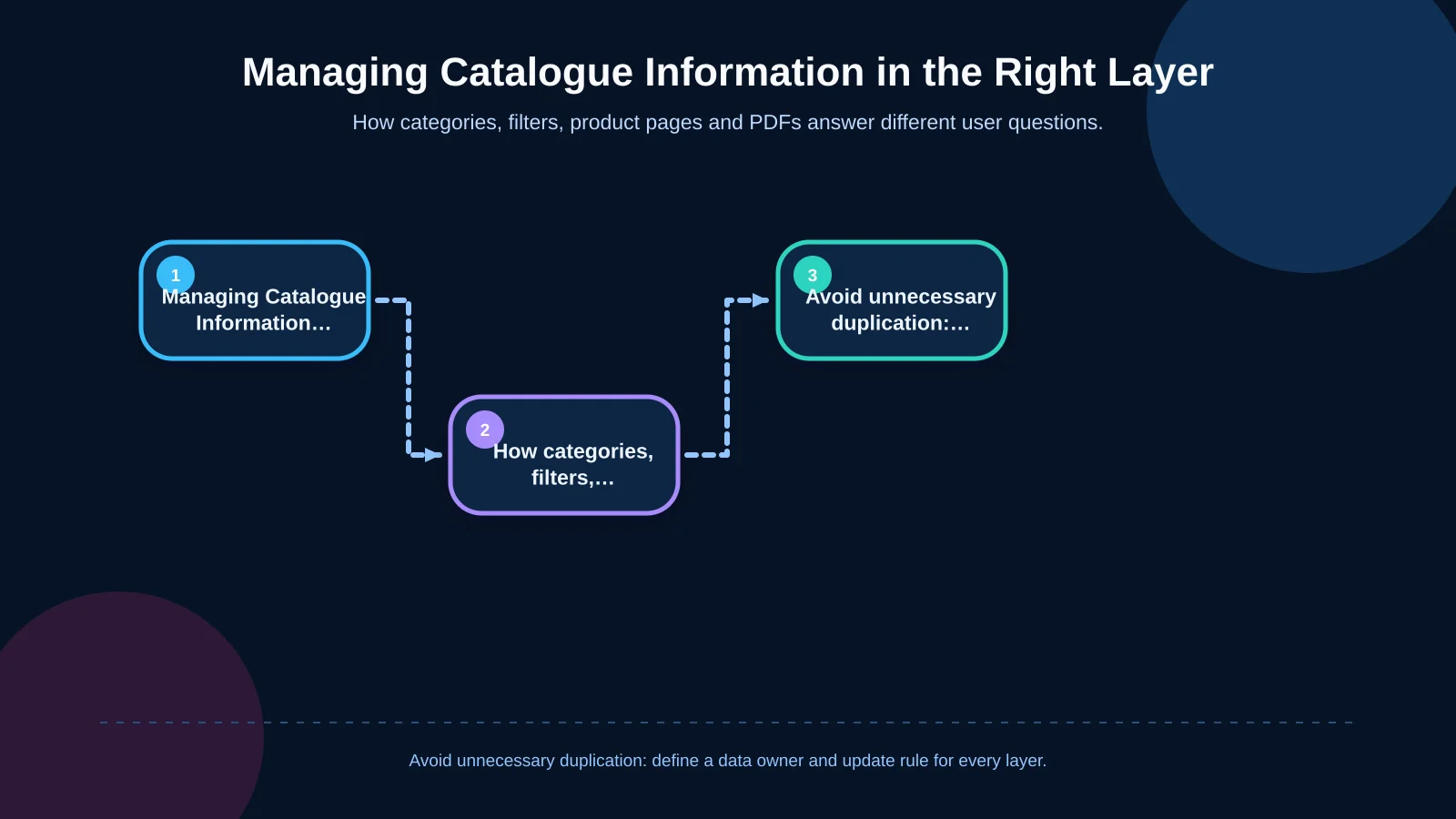
| Layer | User question | Core content | Management principle |
|---|---|---|---|
| Category | Which product family is suitable? | Family definition and applications | Stable, simple structure |
| Filter | Which option meets my requirements? | Technical attributes, dimensions and materials | Category-specific values |
| Product detail | Does this model meet my requirements? | Code, specification table and variants | Unique, current record |
| PDF document | How can I share the information? | Catalogue, data sheet and certificate | Version and date control |
A crawlable, distinctive product structure for SEO
Product names, category descriptions, technical summaries and heading hierarchy should be readable in HTML. Information generated only on the client side or hidden inside a PDF can limit search visibility. Each product may need a unique title, description, stable URL and appropriate structured data. At the same time, allowing unlimited filter combinations to be indexed creates duplicate-page risks. The technical SEO plan should define which filtered views, if any, are valuable enough to expose to search engines.
Useful product copy should explain distinctions rather than repeat manufacturer boilerplate. Category introductions can describe applications and selection criteria, while individual pages confirm the capabilities of a particular model. This division creates more useful landing experiences without turning technical pages into promotional essays.
How should the PDF catalogue download experience work?
PDF remains valuable in B2B procurement and technical evaluation. Users can circulate a file internally, review it offline or attach it to a quotation package. A PDF should not, however, replace the current product page. The website is the living, searchable source; the PDF is a controlled output for sharing and reference.
Describe the file before download
Every download link should identify the document type, language, format, file size and publication or revision date. A label such as “2026 English product catalogue — PDF, 8 MB” sets clearer expectations than “Download catalogue”. Data sheets, manuals, certificates and catalogues should be classified as separate document types. Older versions may remain in an archive when business requirements demand it, but the current version must be unmistakable.
Document relationships should also be managed at product and family level. A certificate may apply to several models, while a data sheet may belong to only one variant. Defining these relationships prevents editors from uploading unnecessary copies and makes document updates easier to audit.
Create accessible and measurable PDFs
Documents should contain a proper heading structure, logical reading order, alternative text, identified table headers and sufficient colour contrast. Adobe’s PDF accessibility overview explains the structural requirements that help assistive technologies interpret PDF content. Download events can be measured by document type, product family, language and version, revealing which resources users actually need.
How should administration and data integration be planned?
The sustainability of the catalogue is determined in the back office. Its administration panel should do more than edit text. It needs to manage category relationships, attribute templates, filter visibility, document versions and publication status. Bulk import, preview, required-field validation and change history can significantly reduce operational effort in a large catalogue.
ERP may be the authoritative source for product codes, stock groups or commercial status. PIM can manage enriched descriptions, localisation and channel adaptations, while DAM can organise images and documents. Integrations created without assigning ownership for each field often produce conflicting updates. A field-mapping table, transfer direction, update frequency, error log and retry behaviour should therefore be agreed at the beginning of the project.
Security and publication control
Administration roles can distinguish content editors, technical approvers and system administrators. Critical technical values may require approval before publication, and archiving can replace permanent deletion. File uploads need type and size restrictions, authorisation checks and malware scanning. Integration credentials must not be exposed in the interface, and access to sensitive functions should be logged.
What sequence should a B2B digital catalogue project follow?
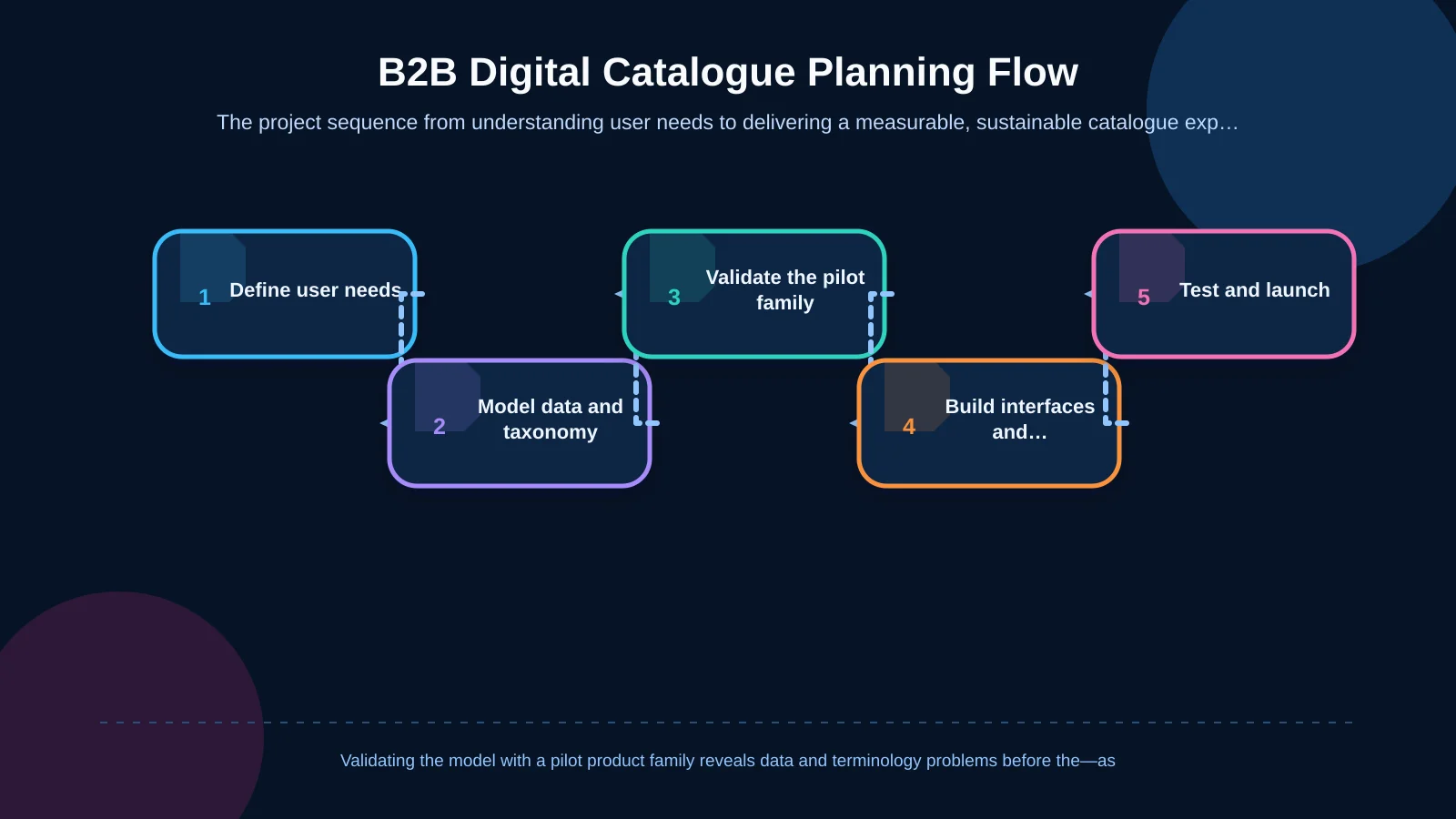
A sound project clarifies data and user needs before designing screens. Begin by identifying product-finding scenarios, existing data sources and content owners. Next, validate the taxonomy, filters and detail template with one representative product family. This pilot makes missing data, inconsistent units and terminology conflicts visible before the structure is extended across the entire catalogue.
Desktop and mobile interfaces can then be designed from the approved model. Search, filtering, downloads and administration workflows are developed and tested with realistic product records. Before launch, review performance, accessibility, SEO, redirects, analytics events and permissions. After launch, monitor zero-result searches, popular filters and PDF downloads, using that evidence to improve the catalogue continuously.
The right architecture aligns sales and content teams
An effective B2B digital catalogue does not leave users alone with an overwhelming range. It helps them narrow their need by category, technical attribute and application, then combines current product pages with controlled PDF documents. It also gives the content team a dependable administration layer for protecting data integrity, introducing new products and tracking changes.
Kumsal Agency treats a B2B catalogue not simply as a visual product showcase, but as a sustainable web experience connecting product discovery, technical information, document downloads and content operations. Its Art Director-led brand design approach is combined with custom web development and, where needed, enterprise-system integrations. To plan a fast, clear and manageable catalogue architecture around your product structure, target users and administration needs, contact Kumsal Agency.