


Aydınlatma metni yükleniyor…
Buying insurance is not simply a matter of comparing prices. Before sharing contact details, business information or facts related to a risk profile, visitors need to understand whether the organisation receiving that information is credible. For insurance agencies and brokers, web design therefore involves much more than creating attractive pages. The website must introduce the business clearly, make complex insurance products easier to understand, guide visitors towards the right cover or advisory service, and turn an online quote request into a secure and manageable workflow.
A successful insurance website also sets realistic expectations. It should explain whether submitting a form generates an immediate quote or begins a review, who will assess the request, and how the agency or broker will respond. Aligning the marketing promise with the sales process and the organisation’s operational capacity builds confidence while improving the quality of incoming enquiries.
How Does an Insurance Website Build Trust?
Trust cannot be established with a few badges or a generic promise that the company is “always by your side.” Visitors first want to know who the organisation is, what it does as an agency or broker, how they can contact it, and what will happen after they submit an enquiry. The registered business name, office address, stable contact details, responsible departments and necessary corporate disclosures should be easy to find.
Language also shapes credibility. Unsupported claims such as “the best,” “the cheapest” or “guaranteed approval” should give way to measured explanations of scope, assessment and possible exclusions. The website must not present itself as a substitute for a policy or formal quotation. It should make clear that cover, limits, deductibles and exclusions may vary by product, insurer and individual circumstances.
A consistent digital identity reinforces this sense of reliability. Colour, typography, photography, icons and motion should reflect the organisation’s character. A bespoke design developed under Art Director leadership can avoid a generic template feel and create continuity across product pages, quote steps and contact points. Visual expression should never obscure essential information, however; critical explanations must remain legible and easy to locate.
How Can Information Architecture Make Insurance Products Easier to Understand?
Navigation should reflect the visitor’s objective rather than the organisation’s internal departments. An individual may think, “I need to protect my car or home,” while a corporate buyer approaches insurance through employee, property, cargo or liability risks. Separating personal and commercial solutions can shorten the path to the most relevant information.
Motor, home, health, travel, commercial property and liability insurance should not be forced into an identical content template. Each product page should answer four basic questions: Who is it for? What kinds of risk does it generally address? What information is needed to request a quote? What happens next? A broker’s website can go further by explaining its role in risk analysis, market research, quotation comparison and claims support instead of merely listing products.
Meaningful connections between pages improve discovery. A motor insurance page might lead to claims assistance, while a commercial property page could connect to wider corporate risk solutions. Frequently asked questions, relevant educational articles and clear contact options should support each product. Visitors who are not ready to request a quote can then continue their research without leaving the website.
How Should the Online Quote Process Be Designed?
The first purpose of an online quote form is not to collect the maximum possible amount of data. It is to request enough relevant information for an initial assessment. Long, single-page forms are particularly vulnerable to abandonment on mobile devices. Product selection, basic risk details, communication preferences and acknowledgement steps can instead be divided into logical groups. Visitors should see their progress and, where necessary, receive a short explanation of why particular information is required.
Fields should change according to the product. A motor request requires vehicle information, whereas employee health or commercial property insurance involves a different preliminary assessment. Showing every field to every visitor creates unnecessary data collection and lower-quality records. Conditional fields reveal only the questions triggered by earlier answers, reducing friction while retaining the context the insurance team needs.
Accessibility is a core requirement of the quote journey. The W3C guidance on labelling form controls recommends associating controls with labels that explain their purpose. Visible field names, keyboard support, specific error messages and warnings that do not rely on colour alone create a more inclusive experience. Appropriate input types for telephone numbers, email addresses and dates also make mobile entry easier.
After submission, a vague success message is insufficient. The confirmation should state that the request has been received, provide a reference number where applicable, and explain the expected next step and communication channel. The system should prevent duplicate records caused by repeated clicks or an interrupted connection. If a technical error occurs, the visitor should be able to retry without re-entering everything. The operational path beyond the form is explored in more detail in How to Plan Website–CRM Integration: From Form to Sales Follow-up.
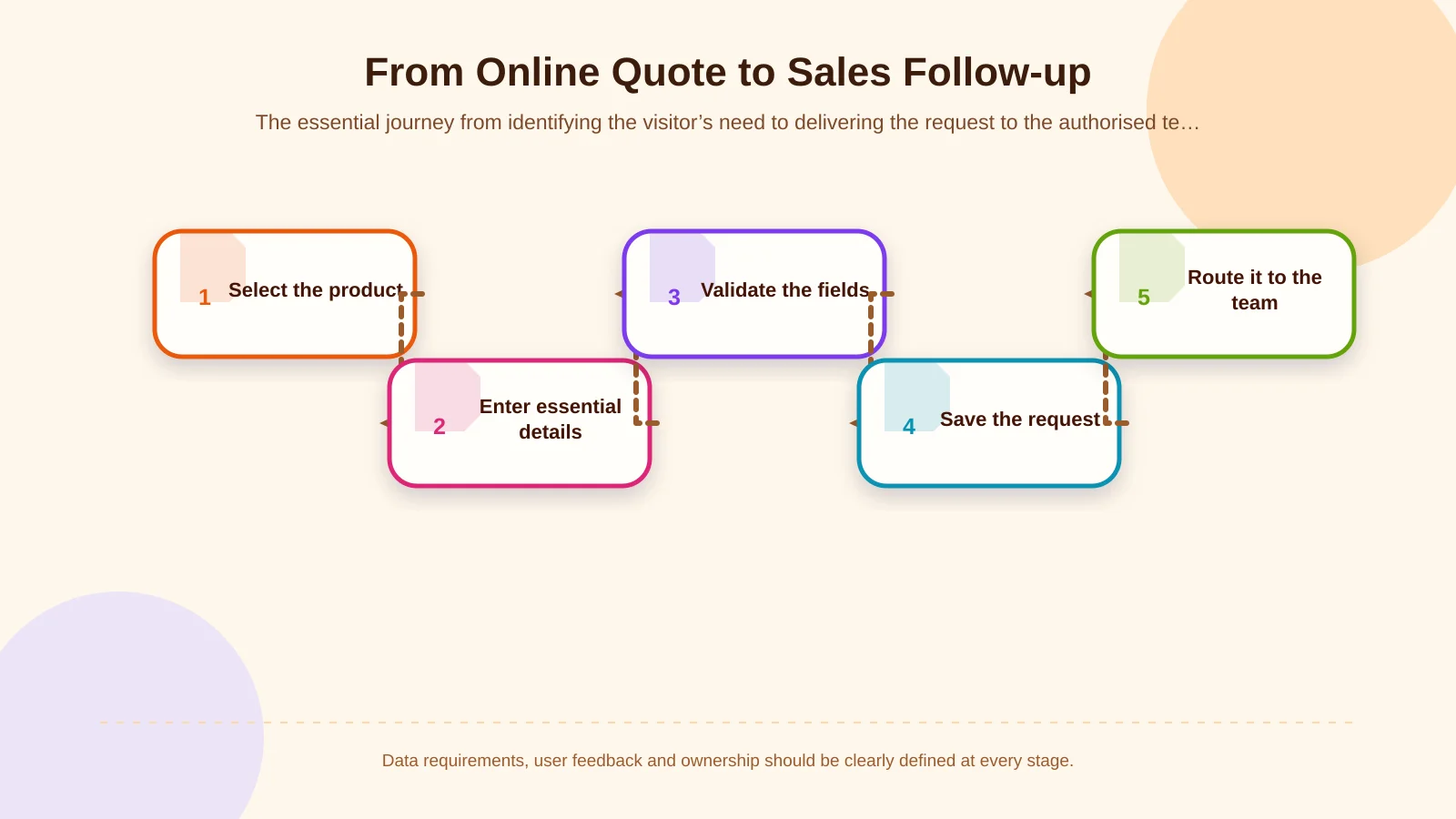
Creating a Secure Workflow from Quote Request to Sales
Submission is not the end of the journey; it is where the internal process begins. A request may need to be routed by product, customer type, region or team workload. When data is transferred to a CRM or internal platform, field mappings, duplicate-handling rules and failure scenarios should be defined at the start of the project. A process based only on email notifications can become unreliable as volume grows and ownership becomes unclear.
In a traceable workflow, authorised users can see when the request arrived, who owns it, how its status has changed and which notes require action. Statuses such as new, under review, awaiting information, quotation prepared and closed should correspond to the organisation’s real sales process. Access must follow a role and permission model so sales, operations, managers and system administrators do not automatically see the same information.
An integration failure must not cause a request to disappear silently. The system needs error logs, controlled retry behaviour and alerts for the responsible team. A success confirmation should appear to the visitor only after the request has been stored reliably. This distinction keeps the customer-facing promise consistent with the operation taking place behind it.
Personal Data, Transparency and Security
Insurance forms may contain contact details and, depending on the product, information connected with finances, health or risk. Fields should therefore be limited to a defined purpose rather than added because the information might become useful later. Legal, operational and information-security teams should decide which details are appropriate for the initial form and which should be collected during an adviser conversation or through another secure channel.
According to the Turkish Personal Data Protection Authority’s explanation of the obligation to inform data subjects, relevant information includes the identity of the data controller, processing purposes, recipients and transfer purposes, the collection method and legal basis, and the rights of the individual. The form therefore needs a readable notice positioned close to the relevant interaction and written for the actual process. An information notice and explicit consent should not be treated as interchangeable; legal advice should be obtained for the specific processing activity.
Technical protection requires more than an HTTPS connection. Secure transfer, server configuration, updated components, access logs, backups and incident management should be considered together. Administration panels can apply strong authentication, appropriate session durations and least-privilege access. Sensitive form data should not be copied unnecessarily into notification emails; an email can instead direct an authorised user to the secure system. Records that reach the end of their retention period or no longer serve a legitimate business purpose also need a process aligned with organisational policy.
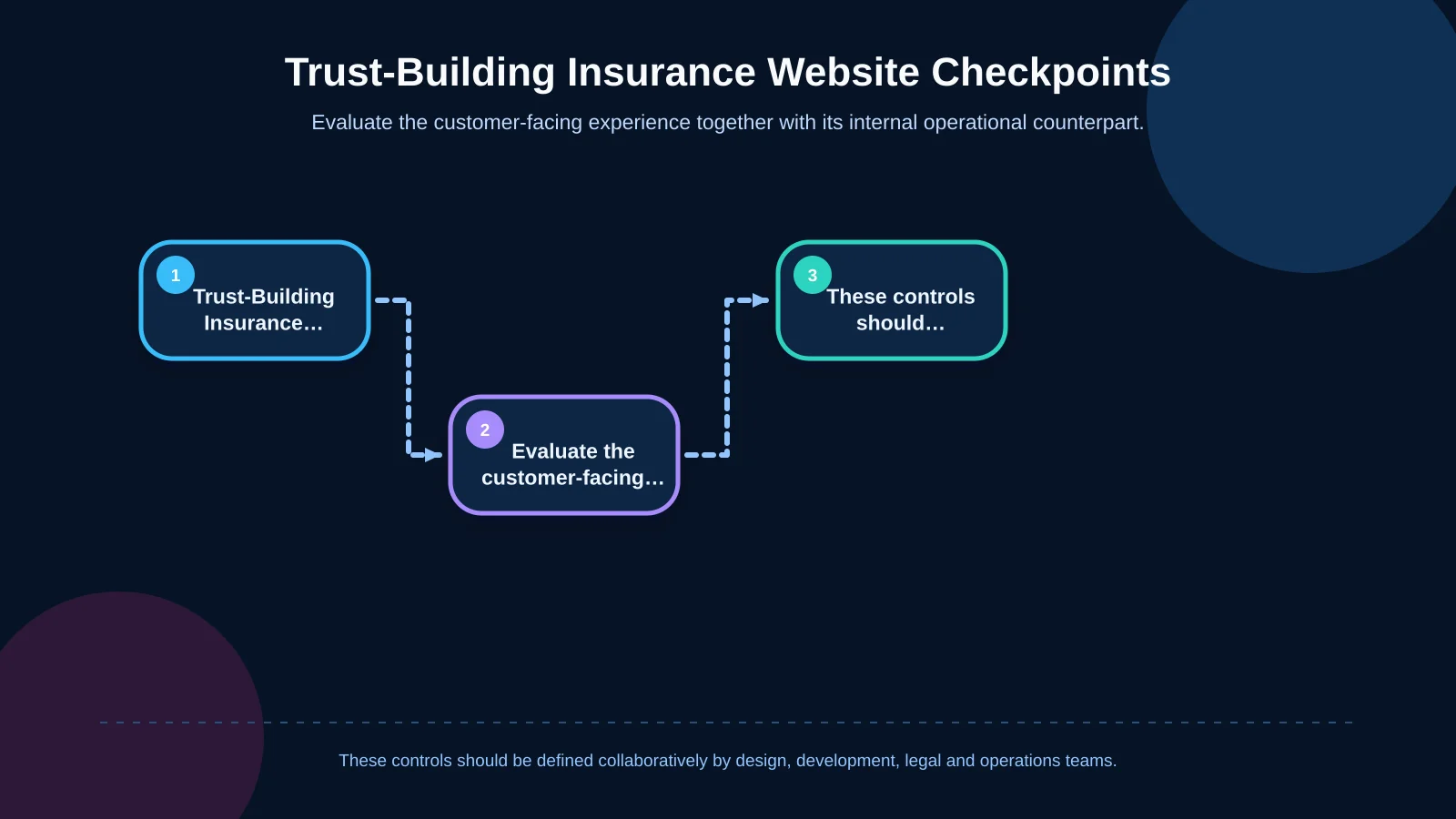
| Checkpoint | Customer experience | Operational counterpart | Primary control |
|---|---|---|---|
| Data scope | Only necessary fields | Cleaner request records | Purpose limitation |
| Transparency | Clear, accessible information | Defined data process | Current notice |
| Access permissions | Secure application experience | Role-based visibility | Least privilege |
| Request record | Submission confirmation | Traceable status history | Records and error logs |
| Retention | Defined process expectations | Action at the end of the period | Retention policy |
Mobile Usability, Performance and Accessibility
A visitor may reach a quote form from a search result, social post or messaging link on a phone. Mobile design cannot therefore be a reduced desktop interface. Touch targets, selectors, date inputs, document uploads and persistent contact controls should be tested on real devices. Important explanations must remain available on narrow screens, and completed selections should survive movement between form steps.
Performance is an often invisible part of trust. Oversized media, unnecessary animation and uncontrolled third-party scripts can make pages feel unreliable. Google’s Web Vitals guidance frames experience around loading performance, responsiveness and visual stability. Product pages and quote steps should be monitored with real-user data rather than evaluated through laboratory tests alone.
Accessibility should be part of the design system, not a checklist added after implementation. Heading hierarchy, colour contrast, focus indicators, alternative text, keyboard order and error feedback should be specified early. This helps people with different abilities, devices and levels of digital confidence while reducing inconsistencies during future content and interface updates.
How Should SEO and Content Planning Work Together?
SEO in insurance does not mean repeating a product name in every paragraph. The site needs pages that match distinct search intentions. Queries such as “motor insurance quote,” “commercial property insurance cover” and “what does an insurance broker do?” represent different needs and stages of decision-making. Building one strong destination for each important subject can also reduce competition between similar pages on the same website.
Page titles, meta descriptions, URLs, headings and internal links must accurately represent the content. Product pages should not be left as short advertising copy; they need original explanations of audience, scope, process and common questions. Blog articles can address informational searches and lead naturally to relevant product or advisory content. Periodic content reviews should identify outdated wording, broken links, overlapping pages and statements that no longer reflect the current service.
Which Metrics Should Define Success?
Total form submissions alone can be misleading. The organisation should connect acquisition source, product-page visits, form starts, step-level abandonment, successful submissions, valid contact details, first sales response and conversion into qualified opportunities. This reveals whether a problem originates in traffic quality, page content, form design or follow-up.
The measurement plan must also respect the data-protection approach. Analytics tools should not receive unnecessary personal data, including telephone numbers, email addresses or the contents of free-text fields. Marketing and operations teams should agree on shared definitions so reports distinguish a submitted form from a valid, qualified insurance opportunity.
How Should an Insurance Web Design Project Be Managed?
The project should begin by defining objectives, audiences, product scope, existing systems and content owners. The team can then prepare the sitemap, user journeys and form requirements. During design, brand language and trust principles are translated into concrete interface decisions. Approved screens are developed with project-specific software, while the administration panel, integrations and user roles are configured around real operational needs.
Before launch, the team should test mobile devices, common browsers, keyboard navigation, validation, failed integrations, notifications and permission scenarios. Content owners need training for the management panel, and responsibilities for updates, backups, security checks and technical support must be clear. Because the website is a living sales and service channel, launch marks the beginning of measurement and continuous improvement rather than the end of the project.
Transform the Quote Journey with a Trustworthy Digital Experience
Effective web design for insurance agencies and brokers brings corporate identity, understandable content, accessible interaction, secure data handling and measurable sales operations into one coherent experience. A well-planned site explains the offer clearly, collects an appropriate quote request without exhausting the visitor, and delivers the record to the responsible team through a traceable workflow.
Kumsal Agency is an Istanbul-based digital agency that treats web design as a connected process involving brand language, real user needs, business goals, content, custom software and sustainable management. To plan a trustworthy corporate website and online quote journey for your insurance agency or brokerage, contact Kumsal Agency.