


Aydınlatma metni yükleniyor…
The digital catalogue decision is often reduced to a simple question: “PDF or website?” For B2B companies, manufacturers and exporters, however, the real issue is not the file format. It is what users need to accomplish with the product information. Will a sales representative email the catalogue to a customer? Does a procurement specialist need to search thousands of products by technical specifications? Will a distributor require an offline document while working in an area with limited connectivity? How frequently must the product team update prices, dimensions and certificates?
PDF is strong when a business needs a fixed layout, straightforward downloading, easy sharing, archiving and offline access. An interactive catalogue supports search, filtering, comparison, responsive presentation, analytics and integration with business systems. There is no universal winner. The right UX decision depends on user tasks, the structure of product data and operational requirements. In many cases, the strongest solution is a hybrid model in which both formats use the same trusted data source.
Decide by user task, not format
Starting a catalogue project with desktop layouts or page counts can lead the team in the wrong direction. Begin by identifying the audiences and the tasks they are trying to complete. A procurement specialist may need to find the right product family, compare technical values and request a quotation. A distributor may want to send a branded document to a customer. An engineer may expect immediate access to a product code, dimensional drawing, certificate or installation guide.
If the task is mainly to read in sequence, present, download or print, a well-produced PDF may be sufficient. If users need to narrow a product set, search by code, compare alternatives, collect related documents or build an RFQ, an interactive interface is usually more suitable. When users need to discover products and then share a stable document during the same journey, a hybrid approach becomes more compelling.
The analysis should also cover internal roles. Marketing expects visual consistency; product teams require accurate data; sales teams value rapid sharing; and IT must manage security and integration. A format chosen without a shared task map may solve one department’s problem while creating manual work for another.
When is a PDF catalogue the stronger option?
PDF remains effective for corporate presentations, seasonal collections, trade-show materials, technical data sheets and print-oriented catalogues where the layout must remain consistent. The file can be attached to an email, sent through messaging channels, stored on a device and opened without an internet connection. Sales teams can also curate a specific product group and present it as a controlled narrative.
These advantages are most apparent when the portfolio is limited, content changes infrequently and users are likely to review the catalogue from beginning to end. PDF also makes it easier to archive an approved edition. It can provide an unchanging record when used as a quotation attachment, compliance document or product selection valid on a particular date.
Downloadability alone does not guarantee a good experience. A large file can consume significant mobile data, while dense landscape pages may require constant zooming on a phone. As the number of products grows, a table of contents and basic text search cannot match attribute-based discovery. Old copies may remain on customers’ devices after an update. Every PDF therefore needs a visible issue date, manageable file size, stable address and clear route back to the current online version.
Accessible PDFs do not happen automatically
A PDF can be accessible, but accessibility must be planned from the source document onward. Requirements include a meaningful heading structure, logical reading order, alternative text, correctly marked tables, a declared document language and appropriate keyboard behaviour. Adobe’s guidance on creating accessible PDFs explains why tagging and a dedicated accessibility check are necessary. A catalogue that appears orderly on screen may still present content in a meaningless sequence to a screen reader. Successfully opening the file is not an accessibility test.
When does an interactive catalogue stand out?
A web-based catalogue becomes more useful as the portfolio expands and customers ask, “Which product is right for my requirement?” Filters for category, application, material, dimensions, capacity, certification or compatibility can reduce discovery time. Search should recognise product codes and relevant synonyms, while comparison tools and related-product suggestions help users evaluate alternatives. The product page can then connect directly to an RFQ form or sales contact.
This is more involved than placing product cards inside a standard theme. Taxonomy, filter rules, URL structure, search tolerance, zero-result states and data ownership must be designed together. Kumsal Agency’s custom web design approach combines a brand’s visual world with task-based information architecture and behaviour across screen sizes. When product data and business rules extend beyond conventional content management, custom web development can support tailored search, filtering, administration and integration workflows.
Mobile UX is not a smaller page
Shrinking a PDF page to fit a phone does not make it mobile-friendly. Repeated zooming, horizontal scrolling and tiny link targets increase the effort needed to complete even a simple task. In an interactive interface, content can reflow to match the viewport, filters can use touch-friendly controls, essential specifications can receive priority and secondary details can be disclosed progressively.
A web interface is not automatically fast either. Oversized images, heavy animation, third-party scripts and uncontrolled product queries can undermine the mobile experience. Google’s Web Vitals guidance addresses loading performance through LCP, responsiveness through INP and visual stability through CLS. Catalogue performance should be monitored with realistic devices, connections and data volumes. Images should be appropriately sized, queries constrained and delayed filter results accompanied by clear feedback.
Decision criteria for PDF and interactive catalogues
The decision should not be made by counting features. Teams should assess the business impact of each criterion. Marketing, sales, product and technology stakeholders can use the following areas as a shared framework during discovery.
| Criterion | Interactive interface | Hybrid model | |
|---|---|---|---|
| Sharing and offline use | Strong | Limited | Strong |
| Search and technical filtering | Limited | Strong | Strong |
| Frequently updated product data | Difficult | Strong | Strong with a shared source |
| Behaviour analytics | Download-level | Detailed | Combined by channel |
| PIM and ERP integration | Indirect | Direct | Direct through centralised data |
Update frequency and data accuracy
A PDF may be manageable for a collection issued once a year. It becomes outdated quickly when products, variants, stock or technical values change every day. An interactive catalogue can be updated through one administration panel, but the organisation must still identify the system of record. If names and marketing copy come from a PIM, stock from an ERP and images from a DAM, ownership and synchronisation rules must be explicit.
Search, filtering and product comparison
A category menu is rarely sufficient when a catalogue contains dozens of similar technical products. Users may need exact-code search, attribute filters and side-by-side comparison. Filter labels should use language customers understand rather than internal terminology. When no results are found, the interface should explain which selection could be removed instead of leaving users at a dead end.
Accessibility and inclusive use
A web interface can incorporate semantic headings, keyboard access, visible focus, sufficient contrast, form labels and meaningful error messages into its design system. The W3C’s WCAG 2.2 Quick Reference includes criteria directly relevant to catalogue experiences, such as reflow, keyboard operation, focus order, target size and accessible naming. With PDF, comparable objectives must be verified separately through tagging and reading order.
Analytics and contribution to sales
A business can measure a PDF download, but it usually cannot see which products the recipient reviews afterward. An interactive catalogue can record search terms, applied filters, product views, comparisons, technical-document downloads and RFQ steps as events. These insights should improve product findability and sales content, not merely fill a reporting dashboard.
Measurement planning should happen before launch. Define each event’s name, trigger, parameters and business question in advance. Personal data or commercially sensitive information should not be sent to analytics tools. Cookie choices, retention rules and access to reports must be considered alongside the organisation’s compliance requirements.
System integration and content operations
Connected to a PIM, ERP, CRM or administration panel, an interactive catalogue can carry current product information into the sales journey. Integration does not mean every field must move in real time. The team should specify which system owns each value, how often data transfers, what last trusted value appears after an error and who can make a manual correction. Translation status and local content variations should also form part of the data model for multilingual catalogues.
Kumsal Agency approaches catalogue work as a combination of product data, user roles, brand experience and integration requirements—not simply an interface exercise. Visual direction and experience principles can first be shaped through digital brand consulting, then translated into a coherent architecture for design, custom software and content administration.
How should a hybrid model be structured?
For many B2B organisations, the right answer is neither PDF-only nor web-only. The interactive catalogue can become the primary product-discovery channel, while PDF continues to support downloads, offline work, sales presentations and approved technical records. The critical requirement is to avoid maintaining the two channels manually through separate content processes.
In a hybrid model, structured product data comes from a shared source. The web interface presents it through search and filters, while a PDF template converts selected fields into a controlled page layout. Users might download a single product sheet, a package containing selected products or a complete category catalogue. Every generated document should include its date, language, version and a link back to the current web page.
- Use the web interface for discovery, comparison and quotation requests.
- Position PDF as a shareable, printable or offline record.
- Establish a common data source for product codes and core attributes.
- Display version and validity information to reduce the risk of outdated documents.
- Test both formats independently for mobile usability and accessibility.
How should the UX decision process work?
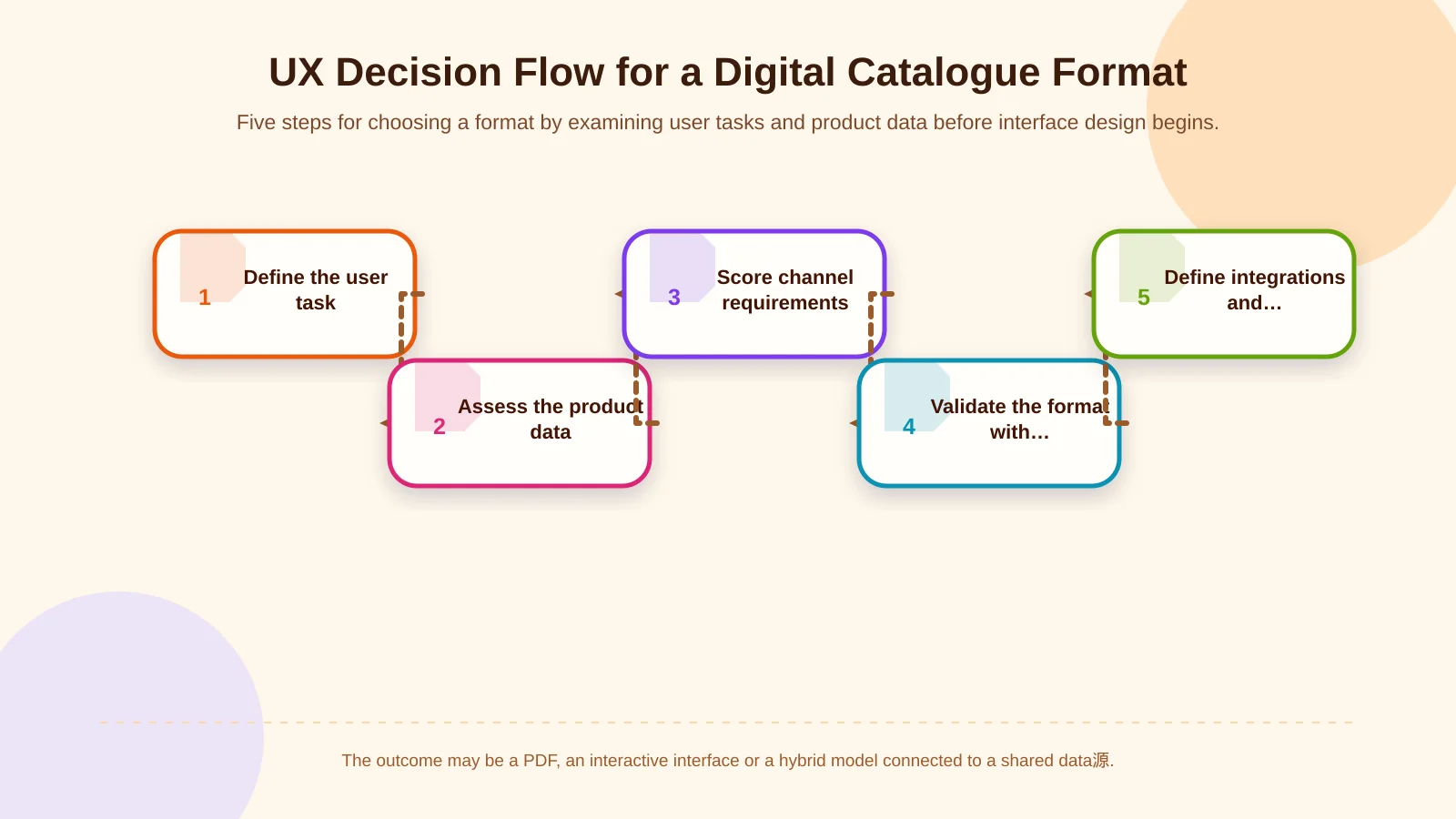
A sound decision is validated with representative user tasks and real product data rather than assumptions. First, identify the user groups and their critical tasks. Then examine product volume, attribute variety, supported languages, document relationships and update sources. Score PDF, interactive and hybrid approaches against this context.
Once there is a working direction, create low-fidelity prototypes. Ask a procurement specialist to find a product with a particular capacity and certificate, or ask a sales representative to share three selected products. Observe errors, backtracking and hesitation as well as completion time. This reveals filter requirements, information priority and the appropriate PDF-generation model before development begins.
- Define users and their priority tasks.
- Assess the volume, quality and update speed of product data.
- Score mobile, accessibility, performance and offline requirements.
- Select an approach and validate it through prototypes.
- Define integrations, content ownership and success indicators before launch.
Which metrics indicate success?
Visits and download counts are not enough after launch. More useful indicators include zero-result search rate, movement from filters to product details, technical-document downloads, comparison starts, completed RFQs and mobile task success. For PDF, teams can monitor downloads alongside file size, version usage and journeys back to the web catalogue.
Qualitative evidence also matters. Customer questions reported by sales, usability sessions, internal search terms and support records can reveal weaknesses in the taxonomy or product descriptions. With a regular improvement cycle, the catalogue stops being an annual promotional asset and becomes a digital channel that supports both product management and sales.
Conclusion: The best format completes the real task with the least friction
PDF performs well for controlled presentation, downloading, sharing, printing and offline access. An interactive catalogue provides stronger discovery, filtering, mobile usability, analytics and integration for extensive portfolios. Where frequently updated technical data and offline selling coexist, a hybrid model can combine the strengths of both.
The right choice begins with user tasks and content operations, not visual preference. To plan a digital catalogue experience around your product structure and customer needs, contact Kumsal Agency.