


Aydınlatma metni yükleniyor…
A video background can communicate the character of a corporate brand within the first few seconds of a visit. Movement on a production line, the scale of a building, a product in use or brief scenes from a service experience can establish context before a visitor reads a detailed explanation. Yet when video is added as a decorative file rather than a planned experience component, it can also cause excessive data consumption, a slow opening screen, unreadable headings and unreliable playback on mobile devices.
The right starting point is not “Should we place a video on the homepage?” but “What communication task should this video perform?” The footage should clarify the brand promise, support the written message and keep the primary action easy to find. Production, web development, mobile alternatives, accessibility and measurement must therefore be planned together. This creates a controlled balance between visual impact and the speed and usability that real visitors expect.
When does a video background make sense?
A background video is worthwhile when showing a physical environment, manufacturing capability, moving product or emotional experience adds information that a still photograph cannot communicate as effectively. Hospitality, property, automotive, manufacturing, tourism and creative-service brands may benefit from this approach. If movement does not improve understanding, however, video adds production, bandwidth and maintenance costs without creating meaningful value.
During planning, write down the single question the video must answer: “What should visitors understand about the brand in the first few seconds?” Every shot should contribute to that answer. A detailed promotional film and a background video are not the same asset. Background footage usually needs short shots, restrained editing, limited camera movement and opening and closing frames that form a natural loop. Because a heading and button will appear above it, the entire frame should not be equally busy or high-contrast.
The opening message should also be considered alongside the audience and primary conversion action. The video must never replace the value proposition. A clear heading, concise supporting copy and visible call to action should still work when playback is delayed or unavailable. Kumsal Agency’s web design approach brings creative direction, responsive behaviour and the wider page hierarchy into the same planning process.
How should video background files and production be prepared?
Performance optimisation does not begin after editing with an attempt to shrink a finished master file. Decisions made during filming and post-production determine how efficiently footage can be delivered online. Unnecessary duration, very high frame rates, heavy grain, rapidly changing detail and constant camera movement make compression harder. A short, silent edit that loops cleanly can communicate the idea more clearly while producing a smaller deliverable.
Footage composed for a wide desktop screen may be cropped into a narrow or vertical area on mobile. If the essential product, person or architectural detail sits near the edge of the frame, that crop can destroy the narrative. Define a safe focal area in the shot list and, where necessary, produce landscape and portrait variations of the same scene. Keeping the area behind interface copy calmer and controlling highlights during filming can also reduce the need for an aggressive dark overlay later.
The web delivery package should contain outputs for different screens and connection conditions rather than one high-resolution master. A format offering efficient compression in modern browsers can be supplied alongside a broadly compatible MP4 alternative. Resolution, bitrate and frame rate should reflect the video’s actual displayed size and perceived quality—not a blanket goal of maximum quality. If sound is not essential to the message, remove the audio track instead of merely muting it in the player.
One file-size target is not enough
There is no universal megabyte limit that suits every project. A full-screen hero and a small strip lower on a page do not have the same performance budget. Acceptance criteria should cover what appears before playback, mobile data use, opening-screen speed and smoothness on representative devices. Keep the large production master in the media archive, but publish only derivatives specifically encoded for their intended placements.
In what order should the loading strategy be planned?
The first objective is to avoid presenting an empty or black region. Prepare a compressed poster image in the correct aspect ratio and align it visually with the opening frame. It can preserve the initial composition while the browser retrieves or prepares the video. Google’s video performance guide explains the poster’s role in rendering and Largest Contentful Paint, as well as why preload choices must reflect the use case.
An above-the-fold autoplay video may prompt an early media request, but the heading, navigation and button must not depend on that download. Render the poster and essential interface first, then introduce the video behind them when conditions permit. For video lower down the page, delaying the media source until the component approaches the viewport can reduce data transferred for content that a visitor never sees.
For user-initiated media, consider preload="none" or an approach that requests metadata only. MDN’s HTML video element documentation notes that preload values are hints and that autoplay can affect loading behaviour. Network requests should therefore be inspected in real browsers instead of assuming that one HTML attribute guarantees the same result everywhere.
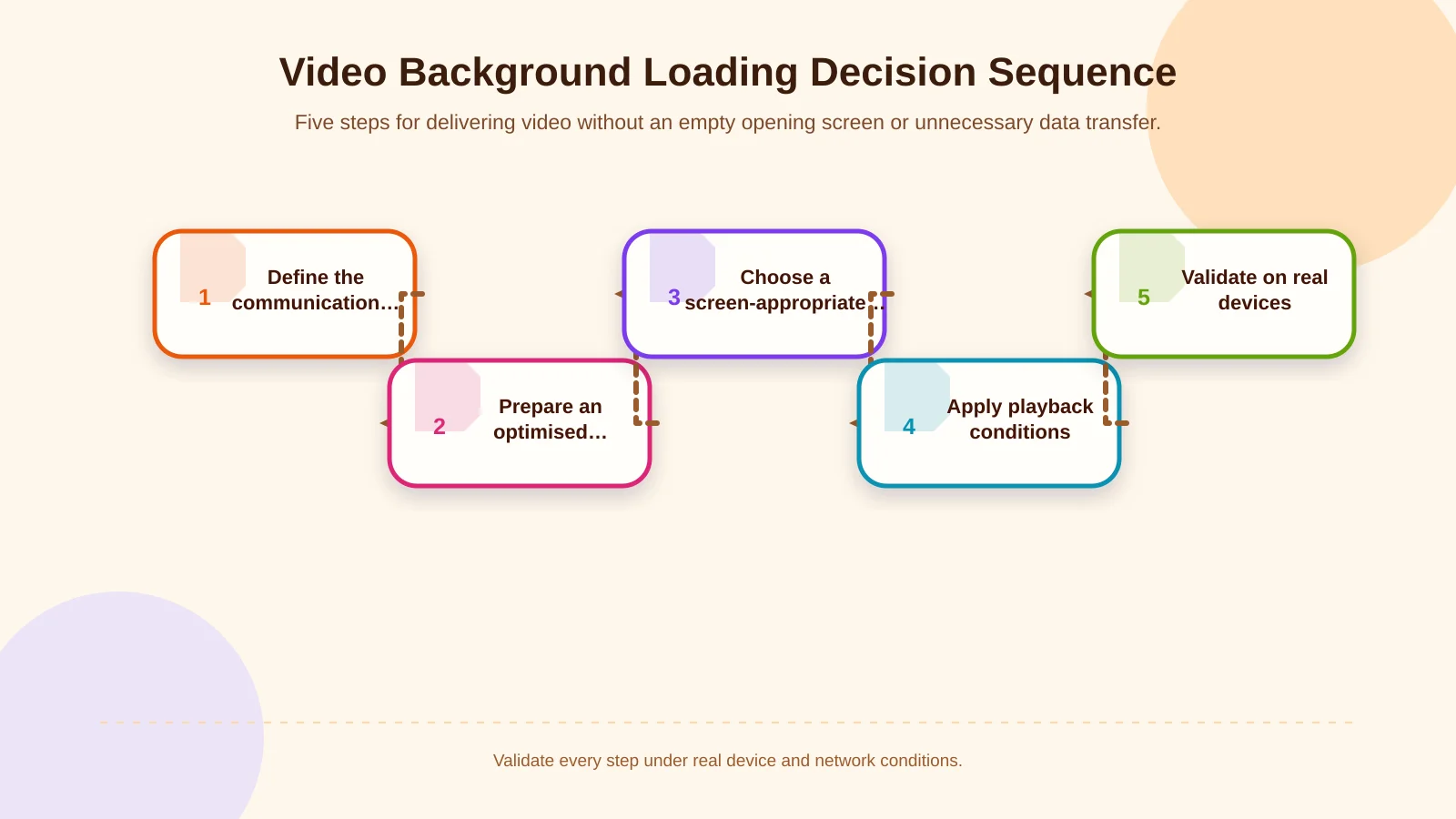
Video background loading decision sequence
A reliable implementation moves from communication purpose to visual fallback, source selection, conditional playback and real-world validation. This sequence prevents design and development from becoming disconnected deliverables.
- Confirm that the heading, button and page structure work completely without video.
- Create an appropriately sized, optimised poster that represents the opening view.
- Produce separate resolutions and crops where desktop and mobile contexts require them.
- Keep the poster as the permanent fallback when autoplay fails or is intentionally disabled.
- Verify request timing, transferred bytes and playback behaviour on real devices and networks.
Should mobile visitors receive video or an alternative image?
Mobile users should not be forced into a reduced copy of the desktop experience. Narrow screens, variable connections, battery use, data allowances and operating-system restrictions all matter. A separate, shorter and lower-resolution mobile video may be appropriate. When motion contributes little to understanding, retaining the poster can provide a faster and calmer experience.
Autoplay policies vary according to the browser and user settings. Muted playback, inline presentation and respect for user preferences are fundamental, but playback still cannot be assumed. The layout must look intentional when the video never starts. Responsive composition, readable text and usable touch targets should be reviewed together, not as separate checks.
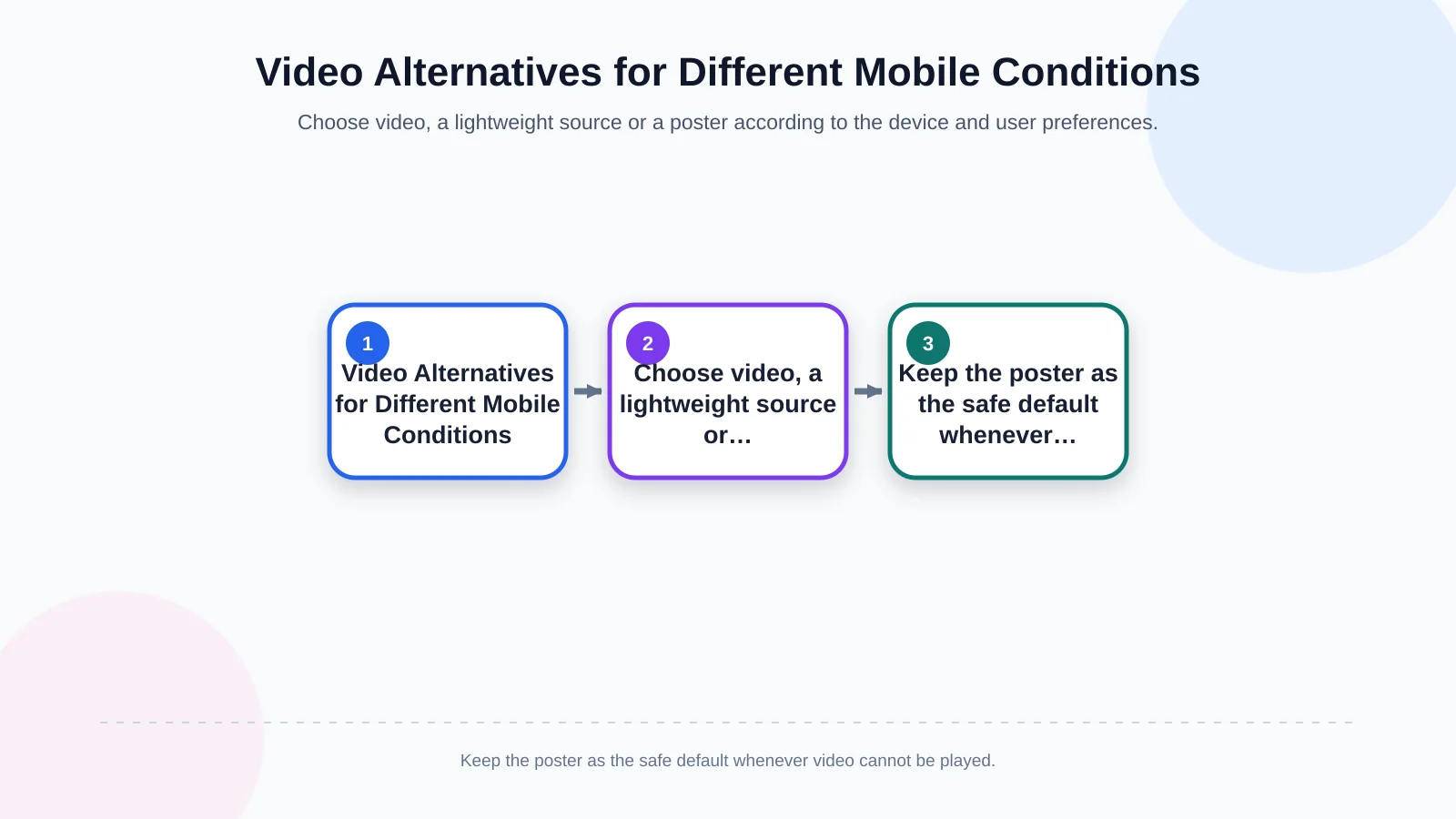
Choosing an alternative by device and user conditions
The decision should not depend on viewport width alone. Reduced-motion and data-saving preferences, connection quality and device capacity are also relevant. Treat the poster as the safe default and allow video to enhance the experience only under suitable conditions. The visitor should never have to wait for motion before understanding the offer or using the call to action.
- On a wide screen with a suitable connection, serve an optimised desktop source.
- On a narrow screen, use a lighter source with a crop designed for mobile.
- When reduced motion or data saving is preferred, retain the static poster.
- If playback fails, keep the message and CTA accessible in their intended positions.
| Condition | Preferred option | Implementation |
|---|---|---|
| Wide screen, suitable network | Desktop video | Optimised landscape source |
| Narrow screen, suitable network | Mobile video | Portrait crop, smaller file |
| Reduced-motion preference | Static poster | Autoplay disabled |
| Weak network or playback error | Static poster | Text and CTA remain accessible |
How can accessibility and readability be protected?
Continuous motion can make it difficult for some people to focus on foreground content. The W3C explanation of WCAG 2.2 Success Criterion 2.2.2 requires a mechanism to pause, stop or hide movement that begins automatically, lasts longer than five seconds and appears alongside other content, unless that movement is essential to the activity. Since a background video is rarely essential on a corporate website, plan a visible pause control that also works by keyboard.
The control should not be a tiny icon that appears only on hover. It needs an accessible name, sufficient contrast, a clear focus state and understandable feedback when its state changes. If the visitor’s operating system indicates a preference for reduced motion, the website can avoid starting the video at all. This provides a calmer first view without withholding the page’s actual information.
Readability cannot always be solved by placing a dark translucent layer over the footage. Test the heading, supporting copy and button against different frames, including moments when a bright object passes behind the text. If consistent contrast cannot be maintained, place the copy on a stable colour surface or alter the composition. Accessibility requirements should be incorporated throughout design and development rather than checked only before launch.
How should performance and user experience be tested?
Testing should extend beyond a fast office connection and a high-powered computer. Include a mid-range Android device, an iPhone, different aspect ratios, a throttled network and a data-saving scenario. Observe when the poster appears, when playback begins, whether layout shifts occur, whether text remains legible and whether the pause control works by touch and keyboard.
Laboratory tools provide repeatable baseline results, while real-user monitoring shows what happens across varied devices and networks. Teams can measure transferred video bytes, unnecessary repeat downloads, poster timing and whether visitors who leave early still download the complete asset. Conversion analysis should examine CTA interaction and progression into the rest of the page, not merely the number of video plays.
Pre-launch acceptance checklist
- Does the poster present a complete opening screen before playback?
- Does the message and call to action still make sense with video disabled?
- Does the mobile crop keep important people, products and locations visible?
- Can visitors operate the pause control by keyboard and touchscreen?
- Are reduced-motion preferences and playback failures handled with a usable fallback?
- Do network logs show unnecessary, duplicate or oversized media downloads?
How should a video background project be managed?
Brand, content, production, design and development teams need shared acceptance criteria. The Art Director establishes the visual narrative and its relationship with the copy. Production creates footage and edits suitable for web delivery. Designers specify crops, controls and poster states across breakpoints, while developers implement source selection, loading and failure behaviour. Handover should also explain how content managers can replace the video later without accidentally publishing an uncompressed master or an unsuitable crop.
Kumsal Agency is an Istanbul-based digital agency that brings web design, custom web development, digital brand consulting, digital design and production into one project framework. Its production services cover photography, video, animation and post-production under Art Director leadership. This connected approach turns the video background from an isolated visual effect into an experience component supported by a brand-specific creative concept, responsive development, sustainable content management and measurable performance targets.
To plan a video background around your brand’s creative concept, production needs, mobile experience and technical performance requirements, contact Kumsal Agency.