


Aydınlatma metni yükleniyor…
Accepting a corporate website is not simply a matter of confirming that the homepage opens and the design looks right. A reliable handover confirms that critical user journeys work, ownership of accounts and data is clear, technical settings have been checked, backup and recovery responsibilities are documented, and the client has the access and information required to operate the website.
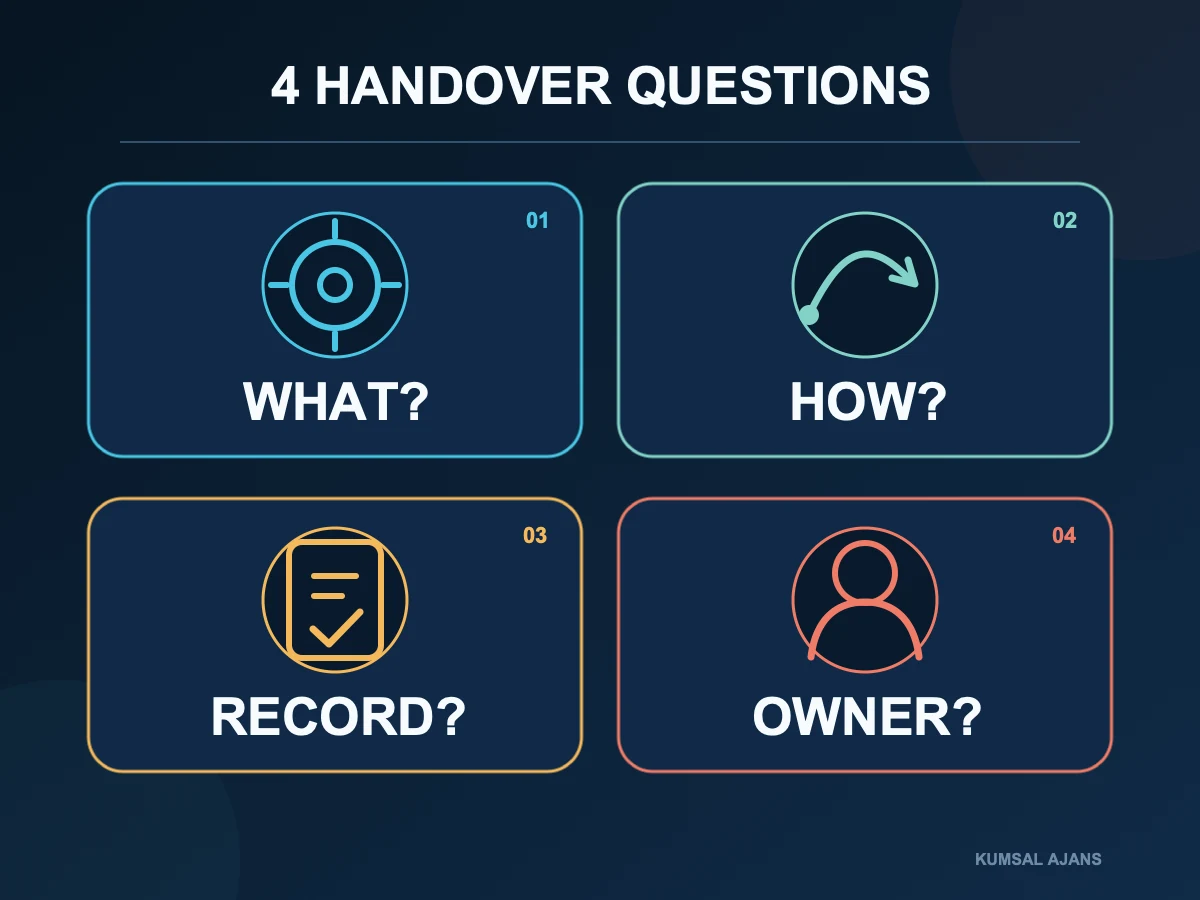
Use four questions throughout the handover:
- What needs to be checked?
- How will it be verified?
- What result will be recorded?
- Who is responsible for it?
This approach turns a vague statement such as “checked” into a testable acceptance criterion. It does not assume that every project needs the same deliverables. The agreed proposal, contract, approved scope and actual functions of the website should determine the checklist.
What Does Website Handover Mean?
Handover is the mutual confirmation that the approved scope works, the client can control the agreed assets and access, and post-launch responsibilities have been recorded in writing.
Keep three types of approval separate:
- Design approval closes decisions about page layout, visual language and the user interface.
- Functional acceptance confirms that forms, links, content-management tasks and integrations work in the agreed scenarios.
- Technical handover records accounts, data, access, backups, documentation and support responsibilities.
At Kumsal Ajans, design revisions are unlimited until design approval. After that approval, requests that change the agreed design, structure or scope are assessed as additional development. Recording design approval, scope and acceptance criteria separately prevents this boundary from becoming unclear at handover.
The client can be notified by email when the project is complete. Depending on the project, a delivery checklist or a mutually approved acceptance record may also be used. The important point is not the format alone; it is whether the record shows which item was accepted, by whom and when.
Begin with the Approved Scope
Before preparing a checklist, bring the contract, proposal, requirements document, design approval and any agreed change records together. These documents help distinguish a defect from a new request.
Suppose the proposal includes one contact form. Asking for a dealer application or membership module during handover is not a defect correction. If the approved contact form does not submit data or send its notification email, however, the agreed function is incomplete.
If the project has not reached handover yet, begin with the website requirements document guide. If you are still evaluating suppliers, the website proposal comparison scorecard can make handover and ownership requirements visible before a contract is signed.
Quick Website Handover Checklist
| Control area | How to verify it | Acceptance record | Owner |
|---|---|---|---|
| Pages and links | Open the approved page inventory and critical links | URL list and issue record | Agency + client |
| Forms and notifications | Submit realistic test data | Form record and received email | Agency + process owner |
| Mobile and browsers | Use priority viewport sizes and current browsers | Screenshots and issue list | Agency |
| Multiple languages | Test both directions and matched locale pages | Matched TR/EN URL list | Agency + content owner |
| Technical SEO | Inspect canonicals, robots directives, sitemap, redirects and metadata | Crawl or inspection output | Agency / SEO owner |
| Measurement | Check GA4 and Search Console access and agreed events | Property, role and test-event record | Agency + client |
| Performance | Measure selected pages on mobile and desktop | Dated result with test conditions | Agency |
| Security and backups | Review TLS, roles, critical access, backups and recovery | Access inventory and backup record | Technical owner |
| Ownership and transfer | Compare accounts, code, data and third-party services | Handover inventory | Agency + client |
| Training and support | Have the client complete management tasks and record support boundaries | Training record and support plan | Agency + client |
This table is a starting point. E-commerce, membership, payments, reservations, dealer management and organisation-specific integrations need their own workflow tests.
1. Check Pages, Navigation, Links and Error States
Start with the approved page inventory. Main and secondary navigation, the logo, in-page links, buttons, documents, social profiles, telephone links and email links should reach the expected destination.
Do not limit the review to clicking around the homepage. Check:
- Internal pages opened directly from their URLs
- Old URLs that have been removed or replaced
- The 404 page shown for an invalid address
- Routes back through the logo and breadcrumbs
- External links that should open in a new tab
- Downloadable documents
- New content created through the management panel and displayed in its intended template
For a redesign, important old URLs should have mapped new destinations. Sending every removed URL to the homepage may be less useful than redirecting it to the closest relevant page.
2. Test Forms and Email Notifications with Realistic Scenarios
A visible form is not necessarily a working form. Contact, quotation, application, subscription and other forms should be submitted with realistic test data.
Use this sequence for each form:
- Leave required fields empty and inspect the validation messages.
- Submit valid test data.
- Confirm the success message shown to the user.
- If a record should be created in the management panel, confirm that the correct fields were stored.
- Verify that the notification reached the intended recipient and that its reply address is usable.
- Review how personal data moves through email, the panel and external services against the project's requirements.
For project-specific integrations, test failure conditions as well as successful responses. Record the date, scenario and result without using real customer data unnecessarily.
3. Separate Mobile, Tablet and Browser Checks
A page that looks correct on a desktop may still prevent a user from completing the same task on a narrow screen. Navigation, forms, buttons, tables, media, cookie notices and fixed-position elements need a separate mobile review.
Do not close “mobile compatible” with one screenshot. Test at least:
- Narrow and wide phone viewports
- Critical pages in portrait and, where relevant, landscape orientation
- A tablet viewport
- Current versions of Chrome, Safari, Firefox or the browsers prioritised for the audience
- Touch interaction with menus, fields, dropdowns and buttons
- Long headings, translated copy and realistic content lengths
Testing every historic device and browser combination is not practical. Define supported environments in the proposal or acceptance document and prioritise issues according to real user impact.
4. Test Turkish and English as One Connected System
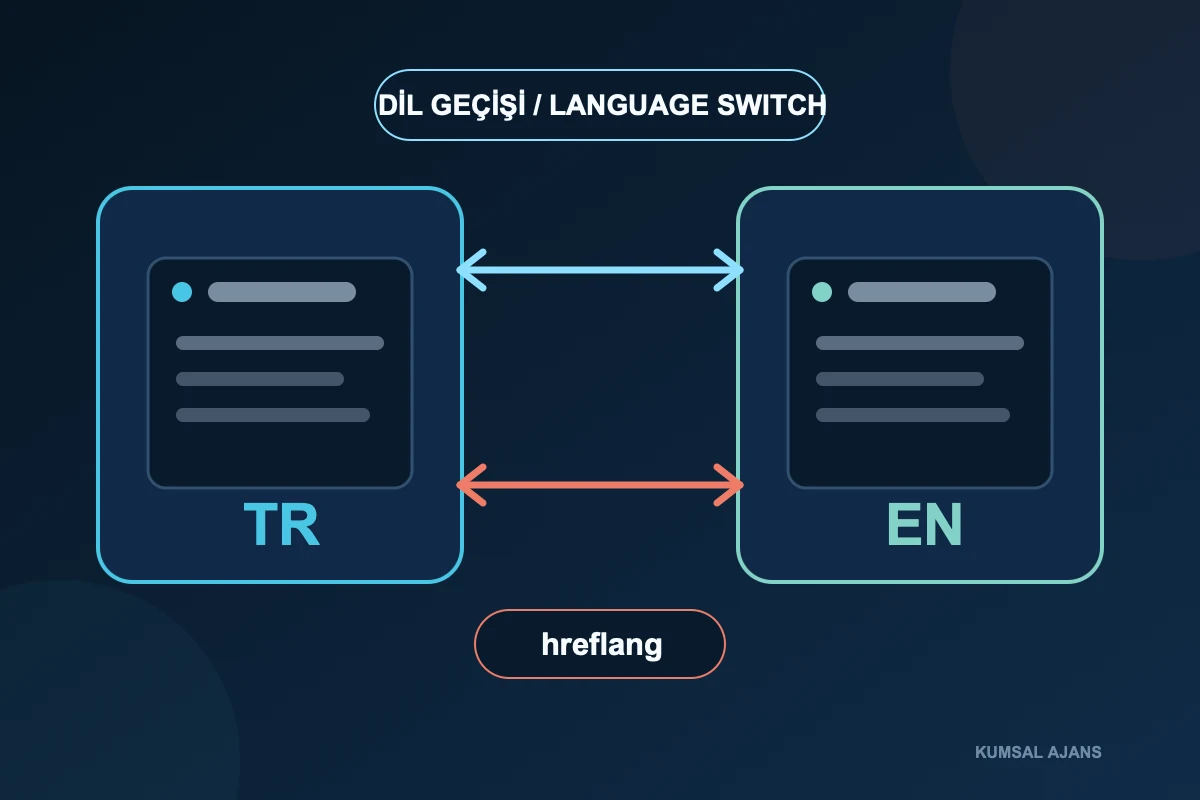
On a multilingual website, opening the English menu is not enough. When a visitor switches from a Turkish service or article page, the control should lead to that page's English counterpart. The return from English to Turkish should also lead to the correct paired page.
Check these items separately:
- TR → EN switching on the homepage and important internal pages
- EN → TR switching on the same pages
- The agreed behaviour when no translated counterpart exists
- Correct navigation, category and breadcrumbs in each language
- Localised titles, descriptions and image text
- A distinct live URL for each localised page
- Canonical and hreflang relationships
Google's guidance for multilingual sites recommends separate URLs for language versions and explains how hreflang identifies their relationship. The visible language control serves the visitor; hreflang describes the locale relationship to search engines. One does not replace the other.
5. Do Not Turn Technical SEO Handover into a Ranking Guarantee
A baseline technical SEO review checks signals that help search engines access and understand the website. It cannot guarantee a position or a date by which a URL will be indexed.
Depending on scope, inspect:
- A unique, meaningful title for every important page
- A meta description that accurately summarises the page
- One descriptive H1
- A canonical pointing to the intended live URL
- Accidental
noindexdirectives or blocking robots rules - An accessible XML sitemap containing appropriate live URLs
- 301 redirects from important old addresses to their relevant new destinations
- Descriptive image alternative text and sensible file sizes
- Structured data that matches visible content
- Reciprocal hreflang for localised pages
Google Search Central's sitemap documentation explains that a sitemap provides information about important URLs and their relationships, but does not guarantee crawling or indexing. The handover record should therefore say that the sitemap is available and contains the intended URLs, not that every page is certain to be indexed.
For canonical checks, do not stop at confirming that the tag exists. Confirm that it points to the intended live URL. Google's canonicalisation documentation explains that canonical methods are signals about the preferred URL. A confidently configured tag with the wrong destination remains a serious handover issue.
6. Confirm Ownership in GA4 and Search Console
The presence of an analytics tag does not prove that the client controls the relevant account. During handover, open the account and confirm which Google identity holds which role at the account and property level.
For GA4, review:
- The correct account, property and data stream
- The client's agreed level of access
- Page views and any critical events included in scope
- Project-specific settings such as internal-traffic filtering or cross-domain measurement, where applicable
- Whether agency access should remain, be reduced or be removed under the support arrangement
Google Analytics access-management documentation describes roles such as Administrator, Editor, Marketer, Analyst and Viewer at account and property level. A handover record should identify the account, property and role rather than say only “GA4 access provided”.
In Search Console, confirm the correct property, an appropriate owner or user role for the client, the sitemap submission and the ability to inspect important URLs. According to Google's Search Console owners and users guidance, only property owners can add or remove users and manage permissions; verified ownership provides the highest level of control.
7. Do Not Accept Performance through One Score
Record the tested URL, device profile, connection conditions, date and measurement type. A laboratory result for the homepage does not represent every template or every visitor's experience.
Review a combination of:
- The homepage and representative URLs from critical templates
- Mobile and desktop results
- Oversized images, video and third-party scripts
- Unexpected layout movement during loading
- Response to interactions such as navigation and forms
- The difference between field data from real users and laboratory tests, when both are available
The web.dev explanation of Core Web Vitals describes LCP, INP and CLS as field metrics for different aspects of user experience and uses the 75th percentile of page loads for assessment. A project can define target ranges, but should not promise a permanent absolute score regardless of devices, networks, content, third-party services and measurement conditions.
Kumsal Ajans's standard handover checks include page speed and image optimisation. When a project requires specific performance acceptance values, the pages, tools, conditions and responsible parties should be agreed separately.
8. Check TLS, Access Security, Backups and Recovery
The browser's secure-connection indicator is important, but it does not prove that every security requirement has been met. Administrative roles, critical forms, uploads, integration access, error records and backups should be assessed according to the website's functions and risk.
The OWASP Web Security Testing Guide covers areas including configuration, identity, authentication, authorisation, sessions, input validation, error handling, cryptography, business logic, client-side behaviour and APIs. The practical conclusion is not that every corporate website needs the same test package. It is that the acceptance scope should match its data, roles and functions.
At minimum, answer:
- Is the TLS certificate working, and who owns its renewal?
- Do named individuals have separate management accounts?
- Have unnecessary or temporary credentials been removed?
- Can form and integration errors be recorded for investigation?
- Were file and database backups taken before launch?
- Are the backup location, retention owner and restoration method known?
- Is there an agreed approach for returning to the previous stable release after a critical problem?
Kumsal Ajans checks baseline TLS and access security, the backup structure, error records and, when needed, the ability to return to an earlier release before handover. Detailed security assessment or independent penetration testing requires a separately defined scope, environment, owner and acceptance criteria.
9. Transfer an Inventory of Accounts, Code, Data and Services
Ask one practical question: if another authorised team had to operate the website tomorrow, which accounts, assets and documents would it need?
Depending on scope, the handover inventory may include:
- Domain name, registrar and renewal information
- Hosting, server and DNS access
- TLS and email services
- Users and roles for the custom-configured management panel
- Source-code repository and current project version
- Database and required backups
- GA4, Google Tag Manager and Search Console
- Mapping, messaging, payment and other third-party services
- Licence and subscription information
- Design files and project assets
- Installation, release and integration notes
In Kumsal Ajans projects, these items are handed over or moved to client-owned accounts according to the project scope. Because each contract can differ, do not assume that every item is transferred automatically. Accounts opened in the client's name, with limited technical access granted to the agency and removed when the service ends, generally make ownership easier to verify.
Separate the handover of project-specific outputs from ownership of external services. Open-source packages, licensed components, mapping providers, email services and similar products remain subject to their own licence and usage terms.
10. Complete Management Training with a Real Task
Training should not be limited to watching a presentation. The person responsible for content should use their own account to complete representative tasks:
- Update text on a page
- Add an image and descriptive alternative text
- Create a new article or news draft
- Edit connected Turkish and English counterparts correctly
- View form submissions
- Complete the actions allowed by their assigned role
Explain operating boundaries as well. Which changes belong to the content team, and which need technical support? What happens after a mistake, and how do drafts, previews, restoration or support work?
Depending on scope, documentation may include usage, access, renewals, installation, publishing, backup, integration and licensing information. It should match the current release and remain in a location the client can access.
11. Record Acceptance, Free Support and Additional Development Separately
The acceptance record should list unresolved work, owners and target dates. A critical function that does not work may require final acceptance to be delayed. A minor issue that does not block use can be placed on an open-items list if both parties agree.
Unless a proposal or contract states otherwise, Kumsal Ajans may provide six months of free support for in-scope defect corrections and minor support needs on corporate website projects after go-live. Annual maintenance and support are planned separately after this period.
This support is not the same as:
- Developing a new page or module
- Adding a new integration
- Changing the approved design or structure
- High-volume content or data entry
- Third-party service fees
- Building a workflow that was not in the approved scope
Return to the approved scope and acceptance criteria when distinguishing a defect from a new request. If a delivered function does not work as approved, it may be a defect. A function that was never included is new development.
Do not treat long-term operating costs as an afterthought. Track domain, hosting, licences, service usage and support periods with the three-year website budget guide.
An Anonymised Real Handover Example
The following example is adapted from a completed corporate website project and anonymised to protect the client's identity. The sector, date, device models and technology details are intentionally omitted.
During handover testing, a contact form worked on desktop but could not be submitted on some mobile devices. The same review found that one page in the foreign-language navigation led to the wrong destination instead of its translated counterpart.
Neither issue would have been found by looking only at the homepage. The mobile form had to be tested as an actual submission, while the language control had to be tested as a two-way relationship between paired pages. Both defects were corrected and re-tested before the project was accepted.
This example does not claim an increase in rankings, conversions or performance. It demonstrates that handover testing needs to cover real user tasks and relationships between pages, not just visible design.
Fillable Handover Record
Complete these fields for the project:
| Field | Record |
|---|---|
| Project and live URL | |
| Handover date | |
| Approved scope document | |
| Client acceptance owner | |
| Agency technical owner | |
| Open critical items | |
| Open minor items and target dates | |
| Accounts and access transferred | |
| Code, data and backups transferred | |
| GA4 and Search Console roles | |
| Training date and participants | |
| Free-support start and end dates | |
| Subsequent maintenance model | |
| Mutual approval method |
Do not put passwords or secret keys into the plain-text fields of this record. Record which access was transferred, to whom and through which secure method.
Conclusion: Accept a Working and Ownable System, Not Just Its Appearance
A corporate website handover should consider page appearance, working functions, account ownership and post-launch responsibilities together. Start with the approved scope; test critical user journeys with realistic scenarios; verify mobile and multilingual behaviour separately; do not frame SEO and performance checks as guarantees; and connect access, backups, documentation and support to a written acceptance record.
This method replaces vague feedback with testable items. It also helps the client and agency see what has been completed, what remains open and who will operate each part after launch.
If you would like to define handover and acceptance criteria during the proposal stage, review the Kumsal Ajans web design service.