


Aydınlatma metni yükleniyor…
In equipment rental operations, the key question is not simply, “Is this item in stock?” Whether a specific asset can be rented for a requested period depends on existing reservations, collection and return times, preparation buffers, maintenance schedules, location and condition. When these details are scattered across spreadsheets, messages and employee knowledge, the same equipment may be promised to two customers, a delivery may be delayed or responsibility for return damage may become unclear.
Custom equipment rental software can bring inventory and operational events into one connected workflow. The objective is not merely to create a digital equipment catalogue. Every movement—from the first availability enquiry to financial closure—should become an identifiable, time-stamped and authorised record. Achieving that requires a clear understanding of the company’s real processes, exceptions, user roles and existing systems before development begins.
Equipment inventory is more than a product catalogue
A reliable rental system begins with a correctly structured asset inventory. A company may own ten generators of the same model, but each physical unit can have a different serial number, operating-hour reading, location, maintenance history and condition. The product model and the individual rentable asset should therefore be represented separately. The model record contains shared specifications and category information, while the asset record identifies the physical unit.
Depending on operational needs, each asset may include an internal asset code, serial number, barcode or QR code, make and model, warehouse or site location, meter reading, purchase date, insurance details, photographs and documents. Where items are rented as kits, the relationship between the main unit and cables, adapters, batteries, cases or other components should also be defined. Warehouse staff can then verify that the complete kit leaves and returns together.
Tracking assets throughout their lifecycle is consistent with the principles described in ISO 55000 asset management guidance. The standard connects asset management with organisational objectives and takes a systematic lifecycle view. However, software fields should not simply reproduce a standard: they should reflect the rental company’s risks, responsibilities and decision-making needs.
How should real-time availability be calculated?
Availability is more complex than subtracting active bookings from the quantity on hand. To classify equipment as rentable for a given date and time range, the system must evaluate reservations, likely late returns, preparation time, asset location, planned maintenance and operational restrictions together. These rules should be applied by one central availability service so that the sales interface, customer portal and mobile application always show the same result.
A status model that prevents scheduling conflicts
Statuses such as “available,” “reserved,” “handed over,” “return due,” “under inspection,” “in maintenance,” “damaged” and “inactive” need precise definitions. The system should also determine who can make each transition and under which conditions. If returned equipment goes directly into the available pool before warehouse inspection, for example, a damaged or incomplete asset could be promised to another customer.
A reservation should store more than start and end dates. It may also require preparation buffers, delivery location, quantity and commitment level. A temporary hold created during quotation does not necessarily have the same priority as a confirmed booking. Automatic rules should define when provisional capacity expires and how it is released.
Alternative equipment and multiple locations
If the requested asset is unavailable, suitable alternatives can help the sales team respond quickly. Equivalence should not be determined by product name alone. Capacity, accessory compatibility, certification, current location and transfer time may all affect whether an alternative is operationally valid.
In multi-warehouse businesses, equipment at another location should not appear as immediately available unless the transfer duration, cost and preparation requirements are visible. Broader warehouse processes may also benefit from the principles covered in PWA use for B2B field operations and customer portals, particularly where teams need connection-resilient access outside the office.
Operational workflow from reservation to the next rental
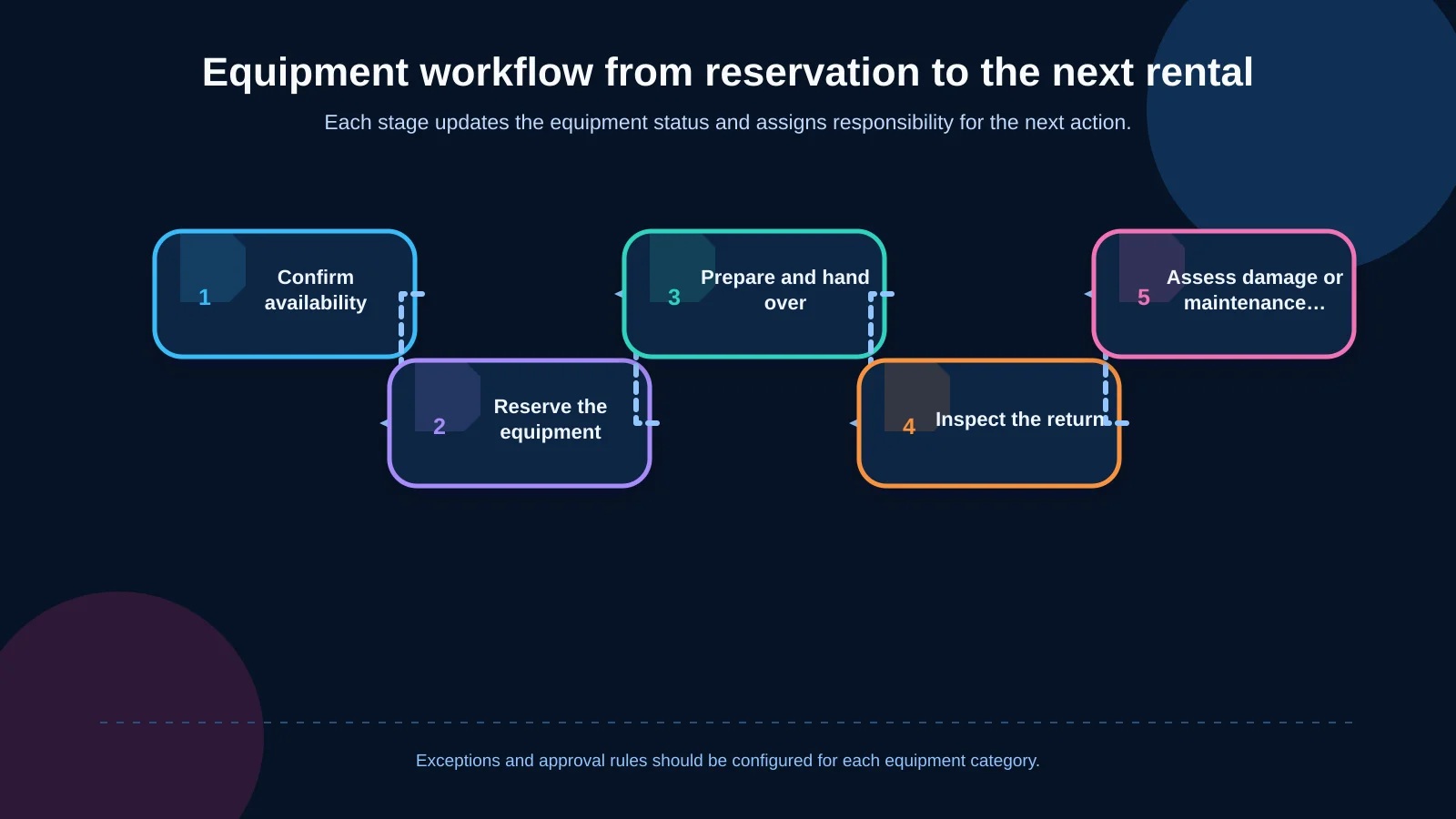
A complete rental workflow begins with a reservation and ends only when the equipment is safely available again. Each transition should validate the output of the previous step. Sales reserves suitable capacity; the warehouse prepares the selected unit; the handover record confirms which physical asset left the site; the return process starts completeness and condition checks; and the approved result leads to maintenance, charging or re-rental.
Exceptions must be designed alongside the standard path. The business needs rules for customer no-shows, extensions that affect later bookings, partial handovers, partial returns, replacements and cancellations. If the software supports only an ideal process, employees will continue managing real operations through calls, messages and spreadsheets.
GS1 describes receipt, dispatch and transport activities as critical tracking events, supported by key data elements that explain what occurred. The GS1 traceability standard offers a useful model for recording rental events such as reservations, handovers, returns and damage together with the relevant equipment, time, location and responsible party.
What should handover and return records contain?
The handover record connects a general product description in the rental agreement with the actual equipment leaving the warehouse. Staff should be able to scan a barcode or QR code and select the serialised asset. The record may include the customer, recipient, date and time, departure location, meter reading, fuel or charge level, accessories and condition. Photographs, documents and digital confirmation can be added when required by the operating model.
The return screen should reference the original handover and compare the asset’s current state with its recorded departure condition. The expected accessory checklist should appear automatically. Missing parts, excess usage, delays, cleaning requirements and new damage should be captured separately. Returned equipment can remain “under inspection” until all checks are complete, preventing sales from offering an asset that is physically present but not yet safe or ready to rent.
Mobile and offline field use
When handovers take place at customer sites, the mobile experience should not be a scaled-down desktop interface. Large touch targets, rapid barcode scanning, camera access and mandatory checkpoints should be designed for field conditions. In areas with weak connectivity, records can be securely queued on the device and synchronised later. Unique transaction keys should prevent the same event from being created twice after retries.
For operations with intensive field use, React Native can support a shared iOS and Android product while still providing access to device features. Offline data rules, device permissions, image compression, synchronisation conflicts and remote session termination should be addressed during discovery rather than left until launch.
Damage records should connect evidence, decisions and costs
A free-text note saying “scratched” is rarely sufficient for an operational or financial decision. A damage record should be linked to the individual asset, rental agreement and return event. It should show the affected area, damage type, severity, description, detection time, photo or video evidence, reporting user and previous condition.
Classifying images as pre-handover and post-return makes comparison easier. Upload time should remain distinct from event time, while edit and deletion permissions should be restricted. Customer statements, warehouse findings and technical assessments should be stored as separate entries rather than overwriting one another. This preserves the decision history if a dispute occurs.
From damage assessment to financial outcome
Not every defect should result in a customer charge. The business should first distinguish normal wear, user-caused damage, missing components and maintenance needs. The record can then move through inspection, technical assessment, approval, costing and, where appropriate, customer billing. Estimated costs should be kept separate from confirmed labour, parts and external service charges.
Availability can be restricted automatically until the issue is resolved. Minor cosmetic damage may not block rental after operational approval, whereas a safety-related fault should make the asset unavailable. Because these decisions vary by equipment category, configurable classifications are more useful than one universal damage threshold.
How should roles, permissions and audit trails be designed?
Sales teams may create reservations, warehouse employees confirm physical handovers and returns, technicians assess damage, and finance teams manage charges and invoices. Managers approve exceptions and monitor performance. Role-based access control is not limited to hiding menu items. Permissions should define which records a user can view, create, change or approve at each location and process stage.
Critical changes require an audit trail recording who performed the action, when it occurred, the previous and new values, the result and, where necessary, the reason. The OWASP Logging Cheat Sheet recommends capturing enough context to explain when, where, by whom and what happened while protecting logs against unauthorised access or alteration.
The operational history shown to users may differ from detailed security logs. Operational history should make everyday work understandable, while security records may contain more technical context and have stricter access controls. Passwords, access keys and unnecessary personal data should not be written to logs. Retention and access policies should reflect legal, security and operational requirements.
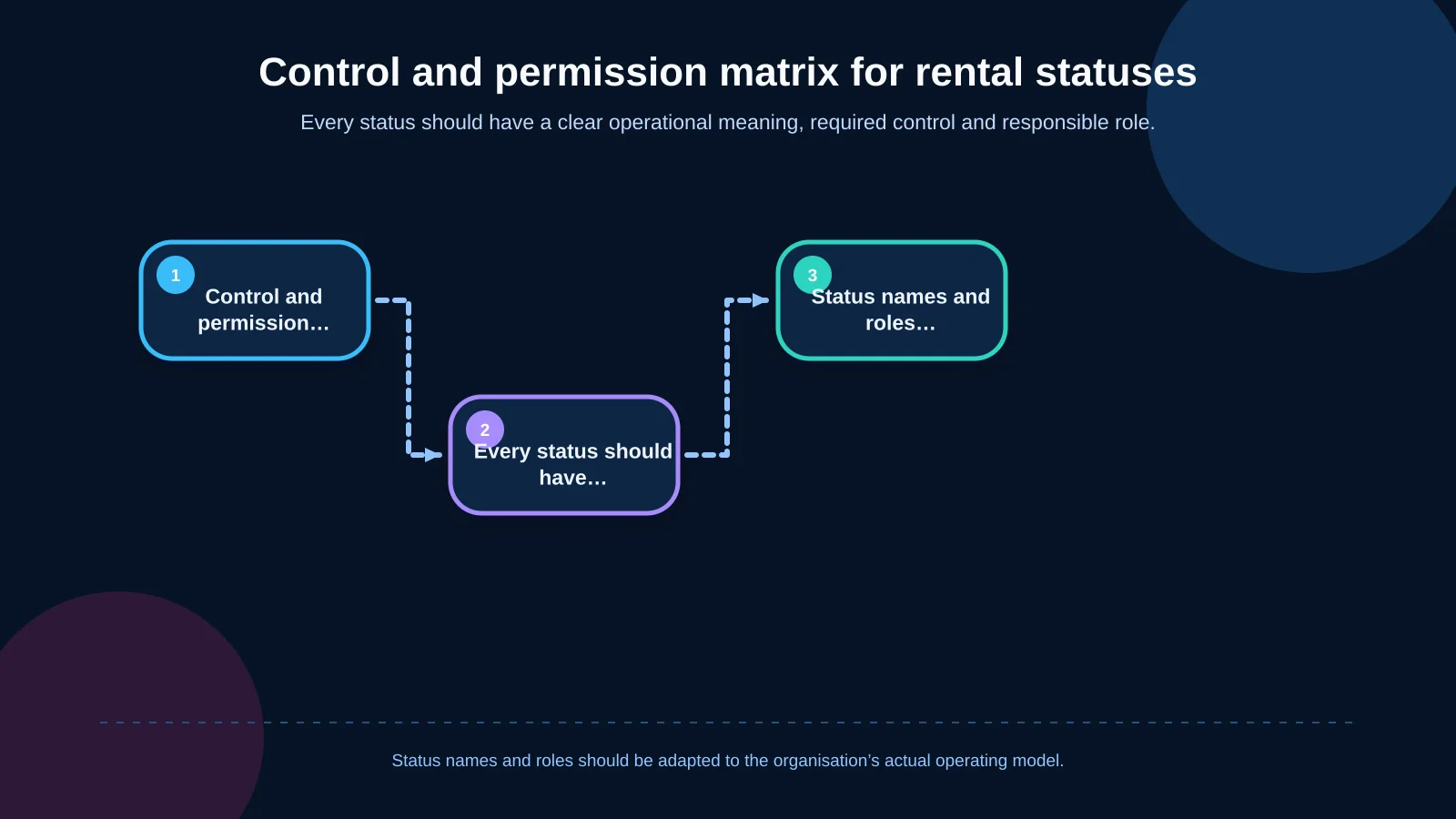
| Status | Primary control | Responsible role | Next decision |
|---|---|---|---|
| Reserved | Dates and capacity | Sales | Release for preparation |
| Ready for handover | Serial number and accessories | Warehouse | Approve handover |
| Return under inspection | Condition and missing items | Warehouse | Make available or request technical inspection |
| Damaged | Evidence and severity | Technical team | Repair or approve continued use |
| Cost awaiting approval | Parts and labour | Finance / manager | Charge and close |
ERP and other system integrations
Rental software rarely operates in isolation. Customer accounts may originate in an ERP; an approved rental can become an order; handover may create a dispatch document; and a damage charge may become an invoice. GPS or telematics platforms can provide location and operating hours. Electronic signatures, payments, notifications and service-management tools may also be integrated according to scope.
Every data object needs a clearly defined system of record. If the ERP controls the legal customer name, an update in the rental application should not silently overwrite it. Field mappings, synchronisation frequency, error queues, retry policies, duplicate prevention and manual correction authority should be documented. Teams must also decide whether work continues or pauses when the ERP is temporarily unavailable.
Kumsal Agency’s approach to enterprise resource planning and connected operations considers finance, sales, inventory and operational processes as parts of a shared data environment rather than isolated modules.
Management dashboards and meaningful metrics
A management dashboard should show more than total equipment and reservation counts. Useful operational indicators include available capacity by date and location, utilisation, upcoming handovers and returns, overdue assets, equipment awaiting inspection, unresolved damage, days blocked by maintenance and potential reservation conflicts.
Metric definitions must be consistent. A utilisation percentage is misleading unless users know whether it is calculated using calendar days, rentable days or working shifts. Damage cost can be analysed by asset category, customer, period and cause, but incomplete records may distort conclusions. Dashboards should therefore expose data-quality issues instead of presenting every figure as equally reliable.
How to plan custom equipment rental software
Planning should begin with field observation and process mapping, not a list of screens. Teams should examine how sales, warehouse, field operations, technical service and finance use the same rental file, where each team creates data and where work waits. Existing spreadsheets, agreements, handover forms, damage photographs and ERP fields reveal practical requirements that workshop discussions alone may miss.
- Define rental types, duration units, locations and equipment classes.
- Document late returns, extensions, partial returns, replacements and cancellations alongside the standard workflow.
- Assign an owner, mandatory data and approval rule to every status transition.
- Establish data ownership and failure procedures for each integration.
- Include mobile use, connectivity, security, reporting and retention requirements in the scope.
The first release can focus on the workflows that reduce the greatest operational risk: a dependable asset inventory, availability calculations, conflict checks, verified handovers and returns, and evidence-based damage records. Pricing, contracts, payments, telematics, maintenance planning and advanced reporting can follow. A phased roadmap remains sustainable when the underlying asset, event and permission models are designed correctly.
Turn rental operations into one shared, traceable workflow
The value of equipment rental software does not come from offering a large number of screens. It comes from connecting the physical asset and the digital record to the same operational truth. Reliable availability helps sales make realistic commitments, controlled handovers and returns clarify warehouse responsibility, and evidence-based damage management supports defensible technical and financial decisions.
Kumsal Agency is an Istanbul-based digital agency that combines design, custom software and digital strategy. Its custom web development approach begins with real business processes, roles, data ownership and integration requirements. To analyse your availability, reservation, handover, return and damage-record workflows and define the scope of a tailored rental platform, contact Kumsal Agency.