


Aydınlatma metni yükleniyor…
The central challenge in construction progress payment management is rarely the arithmetic alone. It is the relationship between the records behind the calculation. When site measurements live in one file, contract rates in another spreadsheet, approval correspondence in email and payment status in an ERP system, several versions of the truth emerge. The technical office monitors quantities, finance follows payable amounts and management assesses cash impact using different records.
Progress payment tracking software reduces this fragmentation by linking every amount to its contract item, completed quantity, revision, deduction, supporting document, approval and financial transaction. The objective is not simply to digitise a payment certificate. It is to create an explainable, authorised and auditable data chain from site measurement to accounting and settlement.
What is progress payment tracking software?
Progress payment tracking software is an enterprise application that calculates periodic work completed between an employer, main contractor or subcontractor under the relevant contract terms, then follows it through approval and payment. It may support unit-rate, lump-sum and hybrid contracts. Because each organisation applies different commercial and control procedures, an effective system must offer more than a fixed digital form.
Contract items, bills of quantities or work breakdown structures, units, rates, currencies and tax rules should be established as master data. Quantities completed during each period are linked to these records. Previous-period totals remain protected while current and cumulative values are displayed separately. Price adjustments, advance recovery, retention, penalties, withholding tax and other contractual effects are entered with their source and calculation basis.
This structure can be delivered through custom web development designed around the organisation’s actual processes. Desktop and mobile interfaces can give site teams, the technical office, procurement and finance access to the same record through role-specific screens and permissions.
Why does the link between measurement, approval and payment break?
The first cause is the absence of a shared record key. If a measurement line is described only in free text, it cannot be reliably matched with the correct contract item. Similar descriptions, different units or revised rates can create incorrect associations. The second cause is inadequate version control. If quantities change after a progress claim has entered approval, it becomes unclear which amount reviewers examined.
The third cause is treating approval as a single “accepted” decision. In practice, approval may include technical verification, contract compliance, budget control and financial authorisation. The fourth cause is maintaining payment information independently from the approved claim. Unless the approved net amount is reconciled with the ERP invoice, accounting document and bank transaction, partial payments, due dates and blocked balances remain difficult to see.
Consistent measurement rules form the beginning of this chain. The RICS New Rules of Measurement provide standard measurement rules and cost-management guidance for construction works. Even when an organisation follows another standard, its software should state the measurement method, unit and supporting evidence clearly.
How should an end-to-end progress payment workflow be structured?
A well-designed workflow does not send a site quantity directly to payment. It introduces verifiable control points, each with a defined input, output, owner and return reason. World Bank construction procurement documents similarly treat measurement, the quantities included in an application, engineer review and the payment certificate as connected contractual stages. An example appears in the World Bank’s Standard Procurement Document for Works.
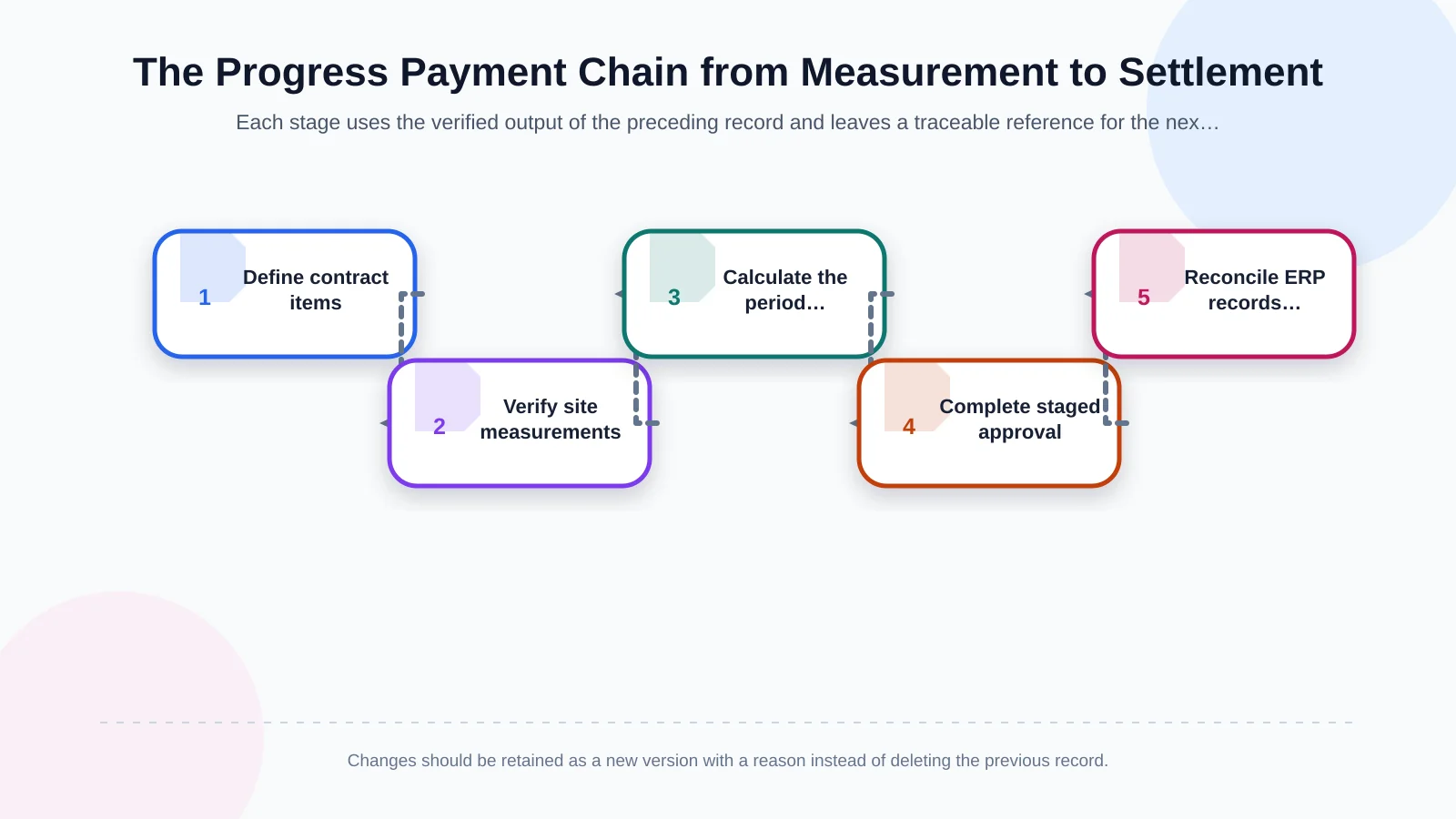
1. Define the contract and item structure
Record the contract number, parties, start and completion dates, currency, payment terms and deduction rules. Give every work item a unique code, description, unit, contract quantity and rate. When a revised bill of quantities, variation order or new rate is approved, do not overwrite the former record. Create a new version with its effective date, approval evidence and relationship to the original item.
2. Record site progress with evidence
The site team enters the completed quantity against the relevant item and location. Attachments may include measurement sheets, photographs, site records, drawings and quality-control documents. Where offline work is necessary, define when local records synchronise and how conflicts are resolved. If a quantity exceeds the remaining contract balance, the system should warn the user or initiate an authorised exception workflow rather than silently accepting it.
3. Calculate the period’s progress payment
The system groups eligible, verified work within the selected claim period. It retains the previous cumulative quantity, current-period quantity and new cumulative quantity as separate values. Price adjustments and contractual additions are applied to the gross work value, while advance recovery, retention, penalties and other deductions appear as distinct lines. The net amount therefore remains a reproducible equation rather than an unexplained total.
4. Apply staged review and approval
A claim may pass from the site supervisor or supervising engineer to the technical office, project manager and finance team. The route can vary according to value, project, contract type or exception status. Delegation, monetary thresholds, segregation of duties and deadlines should be explicit. Reviewers should be able to approve, reject or return a record with a structured reason while preserving the exact version they assessed.
5. Reconcile the financial record and payment
After final approval, the system prepares a data package for the ERP. Typical fields include project, contractor or supplier, contract, claim period, net value, tax, deductions and cost centre. The invoice or accounting document number generated by the ERP should be written back to the claim. Once payment occurs, its date, value, status and reference number should be reconciled from the ERP or bank data. Partial payment must leave an open balance; cancellation or refund should be recorded as a controlled reversing transaction.
Which records belong in the progress payment data model?
The backbone of the application is not its screens but the relationships between its records. A project connects to one or more contracts; a contract connects to work items; work items connect to measurements; and approved measurements feed a period claim. Calculation lines, deductions, documents, approval tasks and financial movements remain separate but related. A user can therefore drill down from the total payable amount to the evidence behind an individual quantity.
- Contract record: Parties, duration, currency, payment conditions and deduction rules.
- Item record: Code, unit, contract quantity, rate, revision and location.
- Measurement record: Period, completed quantity, method, recorder and evidence.
- Progress payment record: Previous, current and cumulative values, plus the calculation version.
- Decision record: Reviewer, date, decision, comments and return reason.
- Financial record: ERP document number, invoice, due date, payment and outstanding balance.
Creation, modification and approval timestamps should be retained for every record. Changes to critical fields should enter the audit log with both old and new values. FIDIC’s guidance on interim certificates notes that when a previously certified amount is changed because of an error, the reason should be explained. This supports the need for documented change reasons and a complete version history, as described on the FIDIC interim certificates page.
How should control points and automated warnings be designed?
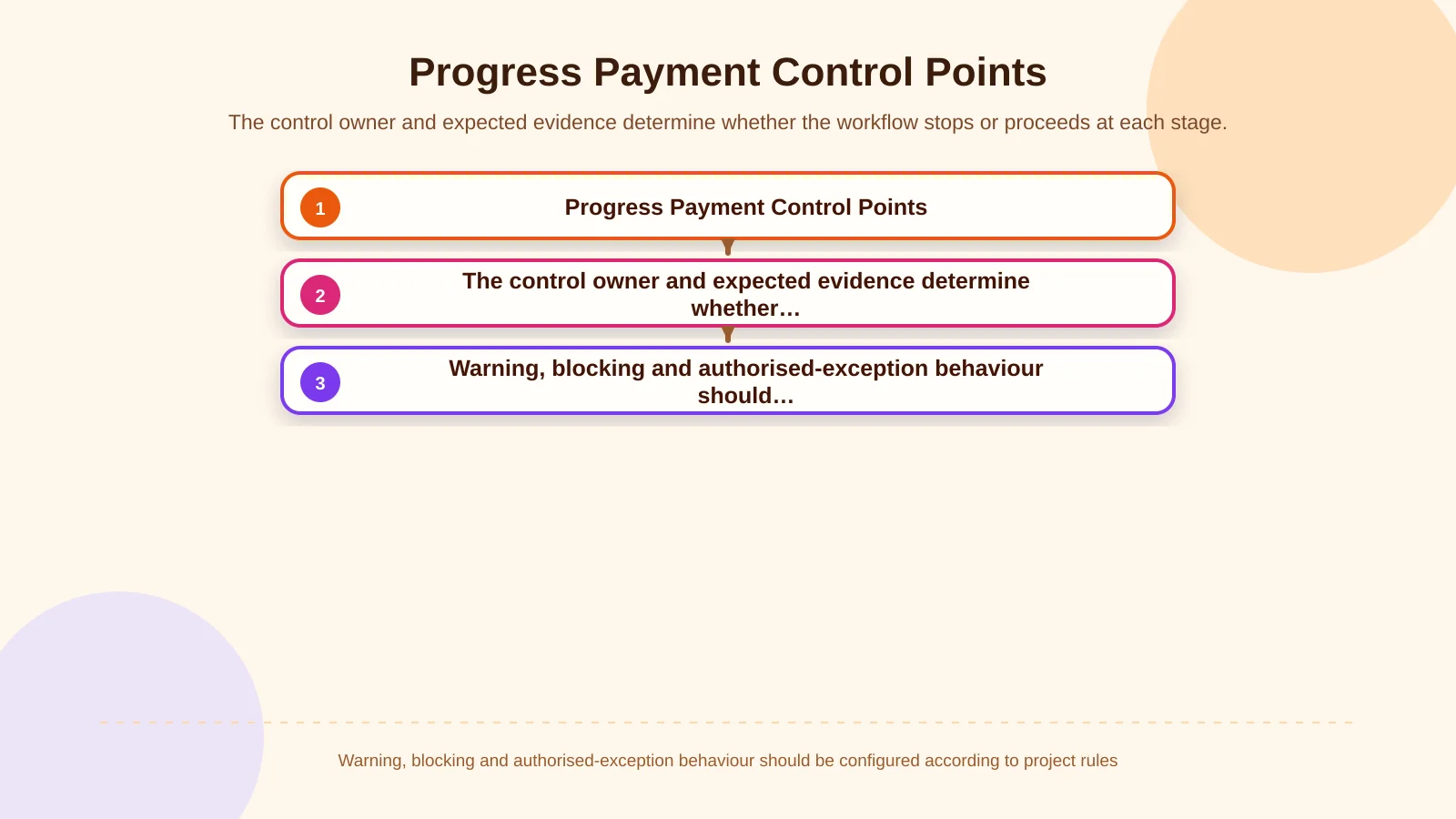
Automation should focus expert attention on risky records rather than attempting to remove professional review. Before submission, the system can identify quantities above the contract balance, invalid units, duplicate documents, missing attachments, edits to closed periods and approval-limit breaches. Tolerances and blocking rules should remain configurable because the acceptable response varies by project and contract.
A price change without an approved revision, a measurement edited after approval or a mismatch between the approved net amount and the value transferred to the ERP may be treated as a critical exception. Some checks should produce a warning; others should stop the workflow. Every alert needs an owner, resolution path and documented outcome. Otherwise, a high volume of notifications creates noise without strengthening control.
| Control | Evidence | System response | Owner |
|---|---|---|---|
| Quantity overrun | Remaining contract balance | Warn or block | Technical office |
| Missing measurement evidence | Attachment and site record | Stop submission | Site team |
| Post-approval change | Version difference | Return for reapproval | Project manager |
| ERP amount mismatch | Financial document and net amount | Send to error queue | Finance |
How does ERP integration provide payment visibility?
The progress payment application may be the operational system of record, while the ERP remains the financial system of record. That boundary must be documented. Field ownership, transfer direction, timing, unique transaction keys and failure behaviour should be defined as an integration contract. Kumsal Agency’s enterprise resource planning service approaches finance, purchasing and operations as connected components of a shared data model.
A failed transfer must not cause a claim to appear “paid.” The record should enter an error queue, display a useful message to the responsible user and allow a safe retry without creating a duplicate transaction. An ERP document number confirms that a financial record exists; it does not prove that money has been transferred. Separate statuses such as approved, posted, due, partially paid and closed prevent operational and financial milestones from being confused.
How should roles, permissions and the audit trail work?
Role-based access is more than hiding menu options. A site user may create measurements for assigned locations, while a supervising engineer verifies them without changing contract rates. The technical office reviews calculations, finance controls payment fields and senior management sees portfolio-level summaries. Sensitive documents and commercial amounts can be restricted by company, project or contract.
Segregation of duties is especially important for high-value claims. The person creating a record should not be able to grant final approval alone. Delegations need defined start and end dates so temporary authority does not become permanent. The audit trail should retain the user, time, session or device, action and reason. Controlled cancellation is generally more traceable than deleting a record and its history.
Which metrics should management dashboards include?
A management dashboard should show more than the total value of progress claims. Decision-makers need to compare contract value, approved cumulative progress, remaining work, pending approvals, disputed amounts, deductions, amounts due and amounts paid by project. Filters for period, contractor, contract and location support investigation without requiring separate spreadsheets.
Operations teams benefit from approval waiting times, return reasons and counts of missing documents. Finance needs visibility into approved records not yet posted to the ERP and payments that have passed their due date. Senior management needs expected cash outflows and contract progress. Role-specific views built on the same database reduce conflicting reports and preserve a shared operational picture.
How should a custom progress payment software project be scoped?
Begin by mapping data and decisions, not by copying every screen from the current process. Review contract types, measurement methods, certificate templates, deduction formulas, approval limits, ERP fields and common exceptions using representative records. Requirements should explain what the user does, what condition the system checks and what evidence proves acceptance.
An initial release might prioritise contract items, measurements, period calculations, basic approvals, document management and ERP transfer. Advanced price-adjustment models, offline mobile use, a contractor portal and forecasting dashboards can follow in later phases. A suitable pilot should contain varied items and deductions while remaining manageable for a controlled user group.
Before launch, test opening balances, cumulative calculations, permission scenarios, post-approval changes, partial payments, integration failures, reversals and cancellations. Backup, monitoring, security updates, support ownership and data export also belong in the delivery scope. These capabilities determine whether the application remains dependable after its first successful payment cycle.
Build a traceable progress payment chain from measurement to settlement
A successful progress payment system does not treat measurement as a quantity, approval as a signature and payment as an isolated bank movement. It links them through contract items, versions, evidence, deductions, permissions and financial references. The organisation can then explain where an amount originated, who changed it, why it was approved and how much has actually been paid.
Kumsal Agency approaches progress payment tracking as custom web software shaped around each organisation’s processes, user roles, data structure and integration requirements—not as a standard, one-size-fits-all product. To analyse your site, approval and payment stages together and scope software and integrations around your real operating model, contact Kumsal Agency.