


Aydınlatma metni yükleniyor…
Biometric login combines speed and security in mobile applications. Users can reach their accounts within seconds using a fingerprint or facial recognition. Yet that convenience can quickly become an access problem when a sensor fails, repeated attempts are rejected, the user changes devices or biometric permission is withdrawn. A well-designed mobile product therefore needs more than a biometric prompt: it also needs a secure fallback access journey.
The goal is not to weaken security whenever biometric verification fails. The application should verify identity in proportion to risk, check trusted devices and active sessions, request stronger assurance for sensitive actions and make unusual events traceable. For customer, dealer, field-service, warehouse and enterprise applications, product, engineering, IT and information security teams should define these decisions together.
Biometrics are not the account’s replacement password
Face ID, Touch ID and Android facial or fingerprint methods normally verify the device owner locally. The application does not see the biometric sample and should not send it to its own servers. Apple’s Local Authentication documentation explains how system components perform authentication and return a success or failure result to the application.
This distinction matters architecturally. Biometrics are not a central password that replaces the account’s primary authentication method. They commonly unlock a securely stored key, session credential or local application access. Server-side authentication remains necessary for initial enrolment, sign-in on a new device, return after a long absence and account recovery.
A requirement that simply says “support biometric login” is incomplete. Teams must define what remains on the device, which privileges become available after biometric success, how long the session lasts and which operations require server-enforced reauthentication. The wider technology decision should also consider device capabilities, security and maintenance. Kumsal Agency’s web and mobile software articles provide further context for product and architecture planning.
How should a secure fallback access flow work?
A fallback journey is more than an ambiguous “Use another method” link beneath the biometric prompt. The application should first distinguish the cause of failure, then assess whether the user is on a known device with a valid session or in a new or higher-risk environment. If the user cancelled the prompt, another attempt may be appropriate. If no biometric is enrolled, the interface can explain how to configure it. If the operating system has locked biometric authentication, an eligible device credential or account-level method should take over.
Android’s BiometricPrompt guidance describes how biometrics can be offered alongside device credentials such as a PIN, pattern or password. However, a screen-lock credential and the application account password are not the same thing. Product and engineering teams must distinguish clearly between a method that unlocks local protected material and one that re-verifies the account on the server.
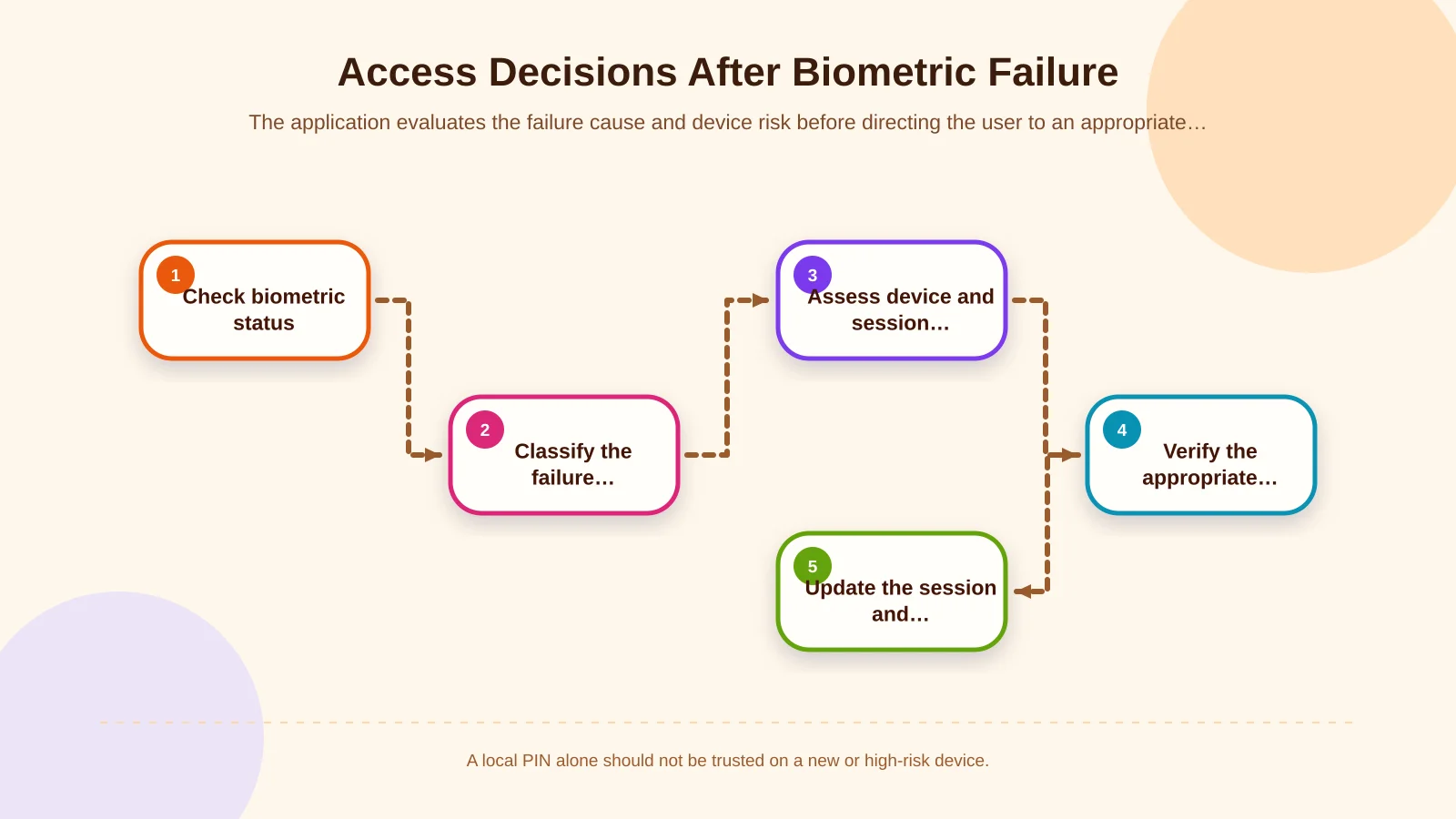
A practical decision sequence is:
- Check biometric availability and whether the user enabled the feature.
- Classify the outcome as cancellation, non-match, missing enrolment, sensor failure or system lockout.
- For a known device with a valid session, offer an application PIN, account password or eligible device credential according to risk.
- For a new device, expired session or unusual behaviour, perform server-side reauthentication.
- After successful verification, update the session and device relationship and notify the user about significant changes.
How should PINs, passwords and device credentials differ?
An in-app PIN, an account password and the phone’s screen lock may look similar, but they perform different security jobs. An application PIN can simplify local access on an enrolled, trusted device. It should not be sufficient on its own to bind a new device or recover a lost account. It needs limited attempts, progressive delays and a secure reset process, and it must never be stored as readable server data.
An account password is verified by the server and can often support first-time or new-device login. For a high-risk account, however, a password alone may be insufficient for device enrolment. A verified second channel, one-time code, passkey or enterprise identity provider may be required. The operating system manages a device PIN, pattern or password; the application learns only that the device owner was successfully verified.
These choices should not appear as if they offer equal assurance. An app PIN might unlock low-risk content on a known device, while payment approval, personal-data export or an administrator-role change requires an account credential and another factor. Security then reflects the action’s context instead of applying one inflexible rule everywhere.
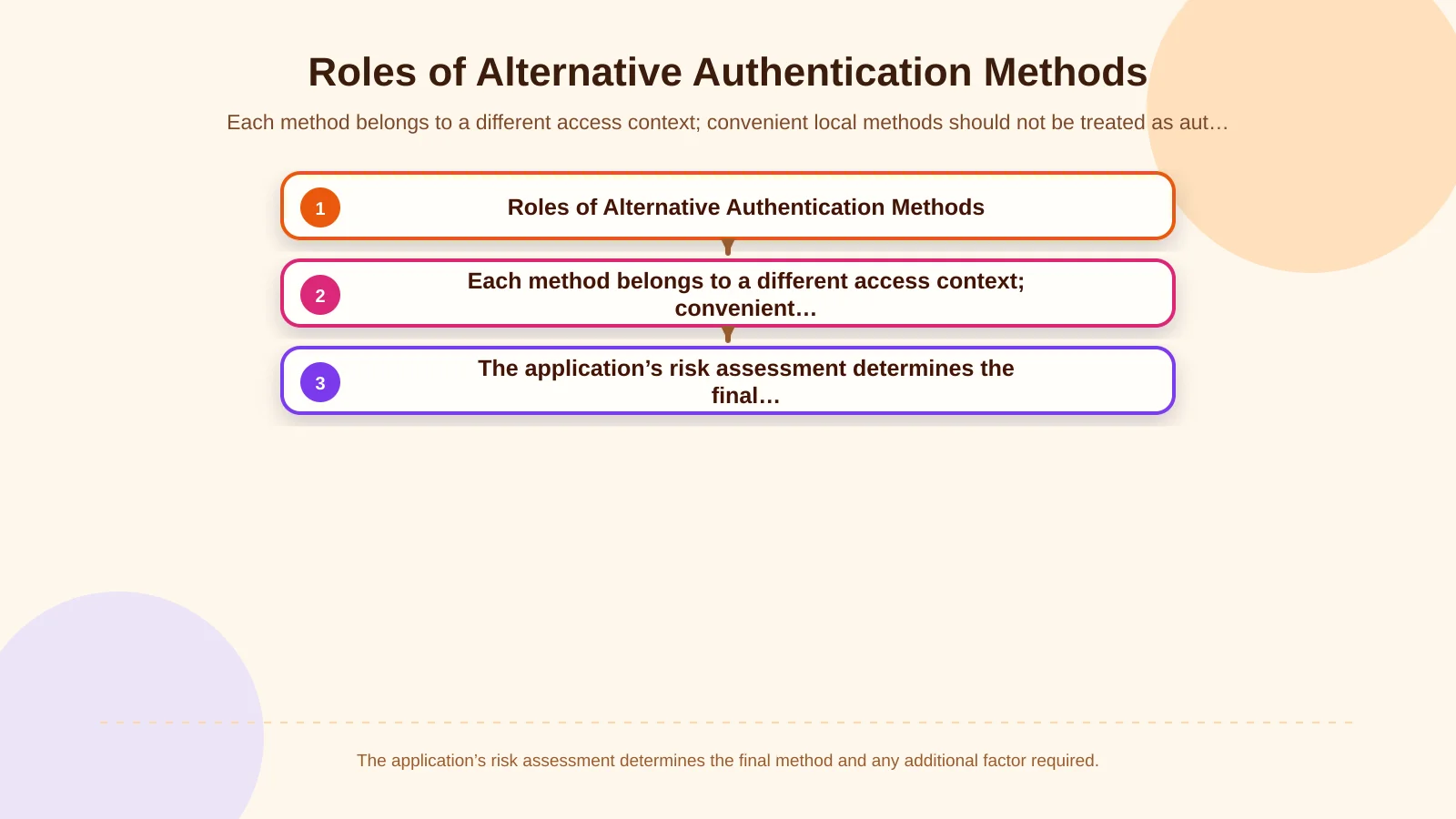
| Method | Primary role | Appropriate use | Insufficient on its own for |
|---|---|---|---|
| Application PIN | Unlock local access | Quick entry on a known device | New-device enrolment and account recovery |
| Account password | Verify the account on the server | Initial login and reauthentication | High-risk operations |
| Device credential | Verify the device owner | Operating-system fallback for biometrics | Proving account ownership |
| Additional factor | Increase assurance | New devices and sensitive operations | A poorly designed recovery flow |
Risk-based reauthentication
Being signed in does not mean a user should be able to perform every operation indefinitely. Session entry and approval of a critical action are separate security decisions. Viewing a profile may be low risk, while changing bank details, approving a high-value order, adding an administrator or exporting enterprise data may justify reauthentication.
The decision can consider the operation, session age, device trust, user role, transaction value, location change and recent failed attempts. Requesting biometrics on every screen does not automatically improve security and may create prompt fatigue. A concise explanation followed by biometric verification or a strong alternative immediately before a sensitive operation makes the user’s intent visible and reduces the risk of an abused open session.
The server should not trust an unsupported claim from the mobile client that verification occurred. A critical API request can require short-lived proof, action-scoped authorisation or a check of the latest reauthentication time. This prevents stale client state or a modified application from authorising a sensitive operation by itself.
Device changes and session management
Moving to a new phone is a common source of fallback-access errors. Biometric enrolments belong to the operating system and device, so authorisation on the old phone must not transfer automatically. On the new device, the user should first verify the account through a trusted server-side method and then enable biometric quick access separately.
The account should expose manageable information such as a device’s recognisable name, operating system, first and most recent use, trust status and connected sessions. Users should be able to remove an unfamiliar device, while enterprise administrators may need to revoke a lost field or warehouse device under defined policy. Access keys, refresh tokens and similar secrets should remain in platform-protected storage and be revocable by the server.
Teams should determine in advance which sessions end after a password change, account recovery, suspicious login or employee departure. Signing out every device after every event can damage usability; leaving all sessions active can preserve an attacker’s access. Controls such as revoking only the risky device, approving it from another trusted device and reviewing active sessions support a better balance.
Account recovery is a separate, high-risk process
Fallback login and account recovery are not interchangeable. If the user knows the password or still controls an enrolled authenticator, an alternative login method may be enough. Recovery restores control after required authenticators have been lost, making it a more sensitive process and an attractive target for attackers.
NIST SP 800-63B addresses the need for a non-biometric option when biometrics are used and discusses recovery codes, registered communication channels and renewed identity proofing according to risk. It also calls for notifying the account holder about recovery events. This helps explain why a one-step “enter your email and create a new password” journey is unsafe.
Designers should consider whether the recovery channel is likely to be compromised alongside the account. One-time codes need short validity, single use and attempt limits, while request and verification endpoints require rate limiting. If support personnel handle recovery, policy must specify which evidence they may request, which data they cannot see, when a second approval is required and how every action is recorded.
After recovery, the system should review old sessions and device bindings, enrol a new authenticator and notify the user through independent channels. If the user did not initiate the event, the message should provide a clear way to freeze the account or reach the security team quickly.
Architecture and testing for a React Native application
React Native enables shared product logic across iOS and Android while still using each platform’s native biometric and secure-storage capabilities. A shared codebase does not mean both platforms expose identical errors or user behaviour. States from iOS Local Authentication and Android BiometricPrompt should map into a common application model without hiding platform-specific details that affect recovery or support.
Kumsal Agency’s React Native mobile application development approach brings business goals, real user needs and technical requirements into the same product scope. For biometric access, that means designing user roles, sensitive operations, API and identity-provider integrations, device policies, offline limits and operational intervention together—not treating the biometric prompt as an isolated feature.
Testing should extend beyond a successful fingerprint or face scan. Scenarios should cover a device without enrolled biometrics, user cancellation, repeated mismatch, system lockout, sensor failure, application updates, password changes, offline access, simultaneous sessions on old and new devices, lost-device revocation and the first login after recovery. API tests should include expired tokens, reused codes, rate limits, replay attempts and requests from revoked devices. Real-device testing is essential because simulator success cannot represent every hardware, enrolment and operating-system state.
Checklist for product and security teams
- Is it clear that biometrics simplify device access rather than establish account ownership?
- Are cancellation, mismatch, lockout and sensor failure explained differently?
- Are the app PIN, account password and device credential technically separated?
- Does new-device enrolment depend on strong server-side verification?
- Are risk-based reauthentication rules defined for sensitive operations?
- Can users review and revoke active devices and sessions?
- Is recovery separate from login, fully logged and operationally traceable?
- Are notifications sent after recovery, password changes and new-device enrolment?
- Have iOS and Android failure states been tested on real devices?
- Are support and security-team intervention privileges restricted and audited?
A sustainable mobile access experience
The quality of biometric login is not measured only by how quickly a face or fingerprint is recognised. It becomes visible when users understand why biometrics are unavailable, return through an appropriate alternative and encounter stronger verification when risk increases. Device replacement, session revocation and account recovery may be uncommon, but they belong in the initial product scope because their consequences are significant.
To plan a mobile application with biometric login and secure fallback access around user roles, workflows, integrations and data-security requirements, contact Kumsal Agency.