


Aydınlatma metni yükleniyor…
A real estate project website is more than a digital showcase for architectural renders. It is a decision-making environment where prospective buyers explore the development, identify apartments that suit their lifestyle and budget, compare alternatives and contact the sales team with a clear expression of interest. Floor plans and enquiry forms should therefore be designed as connected stages of one journey rather than separate website features.
A well-planned experience builds confidence in the project, makes apartment options easier to understand and supports detailed research on mobile devices. It also sends the user’s chosen project, block, apartment type and contact preference to the CRM alongside their details. Instead of receiving an isolated name and telephone number, the sales team gains the context needed to prepare for a relevant conversation. The website consequently becomes a measurable link between marketing activity and sales operations.
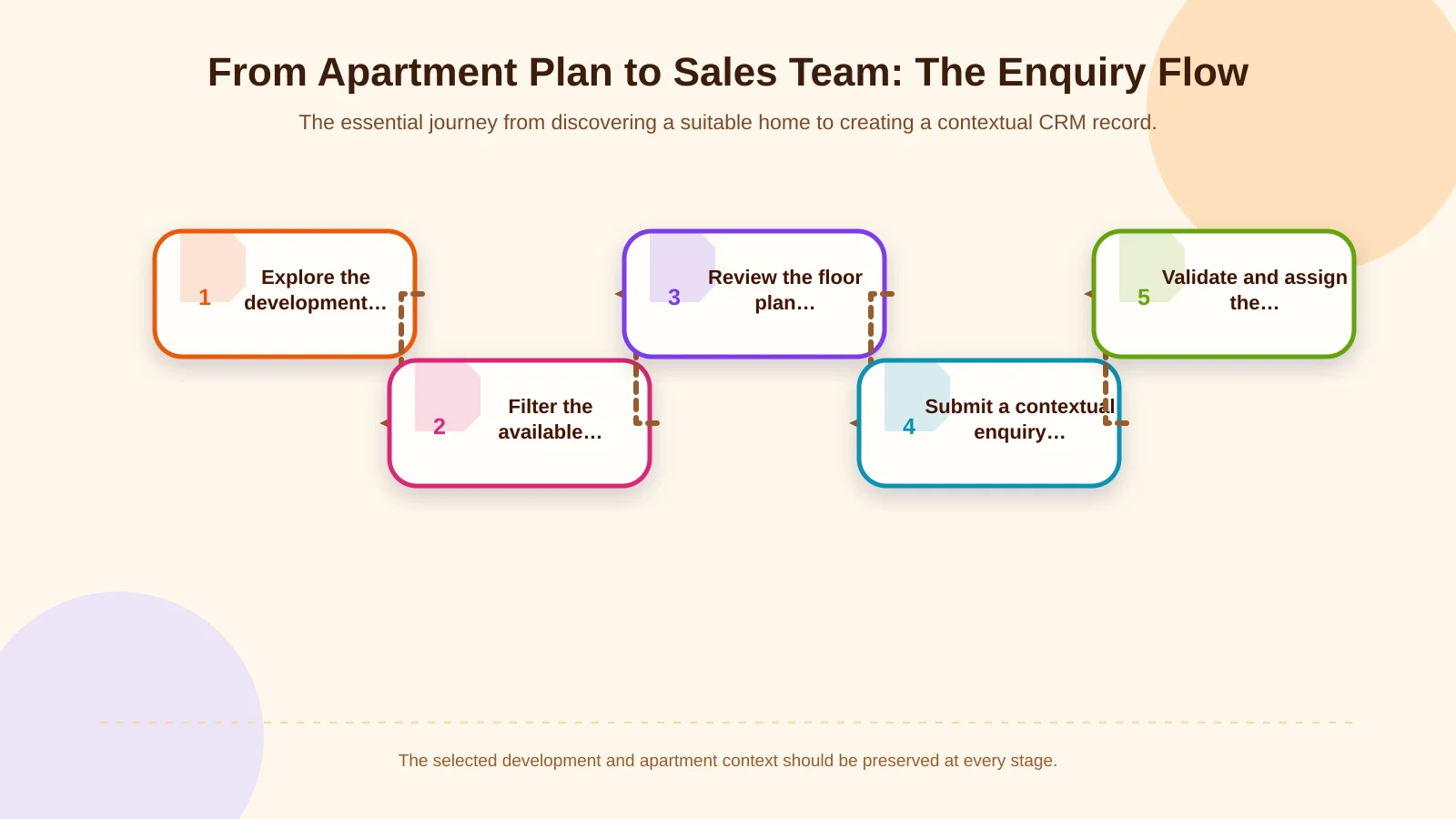
From apartment plan to sales enquiry: the user journey
Most visitors are not ready to complete a form as soon as they arrive. They may first assess the location, delivery status, amenities and overall proposition. They then narrow the available homes by criteria such as bedroom count, size, aspect or floor. Once they have examined a suitable floor plan, they are more likely to request pricing, payment terms or current availability. The page structure should reflect this natural decision sequence.
A practical journey can connect the project proposition, apartment discovery, plan details, an appropriate enquiry action and the sales handover. It should not force everyone through a rigid funnel. Visitors should be able to enlarge a plan, compare similar layouts, return to the amenities and contact the team through a visible call to action when they are ready.
- Present the location, lifestyle proposition and current project status clearly.
- Let visitors filter homes using criteria they recognise.
- Give every apartment type its own features, plans and relevant enquiry action.
- Preserve the selected apartment context when the form opens.
- Validate the submission, transfer it to the CRM and assign the right owner.
Information architecture, interface design and integration requirements need to be planned together. A brand-specific web design service can align the development’s visual language with real user tasks, while custom web development supports project-specific data, business rules and integrations.
How should apartment types and floor-plan content be modelled?
If a floor plan exists only as a high-resolution image, filtering, updating and CRM handover become unnecessarily difficult. A structured model should instead connect the development, phase, block, apartment type and individual unit. Not every level has to be visible to visitors, but the content-management model should be organised enough to accommodate future campaigns, inventory feeds and integrations.
Essential fields for each apartment type
The customer-facing name can be separated from the internal system code. “Garden Duplex” may be the marketing name, for example, while the CRM or inventory platform uses a different identifier. Bedroom count, gross and net area, floor range, aspect, balcony or terrace details, plan image, description, gallery and status should remain attached to the same record.
- Development, phase and block relationships
- Apartment-type name and unique system code
- Bedroom count and gross and net floor area
- Floor, aspect, balcony, terrace or garden attributes
- Primary plan, alternative layouts and downloadable documents
- Status such as published, coming soon, open to enquiries or inactive
If prices or inventory are displayed, their authoritative source and update frequency must also be defined. A manually maintained price should not appear to be real-time data. Where pricing is withheld, use an explicit “Request information” action. Availability should be described as subject to confirmation by the sales team unless a reliable live inventory connection exists.
Making floor plans accessible and usable
Room labels and dimensions need to remain legible on smaller screens. Depending on the audience and content, useful controls can include zooming, full-screen viewing and a downloadable document. The room arrangement, area figures and important spatial features should also be explained in text beneath the image.
The W3C’s guidance for complex images recommends providing a longer text description that communicates essential information in addition to a short alternative description. Applied to floor plans, this approach ensures that understanding the apartment does not depend entirely on a visitor’s ability to inspect a detailed image.
How do filters guide visitors to a suitable apartment?
Filters should be generated from fields that genuinely exist in the data model and help people decide. Bedroom count, net area, apartment type, block and floor are common choices, but every development does not need the same filter set. Garden and terrace options may matter most in a low-rise scheme, whereas aspect and floor range may be more important in a tower.
The result count should update with each choice, and a zero-result state should offer a way forward. Show which filters have narrowed the selection and let users remove them individually or reset the set. Result cards should provide a consistent decision-ready summary, with complete information reserved for the apartment-type detail page.
- Use customer language rather than internal inventory codes.
- Keep selected filters visible and individually removable.
- Display equivalent attributes in the same order on every card.
- Suggest broader criteria or related options when no exact match exists.
- Preserve the filter state when users return from a detail page.
Why mobile experience and performance belong in the sales flow
A project page may combine large renders, video, maps, galleries and plan files. Uncontrolled media delays the first meaningful view, while heavy filtering components and excessive JavaScript can slow interactions. These problems directly interrupt the enquiry journey when a visitor tries to enlarge a plan or open a form.
Serve images at appropriate dimensions, defer gallery items that are not yet visible and prioritise critical media above the fold. Reserve space for plans and result cards to reduce layout movement as content loads. Google’s Core Web Vitals improvement guidance highlights making the key visual resource discoverable in the HTML, prioritising it appropriately, reducing unnecessary JavaScript and breaking up long tasks.
On mobile, filters can open in an accessible panel, but active selections should remain apparent after the panel closes. Plan-zoom gestures must not conflict with page scrolling, tap targets need comfortable spacing, and a fixed CTA must not cover important content. Performance testing should include gallery-heavy apartment pages and enquiry forms, not only the homepage.
What information should an enquiry form collect?
The objective is not to maximise the number of fields. It is to collect enough accurate information to begin a useful sales conversation. Name, preferred contact channel and the corresponding contact detail are reasonable essentials. The development, apartment type, referring page and campaign context can be carried into the form automatically instead of being requested again.
Budget range, expected purchase date or preferred appointment time should be added only when the sales process genuinely uses them. Context-specific actions such as “Request prices and payment plans,” “Check availability” and “Book a sales-office appointment” are often clearer than a generic contact form. Each action may justify different inputs: an appointment needs a date preference, while a brochure request usually does not. After submission, the confirmation message should explain what was received and what happens next.
Privacy and data security
Form fields should remain limited to their stated purpose, with an accessible explanation of who processes the information and why. The Turkish Personal Data Protection Authority’s guidance on the obligation to inform states that people should be told the controller’s identity, processing purpose, transfer recipients and purposes, collection method, legal basis and their rights when personal data is obtained. Project-specific notices, consent choices and legal grounds should be reviewed by qualified legal advisers.
Server-side validation, rate limiting, bot protection, encrypted transmission, permission-controlled administration and audit logs should support form security. Unnecessary personal data should not enter the CRM, and ownership of retention, deletion and access procedures should be agreed before technical delivery.
CRM integration and preserving context for the sales team
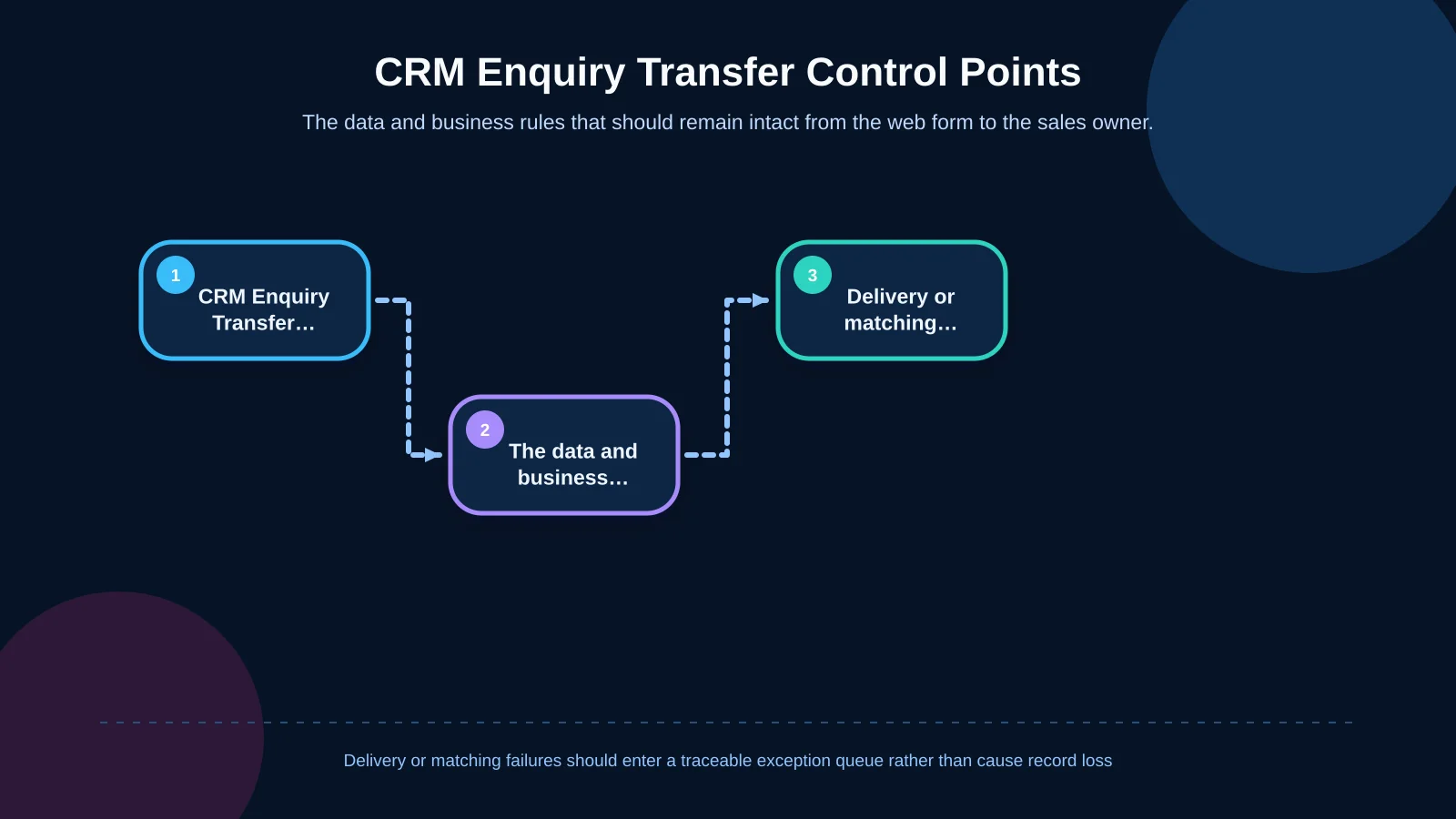
If a submission reaches only an email inbox, follow-up, reporting and ownership depend heavily on individuals. CRM integration transfers each web enquiry into the sales process through consistent fields. A mapping document should specify the CRM destination for every website field, its data format, whether it is required and what happens when validation or delivery fails.
| Control area | Transferred data | Rule to apply | Failure response |
|---|---|---|---|
| Enquiry context | Development, block, apartment type | Match through system codes | Place unmatched records in the queue |
| Contact details | Telephone number and email address | Validate the format | Ask the user to correct invalid details |
| Duplicate check | Contact and new interest | Retain the contact and create an activity | Create a review record |
| Lead assignment | Development, language, location | Apply the defined distribution rule | Notify the backup team |
| Permission and source | Privacy notice, channel, campaign | Store with timestamp and version | Flag the incomplete record |
Field mapping, duplicate handling and lead assignment
Relevant fields may include the development code, apartment-type code, campaign source, originating page, language, enquiry type and permission record. Telephone numbers and email addresses should be validated before transfer. When one person submits enquiries for several plans within a short period, blindly merging everything can erase intent, while creating a new contact each time produces duplicates.
A better rule distinguishes the person from the enquiry: retain one contact while creating a new interest or activity record. Ownership can then be assigned by development, language, location, shift or round-robin distribution. If assignment fails, the submission should remain available in a traceable exception queue rather than disappearing.
Content management, localisation and long-term operation
Apartment statuses, campaigns, images and sales documents continue to change after launch. The administration interface should therefore be usable by the marketing team, not only developers. Authorised users should be able to update apartment types, schedule publication and preview changes. Role-based permissions and change logs reduce the risk of an incorrect price, status or document being published.
Multilingual delivery involves more than translating interface labels. Apartment names, feature descriptions, metadata, form options, confirmation messages and privacy notices all require language-specific management. Fallback behaviour for missing content should be deliberate: a page must not display an outdated promise or unexpectedly switch language during a high-intent journey.
Measurement and pre-launch acceptance checks
Total form volume alone does not show where the experience succeeds or fails. Track apartment-list visits, filter use, plan views, CTA clicks, form starts, validation errors and successful submissions as separate events. When qualified leads, appointments and sales outcomes are connected to their web source in the CRM, the business can identify which layouts and content generate meaningful value.
- Do filters return correct options and provide a useful zero-result state?
- Are plans legible and zoomable on representative mobile devices?
- Do the chosen development and apartment type reach the form intact?
- Do repeat submissions follow the agreed CRM duplicate rule?
- Are records retained and teams alerted during an integration outage?
- Are language, permission, source and ownership values transferred correctly?
Testing should extend beyond one successful scenario. Invalid phone numbers, lost connections, CRM timeouts, inactive apartment types, missing translations and double-click submissions all deserve acceptance cases. Recording the expected outcome and responsible team for each critical check makes post-launch operation more sustainable.
Defining the right scope for a real estate project website
An effective real estate project website unites creative presentation, structured apartment data, fast mobile use and sales operations. Floor plans help visitors understand an option; filters help them find a suitable alternative; and forms let them make contact without losing the context behind their decision. CRM integration turns that context into an organised record the sales team can act on.
Kumsal Agency is an Istanbul-based digital agency bringing together web design, custom web development, digital brand consulting and integration expertise. The goal is not simply to build an impressive project showcase, but to create a secure, measurable enquiry platform that the organisation can manage over time. To plan your development’s floor plans, content management and sales enquiry journey together, contact Kumsal Agency.