


Aydınlatma metni yükleniyor…
“Request a demo” and “Start a free trial” are not two labels for the same step in a SaaS buying journey. A demo request usually connects a visitor who wants expert guidance and answers tailored to their organisation with the sales process. A trial sign-up gives someone who prefers to evaluate the product directly a faster route into the experience. Sending both actions to the same form, message or CRM status can frustrate users and make marketing and sales data difficult to interpret.
Separating the two journeys requires more than placing two buttons on a page. Product complexity, the ideal customer profile, buying stakeholders, integration requirements and the user’s ability to succeed without human assistance must be considered together. Visitors can then choose a route that matches their needs, while sales teams can respond to each enquiry with the appropriate priority and method.
What is the fundamental difference between a demo request and a trial sign-up?
When requesting a demo, a visitor wants to assess whether the product fits a specific business context with a sales or solutions specialist. Enterprise security, user roles, data migration, API connections, procurement procedures and pricing may all be part of the conversation. A demo form should therefore collect not only contact details but also a limited amount of qualification data that helps the team prepare for a relevant discussion.
A trial sign-up has a different goal: getting the user into a working product as quickly as possible. Account creation, email verification, workspace setup and progress towards the first meaningful outcome all belong to this journey. Google Analytics reflects this distinction in its recommended events: generate_lead can represent an enquiry or form submission, while sign_up represents account registration. The Google Analytics recommended events documentation provides further detail.
In short, a demo is an assisted evaluation; a trial is direct product experience. A user may request a demo after starting a trial, or receive trial access after a demo. Nevertheless, their initial intent and the criteria used to measure success should remain distinct.
Which visitors should be directed to each journey?
Company size alone is not a reliable routing rule. A small team may require complex integrations, while a large organisation may be able to test a standard use case independently. Routing should instead reflect buying intent, product complexity, the need for sales assistance and whether a user can reach a meaningful result inside the trial environment.
Signals that point towards a demo request
- The product must integrate with enterprise systems such as ERP, CRM, data warehouses or identity management.
- Several user roles, departments or decision-makers will participate in the evaluation.
- Pricing depends on usage volume, organisational requirements or a custom scope.
- Security, regulatory compliance, data residency or service-level questions affect the purchasing decision.
- Successful adoption requires data migration, technical implementation or consulting.
Signals that point towards a trial sign-up
- A user can create an account and complete a core task within a few minutes.
- The product’s value can be demonstrated with sample data, templates or guided setup.
- Standard packages and prices can be presented clearly.
- An individual or small team can make the buying decision.
- In-product guidance, training and useful error messages enable independent progress.
For SaaS products serving both profiles, a controlled choice is usually better than forcing everyone into one route. The primary CTA can represent the dominant growth model, while a secondary CTA explains the alternative with language such as “Discuss enterprise requirements” or “Explore the product yourself.”
How should the decision model be built?
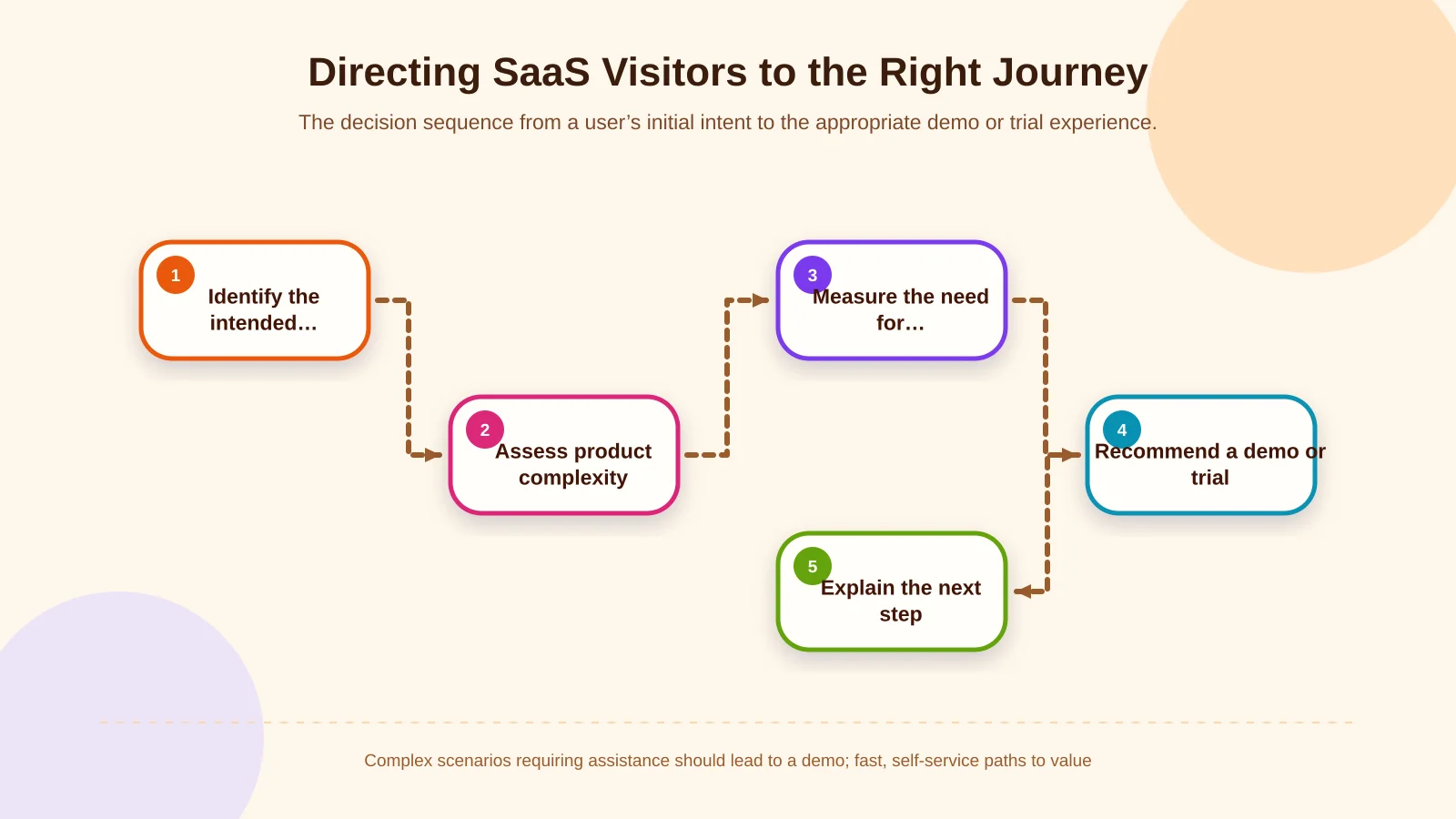
Start by defining user segments according to the job they need to complete rather than a superficial attribute such as employee count. For each segment, assess time to value, required setup, decision-making stakeholders and reliance on human support. The result may be a demo-led journey, a self-service trial or a conditional hybrid model.
A hybrid journey can begin with a short choice screen. “I want to explore the product myself” can lead to registration, while “I want to assess the fit for my team” can open the demo form. In a more advanced model, one or two answers—such as use case, integration requirements or organisational scale—can determine the recommended route. Explain why the recommendation is being made so that routing feels helpful rather than restrictive.
This decision model is part of the information architecture. Product, pricing, solution and help pages should describe both routes consistently. Within a brand-specific web design process, Kumsal Agency can connect page hierarchy and CTA design with user research, real tasks and the commercial model.
How should demo and trial page messaging differ?
A demo page should make it clear that the conversation will be prepared around the visitor’s context. Explain who they will meet, the approximate scope of the session, which topics can be covered and what happens after submission. An outcome-focused message such as “Let’s assess your workflow and integration requirements” is more informative than a generic instruction to complete a form.
A trial page should focus on speed, access and the first successful outcome. State whether a credit card is required, how long the trial lasts, which features are available and what happens when the period ends. After registration, avoid presenting an empty workspace with no direction. A sample project, setup checklist or product tour can help users understand what to do next.
The CTA labels must also set different expectations. “Request a demo” promises a conversation; “Start your free trial” promises immediate product access. Trust is damaged when the following experience contradicts that promise—for example, when a free-trial button opens a lead form and leaves the user waiting for a sales call.
How should form fields and friction be balanced?
A demo form should gather enough information for a productive first conversation, not require visitors to populate every field available in the CRM. Name, business email, company, primary use case and, where relevant, team size may be sufficient. Telephone number, budget and detailed technical inventories should be mandatory only when they genuinely change what must happen before the first meeting.
A trial registration should ask for even less. An email address, password or single sign-on option, plus any necessary consent, may be enough to begin. Role, industry, team size and intended use can be collected progressively inside the product. HubSpot explains how multi-step and conditional forms can display fields in response to earlier answers or route a visitor to a different next step in its guide to creating and customising forms.
For every field, ask: “Which decision will this information change?” The European Commission describes data minimisation as processing only personal data that is necessary for a defined purpose. Form length is therefore not merely a conversion issue; it is also a data-governance consideration. The European Commission’s GDPR principles explain data minimisation and purpose limitation in more detail.
How should CRM routing and sales hand-off be designed?
Even when both forms connect to the same contact record, source, intent and lifecycle status should be stored separately. A demo submission may create a new sales enquiry, whereas a trial registration should first initiate the product journey. Assigning every trial user immediately to a sales representative can produce unwanted contact and distract the sales team from stronger opportunities.
Demo leads can be routed according to region, company profile, product package or use case. Define a response-time target, record owner and alert for failed delivery. Field mapping, duplicate-contact handling and an exception queue are essential when transferring form data into a CRM.
Trial activity can feed relevant product events into the CRM or customer data platform. Workspace creation, a first project, a colleague invitation or use of a core feature can make sales outreach more timely. Kumsal Agency’s custom web development services can bring together user roles, form rules, CRM fields, APIs, failure handling and administrative requirements around the project’s actual workflow.
Which conversions should be tracked separately in the measurement plan?
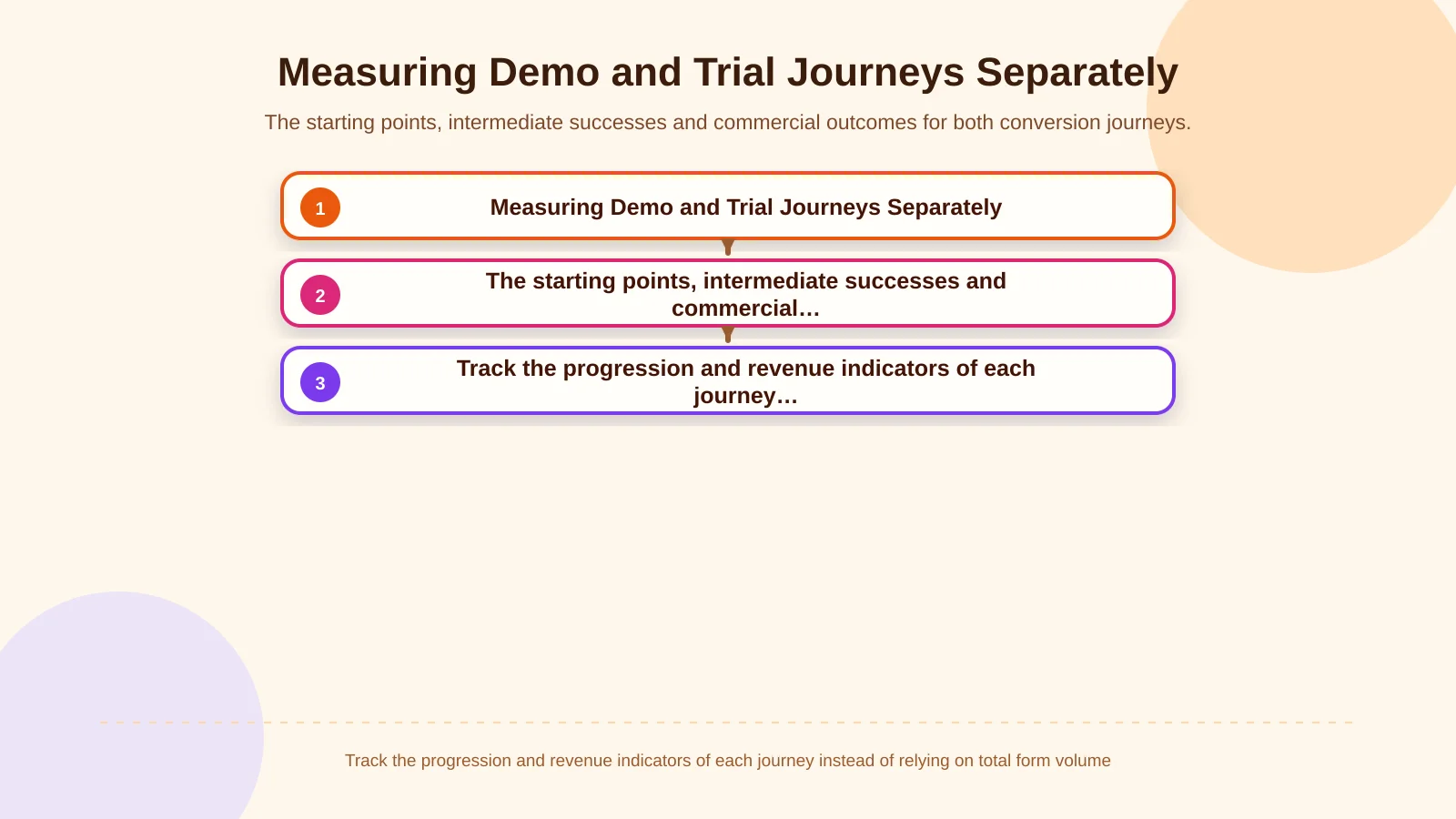
A single “form submitted” conversion prevents meaningful comparison between the two routes. For demos, teams can measure CTA clicks, form starts, successful submissions, qualified enquiries, scheduled meetings and opportunities. For trials, measurement should cover registration starts, account creation, verification, first session, activation milestones and conversion to a paid plan.
The definition of success must differ. Increasing demo submissions can generate more low-quality enquiries rather than more revenue. Likewise, a high volume of new trial accounts creates little commercial value if users never reach their first meaningful outcome. Campaign and channel reporting should therefore connect demos with qualified opportunities, and trials with activated accounts and subsequent revenue.
The measurement specification should define event names, parameters, user identifiers, CRM statuses, revenue data and ownership. Cookie choices, use of personal data and the scope of analytics should be assessed alongside the implementation’s data-protection requirements.
| Journey | Starting point | Intermediate success | Commercial outcome |
|---|---|---|---|
| Demo | Form started | Meeting scheduled | Qualified opportunity |
| Trial | Account registered | First value reached | Conversion to paid |
| Shared control | Source and campaign | CRM/product match | Revenue attribution |
What are the most common separation mistakes?
- Sending demo and trial buttons to the same form.
- Promising a free trial and then requiring manual approval or a sales call.
- Collecting unnecessary budget and technical details during the first demo enquiry.
- Treating every trial account as a sales-ready opportunity.
- Making the secondary CTA unclear or difficult to find on mobile screens.
- Tracking the success message without verifying CRM delivery and the sales outcome.
- Measuring registration rate without defining activation milestones inside the trial.
Test both journeys with realistic user scenarios before launch. Form validation, email delivery, CRM records, owner assignment, account creation, permissions and analytics events should be checked from end to end. A success message on the screen does not by itself prove that the data reached its destination.
How does Kumsal Agency approach these journeys?
Kumsal Agency treats a SaaS website not as a visual showcase with two CTA buttons, but as a measurable system connecting brand, product and sales processes. Research-led digital brand consulting clarifies the decision context of each audience. Information architecture and user-experience work then determine where the demo and trial routes should appear and how each should be explained.
Where required, Kumsal Agency designs user roles, form logic, CRM fields, API data flows, error management and administrative interfaces as part of a custom web software project. This brings marketing measurement, sales qualification and the product team’s trial experience into one coherent architecture.
Clear separation creates meaningful progress, not simply more forms
The purpose of separating demo requests from trial sign-ups is not to give visitors unnecessary choices. It is to connect people who need an assisted evaluation with the sales team while allowing users ready for direct exploration to enter the product without delay. Clear promises, short purpose-built forms, distinct CRM rules and appropriate measurement events turn that distinction into an effective system.
To plan demo and trial journeys around user needs, your sales process and technical integrations, contact Kumsal Agency.