


Aydınlatma metni yükleniyor…
Publishing content on a corporate website involves much more than writing copy and entering it into a content management system. Marketing shapes the message, product teams verify technical accuracy, legal teams assess risk, HR reviews employer language, brand teams protect visual consistency, and IT manages technical requirements. Multilingual organisations must also coordinate translation, localisation and regional approval.
Without a shared publishing calendar, requests wait in email threads, teams lose track of the approved version, and hidden problems emerge close to launch. An effective calendar therefore shows more than dates. It identifies the content owner, current status, next decision, acceptance criteria and the rule to follow when work is delayed.
Why is a publishing calendar more than a list of dates?
A basic editorial calendar may contain a topic, channel and publication date. A multi-stakeholder publishing calendar is also a workflow record. For each content item, it connects the business need, affected page, production owner, required reviews and release conditions. The team can then answer not only “When will this go live?” but also “What must happen before it can be published?”
The Content Marketing Institute describes a documented content workflow as a way to make request, production, review, approval and delivery stages visible. This helps teams identify the role currently holding an item and locate recurring bottlenecks. Its content production workflow guide provides further context.
Before building the calendar, map page purposes, required copy and media, language needs and content ownership. This content matrix defines what must be produced; the publishing calendar defines the sequence, responsibility and timing of that production.
Define scope and content classes before building the calendar
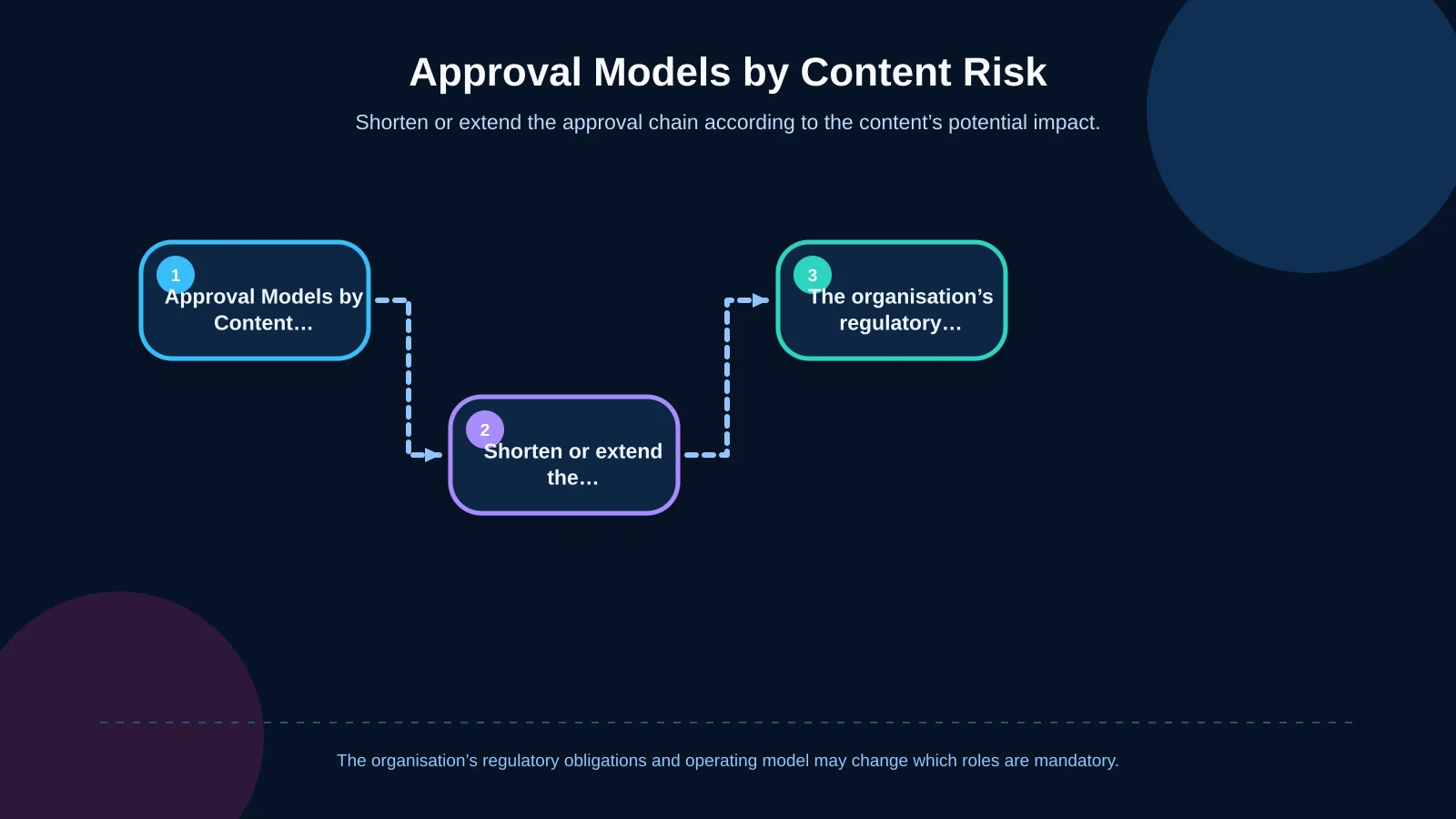
Sending every change through the same approval chain may appear safe, but it creates unnecessary delay. A homepage brand promise, an amended legal notice, a technical product sheet and a routine spelling correction do not carry the same level of risk. Start by classifying content according to its potential impact.
- High-risk content: legal statements, prices and campaign terms, investor information, personal-data notices or health claims.
- Medium-risk content: service pages, product descriptions, corporate news and downloadable documents.
- Low-risk content: spelling corrections, unchanged contact details or updates to previously approved components.
Define mandatory approvers, target turnaround time and publishing authority for each class. A content manager might release a low-risk correction, while a pricing change may require commercial and legal approval. This distinction prevents senior decision-makers from becoming a bottleneck for minor updates.
| Content class | Example | Minimum review | Publishing approach |
|---|---|---|---|
| High risk | Legal notice or pricing terms | Subject expert + legal + final approval | Planned and documented release |
| Medium risk | Service or product page | Content owner + subject expert | Standard calendar |
| Low risk | Spelling or routine information correction | Content manager | Shortened workflow |
Six stages from content request to publication
The calendar should use statuses that everyone interprets consistently. Too many statuses make reporting difficult; too few conceal where work is actually waiting. The following six-stage workflow is a practical starting point for many corporate teams.
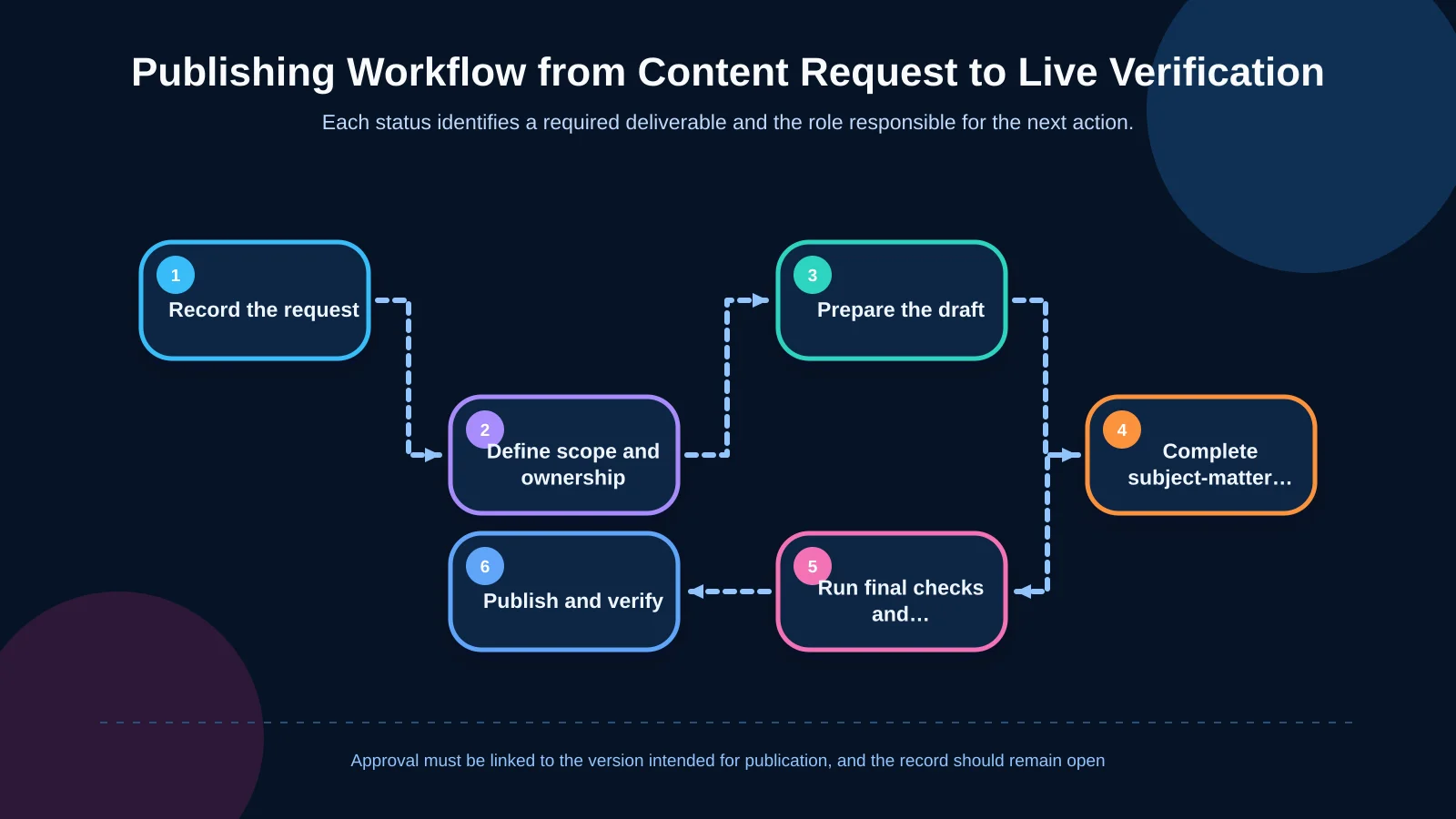
1. Record and prioritise the request
The requester should submit the business objective, target audience, affected URL, requested publication date, required languages, supporting assets and any legal deadline in one record. An “urgent” label is not enough. Urgency should have a verifiable reason, such as a campaign launch, regulatory date, product release or critical correction.
2. Clarify scope and ownership
The content owner determines whether the request concerns a new page or an update. The record should cover copy, images, documents, SEO fields, forms and integration effects. Assign both a primary owner and a named substitute who can take over during an absence.
3. Prepare the draft
The writer works from an approved brief and a defined page purpose. Sources, image rights, links, metadata and SEO titles should accompany the draft. Missing inputs must not remain hidden behind an “in progress” status; record them as visible blockers with an owner.
4. Run subject-matter and brand reviews
A product or subject specialist checks facts, the brand team reviews language and visual consistency, and legal examines defined risk areas when required. Independent reviews can run in parallel. If one decision depends on another, document the sequence explicitly.
5. Complete pre-publication checks and approval
Review the CMS preview across mobile layouts, links, media, metadata, accessibility requirements and language relationships. Final approval must apply to the complete version that will be published, not only to a detached copy document. The official GOV.UK model similarly separates requests, prioritisation, independent review, specialist verification where necessary and publication; see the GOV.UK mainstream content publishing process.
6. Publish and verify the live result
The publisher releases the authorised version at the agreed time. They then verify the URL, redirects, forms, downloads, language switching, indexing instructions and analytics tags. The task is complete only when evidence of the live check has been recorded—not when someone clicks “Publish”.
How should roles and permissions be separated?
Listing only a department does not create accountability. Each record should identify the requester, producer, reviewer, final approver and publisher by person or role. Every stage needs one accountable role; contributors who provide comments do not all need final approval authority.
- The requester supplies the business case, priority and essential inputs.
- The content owner validates the brief, coordinates production and consolidates feedback.
- The subject-matter expert verifies technical and factual accuracy.
- Legal or compliance participates only when defined risk conditions apply.
- The publisher releases the authorised version and records the live check.
CMS permissions should reinforce this separation. Writers may create drafts, reviewers may comment or approve, and authorised publishers may release content. Kumsal Agency’s custom web development approach considers user roles, status-based workflows, notifications and integrations in relation to the organisation’s actual processes.
What fields should each calendar record contain?
If a team cannot make a decision from one record, the calendar will soon depend on side spreadsheets and private messages. At minimum, each content item should include:
- A unique ID, content name, page type and target URL.
- Business objective, audience, priority and risk class.
- Source language, target languages and a separate status for each language.
- Requester, content owner, reviewers, final approver and publisher.
- Separate deadlines for drafting, review, final approval and publication.
- Current status, next action, blocker reason and last-updated time.
- Version number, approved file or CMS preview, and change summary.
- Live-check result, maintenance owner and next review date.
Not every field must be mandatory for every team. Before removing one, ask whether its absence could cause unclear ownership, a missed deadline or publication of the wrong version.
How should deadlines and approval times be calculated?
Plan backwards from the publication date. Allocate realistic time for technical checks, final approval, legal review, subject review, production and brief completion. Include weekends, public holidays, translation time and dependencies such as campaign assets.
Set service-level-style targets for each stage: when review should begin, how long feedback may take and when revisions are expected. These targets are capacity-planning thresholds rather than absolute guarantees. Notifications should activate as deadlines approach, followed by escalation to the content owner and project manager when a threshold is exceeded.
Limit work in progress as well. If ten items are simultaneously marked “in review”, reviewer capacity may already be exceeded. Completing high-priority work before starting more content can improve total publishing throughput.
How can revision, version and feedback confusion be prevented?
When feedback is distributed across email, meeting notes and duplicate documents, nobody can reliably tell which changes were accepted. Consolidate revisions in the central record and retain the requesting role, rationale, date and decision. Use system-managed version numbers instead of filenames such as “final-final-v3”.
Classify post-approval changes too. A spelling correction may proceed with publisher verification, while a change to price, scope, commitment or legal meaning should reopen the relevant approval stage. Approval then remains attached to the version that was actually reviewed.
How should the calendar support multilingual and regional content?
Starting translation before the source text is stable forces every later source change across all languages. “Source language approved” should therefore act as the gateway to translation. Track translation, local review, CMS entry and live verification separately for every target language.
W3C’s multilingual content requirements highlight the value of carrying metadata such as authorship, content purpose, translatable elements, terminology, translation responsibility and quality review through localisation. These requirements are detailed in the W3C Internationalization Tag Set requirements.
Not every regional version must launch on the same day. Decide in advance whether publication will be simultaneous, phased or source-language-first. Record relationships between language versions and identify who owns future updates.
Define delay and exception rules in advance
A useful calendar governs exceptions as well as the normal route. Define what happens when an approver is absent, regulation changes unexpectedly, a crisis notice is required, translation is late or a technical issue blocks release.
- Assign a substitute for every critical role and record the delegation period.
- Define emergency publishing criteria; a marketing request is not automatically an emergency.
- State whether missing approval causes postponement, reduced scope or removal.
- For technical failures, identify the rollback version and decision owner.
- Report delays by process category rather than using them to score individuals.
Monthly reviews can track on-time publication, waiting time by stage, reopened approvals, emergency-work share and delays between language versions. The objective is to identify system bottlenecks.
When are a CMS workflow and integrations needed?
Low-volume teams can begin with a shared spreadsheet. As content volume, languages, departments and approval rules grow, the connection between the calendar and CMS becomes more valuable. Automatically creating tasks after status changes, sending deadline notifications, linking approval evidence to a version and restricting publication to authorised versions can reduce manual errors.
Depending on the organisation, integrations may be required with project management, identity management, digital asset management, translation or notification systems. Tool selection should follow requirements analysis. A sustainable corporate web design process considers information architecture, content requirements, user experience and ongoing management together.
A 30-day implementation plan
During week one, map current content types, roles and real waiting points. In week two, define risk classes, status names, mandatory fields and approval sequences. In week three, pilot the system with several different content types. In week four, remove unnecessary steps, adjust timing using observed data and complete delegation rules.
A successful publishing calendar does not create more meetings. It makes decisions, ownership and release conditions visible. Kumsal Agency approaches a website around brand goals, real user needs and organisational operations—not as a visual deliverable alone. Content inventories, information architecture, user permissions, status-based approvals, version tracking, multilingual management and integrations should all be scoped through organisation-specific analysis.
To plan your website content production and approval process around stakeholders, roles, a publishing calendar, CMS requirements and necessary integrations, contact Kumsal Agency.