


Aydınlatma metni yükleniyor…
Visitors to a multi-location restaurant website usually want answers to three practical questions: Which location should I visit, what can I order there and is a table available at the right time? When locations, menus and reservations sit on disconnected pages, customers must piece together the answers themselves. They may lose their selected location, read a menu that does not apply there or enter the same details again during booking.
An effective restaurant website connects these decisions in one continuous journey. The customer’s location choice determines the relevant menu, opening hours, available dates, party-size limits and reservation policies. The website then becomes more than a digital showcase: it operates as a dependable service channel between customer expectations and day-to-day restaurant operations.
Why should menus, locations and reservations share one journey?
Assuming that every location offers identical products, prices and service conditions is unrealistic for many restaurant groups. One venue may serve breakfast while another opens only for dinner. Terraces, children’s areas, valet parking, accessible entrances, alcohol service and private rooms can also vary by location. Customers need to see these differences before submitting a reservation.
The journey may begin with different intentions. A location-led visitor wants the nearest restaurant; a food-led visitor starts with the menu; someone planning a celebration may begin with the date and party size. The experience should support every entry point while carrying each confirmed choice into the following steps. A customer who selects the Kadıköy location, for example, should not have to select it again after moving from the menu to the reservation form.
This continuity also improves operations. Each request arrives with a consistent location, date, time, party size and, where relevant, seating-area preference. Staff do not need to call customers to recover missing information. Marketing teams can measure not only page views but also which location and menu interactions lead to reservation requests.
How does a connected customer journey work?
The ideal journey does not require the same screen design for every brand. What matters is that decisions inform one another. Customers may begin with a location, a dish or a planned date. The system retains that context, narrows the available choices and requests only the information still needed.
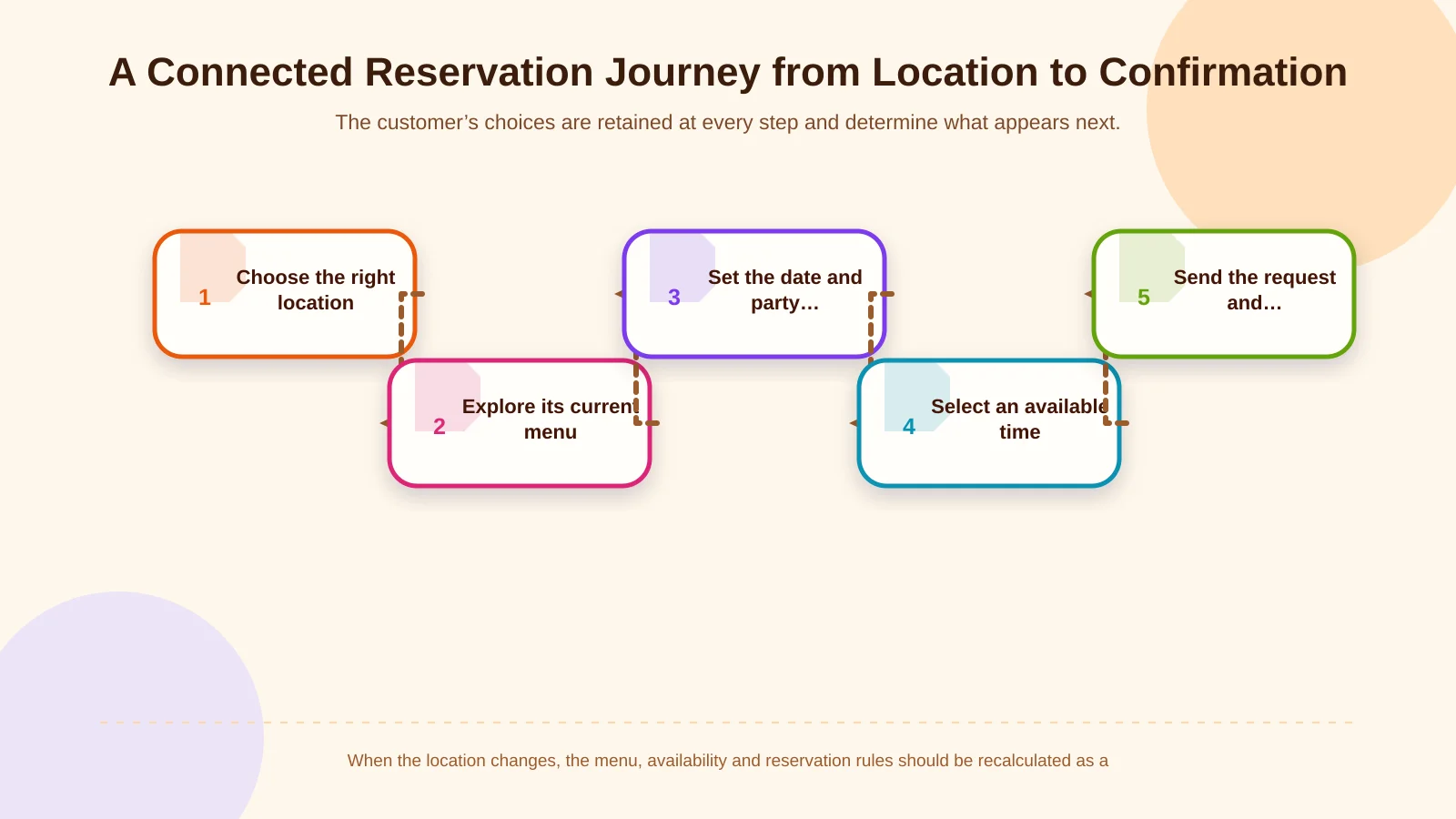
1. Help customers find the right location
A location card needs more than an address and phone number. It can combine neighbourhood, map position, opening hours, transport and parking information, outdoor seating, accessibility, service type and distinguishing venue features. If the interface says “Open now,” public holidays, temporary closures and exceptional service hours must also be manageable.
Giving each venue its own indexable page can support local search visibility. Google’s Local Business structured data documentation explains how details such as address, telephone number, opening hours and a menu URL can be provided in a machine-readable format. The visible page and structured data should draw from the same source so that customers and search engines receive consistent information.
2. Personalise the menu for the selected location
After choosing a location, customers should see the menu that actually applies there. Categories, product names, descriptions, prices, allergens, dietary attributes and availability should be managed as structured fields. A PDF can remain available as a download, but using it as the only menu makes mobile reading, accessibility, search and frequent updates unnecessarily difficult.
The relationship between items and locations must be explicit. A central team can maintain shared product content while prices, service periods and availability vary by venue. Temporarily unavailable dishes should change status instead of being deleted. When standard page templates cannot support these rules, custom web development can bring locations, menus and operational conditions into one data model.
3. Preserve context when the customer starts a reservation
Selecting “Reserve a table” should not erase the chosen location, date or menu context. The form should display a clear, editable summary of previous decisions. Customers can then catch an incorrect venue or date before sending the request without having to restart the journey.
Ask only for information the operation genuinely needs. A name, contact method, date, time and party size cover many basic cases. A high chair, accessible table, dietary note or celebration request can be added when relevant. The W3C’s accessible forms tutorial recommends concise forms, clear labels, helpful instructions and understandable validation feedback. These practices make reservations easier for everyone, especially on mobile devices.
4. Explain the difference between a request and a confirmation
Submitting a form does not always mean that a table has been confirmed. If the website is not connected to real-time inventory, the button and success message should say “Send reservation request.” Customers should also learn when and through which channel the restaurant will respond. If automatic availability is supported, the interface can show valid time slots; deposit or card-verification terms must appear before the transaction.
The success screen should repeat the location, date, time, party size and request number. The same summary can be sent by email or SMS. Self-service cancellation and amendment links reduce reliance on call-centre or location staff while giving customers greater control.
How should a location-based data model be structured?
A consistent data model sits behind the connected experience. A “location” cannot be merely an address field. It should include its service calendar, opening periods, capacity, seating areas, contact channels, facilities and reservation policies. Menu items should connect to locations through categories, ingredients, prices, images, allergens, availability and validity periods.
A reservation record needs a location ID, date and time, party size, table or area preference, customer contact information, current status and activity history. Permissions should define who can change states such as “new,” “awaiting confirmation,” “confirmed,” “cancelled” and “no-show.” Availability also depends on more than the total number of tables: combinations, expected dining duration, reset time and restrictions on particular areas can all affect capacity.
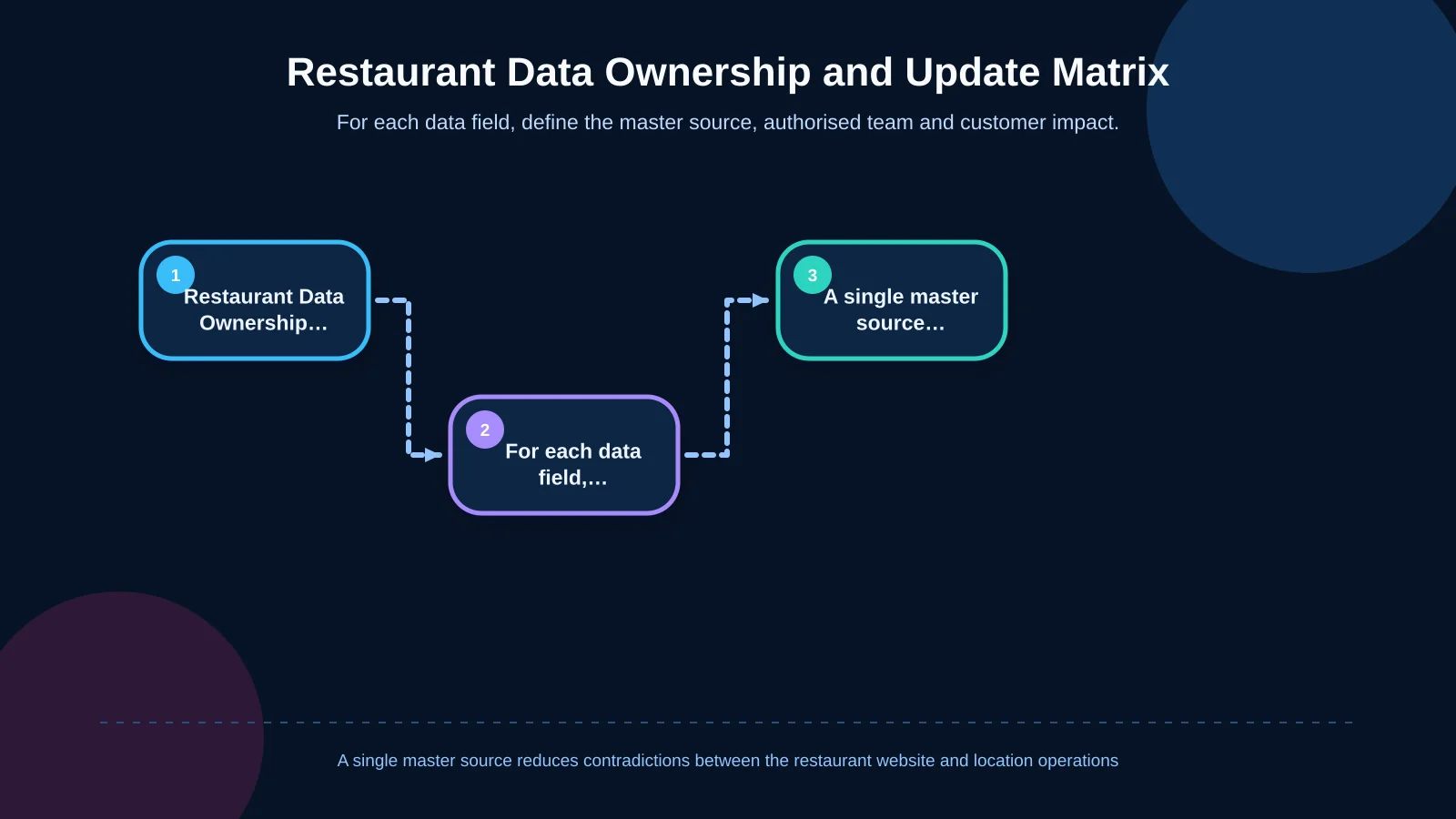
The source of truth for each field should be agreed during discovery. Contradictions become likely when menu prices live in the website panel, hours in a mapping service and capacity in a separate booking tool. For every field, define the master system, authorised team, synchronisation frequency and fallback behaviour when an update or integration fails.
How can the management panel support central and location teams?
The management panel is not simply a content-entry screen; it governs permissions, workflows and publishing. The central team can manage brand language, shared menu descriptions and visual standards. Location managers can update their own hours, temporary closures, item availability and reservation capacity within agreed limits.
Role-based permissions prevent one venue from changing another venue’s data. Approval workflows and audit records can protect critical changes. Start and end dates for prices, holiday hours, campaigns and reservation policies reduce manual work and forgotten reversals. Preview tools also let teams check mobile and desktop presentation before publishing.
- Central administrator: all locations, shared menus and user permissions
- Location manager: local hours, availability and capacity
- Reservation team: requests, status changes and customer communication
- Content editor: copy, photography and campaign areas
- Reporting user: conversion and operational performance indicators
| Data | Primary owner | Update timing | Customer impact |
|---|---|---|---|
| Shared menu content | Central team | When products change | Accurate descriptions |
| Price and availability | Location or central team | Real time or scheduled | Valid choices |
| Opening hours | Location manager | Calendar-based | Reliable visit planning |
| Reservation capacity | Operations team | By service period | Realistic availability |
| Visuals and campaigns | Content editor | Scheduled publishing | Consistent brand experience |
What should reservation rules cover?
A reservation engine is more extensive than the few fields visible on screen. Each location may need minimum and maximum party sizes, bookable intervals, capacity per service period, table duration and an advance-booking window. Large parties, private rooms and event dates may require separate approval routes.
Late-arrival tolerance, cancellation deadlines, deposits, children and pet policies should be shown before submission. Outage behaviour matters as well. If an integration stops responding, the website should not issue a false confirmation. It can place the request in a secure queue, explain the delay or offer a verified alternative contact method.
Reservation forms collect personal information such as telephone numbers, email addresses and special requests. The restaurant therefore needs clear rules for notice, retention, transfer and access. Turkey’s Personal Data Protection Authority explains in its guidance on the obligation to inform that people should receive information including the controller’s identity, processing purposes, transfers, collection method, legal basis and their rights when data is obtained. Avoiding unnecessary free-text fields and limiting staff access also supports data minimisation.
How should mobile experience and interaction design work?
Many restaurant searches happen while customers are away from a desk, so core tasks must remain comfortable on a small screen. Location selection, menu categories and the reservation action should sit within easy reach without persistent controls covering content. Maps, high-resolution food photography and animation should load without undermining page speed or interaction stability.
Brand-specific design is not simply a layer of decorative movement. Photography and video can communicate each venue’s atmosphere, but they must remain balanced with menu readability, clear status feedback and an efficient reservation journey. An Art Director-led visual system can preserve the identity of individual locations while maintaining one recognisable restaurant brand. Every interaction should clarify the result of a customer’s choice rather than delay it.
How do SEO and measurement fit into the connected structure?
Each location page should contain its own address, hours, transport details, facilities and genuinely local content. Repeating the same paragraph while changing only the neighbourhood name offers limited value to customers or search engines. Menu categories and dish descriptions should remain accessible as text, while temporary availability changes should not create disposable URLs.
Structured data must match the information customers can see. Each venue may use the Restaurant type or another appropriate LocalBusiness subtype with address, telephone, opening hours, cuisine and menu details. Markup alone does not guarantee visibility; accuracy, crawlability, mobile performance and useful content still need to work together.
Measurement should extend beyond a single “reservation completed” event. Teams can track location views, directions clicks, menu-category opens, dish views, reservation starts, unavailable-time results, form errors and completed requests. This sequence reveals whether customers are leaving at the menu, availability or form stage and gives teams a more useful optimisation backlog.
Which questions should define the project scope?
A restaurant website project should begin with operational questions, not only a list of screens. How many locations exist, and how will a new one be added? Who owns menus, prices and hours? Are reservations confirmed instantly or reviewed by staff? How is capacity calculated? Must the platform connect to a POS, CRM, call centre or existing reservation provider?
- How do menus, prices and service periods differ between locations?
- Which information must customers see before requesting a table?
- How will holidays, temporary closures and sold-out items be managed?
- Which system receives form data, and how will fields be mapped?
- How will requests be protected and reported if an integration fails?
- Will success be measured by requests, confirmations or completed visits?
The answers define information architecture, interface design, management-panel permissions, integrations and acceptance testing. Kumsal Agency brings together Art Director-led custom web design, location-aware software, responsive customer journeys and required integrations around the restaurant’s real operating model.
A restaurant website can become a digital operations channel
When menus, locations and table reservations share the same data structure, customers reach the right decision with fewer steps. Restaurant teams gain a central way to maintain accurate information, apply venue-specific rules and understand the context behind each request. The result is not merely an attractive restaurant website but a sustainable system that connects brand experience with operational accuracy.
To plan your restaurant brand’s menu, location and reservation journey around real operations and define a custom project scope, contact Kumsal Agency.