


Aydınlatma metni yükleniyor…
When a company offers everything from web design and custom software to mobile apps, e-commerce, ERP and brand consulting, its website menu can gradually become a reflection of its internal organisation. Department names, commercial priorities and newly added solutions end up competing within the same navigation. Visitors, however, are not trying to understand the company structure. They want to know where their particular need belongs.
Card sorting is a UX research method that makes this mismatch visible. It helps teams reorganise a complex service menu according to users’ mental models: how people naturally associate services, which labels they understand and where they expect to find a solution. A well-run study does more than rearrange menu items. It can reveal which services belong together, which terms remain ambiguous, how different audiences describe the same need and where more than one discovery path may be necessary.
The result can support an information architecture in which visitors find relevant services faster, understand how those services relate to one another and move towards an enquiry or quotation with greater confidence.
What is card sorting, and what does it solve in a service menu?
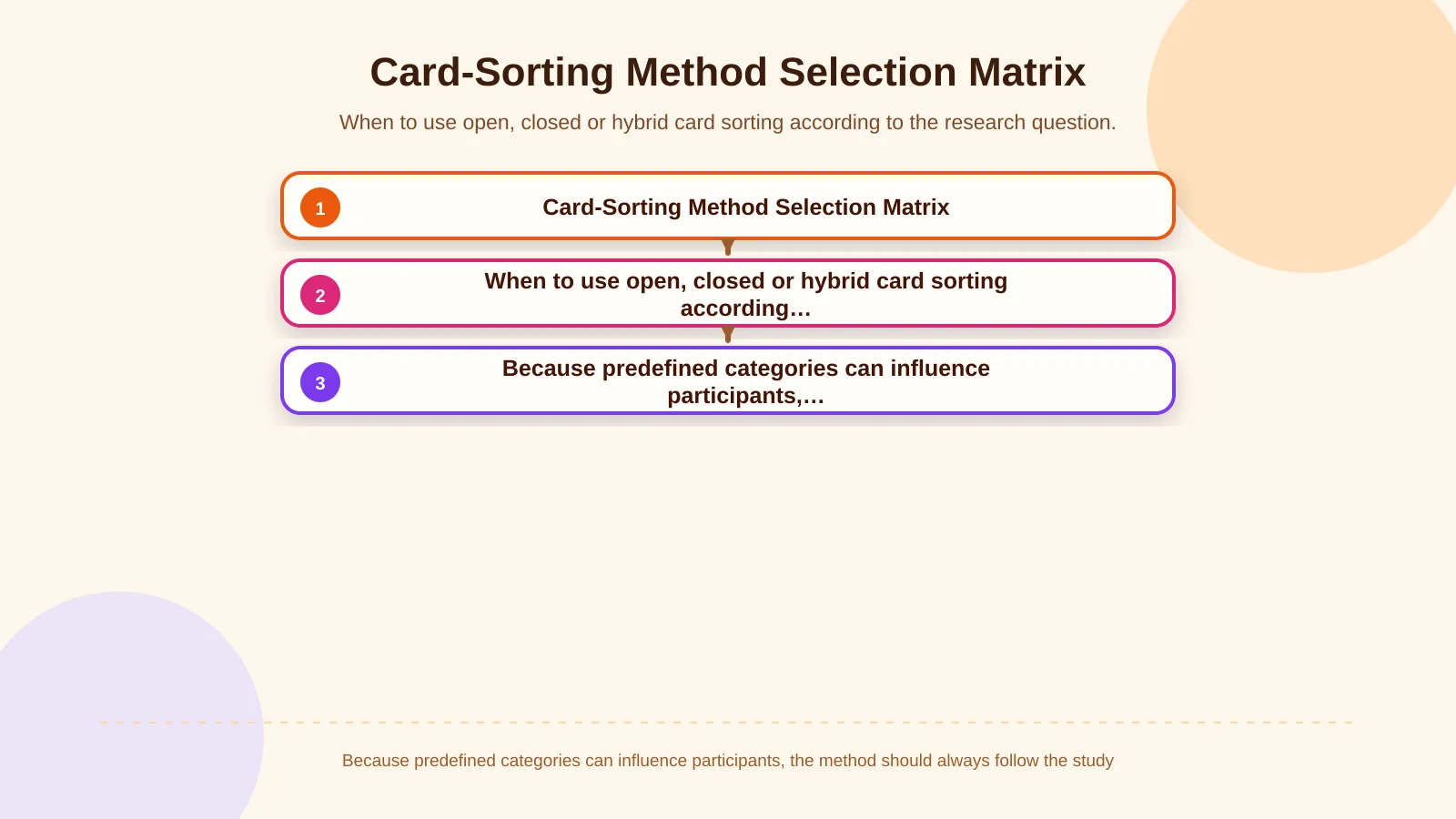
In a card-sorting study, participants receive cards representing services, content or user tasks and organise them into groups that make sense to them. In an open card sort, participants create and name their own groups. In a closed card sort, they place cards into predefined categories. A hybrid study provides some categories but allows participants to add others when necessary. The Nielsen Norman Group overview of card sorting explains how these formats serve different research goals and help expose users’ mental models of an information space.
The central problem in a complex service menu is often not the number of choices but the logic used to classify them. Internally, “Web Design,” “Digital Design” and “Digital Brand Consulting” may correspond to different teams and deliverables. A prospective client may nevertheless see all three as parts of one goal: renewing the brand’s digital presence. Likewise, web development, e-commerce, mobile applications and enterprise resource planning are technically distinct, but a visitor may associate them through a sales, operations or customer-experience problem.
Card sorting does not eliminate these differences or produce one universally correct answer. It exposes repeated patterns, uncertain placements and the language participants use. The final menu should still balance research findings with business goals, search requirements, content scope and technical dependencies.
| Method | What participants receive | Best suited to | Primary risk |
|---|---|---|---|
| Open | Cards only | Discovering natural groups and labels | Inconsistent category names |
| Closed | Cards and predefined categories | Evaluating an existing structure | Missing new patterns |
| Hybrid | Cards and some predefined categories | Extending a partly fixed structure | Leading participants with existing labels |
How should you prepare a service inventory before the study?
Begin by mapping the full set of services and solutions users may encounter, not by copying labels from the current navigation. Review the main menu, child pages, campaign landing pages, enquiry forms, internal search terms and wording used by sales teams. Mark duplicated, outdated or poorly defined items separately. This inventory helps the research team distinguish a genuine service from a legacy label, campaign phrase or organisational shortcut.
Write cards as clear concepts, not department names
Each card should represent one recognisable service, solution or user task. A broad phrase such as “Our Solutions” provides little value as a card. “Dealer ordering portal,” “corporate website,” “mobile field application” and “ERP integration” are more distinctive. Keep the level of detail reasonably consistent. If one card names an entire service family while another describes a small feature, participants will struggle to apply a shared grouping principle.
Repeated cue words can also distort the results. If almost every card contains “corporate” or “digital,” participants may group items by vocabulary rather than meaning. The NN/g guidance on avoiding terminology-based matches in card sorting highlights this risk. Add a short, neutral description when a service cannot be understood from its name alone, but avoid language that implies the expected category.
Define a focused research question
“Fix the menu” is not a measurable research question. A better question might be: “Under which top-level categories do decision-makers look for web design, custom software, e-commerce and ERP services?” Another could ask: “How do users name and understand the relationship between brand consulting and design services?”
If the inventory is extensive, do not force participants to organise the entire site in one session. Run separate studies for related service families or prioritise the areas with the greatest ambiguity. This reduces cognitive load and produces more considered decisions.
How do you run a card-sorting study step by step?
A card sort can be conducted face to face with printed cards or remotely through a research platform. Moderated sessions make it easier to understand why a participant made a particular decision. Unmoderated remote studies can reach a broader sample, but the instructions, card descriptions and task wording must be carefully piloted because a moderator will not be present to resolve confusion.
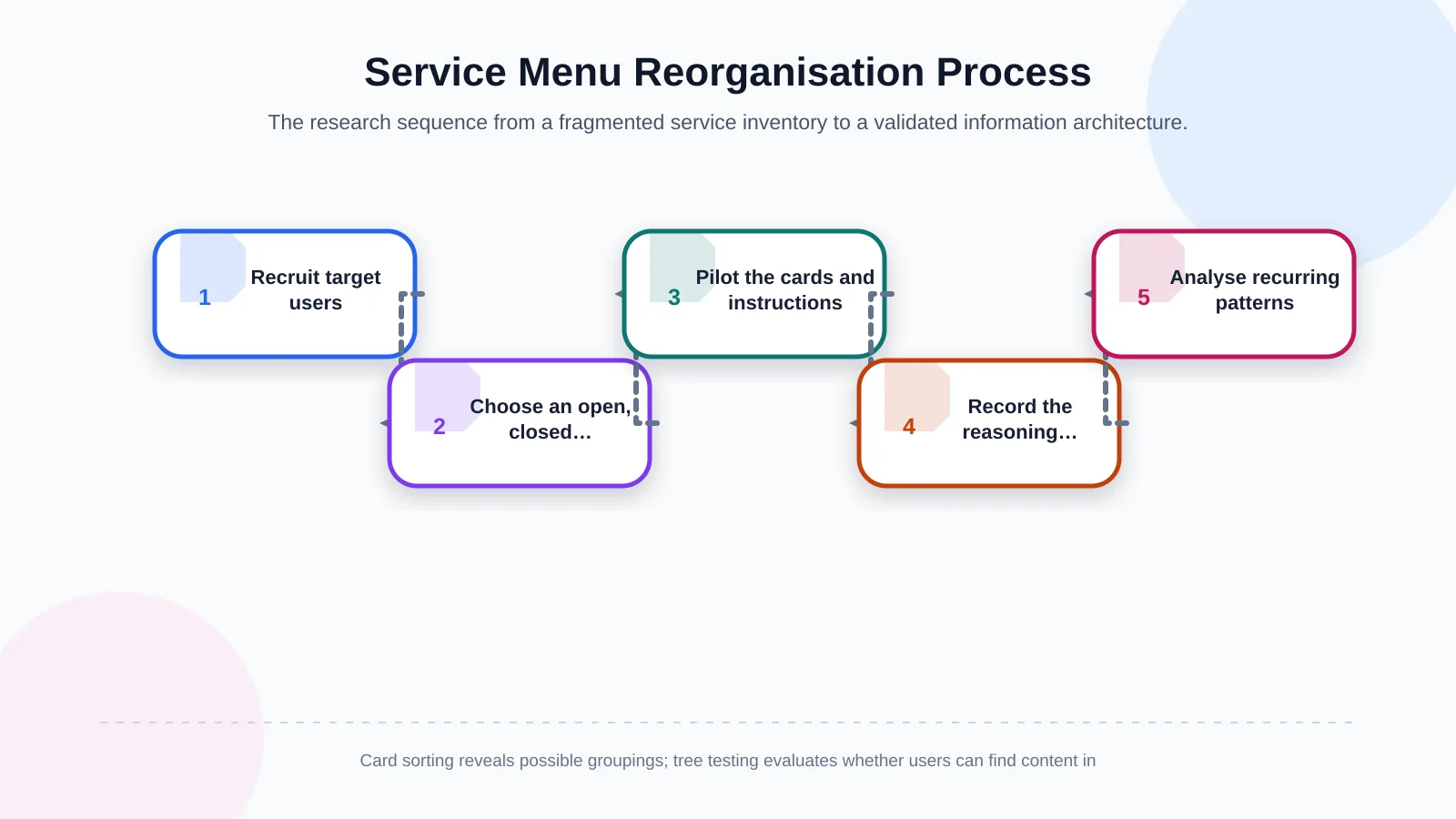
1. Recruit representative participants
A workshop involving only employees may help an organisation reach internal agreement, but it does not demonstrate the customer’s mental model. Participants should reflect the people most likely to use the website or purchase the services. A marketing director, procurement specialist, start-up founder and operations manager may search for the same capability with very different goals.
Record relevant roles or audience segments during recruitment. Analyse common patterns across the sample, but also examine meaningful differences between groups. Digital.gov similarly recommends conducting card sorts with the people most likely to use the product or service.
2. Choose the appropriate method
An open card sort is a strong starting point when the team wants to discover natural groups and vocabulary. A closed sort is more suitable for checking whether existing or proposed top-level categories are understood. A hybrid format may help when certain commercial categories must remain fixed while other areas are open to change.
Predefined categories can influence participants, so the choice must follow the research objective. If the goal is exploration, do not present the current menu as the starting framework. Doing so can turn the exercise into an evaluation of internal assumptions rather than a study of user expectations.
3. Conduct a pilot session
Run several pilot sessions before recruiting the full sample. Piloting reveals unclear cards, duplicated services, inconsistent levels of detail and unnecessarily long instructions. Refine the material before those issues contaminate the main findings.
Participants should not be forced to place an unfamiliar card. Provide an “I’m not sure” area and record why the item was difficult. An unrecognised service is itself a useful finding: its name, description or market relevance may require further examination.
4. Record the reasoning behind each group
In a moderated session, ask participants to think aloud. Neutral prompts such as “Why did you place these services together?”, “What would you expect to find under this group name?” and “Where else might you look for this card?” expose the logic behind each choice without suggesting an answer.
The Digital.gov guide to card sorts recommends allowing users to create and name categories in an open study, while a closed study asks them to place cards into predetermined categories and explain their decisions. The explanations matter because identical groupings may be based on different needs.
5. Analyse recurring patterns
Do not limit the analysis to the most popular category labels. Examine which cards repeatedly appear together, which services move between groups, which headings express similar ideas and whether particular audience roles follow different patterns. A similarity matrix or clustering view can expose strong relationships; session notes explain why those relationships exist.
One unusual decision should not trigger an immediate navigation change. Look for repeated evidence, then compare the quantitative pattern with participants’ explanations and the original research question.
How do you turn the findings into a service menu?
Card sorting does not automatically produce a finished sitemap. The research team first converts strong groupings into candidate categories, then assesses those categories against user goals, business priorities and actual content. Participants might place Web Design, Digital Design and Digital Brand Consulting under “Brand and Experience,” while grouping Web Development, Mobile Applications and ERP under “Digital Products and Systems.” That is a design hypothesis, not a final answer.
Top-level labels should be concise, distinctive and predictive. Internal expressions such as “Capabilities,” “Platforms” or “360° Solutions” should be reconsidered if they fail to tell visitors what lies beneath them. Where a service belongs to more than one user journey, create contextual routes to one canonical page rather than duplicating the page under different names. E-commerce, for example, may be discovered as both a sales channel and a custom-software requirement.
The taxonomy must work beyond a desktop mega menu. Mobile navigation, breadcrumbs, service hub pages, page-level links and enquiry-form options should use compatible language. Kumsal Agency’s research-led Digital Brand Consulting approach can connect information architecture with brand positioning, user needs and experience principles. Brand-specific Web Design and Web Development, planned around roles, data, workflows and integrations, can then turn that architecture into a coherent digital experience.
Why should the new menu be validated with tree testing?
Card sorting helps discover how people group content, but it does not prove that they can find a specific service within the proposed hierarchy. The draft menu should therefore be tested as a text-based tree, independently of visual design. Give participants realistic scenarios such as: “You need a solution that connects dealer orders to your ERP. Where would you go?” Then observe the route they choose.
Tree testing can measure the first selection, success in reaching the intended destination, backtracking and commonly chosen incorrect branches. If a category that appeared strong during card sorting creates the wrong expectation during a task, revise its label, position or hierarchy. Nielsen Norman Group distinguishes these complementary purposes: card sorting explores possible groups, while tree testing evaluates findability within a proposed navigation structure.
This moves the evidence from “participants associated these services” to “users can reach the correct service through this route.” After revising the tree, a clickable prototype and task-based usability testing can examine interaction details, responsive behaviour and supporting page content.
Common mistakes and points to consider when making decisions
Relying only on internal stakeholders: Organisational expertise does not necessarily represent the language or expectations of customers.
Writing cards as marketing slogans: Vague or persuasive language obscures the participant’s genuine mental model.
Expecting identical results from everyone: Individual variation is normal; decisions should be based on recurring evidence.
Using too many cards in one session: Fatigue can produce superficial groups and an oversized “Other” category.
Treating the output as the final menu: Business models, content ownership, SEO and technical constraints still require evaluation.
Launching without validation: Test the proposed architecture through tree testing, prototypes and realistic usability tasks.
From an SEO perspective, category decisions should not be based on keyword volume alone. Search demand can inform page naming, but each navigation label must provide clear information scent and accurately represent the content below it. Creating several pages for the same service under slightly different names can introduce indexing, maintenance and ownership problems. Document the selected taxonomy, each page’s purpose, its canonical location and the relevant internal-link relationships.
How do you maintain a scalable information architecture?
The work does not end when the menu goes live. Establish governance rules for evaluating every new service: which user need it addresses, where it fits within the current taxonomy and whether it genuinely requires a new top-level category. Maintain an inventory, a taxonomy glossary and named ownership for navigation decisions.
Monitor internal search terms, entry routes to service pages, menu interactions, enquiry-form starts and qualified-lead data. These indicators do not prove causation on their own, but they can identify areas that deserve further research. When mobile applications, e-commerce or ERP capabilities expand, investigate how users relate them to existing service families before adding more permanent menu items.
If you want to rebuild a complex service menu around customer expectations rather than internal assumptions, contact Kumsal Agency. Plan research, taxonomy, interface design, custom software and integrations around one clear strategy to create an understandable, testable and scalable information architecture for your corporate website.