


Aydınlatma metni yükleniyor…
The value of a UX audit depends on more than an expert review of screens and interfaces. The scope, accuracy and context of the user data available to the audit team directly affect the quality of its findings. Without adequate preparation, the outcome may be limited to broad recommendations such as “make the button more prominent” or “simplify the navigation.” A well-prepared evidence pack can instead show which problem affects which audience, how it influences business results and where improvement work should begin.
This does not mean sharing every available record. The goal is to create a secure, interpretable dataset that explains what users are trying to achieve, where they encounter difficulty and how those difficulties affect the organisation. The following framework can be applied to corporate websites, customer or dealer portals, B2B e-commerce platforms and bespoke web applications.
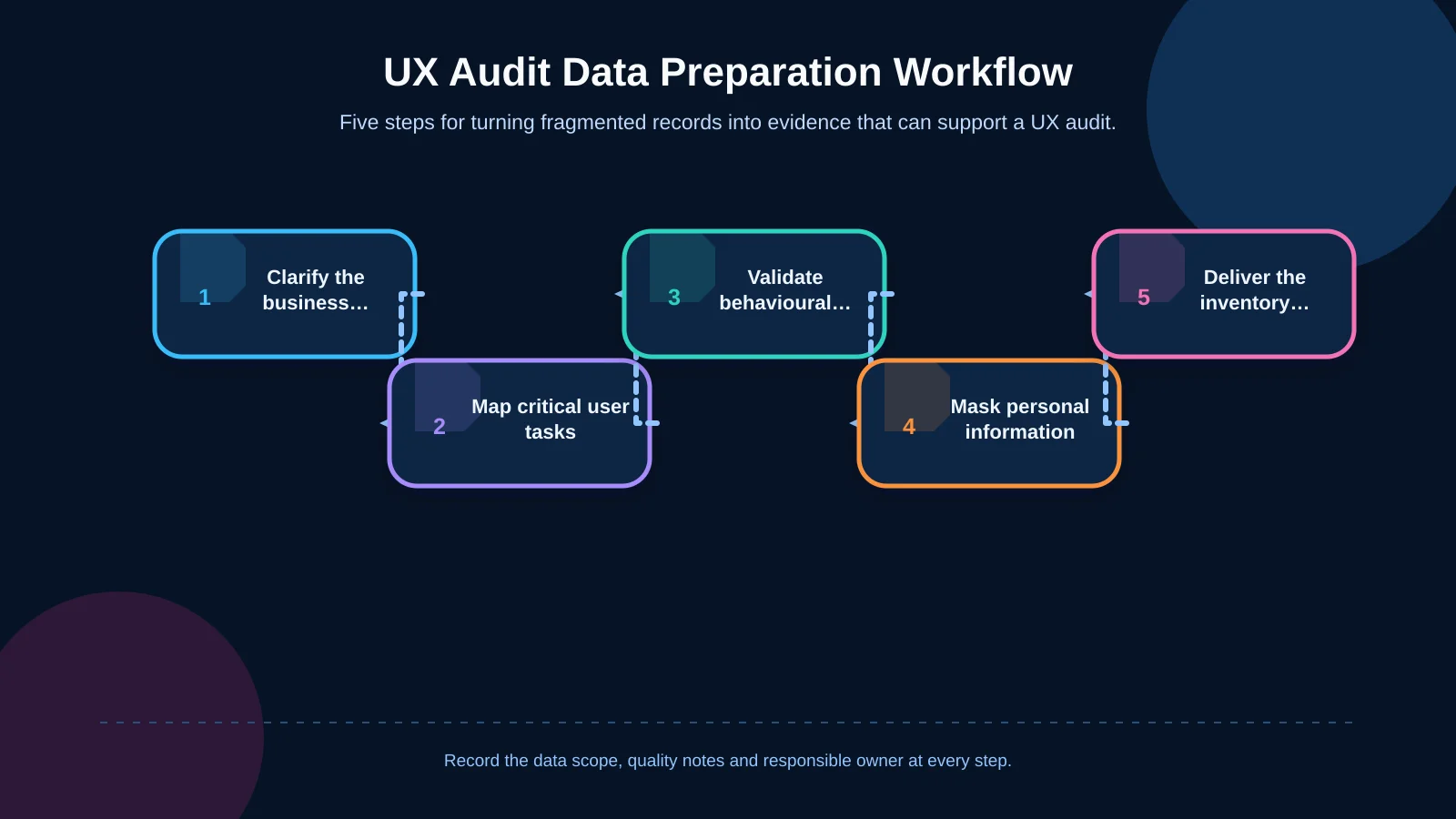
Define the audit’s business goals and scope first
Before collecting data, define the questions the audit must answer. Increasing qualified enquiries on a corporate website, reducing checkout abandonment and shortening the time required to place a dealer order each demand different evidence. “Improve the user experience” is not, by itself, a measurable objective.
Document the products, user roles, markets, languages and date range included in the audit. On a B2B platform, buyers, dealer administrators, finance teams and field employees may use the same screens with different permissions. The scope should also identify relevant devices, integrations and critical business outcomes.
Record a baseline and a success indicator for every goal. These might include form completion rate, qualified quote requests, order completion time, unsuccessful search rate or support volume. If the measurement setup is incomplete, record that as a finding rather than presenting the available figures as conclusive.
Prepare analytics data for the audit
Web analytics can reveal where users arrive, which steps they follow and where they leave. Prepare at least three to six months of data. If the business is highly seasonal, include the equivalent period from the previous year. Breakdowns by acquisition source, landing page, user type, country, language and device category can expose issues hidden by site-wide averages.
Go beyond page views and extract events that represent meaningful actions: form starts and submissions, product searches, filter use, downloads, add-to-cart actions, checkout steps, login errors and order confirmations. Google explains that events measure user interactions, while event parameters provide details about those actions, such as the link that was clicked. Share parameter definitions as well as event names, and use the Google Analytics guide to custom dimensions and metrics to check how the dimensions and metrics in your reports are scoped.
Include the measurement plan, tag-management structure, event dictionary and dates of major releases alongside the reports. Internal traffic, test orders, bots, duplicate tags or missing consent signals can distort the evidence. Note campaigns, outages and major product changes within the period so that correlation is not mistaken for causation. For a disorganised or incomplete measurement setup, treat analytics design as part of the wider web development and integration assessment.
Document critical user tasks and conversion journeys
The audit team must understand the outcomes users are pursuing, not merely the pages they visit. List the five to ten most common or commercially important tasks. Use outcome-based descriptions such as “find the correct spare part by OEM code and request a quote” or “build a bulk order at dealer prices and submit it for managerial approval,” rather than “visit the product page.”
For each task, document the entry point, user role, prerequisites, expected steps, alternative routes, successful outcome and failure states. Separate the process users actually follow from the process the organisation assumes they follow. Nielsen Norman Group describes task analysis as examining users’ goals, the steps and sequence they follow, their context and the information they need. The broader method is covered in its UX research methods glossary.
Do not analyse conversion funnels only through users who complete the final action. Prepare step-to-step progression rates, returns to previous stages, repeated attempts, error messages and completion times. For an enquiry form, a submission alone is not the strongest business measure; whether the enquiry reaches the CRM, receives sales follow-up and qualifies as a genuine opportunity is more informative. In multi-step commerce journeys, the e-commerce experience from product discovery to checkout should be reviewed together with its data and integration layers.
Prioritise tasks by business impact
Add frequency, revenue or operational impact, error risk and user urgency to each task. A process used only once a month may deserve priority if an incorrect submission stops a shipment, while a frequently used filter may have little operational consequence. A short review with sales, operations and support teams can establish a shared view of which tasks are genuinely critical.
Bring together on-site search, form and error records
On-site searches express what users cannot readily find through the current information architecture. Prepare the most frequent queries, zero-result searches, spelling variations, results selected after searching and exits following a search. Product codes, technical specifications and industry terminology may be more meaningful than category names on a B2B platform.
For forms, extract views, starts, field-level errors, abandonment and successful delivery data. Document required fields, validation rules, upload limits, anti-spam checks and CRM transfer status. If a user sees a success message but the record never reaches the CRM, the failure is not solely a UX issue; it is also an integration and operational problem.
Include application logs, HTTP error rates, failed API calls, timeouts and user-facing error codes. Instead of handing over unstructured raw logs, classify records by date, screen, action, user role, error type and outcome. This makes it easier to distinguish a technical outage from interface behaviour that users simply do not understand.
| Data source | Evidence to examine | Problem it can reveal |
|---|---|---|
| Search records | Zero-result and repeated queries | Findability and terminology |
| Form records | Abandonment and field errors | Unnecessary effort and validation issues |
| Application logs | Errors and timeouts | Technical failures and integration issues |
| Support requests | Recurring requests for help | Unclear tasks and content |
Segment evidence by device, browser, performance and accessibility
An overall conversion rate can conceal a serious problem affecting a specific mobile device or browser. In addition to desktop, mobile and tablet categories, prepare breakdowns by operating system, browser and screen resolution and, where possible, connection conditions. Compare traffic volume, task success, error rate and completion time within each segment. Avoid drawing firm conclusions from very small samples.
Connect real-user performance evidence to key templates and critical journeys. A slow product listing, delayed filter response or frozen form submission can directly change user behaviour. State the measurement period, source and sample size for performance records. Add accessibility checks covering keyboard operation, focus order, form labels, contrast and whether error messages are communicated correctly to screen readers.
Mobile usability is not simply a smaller layout. Field users may need one-handed operation, support for unreliable connections, camera or barcode access and recovery from frequent session interruptions. Cross-referencing device data with user roles and task context provides more useful evidence than asking only what percentage of traffic is mobile.
Classify support requests and qualitative user feedback
Support records show where people cannot progress independently. Classify the previous three to six months of email, call-centre, live-chat, CRM and review data under consistent themes. Useful categories may include login and password problems, product discovery, price visibility, form errors, payment, shipping, permissions and document downloads.
For each theme, provide volume, recurrence, affected role, resolution time, business impact and a representative user comment. Where possible, include a few authentic comments after removing personal information. Quantitative data reveals prevalence; the user’s own language often explains the gap between their expectations and the interface. Record tasks completed manually by sales or operations teams as well. A journey that appears successful may rely on extensive employee intervention behind the scenes.
If surveys, interview notes or usability-test recordings are available, include the research date, participant profile, scenario and method. Research conducted long ago or with a different audience may offer context, but it should not be treated as direct evidence of current behaviour.
Arrange data security and access permissions before the audit
Names, email addresses, phone numbers, postal addresses and payment details are rarely necessary for a UX audit. Anonymise records or replace identities with pseudonymous references, and check free-text fields separately for personal information. The UK Information Commissioner’s Office states that personal data should be adequate, relevant and limited to what is necessary for its purpose. Its guidance on data protection principles provides a useful framework for purpose limitation and data minimisation.
Provide time-limited, read-only access wherever possible. Analytics, tag management, session-recording platforms, support systems, design files and test environments may require separate permissions. Decide who grants access, when it expires and which environment should be used. Create safe test accounts representing different roles instead of sharing real customer accounts in production.
If session recordings or heatmaps are used, verify that password, payment and personal-data fields are masked. Consent, privacy notices, retention periods and internal policies should be reviewed with legal or data-protection owners. Store audit material in an access-controlled corporate environment rather than sending it through personal email or unprotected links.
Deliver the data pack with evidence, context and ownership
Create a shared data inventory instead of sending unrelated screenshots and exports. Each row should identify the data source, date range, owner, access method, freshness, known quality issue and the audit question it is expected to answer. Include a short glossary for terms such as “conversion,” “active user” and “qualified lead” so different teams do not interpret the same report differently.
A strong pack usually contains the objectives and scope, critical-task list, analytics reports, funnel definitions, search and form records, device and performance breakdowns, support themes, research outputs, technical-change timeline and access matrix. Do not hide missing evidence. Mark each gap clearly as “not measured,” “access pending” or “sample too small.”
Finally, hold a short kickoff with representatives from marketing, digital product, sales, operations and IT. Agree which data can be trusted, which findings should remain hypotheses and who owns prioritisation decisions. The audit can then become an actionable roadmap connecting user evidence with business impact, rather than a collection of subjective opinions about visual design.
How do you know you are ready for a UX audit?
When preparation is complete, the team should be able to answer a few questions consistently: Who are the most important users? Which tasks must they complete? How is success measured? At which step does the greatest loss occur? Is the problem concentrated within a particular device, role or acquisition source? Are any measurement or integration faults affecting the reliability of the evidence?
The data does not need to be perfect. What matters is understanding the limits of the available evidence, making gaps visible and connecting the audit to business goals. As an Istanbul-based digital agency, Kumsal Agency brings together user-experience and information-architecture analysis with web design, bespoke web software, e-commerce, mobile usability, performance and integration requirements. Define the scope of your UX audit and the data you should prepare with Kumsal Agency.